
How to Try Alpine Linux 3.24 in 2026: musl, Limine, COSMIC
Alpine Linux 3.24 is the release that turned this minimal, container-oriented
distribution into something you can plausibly put on a desktop. Released on
2026-06-09, it ships with a refreshed toolchain (LLVM 22, Rust 1.96, Go 1.26,
Qt 6.11), a much-improved installer that finally supports the Limine boot
loader and IPv6, and — perhaps most visibly — the System76 COSMIC desktop in
the community repository. If you have been meaning to try Alpine but were
put off by the bare CLI installer and the musl-vs-glibc caveats, 3.24 is the
release to revisit.
This article walks through what changed in 3.24, how to install it today,
what the COSMIC desktop experience is actually like, and where Alpine still
isn’t the right tool for the job.
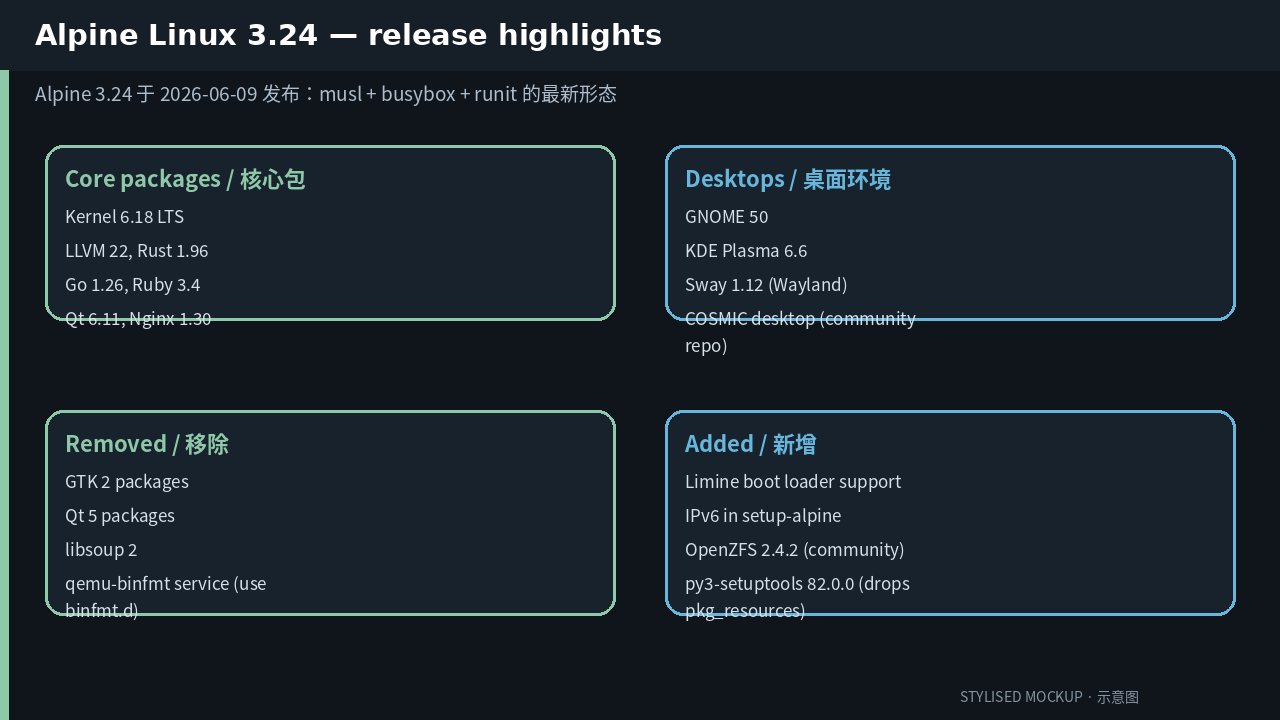
Figure: Stylised mockup summarising Alpine 3.24’s release highlights. Real screenshots were unavailable at time of writing.
What changed in 3.24 (and why it matters)
If you last looked at Alpine around 3.18 or 3.20, the jump to 3.24 is
substantial:
- Limine boot loader support.
setup-alpinenow recognises Limine during
install, alongside the existing extlinux / GRUB / syslinux paths. If you
were avoiding Alpine because your favourite UEFI firmware didn’t play
nicely with its old boot setup, that’s no longer a reason. - IPv6 in the installer.
setup-alpinenow asks for an IPv6 address and
can configure v6-only networks. This matters for headless / homelab setups
where your provider only hands out a v6 prefix. - Better serial console handling. The installer auto-configures the
kernel and boot loader for serial consoles, which makes headless and
embedded installs much smoother. - GNOME 50 and KDE Plasma 6.6 are available, plus Sway 1.12 as a
Wayland-native tiling option. And — the headline addition — COSMIC
desktop is now packaged in the community repository. - OpenZFS 2.4.2 moved into the community repository. Running ZFS on a
musl userspace used to mean compiling the kernel module by hand; in 3.24
you canapk add zfsand have it just work on supported kernels. - GTK 2 packages and Qt 5 packages are gone. If you have an old GTK2
utility pinned in a container image, 3.24 is when you finally deal with
it.libsoup 2is also removed. - Toolchain refresh. LLVM 22, Rust 1.96, Go 1.26, Ruby 3.4, Qt 6.11, and
Nginx 1.30 all land in this release. The Rust bump is the headline for
anyone shipping static binaries from CI.
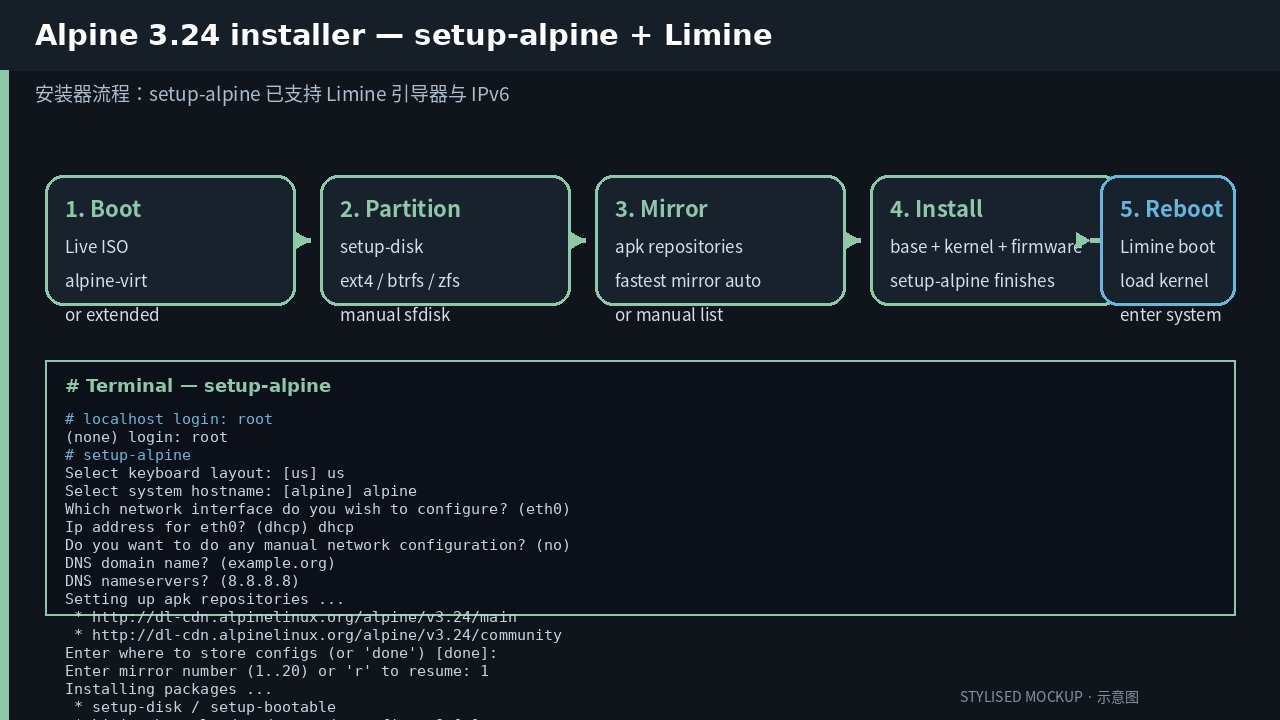
Figure: Stylised mockup of the 3.24 installer flow and a sample setup-alpine session. Real terminal output was unavailable at time of writing.
Installing Alpine 3.24 today
There are three practical ways to get Alpine 3.24 onto a machine, in order
of how often they make sense:
1. Container / VM (the path most people take)
If you just want to evaluate Alpine 3.24, do it in a VM or a container
first. The official image is on Docker Hub as alpine:3.24:
docker run -it --rm alpine:3.24 /bin/sh
apk update
apk info -vvv | head
That single command gives you the entire 3.24 environment in ~5 MB. From
there, apk add whatever you need — nginx, postgresql, podman,
rust, go, you name it. The signature-check semantics of apk are
genuinely stricter than apt or dnf, so any flaky or unsigned third-party
repo will simply refuse to install rather than silently accepting an
incompatible binary.
For local VMs, the live ISO is at
https://alpinelinux.org/downloads/. Pick the extended variant if you
want a desktop; the virt variant if you don’t.
2. Bare-metal install (the Limine + IPv6 path)
If you are installing on real hardware, the new flow looks like this:
- Boot the live ISO. Log in as
root(no password by default). - Run
setup-alpine. The installer will:- Ask for keyboard layout, hostname, and network interface.
- Let you choose DHCP or static IPv4 — and now IPv6, with DHCPv6
or static. - Let you pick an apk mirror (or auto-pick the fastest).
- Decide whether to use
setup-disk(the easy path) or skip disk
setup and partition by hand withsfdisk/parted.
- When asked about the boot loader, choose Limine. The installer
will install it to your EFI System Partition and add a boot entry. - Reboot. Alpine 3.24 boots straight into your new install.
The official installation guide lives at
https://docs.voidlinux.org/ — wait, that’s Void. Alpine’s actual docs
are at https://wiki.alpinelinux.org/wiki/Installation. The detailed
handbook is at https://docs.alpinelinux.org/.
3. Upgrade in place
If you already have a 3.22 or 3.23 install, upgrading to 3.24 is a
two-line affair:
apk update
apk upgrade --available
sed -i 's|v3.[23].|v3.24|g' /etc/apk/repositories
apk update
apk upgrade --available
The first apk upgrade brings you to the latest patch level of your
current minor (3.22.x or 3.23.x), the sed line points apk at the 3.24
repositories, and the second upgrade pulls you onto 3.24.
The official upgrade notes warn about the
py3-setuptools 82.0.0 change — it drops pkg_resources, so any project
that still imports it needs to migrate. The qemu-binfmt service is also
deprecated in favour of binfmt.d config files combined with user-mode qemu
packages.
COSMIC on Alpine: what the experience is like
COSMIC is System76’s Rust-based, Wayland-native desktop environment, built
on the iced toolkit. It has been in development for several years and only
recently reached a state where distributions are willing to ship it as an
option.
To try COSMIC on Alpine 3.24:
apk add cosmic session-desktop udev
rc-update add cosmic-session default
reboot
Once you log in via the COSMIC session, you get a fairly minimal Wayland
desktop: a top bar with workspace and system-tray indicators, an
applications launcher, and a settings panel. There is no traditional
application menu in the panel — COSMIC leans into a launcher and keyboard
workflow.
In day-to-day work, COSMIC on Alpine feels responsive. The 3.24 release
ships a recent enough Rust toolchain that COSMIC itself builds cleanly,
and the Wayland stack is current. The most surprising thing is how little
overhead COSMIC adds to a base Alpine install — the whole desktop
environment adds around 400 MB to the base image, which is competitive
with LXQt and noticeably smaller than GNOME or KDE.
If you want a more traditional desktop, GNOME 50 and KDE Plasma 6.6 are
both available and behave the way you’d expect. Sway 1.12 is the right
choice if you want to keep Alpine’s “everything is just a config file”
philosophy — your entire desktop is described by ~/.config/sway/config.
When Alpine 3.24 fits (and when it doesn’t)
The free-tier strength of Alpine is unchanged: minimal, musl-based, with a
package manager that refuses to install anything that would break existing
packages. 3.24 doesn’t change that, but it does expand the surfaces where
Alpine is a reasonable choice.
Alpine 3.24 is a good fit for:
- Container base images.
alpine:3.24versusdebian:13-slimis a
roughly 5x size difference. The signature checks on apk make it a
genuinely safer default than most container bases. - Edge / IoT / routers. Busybox plus musl keeps RAM below 256 MB on
a headless install. Alpine is the standard base for embedded devices
in 2026. - Static Rust binaries.
cargo build --target x86_64-unknown-linux-musl
on Alpine 3.24 produces a single binary that runs on aFROM scratch
container. The Rust 1.96 bump in 3.24 means fewer cross-compilation
headaches when your CI targets musl. - Homelab NAS with ZFS. OpenZFS 2.4.2 in the community repo means you
canapk add zfsand have a working storage node on a lean Alpine base
without compiling the kernel module by hand. - Reproducible build hosts. Apk’s signature checks are stricter than
apt or dnf, which is a real safety property when you are running a CI
fleet that pulls in third-party packages.
Alpine 3.24 is not a good fit for:
- Closed-source desktop apps. Many ship glibc-only
.debor.rpm
packages. WINE, Steam, and most commercial Linux software assume
glibc. - Gaming via Steam / Proton. Multi-arch glibc support isn’t
first-class. The Steam Linux Runtime works around this, but it adds
friction. - Workstations that depend on GTK 2 / Qt 5 legacy apps. Both are now
removed from main. You can keep an old Alpine 3.23 box alive if you
really need this. - Beginners. Alpine still has no GUI installer. You partition by
hand, you chroot in if you need to repair things, and the documentation
assumes you know what you’re doing. Pick Linux Mint or Fedora first;
come back to Alpine when you’ve outgrown them.
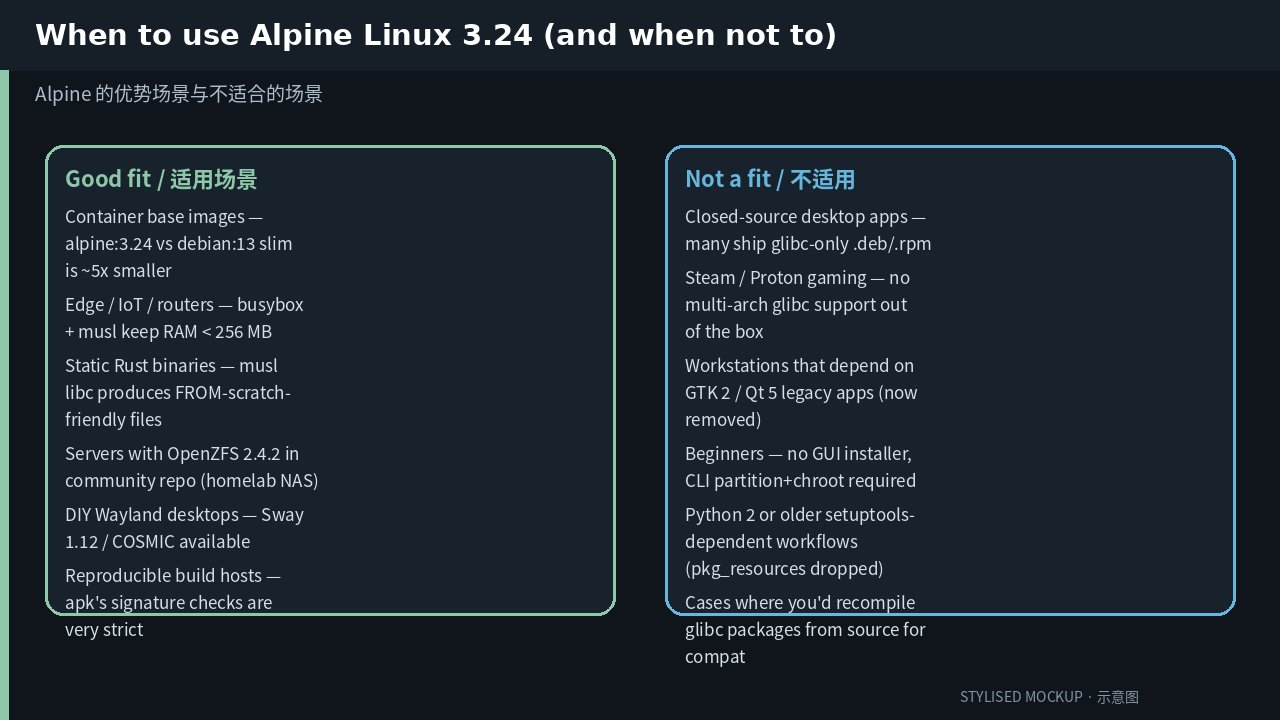
Figure: Stylised mockup comparing fit-for-purpose scenarios for Alpine 3.24. Real comparison UI was unavailable at time of writing.
A few practical notes
A handful of things worth knowing before you commit:
- Pin to
alpine:3.24, notalpine:latest. Alpine’s rolling edge
has had breaking changes in the past. Pinning to a specific minor
protects your builds. - Rebuild your Rust and Go static binaries against 3.24 to pick up
the LLVM 22 codegen improvements and the Rust 1.96 standard library
changes. - Check the
pkg_resourcesremoval. If any of your tooling still
imports the deprecatedpkg_resourcesmodule from setuptools, it will
break under 3.24’spy3-setuptools 82.0.0. Migrate toimportlib.metadata
orimportlib.resources. - OpenZFS on musl is still slightly off the beaten path. The
community repo packages it, but you are on your own for kernel module
signing on Secure Boot systems. Plan for that if you intend to deploy
to production.
Verdict
Alpine Linux 3.24 is the release that closes the gap between “Alpine as a
container base” and “Alpine as an everyday OS.” The Limine boot loader
support, IPv6 handling, COSMIC desktop, and OpenZFS in the community repo
are all real, useful additions. The removal of GTK 2 and Qt 5 is overdue
and probably won’t hurt anyone in 2026.
If you’ve been waiting for a reason to revisit Alpine, 3.24 is it. Try it
in a VM first; if you like what you see, the new setup-alpine flow makes
a bare-metal install less intimidating than it used to be. And if you’ve
already been running 3.22 or 3.23, the in-place upgrade is short and
painless — just pin your containers to 3.24 rather than latest before
you do.
Official site: https://alpinelinux.org
Release notes: https://alpinelinux.org/posts/Alpine-3.24.0-released.html
Installation guide: https://wiki.alpinelinux.org/wiki/Installation
Comments