
LocalSend 1.18.2 on Linux: AirDrop Alternative With a CLI
LocalSend is the open-source cross-platform answer to Apple’s AirDrop, and after seven years of development it is still the tool I reach for when a phone and a laptop need to swap a folder of photos without touching a cloud server. Version 1.18.2, released on August 21, 2026, is the current stable build — and while it is technically a patch release, it lands on top of the most significant engineering change the project has ever made: a complete rewrite of the core networking and file I/O layer from Dart into Rust, plus the project’s first official command-line client.
That combination is what makes LocalSend interesting on Linux in 2026. The GUI was always pleasant, but the Rust core is what turns the tool into something you can drive from a script, a cron job, or an SSH session on a headless box.
What LocalSend actually does
The model is simple. Every device on the same local network runs a small HTTP server and announces itself over UDP multicast on port 53317. When you open the app, it lists the other LocalSend devices it can see; you pick one, pick some files, and the bytes move directly between the two machines. There is no account, no login, and no external server involved at any point.
What that buys you in practice:
- No bandwidth cap. Transfers run at the speed of your Wi-Fi, and a 4 GB video folder moves at LAN speed rather than being throttled by a free cloud tier.
- End-to-end encryption. The transport uses HTTPS with a certificate the app generates locally on each device, so a file in flight is not readable by anything else on the network.
- Works with the internet disconnected. Once both devices are on the same subnet, nothing needs to reach the outside world.
- Every platform. Windows, macOS, Linux, Android and iOS all speak the same protocol, so it genuinely replaces the Apple-to-Android gap that AirDrop leaves open.
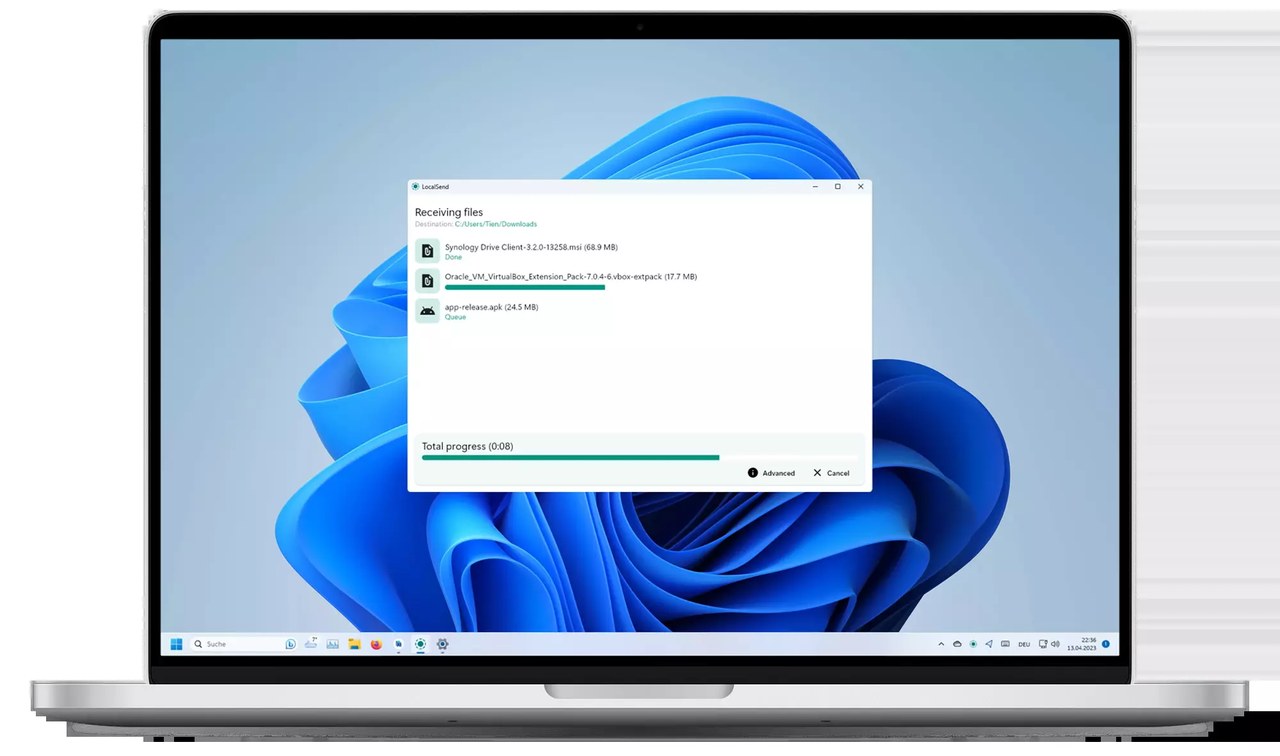
Figure: The official LocalSend desktop screenshot, showing the Receiving files panel with a transfer queue, a total progress bar, and Advanced and Cancel controls.
The cross-platform part matters more than it sounds. A surprising number of people in the Linux world still end up emailing themselves files, or running a temporary Python HTTP server by hand. LocalSend does the same thing with zero configuration on both ends.
Installing LocalSend 1.18.2 on Linux
There are several routes, and they are not equally good.
The AppImage (recommended for testing)
The project publishes a self-contained AppImage for x86-64 and arm64:
curl -L -o localsend.AppImage
  https://github.com/localsend/localsend/releases/download/v1.18.2/LocalSend-1.18.2-linux-x86-64.AppImage
chmod +x localsend.AppImage
./localsend.AppImage
It is a large download — around 66 MB — because it bundles the whole Flutter runtime and every GLIBC dependency. It also needs FUSE for the AppImage mount on most distributions; on Debian and Ubuntu that is apt install libfuse2, and on newer Fedora builds you may need to extract the image with --appimage-extract instead.
Debian and Ubuntu packages
The release also ships .deb packages for both architectures, around 24 MB each:
wget https://github.com/localsend/localsend/releases/download/v1.18.2/LocalSend-1.18.2-linux-x86_64.deb
sudo apt install ./LocalSend-1.18.2-linux-x86_64.deb
There are also .tar.gz archives for people who prefer to run the binary from a directory they control.
Arch Linux
Arch users can install from the AUR, where localsend is currently sitting at 1.18.2-2:
yay -S localsendSnap
The Snap package tracks stable releases closely and is already at 1.18.2:
sudo snap install localsendA note on Flathub
LocalSend is not currently on Flathub — the Flathub app id resolves to a 404. This is worth stating plainly because older guides and forum answers still recommend flatpak install flathub org.localsend.localsend, and that command will fail today. The Snap, the AppImage and the Arch package are the paths that actually work right now.
The Rust rewrite: what actually changed
Version 1.18.0, released August 10, 2026, is the release that carries the Rust work, and its notes are unusually blunt about it: the rewrite of the core networking and file I/O logic is complete, and you should notice it in improved transfer speeds.
This was not a cosmetic refactor. The old code had the app’s HTTP client, the upload sessions, the discovery service and the file pipeline all written in Dart on top of the Flutter UI. The new architecture pushes all of that into a shared Rust library, and both the GUI and the new CLI consume the same library. That single fact is what makes the CLI a first-class citizen rather than a bolted-on script.
The performance gains are not vague. Two of the listed fixes in 1.18.0 are specifically about transfer behaviour:
- Sending or receiving many files no longer freezes or lags the interface.
- Transfers to slow receiving devices are noticeably faster, because the sender is no longer the bottleneck in the way a Dart client tends to be.
Other changes in the same release round out the feature set: IPv6 support, checksum verification enabled by default, a Receive via link mode that lets any browser on the network upload files to you, a custom colour theme picker, and automatic acceptance of files from devices you have marked as favourites.
Two Linux-specific touches are worth calling out because they are small and you will notice them immediately if you are a Chinese, Japanese or Korean user: version 1.18.0 added CJK font support on Linux, and switched the app to native window decorations instead of a large GTK3 headerbar. The second one is a genuine improvement on GNOME and KDE — the window now respects your system theme and your titlebar button layout rather than looking like a transplanted Android app.
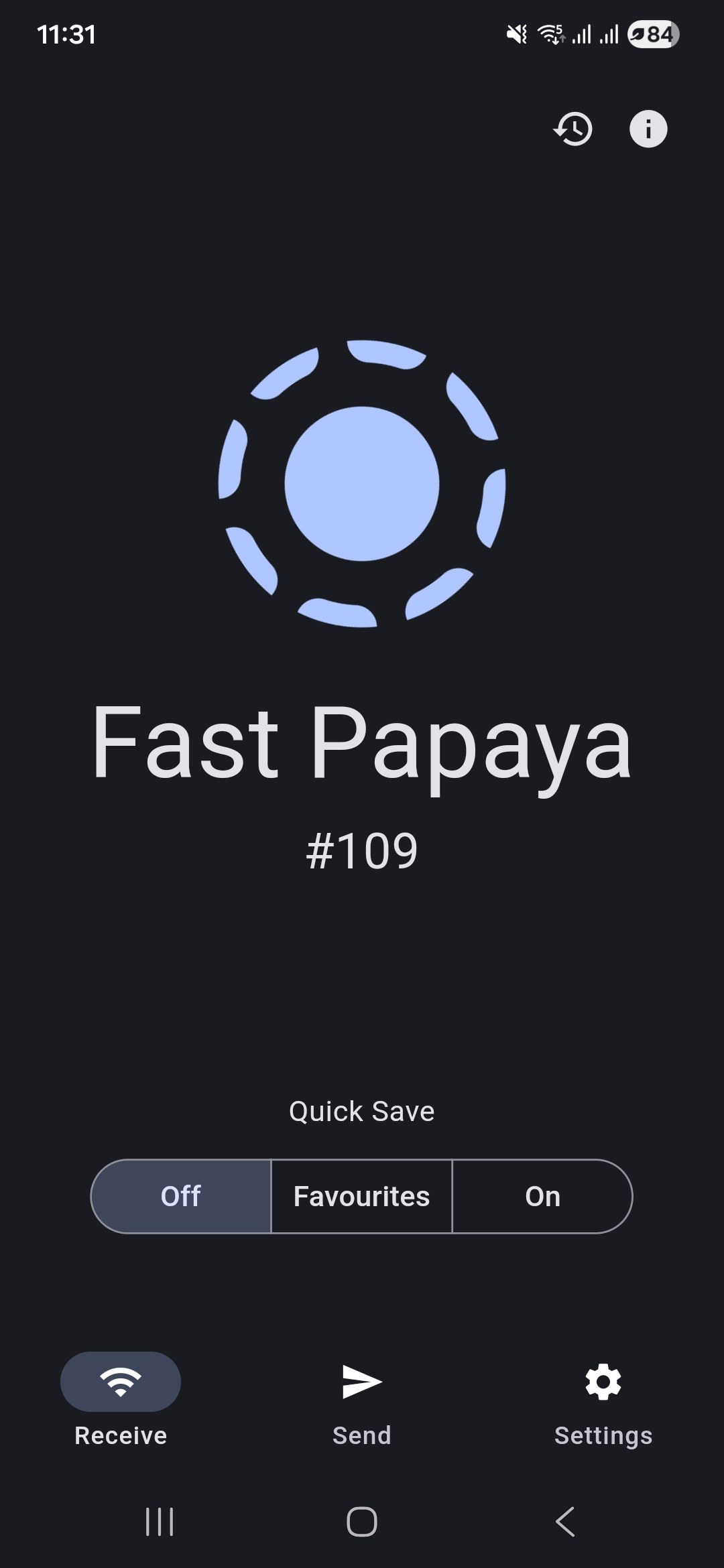
Figure: The official LocalSend mobile screenshot showing the main screen with the Quick Save selector set to Favourites, and the Receive, Send and Settings buttons.
The new official CLI
The headline for anyone who lives in a terminal is that LocalSend finally ships a command-line client. In version 1.18.0 it appears as localsend-cli, built on the same Rust core, and the release publishes standalone Linux binaries as small tarballs — roughly 4.7 MB for x86-64, an order of magnitude smaller than the full desktop AppImage.
On macOS and Linux it can be installed through the project’s official Homebrew tap:
brew update
brew install localsend-cli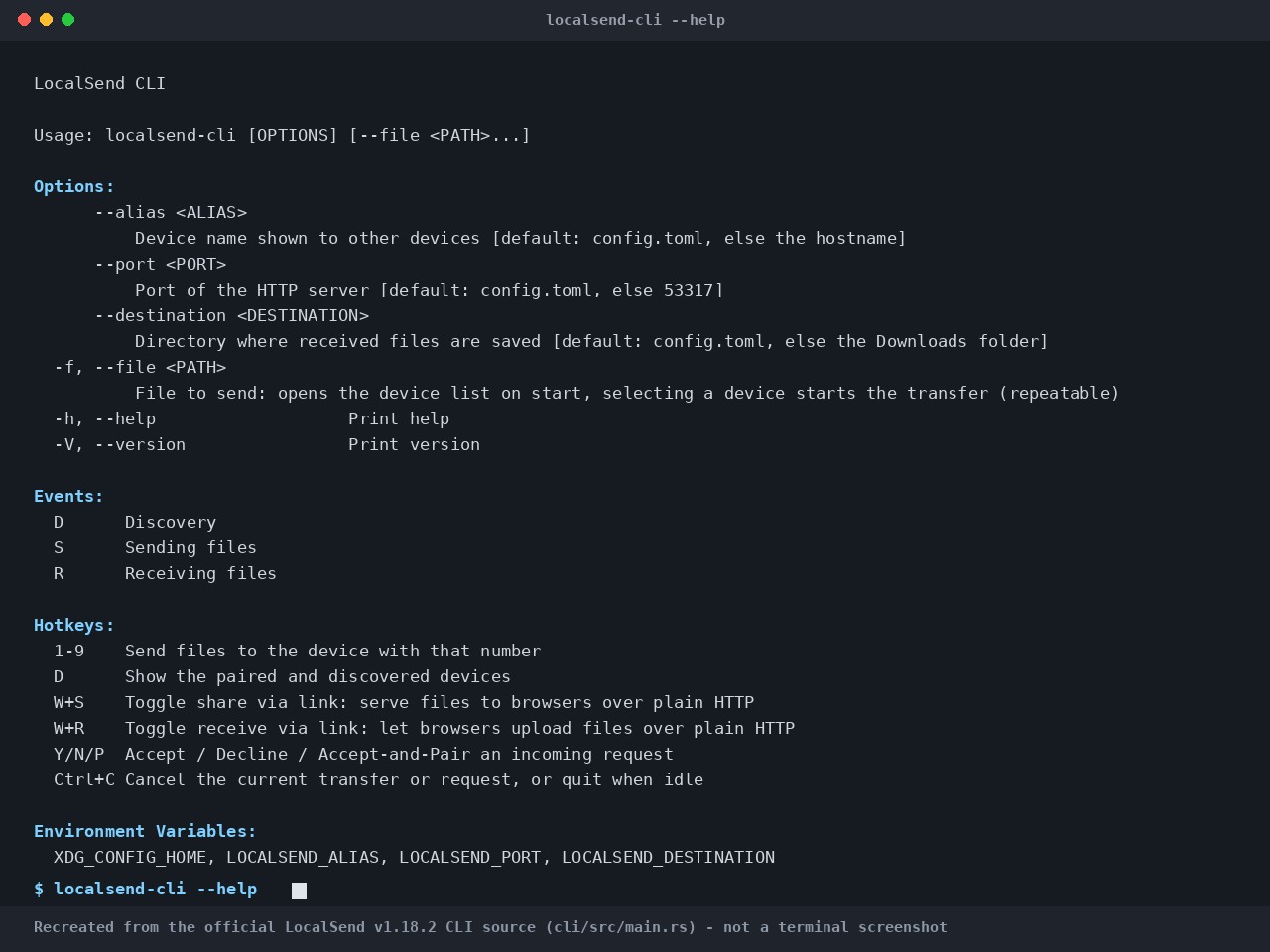
Figure: The official LocalSend v1.18.2 CLI help output, recreated from the release source. This is a rendering of the real option and hotkey list, not a screenshot of a running terminal.
The released 1.18.2 CLI exposes four options and an interactive hotkey model:
--aliassets the device name other devices see. It falls back toconfig.toml, then to the machine hostname.--portsets the HTTP server port, defaulting to 53317.--destinationsets where received files land, defaulting to your Downloads folder.--file/-ftakes one or more paths to send, and opens the device picker when the client starts.
The hotkeys are the interesting part, because this is an interactive TUI rather than a one-shot command:
| Key | Action |
|---|---|
1–9 |
Send the selected files to that numbered device |
D |
Show paired and discovered devices |
W+S |
Toggle share via link — serve files to browsers over plain HTTP |
W+R |
Toggle receive via link — let browsers upload files over plain HTTP |
Y / N / P |
Accept, decline, or accept-and-pair an incoming request |
Ctrl+C |
Cancel the current transfer or request, or quit when idle |
Two environment variables are also understood: LOCALSEND_ALIAS, LOCALSEND_PORT and LOCALSEND_DESTINATION mirror the three long options, which is handy for writing a small wrapper script.
One important caveat about the send subcommand
You will find blog posts and GitHub issues describing a scriptable syntax like localsend-cli send --to "Device Name" file.pdf, or sending text with --text. Those commands are not in the 1.18.2 release. The universal send subcommand was merged into the development branch on August 27, 2026, and the --text flag on October 4, 2026 — both after the August 21 tag. As of writing, they exist on main and are queued for a future release.
This is exactly why the version in this article matters: if you write a script against the send syntax today from a blog post, it will fail against the packaged 1.18.2 binary you can actually download.
Security and stability in 1.18.2
The 1.18.2 release is a fix release, but one of the fixes is a security change worth noting: LocalSend no longer follows HTTP redirects sent by peers. A malicious or compromised device on the same network could previously attempt to redirect a transfer to an unrelated host; that behaviour is now blocked.
The rest of the release is compatibility and robustness work that mostly matters in mixed-version environments:
- Devices running 1.17.0 or earlier can once again add a 1.18.0+ device as a favourite, on networks where multicast is unreliable.
- LocalSend now ignores system proxies, which fixes the “TLS info not found” error that appeared when a proxy such as Shadowrocket was enabled.
- The HTTP and multicast servers automatically restart if they die or if the app resumes from sleep.
- Drag-and-drop now handles a mix of folders and files correctly.
- The AppImage now reports its real version instead of a placeholder.
Verdict
LocalSend has quietly become infrastructure. It is one of very few genuinely cross-platform utilities that is free, offline-first, and does exactly one thing well — and version 1.18.2 is the point where it stopped being “a nice app” and became “a tool you can also script”.
For Linux users, the practical recommendation is straightforward. Install the AppImage or the .deb for the desktop experience, and pull localsend-cli if you want to push a file to a phone from a terminal. If you are on Arch, the AUR package is already current. And if a guide tells you to install it from Flathub, that guide is out of date — that package does not exist.
The official project site is localsend.org, and the source lives at github.com/localsend/localsend under the Apache 2.0 licence.
Comments
LocalSend is one of those tools I didn’t realize I needed until the fifth time AirDrop failed between a Mac and an Android tablet. The CLI addition is the part that interests me most – scripting a file drop to a headless box over LAN is exactly the kind of thing the Rust rewrite makes viable. I run a small browser games archive and moving ROM dumps between machines is a constant chore, so 1.18.2 is getting installed tonight.