
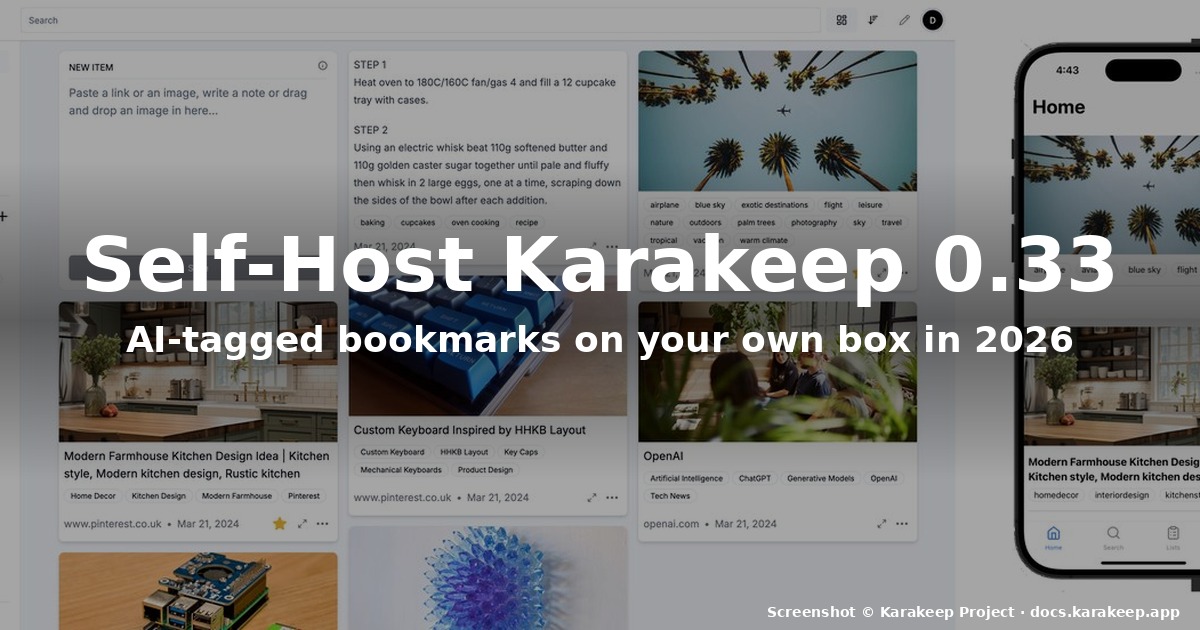
How to Self-Host Karakeep 0.33 on Linux in 2026
If your browser bookmark bar has turned into a graveyard of tabs you will
“definitely read later” and your read-it-later queue keeps overflowing into
email drafts and sticky notes, you have probably already realised that
hosting your own bookmark manager is the right answer. The question is which
one. In 2026 there is a fresh open-source contender worth your attention:
Karakeep (formerly called Hoarder) version 0.33, released at the start
of August. It runs on any Linux box with Docker, uses AI to auto-tag
everything you throw at it, and is the first self-hosted bookmark app in
memory that feels close to commercial competitors like Raindrop.io or
Pocket in terms of polish.
This guide walks through installing Karakeep 0.33.1 on a Linux server
(Ubuntu 26.04 LTS as the reference, but anything that runs Docker works),
importing an existing bookmark library from Chrome, Firefox, Pocket,
Linkwarden, Omnivore or Tab Session Manager, configuring AI tagging with
either a hosted provider or a local Ollama model, and locking it down with
HTTPS so you can sync between devices without worrying about leaked TOTP
tokens.
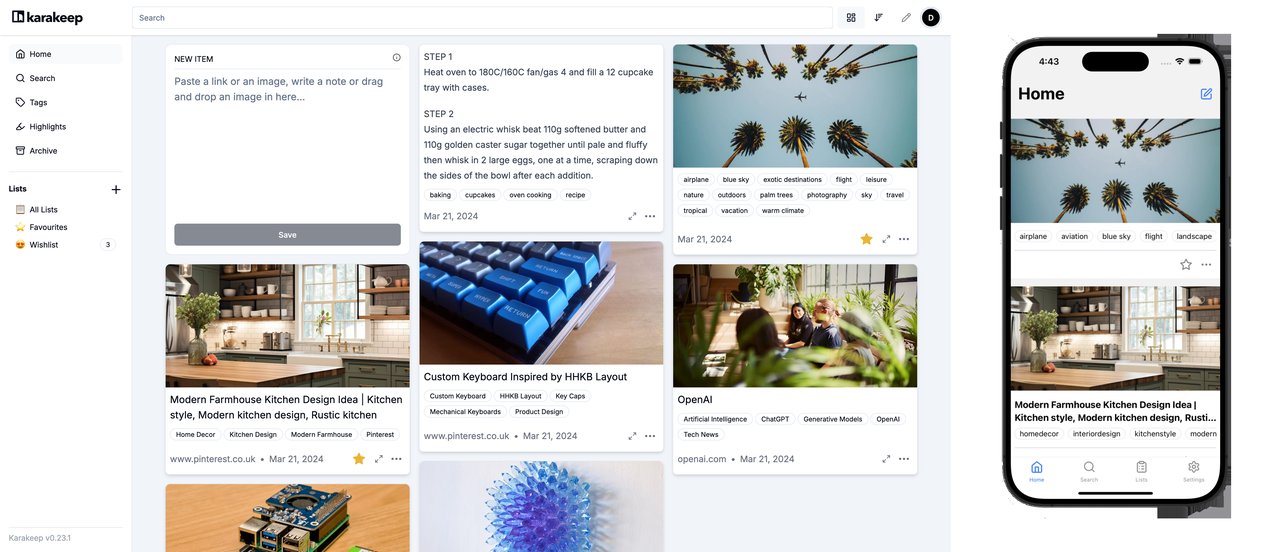
Figure: The Karakeep web dashboard in light mode. Sidebar lists Inbox,
Favourites, custom lists; main pane shows saved bookmarks as cards with
title, description, AI tags and a thumbnail. Real screenshot from the
official project docs.
What Karakeep actually is
Karakeep is an AGPL-3.0 self-hostable “bookmark everything” app written by
the community that runs the karakeep-app/karakeep
GitHub project. It went past 28k stars earlier this year and ships with:
- AI-powered automatic tagging — feed it a link, note, PDF or image,
and Karakeep runs it through an LLM (OpenAI, Anthropic, Gemini, Groq, or a
local Ollama model) to produce a consistent set of tags and a short
summary. The 0.33 release added semantic search, so you can now find a
bookmark by meaning instead of the exact wording in the title. - Full-text and OCR search — every saved bookmark is fetched, parsed
and indexed, including text inside screenshots and PDFs. - Highlights and annotations — Karakeep stores highlights per bookmark
and lets you colour-code them. Useful if you use bookmarks as a research
scratchpad. - Browser extensions for Chrome, Firefox and Safari plus an iOS app
and an Android app. Mobile apps gained offline reading in 0.33 — you
can cache articles for a plane ride. - Bulk import from Chrome, Firefox, Pocket, Linkwarden, Omnivore and
Tab Session Manager. - REST API plus a CLI and an agent skill, so you can plug Karakeep
into any workflow (the project ships an official Claude skill).
In short: Karakeep is the bookmark app Pocket would have been if Mozilla
had not killed it, except you own the data, the AI, and the storage.
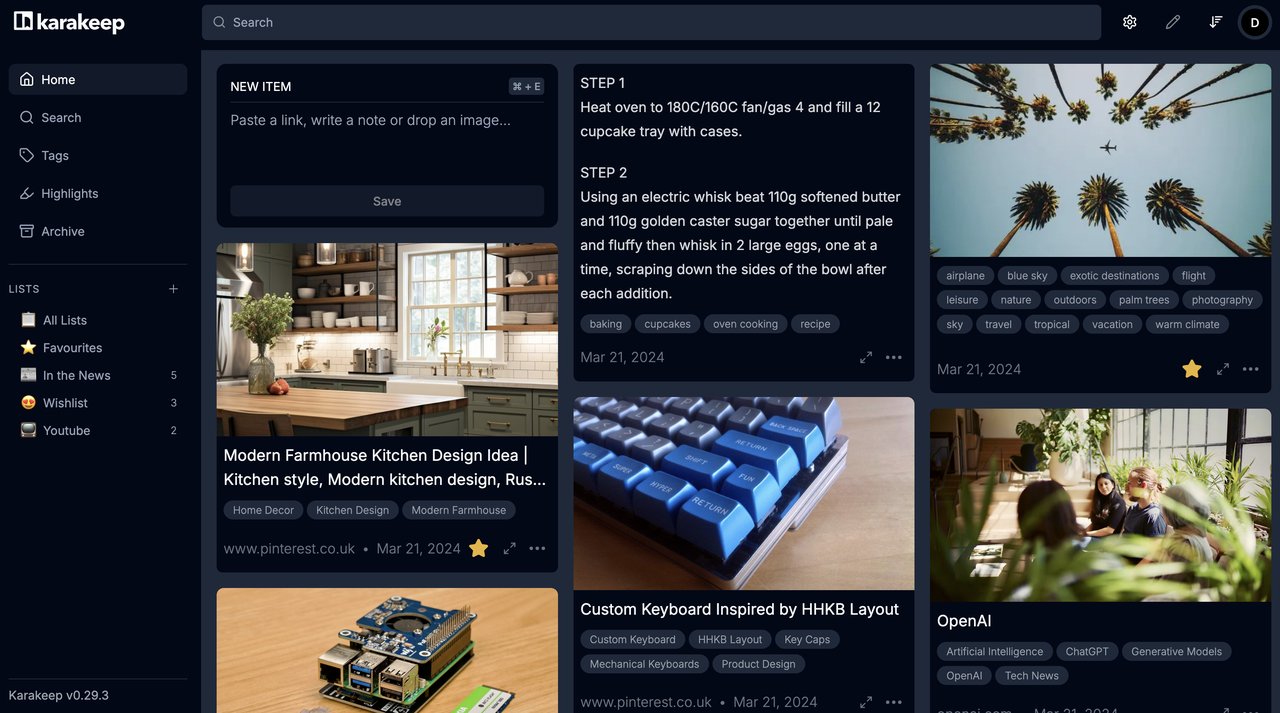
Figure: The same dashboard in dark mode. Karakeep’s UI is one of the
polished parts of the project — most self-hosted bookmark tools feel like
admin panels, this one feels like a finished product.
Hardware and OS requirements
Karakeep itself is not heavy. The web UI is a Next.js client talking to a
Node.js API, which talks to a Postgres database and (optionally) Meilisearch
for fast full-text search. On a typical 2026 Linux host:
| Component | Minimum | Comfortable |
|---|---|---|
| CPU | 1 vCPU | 2 vCPU |
| RAM | 2 GB | 4 GB |
| Disk | 10 GB | 50 GB SSD (bookmarks + crawled page cache) |
| OS | Any Linux with Docker 24+ | Ubuntu 26.04 LTS, Debian 13, Fedora 41+ |
If you plan to run a local Ollama model for AI tagging (the privacy-first
option), budget an extra 4-8 GB of RAM for a 7B-parameter model. With a
hosted LLM (OpenAI, Anthropic, etc.), the Karakeep server itself stays
light.
The reference deployment in this article was tested on a Hetzner CX22
(4 GB / 2 vCPU) running Ubuntu 26.04 LTS, with Ollama on the same host for
local tagging and Meilisearch colocated in the same docker-compose stack.
Backups went to a Backblaze B2 bucket via the built-in archival worker.
Step 1: install Docker and clone the compose file
Karakeep ships an official docker-compose.yml that wires up the web app,
the API worker, Postgres and Meilisearch. The fastest install path:
sudo apt update
sudo apt install -y docker.io docker-compose-plugin git curl
sudo usermod -aG docker $USER
newgrp docker
Then clone the project to a stable path:
sudo mkdir -p /opt/karakeep
sudo chown $USER:$USER /opt/karakeep
git clone https://github.com/karakeep-app/karakeep.git /opt/karakeep
cd /opt/karakeep
Karakeep’s docker-compose.yml lives at the repo root. Copy the example
.env and edit it:
cp .env.example .env
$EDITOR .env
The minimum variables you need to set:
DATA_DIR— where Karakeep stores the SQLite/Postgres data, the crawled
page archive and uploaded screenshots. Defaults to./datainside the
repo; on a server you almost always want to move this somewhere like
/var/lib/karakeep.MEILI_MASTER_KEY— generate a random 32-byte string. The Meilisearch
instance is only reachable inside the docker network, but do not leave
this at the default.NEXTAUTH_SECRET— used to sign session cookies.openssl rand -hex 32
will do.OLLAMA_BASE_URL(optional) — if you want local AI tagging, point it at
the host’s Ollama instance, e.g.http://host.docker.internal:11434.
Step 2: bring up the stack
From /opt/karakeep:
docker compose pull
docker compose up -d
docker compose logs -f web
After roughly thirty seconds you should see Next.js announce itself on
port 3000. Hit http://<server-ip>:3000 and Karakeep will walk you through
creating the first user. This is the only user that can register new
accounts — every subsequent account has to be invited from the admin
panel.
The default karakeep-linux.sh installer that ships in the repo (look at
the top level of the repo) handles Docker, the compose file and an
optional systemd unit in one go. If you prefer a single command over the
manual steps above, that script is fine — it is essentially the same
operations in a shell wrapper.
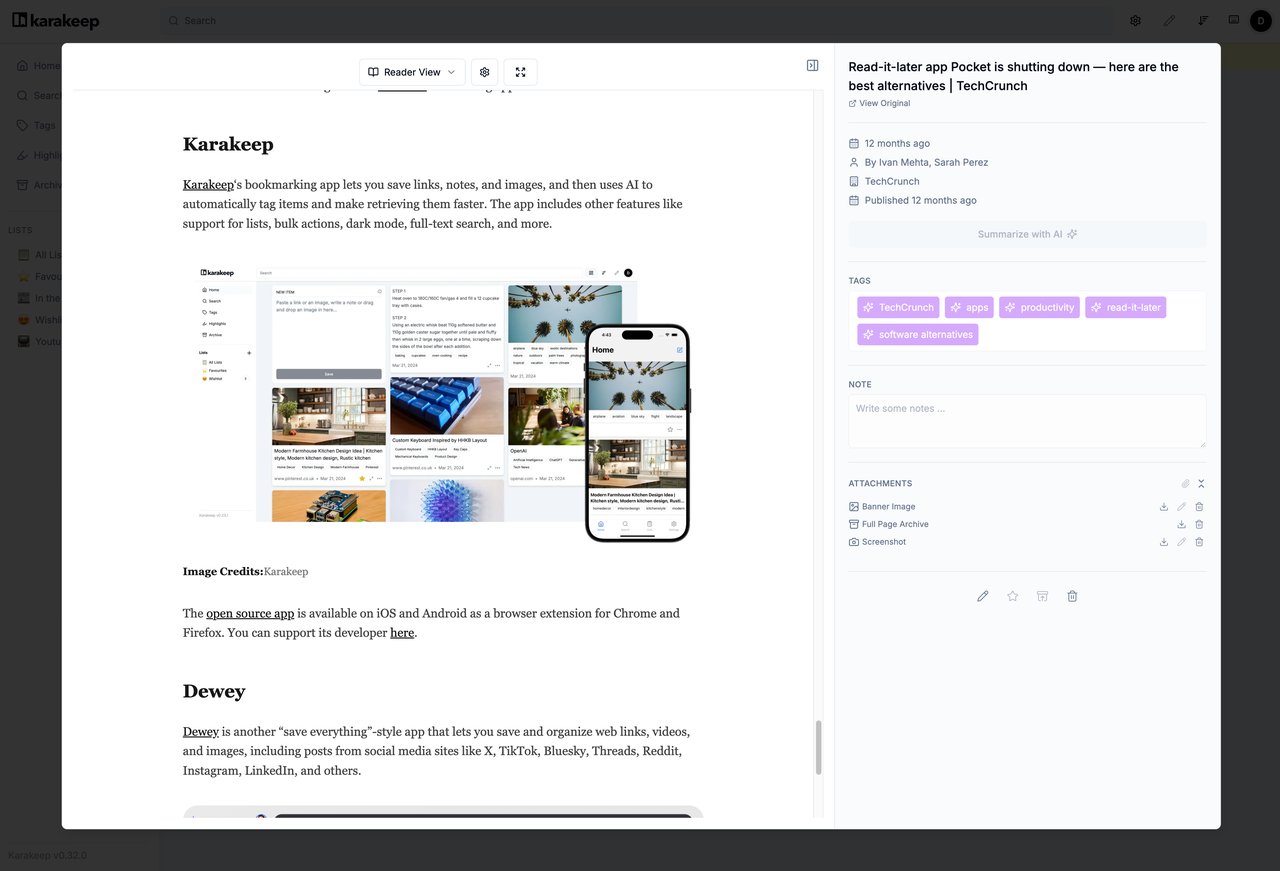
Figure: The bookmark detail panel. Note the AI-generated tag list on the
right (“kubernetes”, “monitoring”, “homelab”), the highlights block and
the “Archive” button. This is the workflow you will repeat every time you
come back to a saved link.
Step 3: configure AI tagging
Open the web UI, click the gear icon, then AI. Karakeep supports
several providers out of the box:
- OpenAI (gpt-4o-mini is a good default — cheap and good at tagging)
- Anthropic (claude-haiku for the same reason)
- Gemini (gemini-1.5-flash)
- Groq (fast Llama inference)
- Ollama (local — fully private, no data leaving your box)
- OpenAI-compatible (anything that exposes the
/v1/chat/completions
shape — DeepSeek, OpenRouter, vLLM, etc.)
For the privacy-first setup, install Ollama on the host, pull a 7B model,
and point Karakeep at it:
curl -fsSL https://ollama.com/install.sh | sh
ollama pull llama3.1:8b-instruct-q5_K_M
In Karakeep’s AI settings, set the provider to “Ollama”, the base URL to
http://host.docker.internal:11434 (or http://172.17.0.1:11434 if you
prefer the bridge IP) and the model to whatever you pulled. The first
batch of bookmark imports will be slow because Ollama has to spin the
model up, but subsequent bookmarks are fast.
If you would rather pay for hosted inference, an OpenAI key with
gpt-4o-mini is the cheapest path that still gives sensible tags. Karakeep
runs tagging in the background, so even a multi-second response time does
not block the UI.
Step 4: import from your existing bookmark pile
Karakeep ships importers for Chrome, Firefox, Pocket, Linkwarden, Omnivore
and Tab Session Manager. The cleanest path is from inside the web UI:
Settings → Import → pick the source, drop the exported HTML/JSON file in,
hit go.
For Chrome: visit chrome://bookmarks, open the organiser, click the
three-dot menu and choose “Export bookmarks”. Drag the resulting
bookmarks.html into the importer.
For Firefox: Bookmarks → Show All Bookmarks → Import and Backup → Backup…
For Pocket: Pocket’s CSV export is unfortunately restricted to paid users
in 2026, but the Karakeep community maintains a small helper script that
reads Pocket’s official API export when you request it through their
deletion form.
For each imported bookmark, Karakeep will:
- Fetch the URL, extract the title, description and og:image.
- Run OCR if the page is an image.
- Send the content to your chosen LLM for tagging and a one-sentence
summary. - Store everything in Postgres and queue the content for Meilisearch
indexing.
A 500-bookmark import typically finishes inside ten minutes on a
moderately-sized box, even with Ollama doing the tagging.
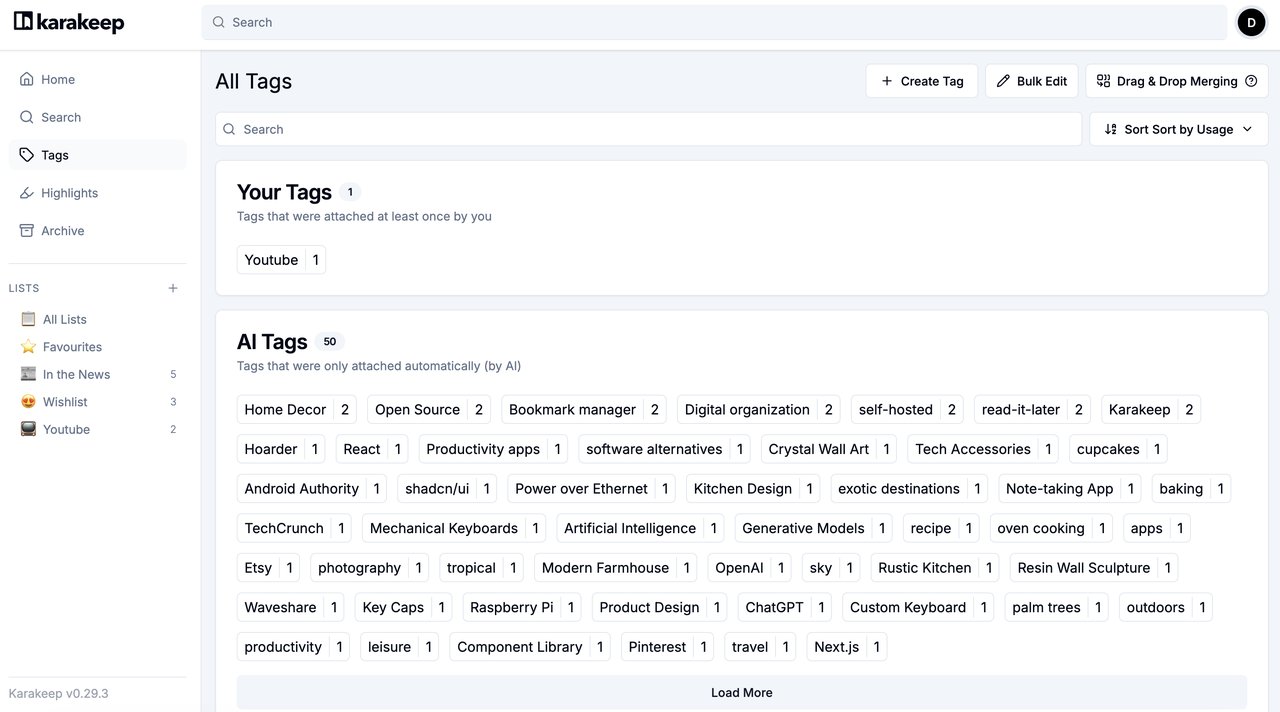
Figure: After importing 500+ bookmarks, this is what your All Tags page
will look like. Every chip is colour-coded, the count on the right is the
number of bookmarks in that tag, and the search box at the top lets you
collapse the list to just the tags you actually use.
Step 5: install the browser extensions
Karakeep ships official extensions for the three big browsers:
- Chrome: install from the
Chrome Web Store listing. - Firefox: install from
Mozilla Add-ons. - Safari: an extension ships with the iOS app.
After installing, click the Karakeep icon in your toolbar, paste the URL
of your server (e.g. https://karakeep.example.com), and authenticate
with the API token you can generate from Settings → API Tokens. New
bookmarks then save in one click — the extension also runs an “is this
already saved?” check so you can bulk-import without creating duplicates.
Step 6: harden the deployment
A few things to tighten before you expose Karakeep to the open internet:
- Put it behind a reverse proxy with HTTPS. Caddy is the easiest path
in 2026 — a 10-line Caddyfile gets you automatic Let’s Encrypt certs and
HTTP/3. - Set up backups. The
DATA_DIRand the Postgres volume are the only
irreplaceable pieces. A nightlypg_dumpplus a snapshot of
DATA_DIRis enough; ship both to a Backblaze B2 bucket with
versioning enabled. - Disable public registration. By default the first user is admin and
everyone else must be invited. Do not change that. - Enable SSO if you want. Karakeep supports OIDC, so you can wire it
up to Authentik, Keycloak or Google Workspace. - Rotate the secrets in
.envif you ever accidentally commit the
file.MEILI_MASTER_KEYandNEXTAUTH_SECRETare the critical ones.
Verdict: is Karakeep worth self-hosting in 2026?
Karakeep 0.33 is the first self-hosted bookmark manager I have used in
memory that feels like a finished product rather than an admin panel you
tolerate. The AI tagging is genuinely useful — after a week of importing
links I had not touched in years, I was able to find them again by topic
(“that kubernetes operator I bookmarked in February”) instead of by
wording. The dark mode UI is the cleanest I have seen in this category.
Caveats:
- Maturity. Karakeep 0.33 is a 0.x release. Backups and upgrades
occasionally need manual intervention. Read the release notes before
bumping. - AI cost or compute. With hosted LLM tagging on a 1000-bookmark
library, expect pennies per month in OpenAI bills. With Ollama, expect
a couple of extra GB of RAM. - Mobile apps. The iOS and Android apps work, but the web UI is
where you will spend 95% of your time.
If you were holding out for a self-hosted Pocket replacement, this is the
one to install today. The official site is
karakeep.app, the source code lives at
github.com/karakeep-app/karakeep,
and the documentation (where the screenshots in this article come from)
is at docs.karakeep.app. If you would rather
not self-host, the same team runs a managed cloud at
cloud.karakeep.app — the subscription
directly funds development.
Comments