
Linux Mint has spent twenty years on a six-month release treadmill. That treadmill is finally going away. When Linux Mint 27 “Adrien” lands around Christmas 2026, it will be the first release under a completely new versioning scheme, the first built on Ubuntu 26.04 LTS, and the first to ship a desktop where Wayland is no longer labelled experimental.
Mint’s lead developer Clément Lefebvre announced the change in the project’s September 2026 monthly news, published on October 13. Mint is moving to one major release per year, the version number now points at the year ahead, point releases are gone, and the release codenames switch from girls’ names to boys’ names. “Adrien” is the first entry in that new series, and the letter A is a coincidence — the old series simply ran out of alphabet at “Zena” in version 22.3.
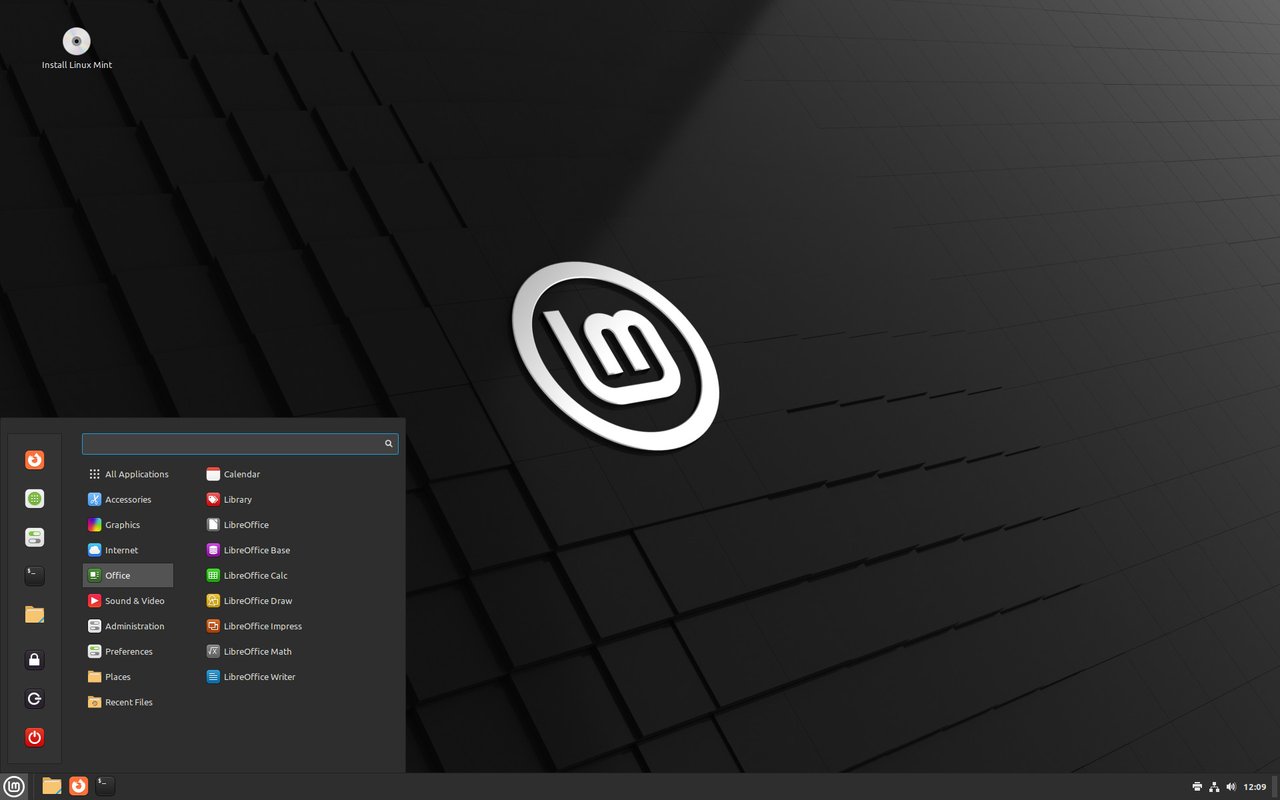
Figure: The Linux Mint Cinnamon desktop, official screenshot from linuxmint.com.
What Actually Changes in Linux Mint 27
The headline is the release cadence. Mint has always shipped on Ubuntu LTS bases, so 22.3 sits on Ubuntu 24.04 LTS. Version 27 moves to Ubuntu 26.04 LTS “Resolute Raccoon”, which Canonical released in April 2026 with standard support running to 2031 — so Mint 27 carries a five-year support window.
The versioning change is more than cosmetic. Because there are no point releases any more, you will upgrade from 27 straight to 28, then 29. There is no 27.1, 27.2 or 27.3. Lefebvre’s reasoning was that the old six-month cycle forced features to be rushed or deferred, and a full year of development time lets the team land much larger changes. He put it bluntly: “I don’t think I’ve ever seen so many changes and new features implemented for a single release.”
Expect at least three editions — Cinnamon as the flagship, plus Xfce and MATE.
Hibernation Is Coming Back
The single most user-visible feature is one Ubuntu removed years ago. When you close a laptop lid, the machine suspends to RAM. That is fast and reliable, but it draws power, and a laptop left in a bag overnight can wake up to a dead battery and a lost session.
Hibernation writes the session to disk and powers the machine down completely. It costs nothing to sit there, but it is slower to enter and resume, and it traditionally needs a large swap partition.
Mint is bringing it back with a dedicated page in the System Administration tool, which handles enabling hibernation and sizing the swap space correctly. Two related modes come along with it: Hybrid Sleep suspends the machine but also writes the session to disk, so a flat battery still leaves you a recoverable session; and Suspend-then-Hibernate suspends first and only hibernates when the battery hits a critical level.
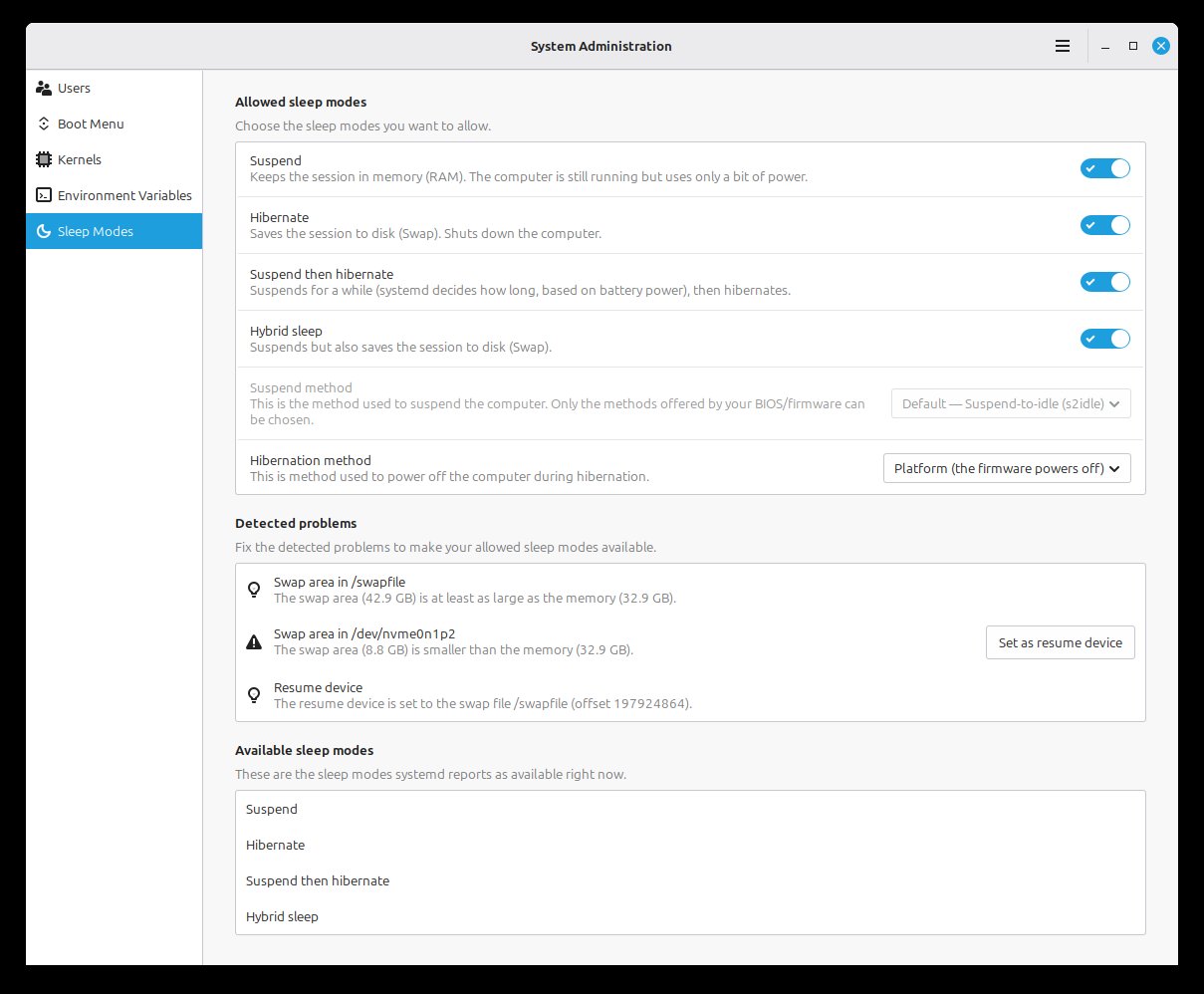
Figure: The new Sleep Modes page in System Administration — official screenshot from the Linux Mint blog.
Wayland Stops Being Experimental
Cinnamon’s Wayland session is no longer flagged as experimental. Both X11 and Wayland are fully supported in the Cinnamon release that ships with Mint 27, with Wayland reaching near parity on the features users actually notice.
That is not a small piece of work. Under Wayland, window and dialog positioning, popup menu placement and input focus all behave differently from X11, and the Muffin window manager had to be reworked to keep rendering stable — including on NVIDIA GPUs and across display configuration changes.
Cinnamon 6.8, released on November 4, is the version that will ship inside Mint 27. Beyond the Wayland stability work it brings modern one-to-one trackpad gestures to both Wayland and Xorg sessions, where finger movement maps directly to on-screen response rather than being extrapolated from acceleration curves. It also adds support for the oo7 Secret Portal, unifies VPN and WireGuard entries in the network applet, improves WPA3 (SAE) and OWE access point classification, expands the sound applet’s output device list by default, and keeps a window always on top via a new window-list menu entry.
One thing worth being clear about: Wayland being fully supported does not mean it is the default session. Mint will ship with both, and you can choose. The old screensaver stays as a fallback for one release cycle before it goes away.
Nemo Gains a Preview Pane
The Nemo file manager gets a preview pane. Toggle it with F7, or with the button in the status bar. It handles audio, pictures and videos, and it also shows information about the selected media — in the screenshot below you can see when the picture was taken and with which camera.
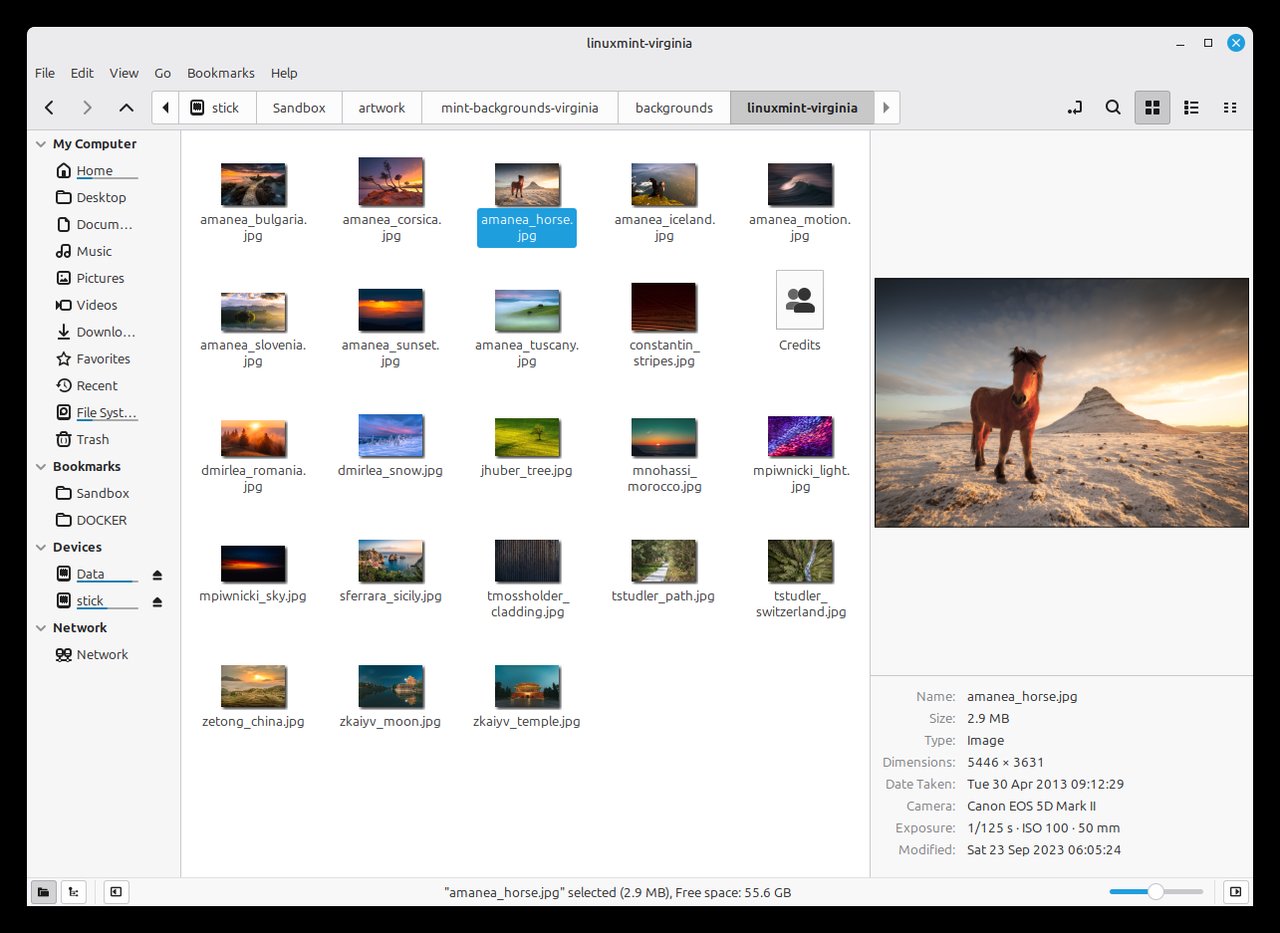
Figure: The Nemo preview pane showing image metadata — official screenshot from the Linux Mint blog.
Three New XApps
Mint’s own application suite is getting three brand-new members, all previewed in the October monthly news.
Superlight — the system monitor
The old System Monitor is being replaced by something considerably more capable. Superlight shows graphs for CPU and RAM usage, but also swap, GPU, network, disk I/O, temperature and fan speed.
Its App page lists what is running and how much of the system’s resources each application is consuming, with the same per-process breakdown available for individual processes. You can pick from a wide set of columns, sort and reorder them, and Superlight remembers your layout.
If the machine has a battery, you get its status, the related detail, and a history of charge level and power input and output. The Storage page breaks down disk usage and lets you drill in: click Files to see which folders and files eat the space, click Steam to see which games take up space, and the same for Flatpak.
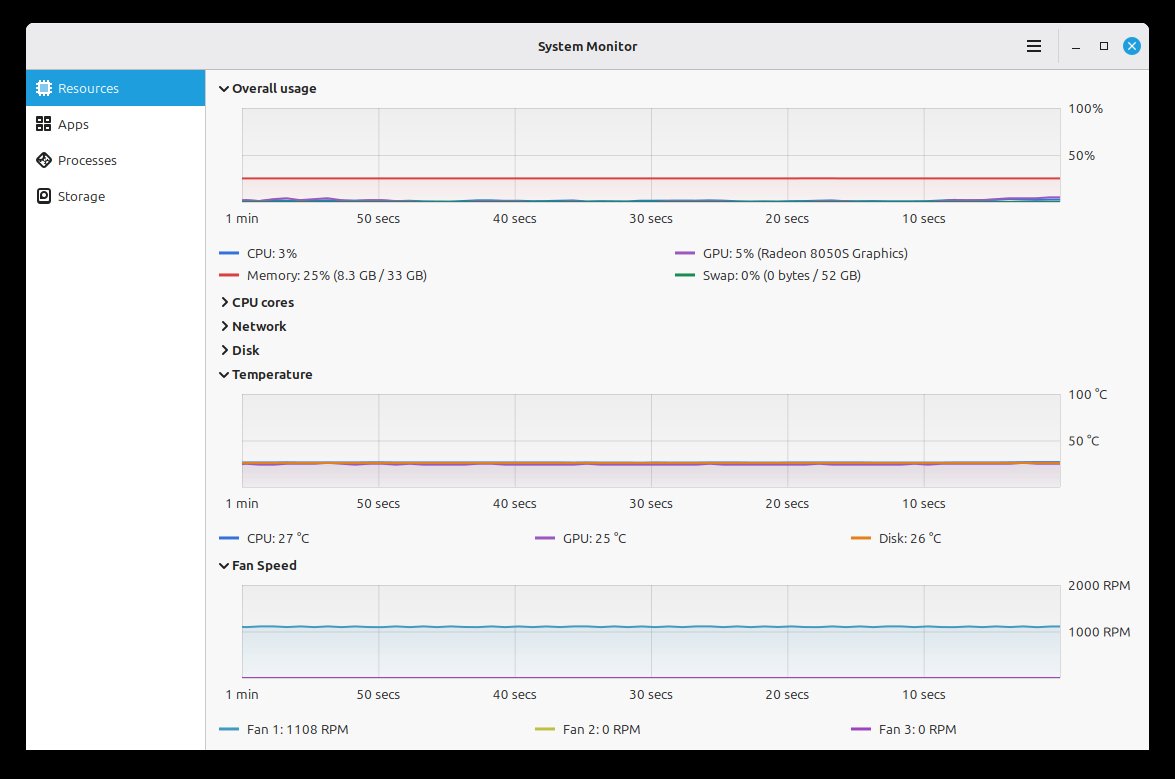
Figure: Superlight’s main graph view — official screenshot from the Linux Mint blog.
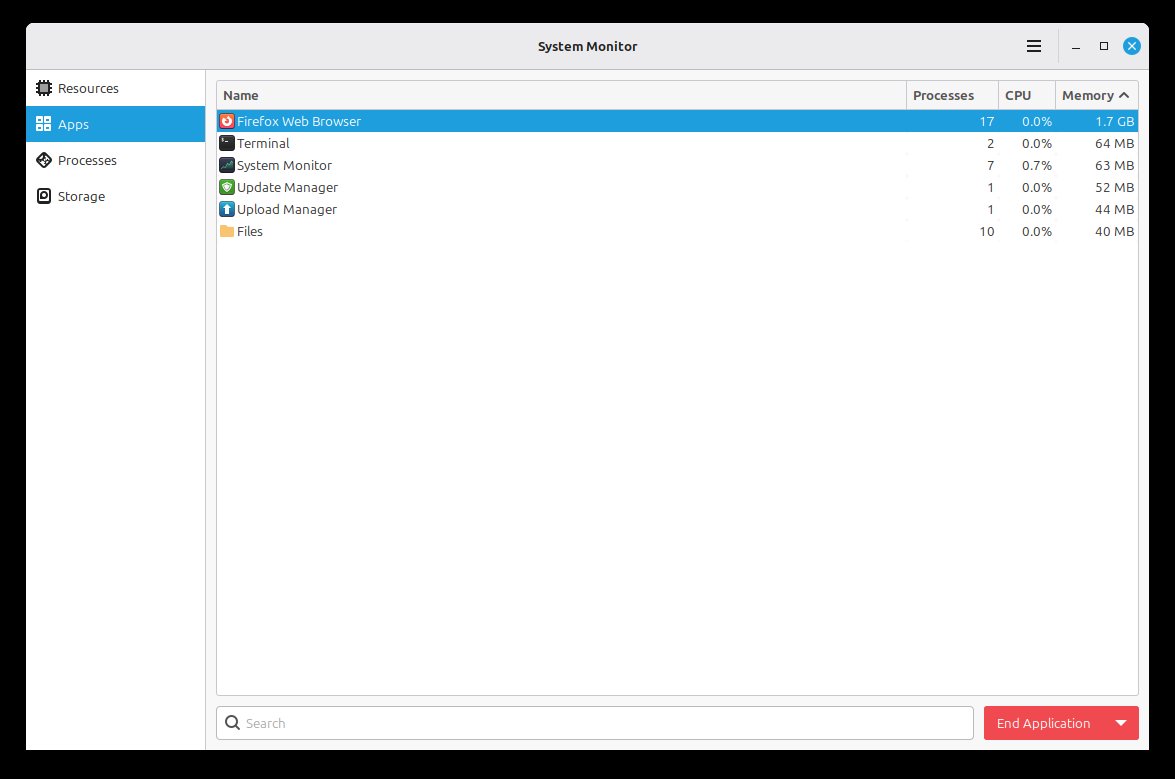
Figure: The Superlight application view — official screenshot from the Linux Mint blog.
Velocitty — the terminal emulator
Velocitty is a new terminal application, and it is more than a reskin of QTerminal. It offers a tab overview like Ghostty and Ptyxis, and it is themeable with color palettes. Just like Firefox, tabs can be reordered within a window, moved between terminal windows, or detached into a new window entirely.
You choose which shell to run and specify a startup command — the Mint team shows Velocitty configured to run fish and execute fastfetch at launch. Long paths can be shortened in preferences, so /var/lib/dpkg/info becomes info in the tab title and …/lib/dpkg/info in the prompt.
Tab colours carry meaning: red for superuser contexts such as root, sudo and pkexec, blue for remote sessions over ssh or sftp, and a lighter shade for running processes. Tabs can be given a name, a colour and a command, and marked to auto-open when Velocitty launches. A bookmark icon opens all your custom tabs at once.
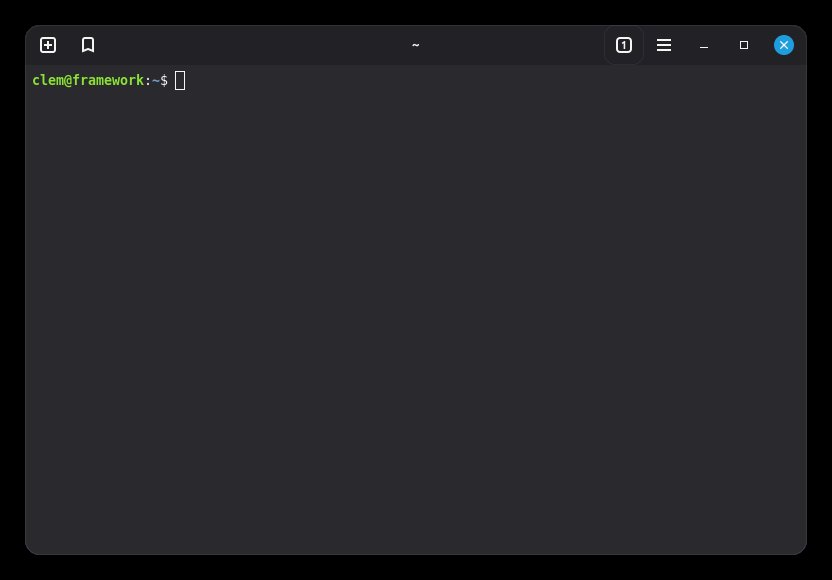
Figure: Velocitty’s tab overview — official screenshot from the Linux Mint blog.
Unfold — the archive manager
Unfold is a small archive manager built to be as simple as possible. It handles viewing, creating and extracting archives, and it uses 7zip and 7zip-RAR underneath, so it is compatible with every encryption format those support, including password-protected archives.
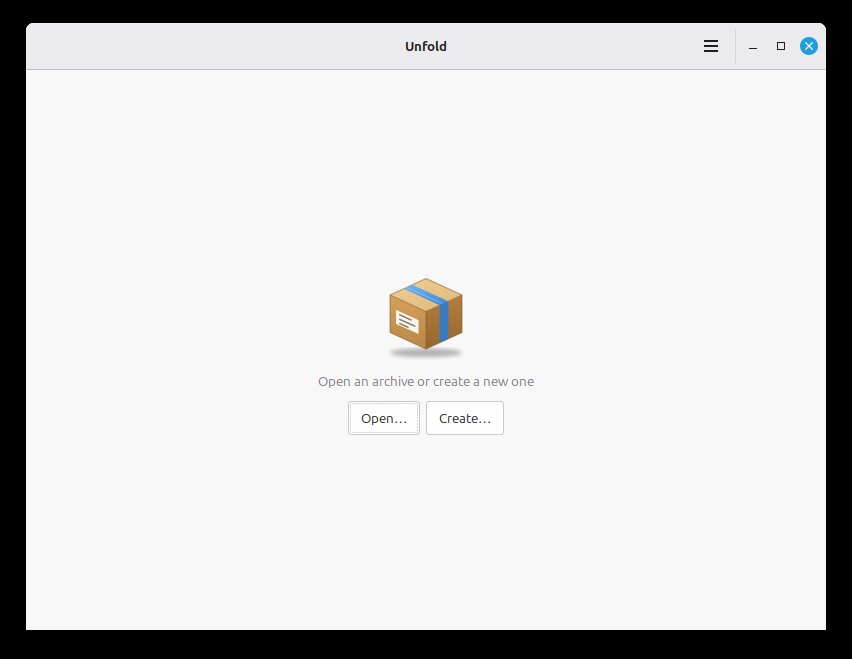
Figure: Unfold’s archive browser — official screenshot from the Linux Mint blog.
A New Alarm Clock, and a New Way to Sign In
Mint is also shipping a new alarm clock application, previewed back in the September monthly news.
Two smaller items are worth flagging. First, Xenity is a fork of Zenity 3.44 (GTK3) with the same features, look and syntax. It has been added to the Mint 22.x and LMDE 7 repositories, and every Cinnamon spice that used Zenity has been migrated over.
Second, and more significant for anyone who uses the Mint Community Website: it has been rewritten from scratch. The old site was PHP-based and let people create accounts with a username and password. Following the discovery of critical PHP vulnerabilities, Mint rebuilt it, cut the amount of sensitive data stored in the database, and dropped the PHP dependency entirely. The site no longer stores or handles passwords. Authentication now runs through GitHub, which supplies the username, email address and avatar; if your email matches an existing account, that account gets merged into the new one.
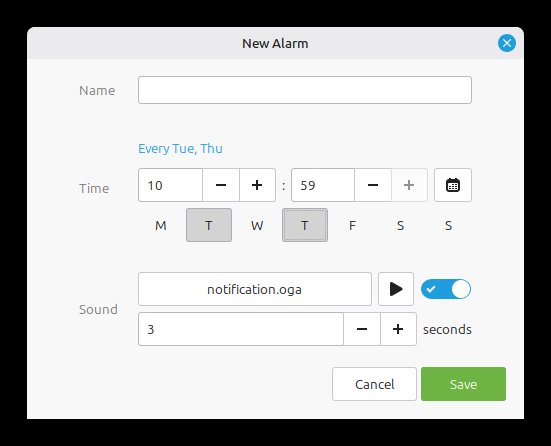
Figure: The new alarm clock application — official screenshot from the Linux Mint blog.
What This Means if You Are on Mint 22.3
If you are running Mint 22.3 today, nothing breaks. The point-release line remains supported on Ubuntu 24.04 LTS while Mint 27 matures. But when you eventually move to Mint 27, two expectations need resetting.
First, there is no 22.3-to-23-to-24 progression any more. The jump is 22.3 to 27, and after that it is 27 to 28 to 29. Second, the codenames change from girls’ names to boys’ names, so “Adrien” is not a typo and it is not a continuation of the old alphabetical run.
For anyone who upgrades, the practical advice is to wait for the point release of Mint 27 rather than the .0 release if you have a machine you cannot afford to troubleshoot on launch day. The upstream team has been explicit that features previewed in the monthly news are still in progress and can shift before the stable release.
The Takeaway
Linux Mint 27 “Adrien” is less a feature release than a strategy change. A yearly cadence, year-based numbering, no point releases, a fresh set of XApps, hibernation restored, and Wayland promoted from experimental to fully supported. The project is betting that a slower train carries more passengers.
Mint’s official site is at linuxmint.com, and the developer blog with the monthly news and full feature previews is at blog.linuxmint.com. Expect the release around Christmas 2026, in Cinnamon, Xfce and MATE editions.
Comments
The codename alphabet running out at Zena in 22.3 is a delightfully mundane reason for a rebrand. The yearly cadence makes sense – six-month point releases mostly asked users to relearn their update habits twice a year for marginal gains. Hibernation coming back is the sleeper headline for laptop users; a dead battery after an overnight suspend was the most Mint-specific annoyance I remember. Five years of support on 26.04 base is a solid floor too.