
title: “How to Install and Play OpenTTD 15.3 on Linux in 2026”
date: 2026-08-24
category: linux-gaming
tags: [openttd, transport-tycoon, linux-gaming, simulation, open-source]
slug: openttd-15-linux
How to Install and Play OpenTTD 15.3 on Linux in 2026
If you grew up watching a steam locomotive chug between two coal mines in 1995’s Transport Tycoon Deluxe, OpenTTD 15.3 is the game you’ve been quietly waiting twenty years for. Released on 4 April 2026, OpenTTD 15.3 is the latest stable build of the open-source re-implementation of Chris Sawyer’s classic transport simulation — written in C/C++, actively maintained since 2004, and now shipping with multiplayer passwords removed, infinite oceans around island maps, bridges-over-stations, manual house placement, and a fully reworked main menu. And yes, it still runs natively on Linux.
This guide walks through installing OpenTTD on Linux in 2026, getting the OpenGFX graphics set, and starting your first transport empire.
Why OpenTTD still matters in 2026
OpenTTD isn’t just nostalgia. The current version packs features Chris Sawyer never shipped:
- NewGRF infrastructure — community-made graphics and gameplay sets that let you run anything from pure Tycoon Deluxe fidelity to futuristic maglev monstrosities.
- Online multiplayer — invite-only via the new buttons-in-Online-Players-list flow introduced in 15.0.
- Game Scripts — Squirrel-based scripting layer that lets you script economies, goals, even tutorials.
- Buy / build vehicles, manage cargo, run signals — the original’s core loop, faithfully preserved.
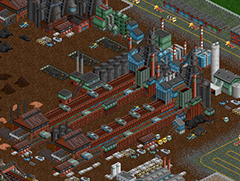
The screenshot above shows a typical mid-game empire: a primary rail spine feeding a city, with branch lines to industries. Building this took about four hours of in-game time on a 512×512 map.
Install OpenTTD 15.3 on Linux
Option 1 — Distribution packages
Most distros ship OpenTTD, though version numbers lag behind upstream:
# Debian / Ubuntu (may be 14.x)
sudo apt install openttd openttd-opengfx openttd-opensfx

# Fedora
sudo dnf install OpenTTD OpenTTD-opengfx OpenTTD-opensfx

# Arch / Manjaro
sudo pacman -S openttd openttd-opengfx openttd-opensfx
If the distro package is older than 15.x, that’s fine — the game is fully backward compatible. You won’t miss any 15.3-specific features for a first play.
Option 2 — Flatpak (recommended for newest stable)
The Flathub version tracks upstream closely:
flatpak install flathub org.openttd.OpenTTD
flatpak run org.openttd.OpenTTD
Option 3 — AppImage (no install)
Grab the latest stable AppImage from the official downloads page:
wget https://cdn.openttd.org/openttd-releases/15.3/openttd-15.3-linux-appimage-x86_64.AppImage
chmod +x openttd-15.3-linux-appimage-x86_64.AppImage
./openttd-15.3-linux-appimage-x86_64.AppImage
Option 4 — Build from source
If you want the absolute newest commits (currently 16.0-beta2 territory), clone the repo:
git clone https://github.com/OpenTTD/OpenTTD.git
cd OpenTTD
./configure
make -j$(nproc)
./openttd
First-run setup: install OpenGFX + OpenSFX
OpenTTD ships only with placeholder graphics in source builds. To get the proper Transport Tycoon Deluxe look, install two community-maintained packages via the Check Online Content button on the main menu:
- Launch OpenTTD.
- Click Check Online Content in the main menu.
- Find OpenGFX (graphics base set, GPL) and OpenSFX (sound effects, custom license) in the list. Click Download.
- Find OpenMSX (music) — also GPL, also worth grabbing.
- Restart OpenTTD. Select the new graphics set in Game Options → Environment.
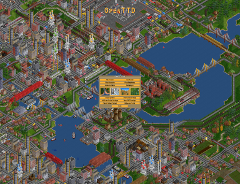
Once these are installed, OpenTTD looks indistinguishable from the 1995 original — minus the CD-ROM check.
Build your first transport empire
A clean playthrough:
- Start a new game with the default settings. Map size 256×256 is a good starter — large enough to matter, small enough to keep manageable in year 1.
- In year 1850, your only goal is to connect a coal mine to a power station. Don’t try to build the whole network at once.
- Buy a single train. Set it to full load any cargo. Watch the cash flow.
- Reinvest in a second line connecting a different resource pair. Industry chains compound: coal → power → passengers, oil → refinery → vehicles, etc.
- Signals come second. Build branch lines single-track first; add signals only when trains start blocking each other.
The golden rule: one profitable line before two mediocre ones.
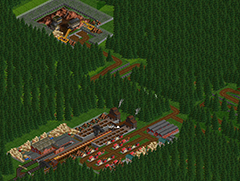
The screenshot above is the kind of junction you’ll spend 30 minutes perfecting — and you’ll love every second of it.
What’s new in 15.x (since 14.x)
- Companies in multiplayer no longer have passwords — invites go through the Online Players list. Cheating and griefing in public servers is much harder now.
- Island maps can be surrounded by infinite water instead of void — much prettier coastlines.
- Bridges can be placed over stations and road stops — solve a years-old visual nit.
- Roads can have waypoints — proper bus network design is now possible.
- Houses can be placed manually — for that perfect city block.
- Industries and towns have graphs of their cargo history — useful for diagnosing why your line isn’t paying.
What’s coming in 16.0 (currently beta)
OpenTTD 16.0-beta2 shipped on 12 July 2026. The team is running a competition to design the title-game scenario for 16.0 — submit yours before the feature freeze. The stable 16.0 release is expected late 2026.
Verdict
OpenTTD 15.3 is what happens when an open-source community takes a 31-year-old design and refuses to abandon it. It’s still the best transport simulation on the planet, and it runs on Linux without Proton, without Steam, without drama. Download it, install OpenGFX, and lose a weekend to 1850.
Official site: https://www.openttd.org/
Comments