
title: “How to Try Chimera Linux 2026: BSD Userland, Clang, and Dinit”
slug: chimera-linux-2026
category: linux-distros
tags: [chimera-linux, linux-distros, bsd-userland, llvm, rolling-release]
banner_image: body-images/chimera-hero.jpg
If you’ve ever wanted a Linux distribution that feels like FreeBSD but boots on your laptop and runs Steam, Chimera Linux is the closest thing you can download today. It pairs a stock Linux kernel with a BSD-derived userland, builds everything with Clang/LLVM, and runs as a rolling release powered by apk-tools — the same package manager Alpine uses. As of early 2026 it’s in beta, the live images have a text-based installer, and there’s a brand-new roadmap note about retiring big-endian PowerPC support.
This guide walks through what makes Chimera unusual, how to install it on a spare machine or VM, and what to expect after the first boot.
A Linux kernel with a BSD soul
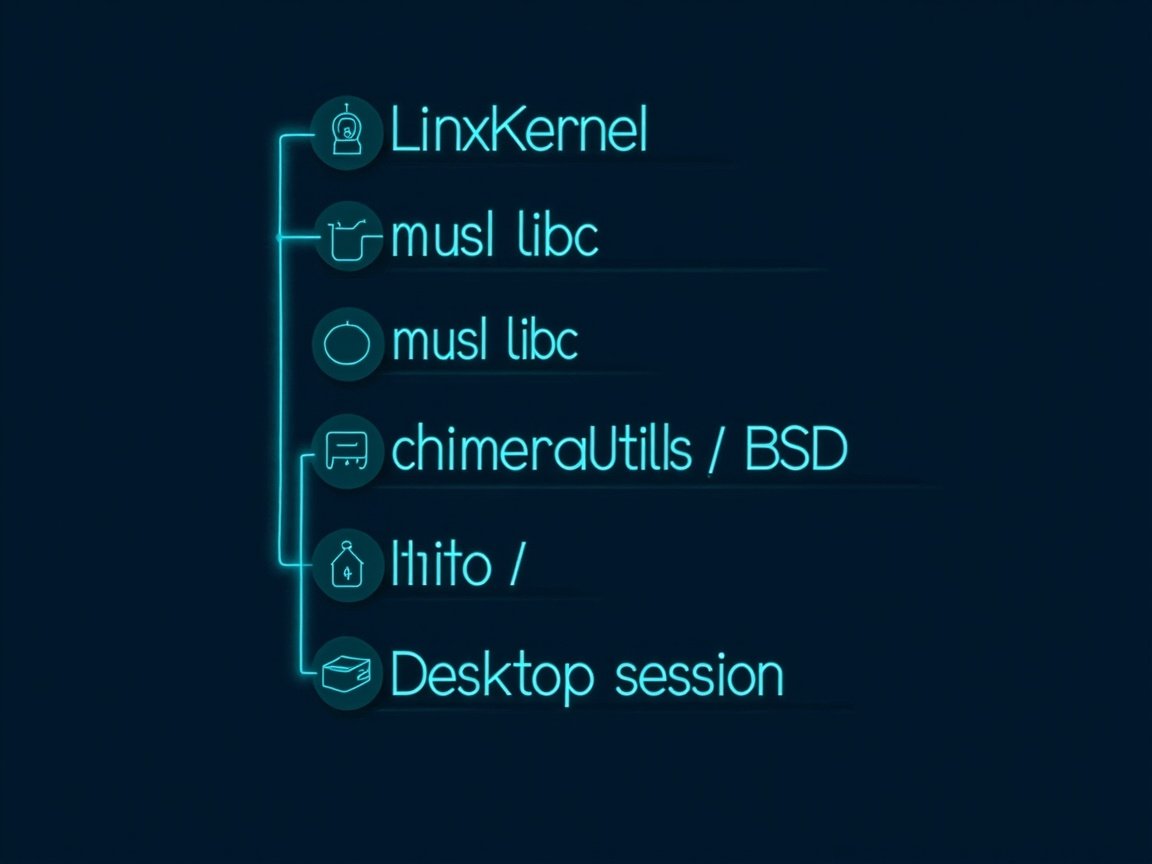
The first thing to internalise is that “Linux” is really two layers: the kernel and everything above it. Most distributions — Debian, Fedora, Arch, Ubuntu — agree on the kernel but disagree on the userland. Chimera picks an opinionated userland:
- Kernel: stock Linux (currently 6.13 in the 20251220 images), no patches beyond what upstream carries.
- C library: musl, not glibc. This is what gives the system its small-footprint, statically-leaning feel and lets it run on everything from a Raspberry Pi to a 64-core Threadripper.
- Memory allocator: mimalloc (from Microsoft Research). musl’s bundled allocator is functional but slow under heavy concurrency; mimalloc slots in transparently.
- Core userland: chimerautils — a curated port of FreeBSD’s userland (sh, awk, sed, grep, ls, cp, mv, …) onto Linux. It’s a deliberate replacement for GNU coreutils, packaged separately so other distributions (Alpine’s testing branch) can pull it in.
- Init: Dinit, a small event-based service supervisor from the Void Linux ecosystem. There is no systemd.
- Compiler: Clang/LLVM is the default toolchain. GCC is available for the occasional package that still needs it.
That last point is the architectural reason Chimera can stay lean: most of the system compiles against LLVM’s libc (libc++/compiler-rt) rather than GCC’s libstdc++. The result is a coherent toolchain — no “this package was built with one compiler and that one with another” surprises.
Why you’d actually want this
The honest answer is: you probably don’t, unless one of these fits your itch:
- You’re a BSD person who needs Linux hardware support. Chimera gives you FreeBSD-style
service(8)mental models — Dinit’sdinit-servicefiles look and act like BSD rc scripts — while keeping Linux’s huge driver catalogue. NVIDIA, modern Wi-Fi, and exotic USB peripherals just work. - You want Alpine’s APK, but with a desktop. Chimera inherits
apk-toolsfrom Alpine and adds a curated source-tree (cports) that mirrors FreeBSD’s build conventions. It’s the same familiarapk add vimworkflow, but the resulting system is a full multi-user desktop. - You like rolling releases without Arch’s ceremony. Chimera is rolling-release in the truest sense — there are no versioned releases, only “live images” that snapshot the current state. Update daily and you’re never far from upstream.
- You want a small, debuggable system.
dinitis a single ~30 KLOC binary with a clear state machine. systemd is none of those things. If you’ve ever wanted to read your init system and understand it, Chimera is the distribution for you.
What changed recently
Three things are newsworthy as of August 2026:
- Live image 20251220 (released 2025-12-21) introduced a text-based installer. Previously you had to drop into a shell and run the install steps manually; now there’s a guided TUI that handles partitioning, hostname, user creation, and bootloader (GRUB or systemd-boot, BIOS/EFI/OF).
- Beta phase was entered on 2024-12-27 when
apk-toolswas taggedrc. The project still calls itself beta in 2026, mostly because the source-tree build system (cports) is still settling. - PowerPC retirement plans were announced 2026-03-13. The big-endian 32-bit PowerPC and 64-bit POWER ports are being deprecated because the available boards (HiFive P550, Milk-V Pioneer) aren’t fast enough to serve as build infrastructure.
ppc64leis unaffected.
The practical takeaway: 2026 is a great time to install Chimera if you have x86_64 or aarch64 hardware. Other architectures are still supported but on borrowed time.
Installation walkthrough
Grab the image from chimera-linux.org/downloads. There are three flavours:
| Image | Size | Use it when |
|---|---|---|
chimera-linux-x86_64-LIVE-20251220-base.iso |
~992 MB | You want the smallest possible starting point and don’t mind installing a desktop after the fact. |
chimera-linux-x86_64-LIVE-20251220-gnome.iso |
~1.7 GB | You want GNOME 46 out of the box. Recommended for most laptops. |
chimera-linux-x86_64-LIVE-20251220-plasma.iso |
~2.4 GB | You want KDE Plasma. Still tagged experimental upstream. |
Write the ISO to a USB stick with dd or Ventoy, boot it, and the text installer will launch.
# 1. Partition (the installer can do this, but for reference)
dd if=/dev/zero of=/dev/sdX bs=1M status=progress
# Use fdisk or the installer's partitioning screen.

# 2. After the installer finishes and you reboot:
sudo apk update
sudo apk upgrade

# 3. Add common desktop extras
sudo apk add vim git firefox wayland-protocols
A few things to know about the installer:
- Disk selection is the only part of the install that still requires care. Read the partition table it proposes before confirming.
- Mirror selection is automatic — the installer fetches the current APK mirror list from the project’s repo.
- Bootloader choice (GRUB vs systemd-boot) matters if you’re dual-booting with Windows. systemd-boot is simpler but doesn’t chain Windows automatically.
- Kernel version selection is exposed as an option. The default is fine for nearly everyone; only choose differently if you know why.
After the first boot
You land in GNOME (or whichever image you used). A few commands worth knowing:
# List services — this is the BSD-flavoured part
dinitctl list

# Enable a service at boot (think rc.conf)
sudo dinitctl enable NetworkManager

# Install a package — Alpine's apk, identical syntax
sudo apk add neovim

# Search the package database
apk search | grep -i retroarch
If you prefer to build from source instead of relying on the binary repo, the cports tree is what you want. It’s a clone of chimera-linux/cports from GitHub and uses a build.sh recipe per package, mirroring how FreeBSD’s ports tree works.
git clone https://github.com/chimera-linux/cports
cd cports
./cbuild.sh main/x11-wm/sway
This compiles a package against your running system and installs it into /usr after the build succeeds. It’s slower than apk add but gives you the same control you get from FreeBSD ports or Arch’s AUR.
What doesn’t work (yet)
A few honest caveats:
- Proprietary glibc-only software without a Flatpak is out of luck. Chimera is musl-based, so statically linked or libc-agnostic binaries only. Steam works because it ships inside a Flatpak runtime; many older games do not.
- systemd-aware software — anything that hard-depends on systemd’s
logind,dbus-integrated cgroups, or unit files — won’t behave as expected. Dinit provides compatible services but doesn’t speak the full systemd API. - The Plasma image is still experimental; expect the occasional crash on Wayland sessions and prefer X11 for daily-driving KDE.
- 32-bit PowerPC and big-endian POWER are being deprecated, so if you’re on those arches, plan a migration path.
Is Chimera for you?
If you’re happy on Fedora or Ubuntu, Chimera won’t change your life — it’s deliberately weirder, not magically better. But if any of the following sounds like you, give it a weekend on a spare partition or VM:
- You’ve used FreeBSD and wished Linux’s driver catalogue applied.
- You like Alpine’s APK and want it with a full desktop.
- You want a rolling release that doesn’t involve editing
/etc/pacman.conf. - You want to read your init system and understand it in an afternoon.
- You like the idea of a coherent Clang/LLVM-built system from kernel to terminal.
For everyone else, Chimera is a fascinating specimen — a proof that “Linux” doesn’t have to mean “GNU + systemd + glibc.” That’s already worth an install on a USB stick to see what a non-GNU Linux looks like in 2026.
Further reading
- Official site and downloads: https://chimera-linux.org/
- Project announcement (beta phase): https://chimera-linux.org/news/2024/12/entering-beta.html
- Most recent image release: https://chimera-linux.org/news/2025/12/new-images.html
- chimerautils source on GitHub: https://github.com/chimera-linux/chimerautils
- Wikipedia overview: https://en.wikipedia.org/wiki/Chimera_Linux
Comments