
How to Use Zellij 0.44 on Linux (Better than tmux)
If you have ever installed tmux, struggled with its default Ctrl-b prefix, copy-pasted a .tmux.conf from a stranger on the internet, and still felt like the tool was actively fighting you — Zellij is the answer. On 23 March 2026, the project shipped 0.44.0, a release that finally closes the feature gaps that kept tmux users from switching: native Windows support, terminal-to-terminal attach over HTTPS, a layout manager UI, real CLI automation, and a forwards-compatible client/server contract that is supposed to be the last time an upgrade orphans your sessions.
The official site and downloads live at zellij.dev. The repository is github.com/zellij-org/zellij; the project is MIT-licensed, written in Rust, and currently sits at ~34.5k stars.
What Zellij is, in one paragraph
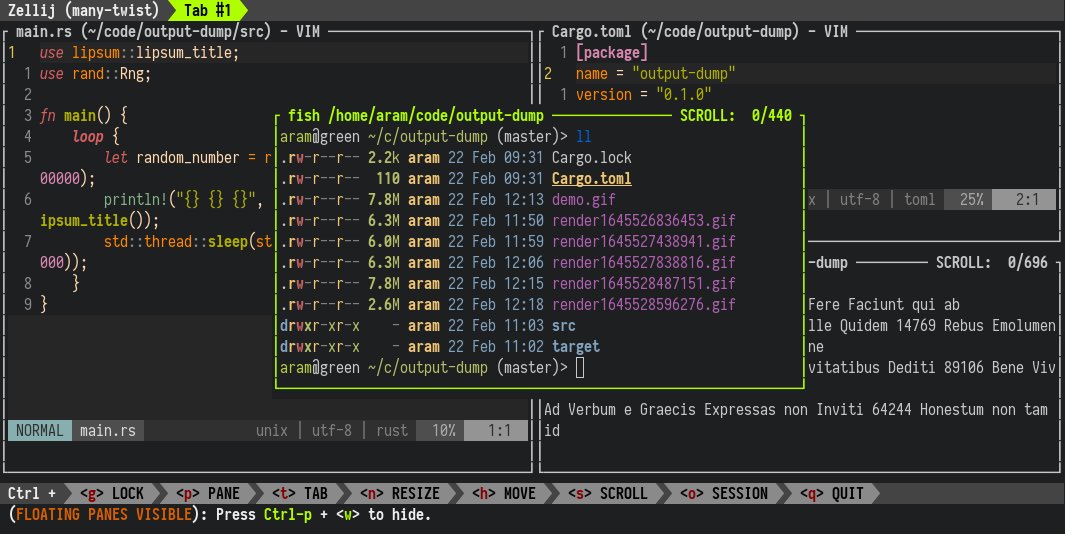
Zellij is a terminal workspace — the project’s own term — that combines a terminal multiplexer (tmux/screen’s job), a session manager, a layout engine, and a plugin system on top of a single binary. Unlike tmux, Zellij ships with a discoverable UI: the first time you launch it, a status bar at the bottom of the screen tells you exactly which key to press to do what. Press Ctrl o then d to detach. Ctrl o then w for the welcome screen. Ctrl o then l for the new layout manager. There is no .tmux.conf rite of passage.
Under the hood Zellij uses a client/server architecture (the server is the long-running process that owns your panes; the client is the terminal you attach from), WASM-compiled plugins in any language, and an event-driven UI built as a plugin itself. The 0.44 release switched its WASM runtime from wasmtime to wasmi and unified its async runtimes onto a single tokio instance — both infrastructure changes that translate into a smaller binary and fewer system dependencies.
What is actually new in 0.44.0
The release notes (zellij.dev/news/remote-sessions-windows-cli) group the changes into five buckets worth your time:
Native Windows support. Zellij previously required WSL for Windows users. A community contributor landed a native port so the same .msi you download from GitHub Releases now installs on Windows directly, with session management, layouts, plugins, and the multiplayer features all functional.
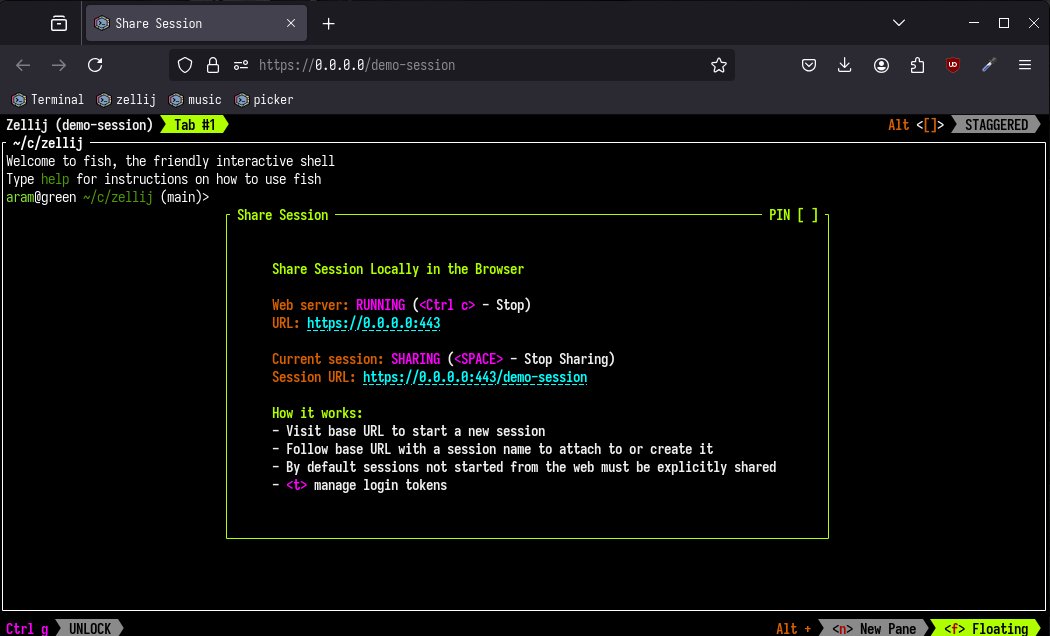
Terminal-to-terminal attach over HTTPS. zellij attach https://example.com/my-cool-session is now a real command. The built-in web server can already expose a session to a browser; the new piece is doing it from a terminal client, using the same authentication tokens. Pair this with read-only session sharing (zellij watch <name>, or zellij web --create-read-only-token for the browser path) and you have a useful tool for teaching, screencasting, and letting a colleague follow your debugging session without taking over your keyboard.
Layout manager. A new Ctrl o then l panel lets you open a saved layout in a new tab, apply it to the current tab, or record the current tab’s pane arrangement into a new layout file. The layout system itself was already Zellij’s killer feature — KDL files in ~/.config/zellij/layouts/ describing tabs, panes, sizes, and the commands each pane should run on launch — but recording-from-live-session closes the gap between “I have a workspace I like” and “I can reproduce it tomorrow.”
CLI automation that is actually usable. zellij run gained --blocking, --block-until-exit-success, and --block-until-exit-failure flags. The example the release notes use:
zellij run --block-until-exit-success -- cargo test
  && zellij run --blocking -- cargo build --release
  && tput bel
runs tests, then builds only if tests passed, and rings the terminal bell when the whole chain finishes. There are also new zellij action subcommands: list-panes, send-keys, dump-screen, plus a zellij subscribe channel that streams pane updates to external tools.
Forwards compatibility (read this if you have lived through an upgrade breakage). Until now, every Zellij release orphaned any session still running from an older binary. 0.44 introduces a protocol-buffer-defined client/server contract so future versions can attach to existing sessions. The author’s own note: “this will be the last time [sessions become orphaned on upgrade].” Caveat: brand-new features on a fresh client attached to an old server will silently fail.
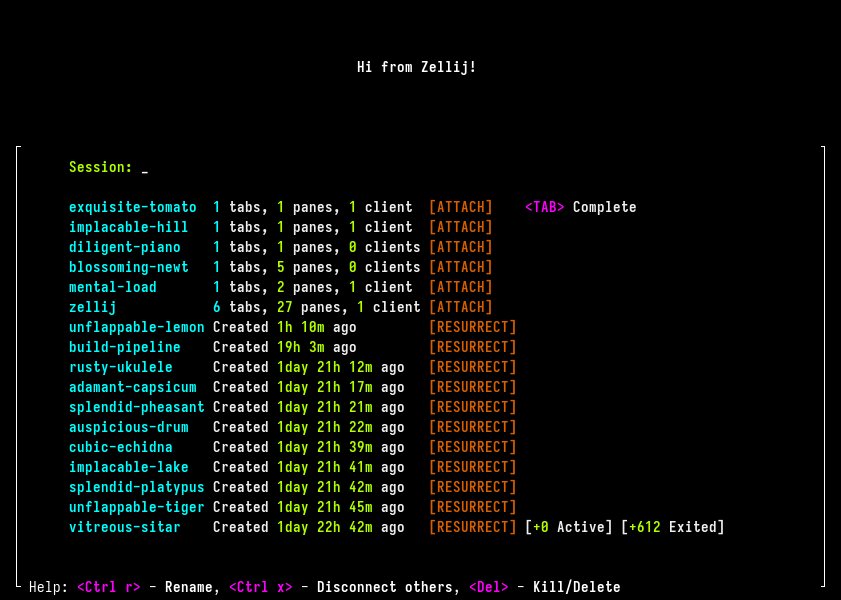
There are also quality-of-life items: drag-to-resize pane borders, click-to-open file paths detected in viewport output, a redesigned single-screen Session Manager UI with fuzzy-find, borderless pane mode, BEL forwarding with a visual indicator, and a Rust API expansion so third-party plugins can now read pane scrollback (including ANSI colors), propagate config live, query env vars set at session creation, and highlight arbitrary viewport text for custom link handlers.
Install Zellij on Linux
Pick the install path that matches your distribution. On any x86-64 Linux without a recent package, the binary release is the safest choice:
# Arch / Manjaro
sudo pacman -S zellij

# Fedora (COPR)
sudo dnf copr enable varlad/zellij
sudo dnf install zellij

# Ubuntu 26.04 / Debian 13+ (apt)
sudo apt install zellij

# Anywhere — single static binary
wget https://github.com/zellij-org/zellij/releases/latest/download/zellij-x86_64-unknown-linux-musl.tar.gz
tar xzf zellij-x86_64-unknown-linux-musl.tar.gz
sudo mv zellij /usr/local/bin/

# Try without installing (bash/zsh)
bash <(curl -L https://zellij.dev/launch)
On first launch Zellij drops a default config at ~/.config/zellij/config.kdl. Leave it alone for a week; the defaults are deliberately opinionated. After that, the two settings most people actually want to change are default_mode (start in normal vs locked) and mouse_mode (whether the mouse captures pane focus).
Three workflows worth building today
A daily-driver layout. Save your usual split — left for editor, right for build, bottom for shell — as ~/.config/zellij/layouts/daily.kdl. Reload it with zellij --layout daily and you have the same workspace on every machine that syncs that dotfiles directory.
A remote debugging session you can hand off. On the server: zellij start --name debug. Locally: zellij attach <server> debug. The 0.44 terminal-to-terminal attach over HTTPS replaces the older tmux+ssh dance for many setups and is a real win when the server sits behind a NAT.
A CI watcher you can leave alone. In a CI pane: zellij run --blocking -- long-running-build. In a separate pane, tail the log. The new --block-until-exit-success and --block-until-exit-failure flags let you chain commands without writing shell && workarounds, and the BEL-on-finish pattern is more useful than it sounds when you are two monitors away.
Strengths and trade-offs against tmux
Zellij’s strengths are the discoverable UI, the layout system, the plugin model (any WASM-capable language), and the multiplayer features that tmux simply does not have. For a developer who lives in the terminal and wants the workspace to be reproducible, Zellij is the more modern tool.
The trade-offs are real. Zellij is larger than tmux (a static-musl build is ~10 MB; tmux is ~700 KB), so on minimal servers where you only need session persistence, tmux is still a fine choice. The plugin system is more capable but also more complex — a tmux .tmux.conf is easier to read than a Zellij plugin in Rust, even when the Zellij version does more. And the forwards-compatibility promise is new: it has only had one release cycle to prove itself, so if you depend on long-lived sessions across upgrades, keep a tmux fallback until 0.45 has been in the wild for a quarter.
Bottom line
Zellij 0.44 is the release where the “should I switch from tmux?” question has a clean answer for most desktop Linux users: yes, if you want layouts, multiplayer, click-to-open paths, and a config language that is not a .conf relic. tmux is still better for embedded servers and minimal installs. The 0.44 release notes — including the protocol-buffer compatibility promise — are at zellij.dev/news/remote-sessions-windows-cli, and the binary, packages, and a bash <(curl -L https://zellij.dev/launch) try-without-installing path are at zellij.dev. The plugin manager (added in 0.41) and the layout manager (added in 0.44) are the two features that, together, make Zellij feel less like a multiplexer and more like a workspace you actually want to live in.
Comments