
How to Run Podman 6.1 Rootless on Linux (2026)
Podman has been the standard “Docker alternative that doesn’t need a daemon” for years now, but the 6.x series is the point where it stops being a curiosity and becomes the default choice for anyone running containers on Linux in 2026. The 6.0 release landed in July 2026 with a substantial security fix set, a rewritten networking stack, and a wholesale move to a new CNCF-owned GitHub organization. The 6.1.x point releases that followed added the small quality-of-life commands most people actually wanted, like podman volume rename and podman machine restart.
This guide walks through installing Podman 6.1, running your first container as a non-root user, understanding what actually changed in version 6, and the specific upgrade traps that will bite you if you are coming from Podman 4 or 5.
Official project site: https://podman.io/
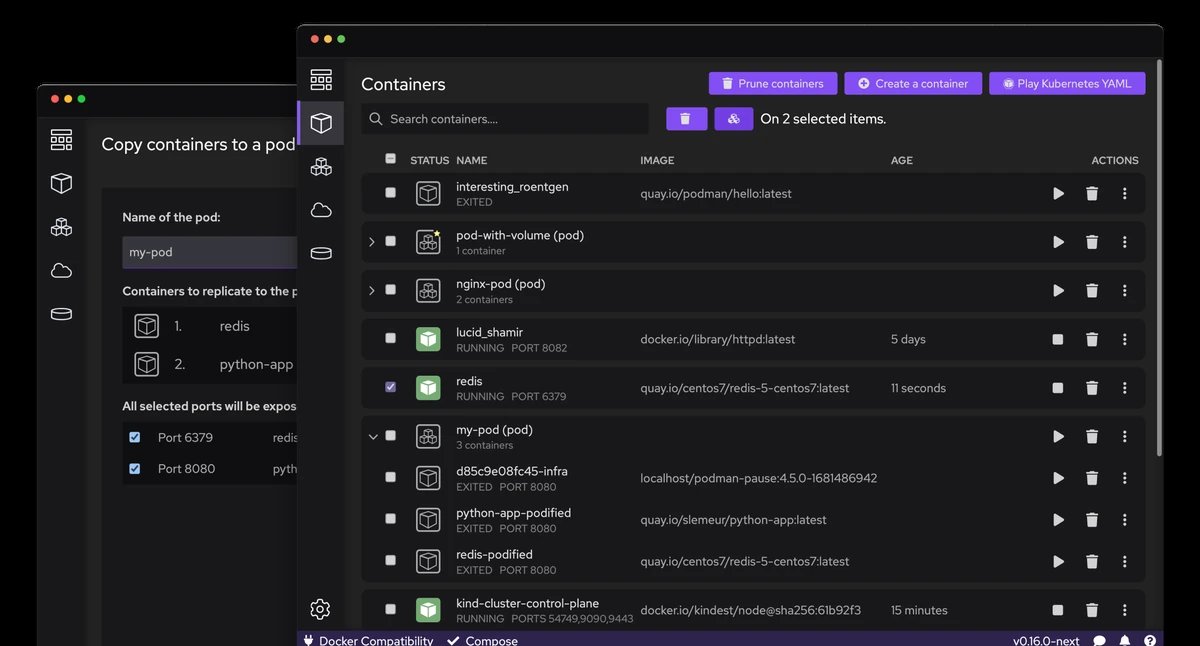
The Podman container management interface. Official screenshot from the Podman project.
Why Podman 6 matters right now
Two things happened in 2026 that make this a timely topic rather than a “yet another container tool” article.
First, Podman 6.0.0 shipped on 2 July 2026 and it fixed two CVEs in the same release:
- CVE-2026-57231 — a malicious image with malformed
Enventries could cause host environment variables to leak into containers created from that image. The*glob operator made it possible to leak large numbers of environment variables without knowing their exact names. - CVE-2026-19730 —
podman quadlet install --replacedid not truncate the file being replaced, so replacing a longer file with a shorter one retained stale content from the original.
If you run Podman 5.x or older in CI, on a build server, or anywhere that pulls images from registries you do not fully control, this is an upgrade you should make now rather than later.
Second, the project governance changed. As part of the 6.0 release, Podman, Buildah and Skopeo moved into a new CNCF-owned GitHub organization at github.com/podman-container-tools. The old github.com/containers repositories now redirect, but the import path changed too — the Go module path is now go.podman.io/podman/v6 instead of github.com/containers/podman/v5. If you have Go code that imports Podman’s libraries, that is a breaking change that will not compile until you update the import.
The current stable release at the time of writing is v6.1.4, published on 12 October 2026.
Installing Podman 6.1
Podman is packaged for essentially every Linux distribution, and for most of them the package name is simply podman:
# Debian / Ubuntu
sudo apt-get update
sudo apt-get -y install podman

# Fedora
sudo dnf -y install podman

# Arch Linux / Manjaro
sudo pacman -S podman

# Alpine
sudo apk add podman

# openSUSE
sudo zypper install podman

# Gentoo
sudo emerge app-containers/podman
On Debian 13 (trixie) and Fedora, podman is in the base repositories, so no third-party repository or Docker-style install script is required. That is one of the genuine practical advantages of Podman over Docker Engine on a workstation.
On Fedora and RHEL there is one extra step worth knowing about: the rootless networking stack changed, and slirp4netns is no longer the default. The modern replacement is passt, exposed to Podman as the pasta binary. If you have older containers that relied on slirp4netns, install it explicitly so nothing breaks:
sudo dnf -y install slirp4netnsIf you want the newest development builds on Fedora, the updates-testing repository has them ahead of the stable channel:
sudo dnf update --refresh --enablerepo=updates-testing podmanRunning your first rootless container
This is the part that makes Podman genuinely different, so it is worth doing by hand rather than copying from a blog.
The key idea is that you do not need sudo to run containers. Podman is designed to run rootless as your normal user account. When you run it rootless, it creates a user namespace where you appear as root inside the container — but you remain your normal unprivileged user on the host. That is the entire point of the design, and it means a container escape does not hand an attacker root on your machine.
Here is a real session, captured on Debian 13 running as an ordinary non-root user:
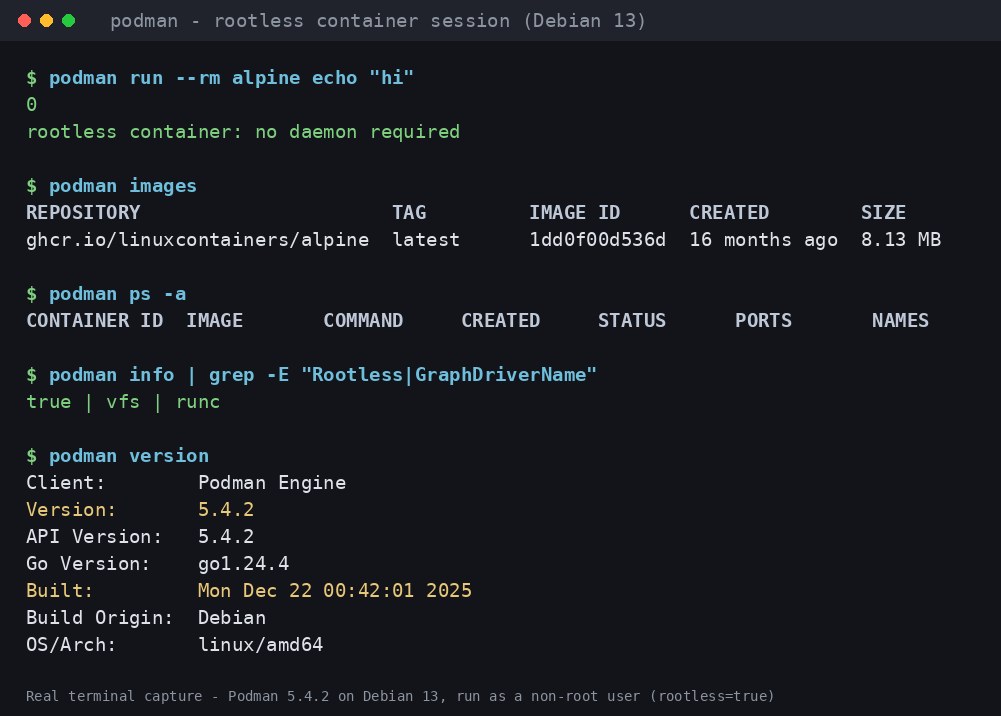
A real rootless Podman session on Debian 13. Terminal capture — real output, not a mockup.
The important line is rootless=true. You can verify it at any time with:
podman info --format '{{.Host.Security.Rootless}}'And the core workflow is exactly what you would expect from Docker:
# Pull an image
podman pull ghcr.io/linuxcontainers/alpine:latest

# Run a throwaway container
podman run --rm alpine echo "hello"

# List what you have
podman images
podman ps -a

# Clean up
podman podman system prune
One practical note: podman run without --rm leaves the container around after it exits, which surprises people moving over from docker run. If you want the Docker-like behaviour of automatic cleanup, use --rm, or set the alias:
alias docker=podmanThat alias works remarkably well. Most Docker commands translate one-to-one, which is exactly why Podman’s compatibility layer is one of its most quietly valuable features.
What actually changed in Podman 6
Podman 6 is not a feature release with a headline feature. It is a cleanup release, and the cleanup carries real breaking changes. If you are upgrading from 5.x, here is the list that matters.
The networking stack was replaced. Podman 6 drops support for slirp4netns, iptables and CNI entirely. Networking now goes through Netavark, Aardvark and Pasta with nftables. The --network-cmd-path global option, which only ever applied to slirp4netns, was removed. This is arguably the single biggest change in the release — if you had custom CNI network configurations, they will not work until you migrate them to Netavark network definitions.
Older platforms were dropped. Support for Intel Macs, Windows 10, and cgroups v1 systems was removed. Podman 6 requires cgroups v2, which means fairly recent kernels — 5.8 or newer is the practical floor. If you have an old kernel or a legacy enterprise host, Podman 5.8 is the last version that supports you.
Storage modernised. BoltDB database support was dropped; Podman 6 automatically migrates a BoltDB database to SQLite on first run. There is also a new --import-native-ca flag that pulls trusted CA certificates from the host’s native certificate store straight into the Podman machine guest — a genuinely useful fix for anyone behind a corporate TLS-inspecting proxy, which used to require manually exporting and injecting certificates.
Quadlet was reworked. Quadlets and their associated files are now placed in subdirectories rather than tracked with a single .app file. This means removing a Quadlet no longer automatically removes every associated non-Quadlet file, which reduces a whole class of “my systemd unit disappeared” bugs. The podman quadlet install --replace command was also fixed to properly truncate the target file — the source of CVE-2026-19730.
Quadlets gained a REST API and improved tracking of associated files, plus expanded .volume unit support and additional search paths for distro packaging.
The 6.1 additions worth knowing
The 6.1.x series is where the small conveniences land. From the official 6.1.0 announcement:
podman volume rename— rename a volume in place instead of creating a new one and copying data across. Volumes using an external volume driver, or volumes attached to a running container, cannot be renamed yet.podman machine restart— restart a Podman-managed VM in a single command instead of chainingstopandstart.podman network rm --ignore— suppress the error when removing a network that does not exist, which makes cleanup scripts properly idempotent.podman manifest push --retry/--retry-delay— automatic retry logic for manifest pushes, so a flaky registry no longer requires you to write your own retry loop.podman generate kubenow maps container healthchecks to KuberneteslivenessProbe, sogenerate kubeoutput is more faithful to the container it came from.- WSL gained a
force_port_listenoption incontainers.conf, which Podman now sets automatically on newly created WSL-provider machines so port forwarding from Windows works correctly. - IPv6 port forwarding in the new Pasta forwarding mode was reworked to work correctly for rootless networks.
podman infonow reports free memory alongside used and total.
There is also a dedicated blog post on preserving source IPs in rootless Podman with Pesto, which matters if you run a container behind a proxy and need the real client address rather than a NAT address.
Podman machine, Podman Desktop, and Windows
If you use Podman on macOS or Windows, you are not running containers natively — you are running them inside a lightweight VM managed by podman machine.
podman machine init
podman machine start
podman machine os update    # new in 6.0
podman info                 # verify the install
Podman 6 added podman machine os update to keep those VM images current, and improved the multi-provider experience so switching between providers (WSL, Hyper-V, Apple Virtualization) is less painful.
The Windows installer changed significantly in Podman 6. The old .exe bundle that required administrative privileges is gone, replaced by a single dual-purpose .msi. The headline change is per-user installation: Podman installs into the current user’s own directory and uses the HKCU registry instead of HKLM, so unprivileged users on locked-down corporate machines can install it themselves. Per-machine installation is still supported, but per-user is now the default. Upgrading from the old bundle requires uninstalling it first, because the install paths are fundamentally different.
On macOS, note that Intel Mac support was removed in Podman 6 — Apple Silicon remains supported.
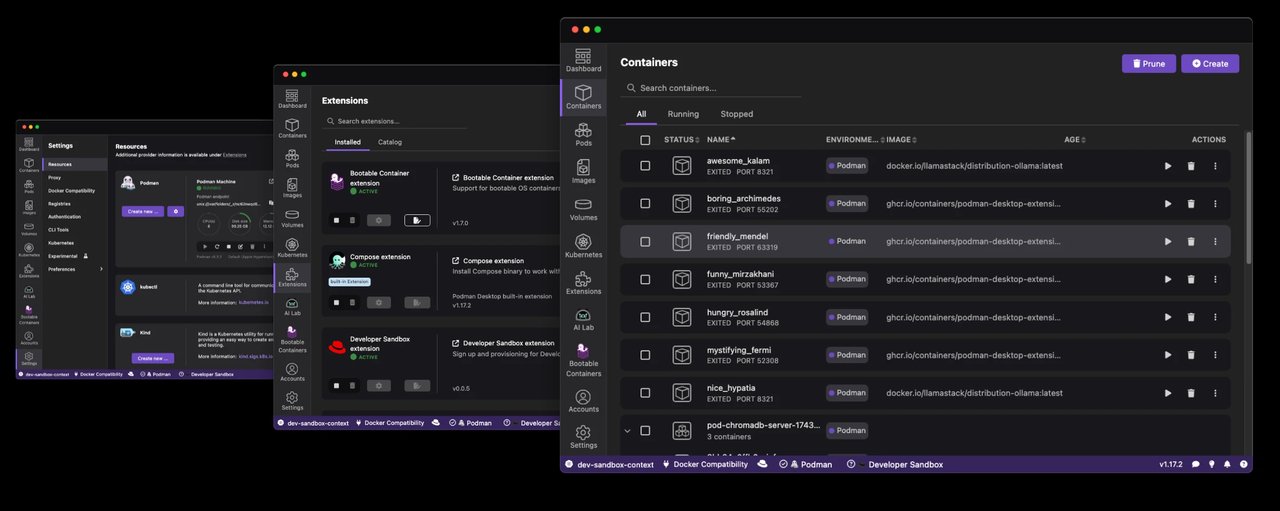
Podman Desktop 1.30, the graphical companion to the Podman CLI. Official promotional image.
If you prefer a GUI, Podman Desktop is a separate project — currently at version 1.30 — that wraps the Podman engine with a container list, an extension catalogue, and Kubernetes support:
Podman Desktop. Official branding image.
Upgrading safely from Podman 5
A short checklist, in order:
- Upgrade the whole container-tools stack together. Podman 6 requires Buildah v1.44.0, Skopeo v1.23, Netavark and Aardvark v2.0.0, and the common configuration files from container-libs
v0.68.0. Mixing a Podman 6 binary with an old Buildah causes exactly the kind of confusing failure you would rather avoid. - Recreate
podman machineVMs on Linux. The 6.0 release changed how VMs mount host volumes (they now use systemd), and volume mounts on existing Linuxpodman machineVMs are broken by that change. Recreate the VM. - Migrate CNI network configs to Netavark before you upgrade, not after.
- Check your kernel. cgroups v2 is now mandatory.
- Rebuild and re-push anything that embeds Podman as a library. The Go import path changed to
go.podman.io/podman/v6.
For production, pin to the latest 6.1.x patch rather than tracking the major version, since Podman ships security fixes in patch releases — 6.1.4 alone fixed a WSL 3 compatibility bug, updated gvproxy to v0.9.0 for CVE-2026-107935, and bumped Buildah to v1.45.2.
The short version
Podman in 2026 is no longer the “interesting alternative” — for a lot of Linux setups it is simply the better default. It installs from base repositories, runs without a daemon, runs without sudo, and its Docker compatibility layer means most existing commands and compose files just work.
The 6.x series makes the case stronger rather than weaker: the networking stack was rebuilt on modern primitives, the governance moved to the CNCF, and two genuine CVEs were fixed. If you are on Podman 4 or 5, this is the release to move to — but do read the breaking-change list first, because the removal of slirp4netns and CNI is not cosmetic.
For the official documentation and release notes, see https://podman.io/docs/ and the project’s GitHub releases page.
Comments