
NixOS 26.05 Yarara was released on May 30, 2026 — here is what changed and how to install it
If you have ever been burned by apt removing a package you depended on, or by dnf leaving your desktop in a half-upgraded state, NixOS will feel like a different operating system. Every package, every service, every kernel parameter is described in a single text file, and the system that file builds is reproducible across machines and reversible to any earlier version. The newest release, NixOS 26.05 “Yarara”, shipped at the end of May 2026 and is the version you should be installing today.

What is actually new in 26.05
The release was led by yayayayaka and jopejoe1, with 2842 contributors authoring 59703 commits since 25.11. The headline shifts:
- systemd stage 1 by default. The initrd (Stage 1) is now built on systemd. The old scripted implementation is deprecated and will be removed in 26.11. If you ever customised Stage 1, expect to do it in
boot.initrd.*withservices.systemd-boot-style modules going forward. - GNOME 50 “Tokyo”. A major version bump on the default desktop, bringing accessibility and display-handling improvements. KDE Plasma users stay on Plasma 6, with regular point releases flowing through
nixos-26.05. - GCC 15 + LLVM 21. C compiler stack refreshed. Most users will not notice, but anyone packaging C/C++ will want to retest.
- Package churn. 20442 new packages, 20641 updates, 17532 packages removed in the name of “keep the package set maintainable and secure.” If you depend on a smaller package, check that it still exists before you upgrade.
- Last release to ship
x86_64-darwin. If you maintain a Nix-on-macOS Apple Silicon setup, the 26.05 line is your last supported option; 26.11 will drop that platform entirely.
The Yarara release gets bug and security fixes through 2026-12-31, after which the 26.11 line (“Zokor”) takes over. Expect six-month support cycles; pick “release N” in nixpkgs channels and stick to it for production.
How to install NixOS 26.05
Pick the ISO that matches how you intend to use the system:
- Graphical ISO — about 2.3 GB, includes GNOME, KDE, XFCE, and several browsers. Doubles as a live CD, so you can preview 26.05 without touching your disk. Download (x86_64).
- Minimal ISO — no graphical UI, much smaller. Use this for servers.
Pick the installer for your architecture (x86_64 or aarch64), flash it to a USB stick with dd or Balena Etcher, and boot from it. The graphical installer walks you through disk selection, keyboard layout, user creation, and a default GNOME install. It can also do a minimal text install for servers.
For VMs, the cloud images are worth a look too. NixOS publishes official AMIs to all AWS regions weekly under owner 427812963091 with names matching nixos/26.05*; pull the latest ID via Terraform or the AWS API instead of hardcoding anything older than 90 days.
After the install, your system boots into a baseline NixOS configuration — login, then open a terminal. The next section is what makes NixOS interesting.
The whole OS in one file
This is the mental model shift. There is no /etc/apt/sources.list lying around telling the system where packages come from, no /etc/fstab separately from a display manager configuration. Everything lives in /etc/nixos/configuration.nix:
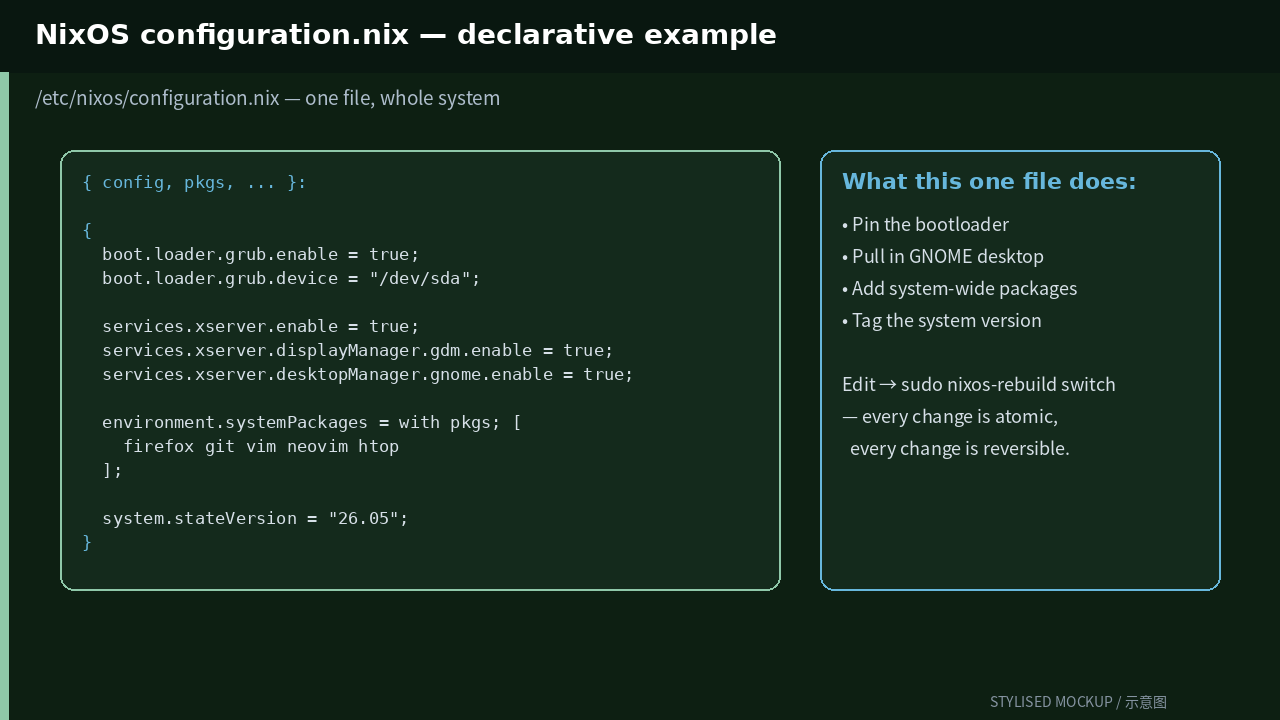
A working minimum that enables GRUB, the GNOME desktop, and a few system-wide packages looks like this:
{ config, pkgs, ... }:

{
  boot.loader.grub.enable = true;
  boot.loader.grub.device = "/dev/sda";

  services.xserver.enable = true;
  services.xserver.displayManager.gdm.enable = true;
  services.xserver.desktopManager.gnome.enable = true;

  environment.systemPackages = with pkgs; [
    firefox git vim neovim htop
  ];

  system.stateVersion = "26.05";
}
Apply it with:
sudo nixos-rebuild switchThe system rebuilds the entire /nix/store-backed world to match the file, atomically swaps it in, and the running system matches exactly what you described. That single command has the same effect that apt, dnf, grub-install, systemctl enable, and a manual reboot would have produced on a Debian-derived distro — except it is one transaction and one log.
The system.stateVersion = "26.05"; line is Nix’s “I started on this version” marker. Once bumped, do not decrement it on the same machine: it preserves automatic-upgrade behaviour and certain upgrade-migration code paths.
Reproducible developer environments with nix-shell
The same trick works for non-root projects. If you maintain a Rust toolchain alongside Node 22, the answer on NixOS is shell.nix:
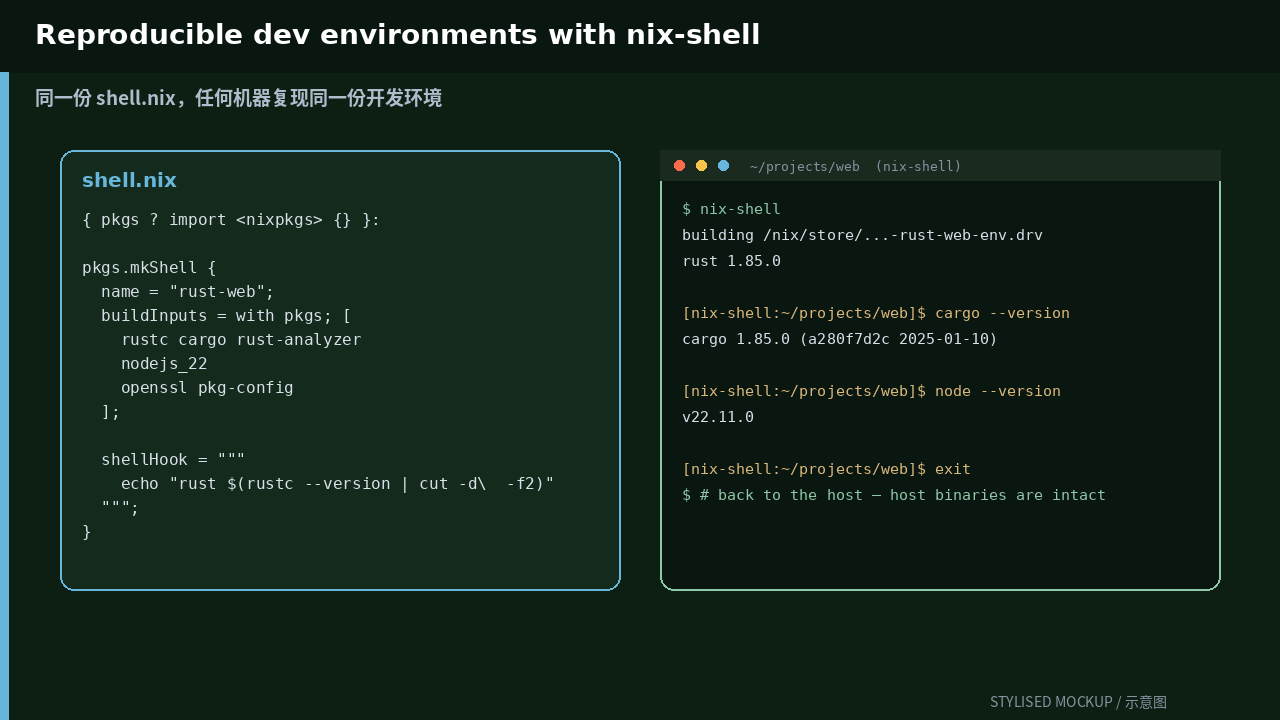
{ pkgs ? import <nixpkgs> {} }:

pkgs.mkShell {
  name = "rust-web";
  buildInputs = with pkgs; [
    rustc cargo rust-analyzer
    nodejs_22
    openssl pkg-config
  ];

  shellHook = '''
    echo "rust $(rustc --version | cut -d' ' -f2)"
  ''';
}
Drop into the project directory, run nix-shell, and the exact toolchain from <nixpkgs> 26.05 is put on your $PATH. The host system outside the shell stays clean. Commit shell.nix to git, and every teammate — and every CI worker — gets the same versions.
For one-off experiments, nix-shell -p python3 is enough. For heavier workflows, direnv with use nix; in .envrc is the standard combo.
Atomic upgrades and instant rollback
This is the part that converts people. Every time you run sudo nixos-rebuild switch, NixOS writes a new generation to /nix/store and adds an entry to GRUB. Older generations are kept; nothing is pruned until you ask. If a kernel bump breaks your Wi-Fi, you reboot, pick the previous generation in the GRUB menu, and you are back where you were before the bad change.
You can also do it without rebooting:
sudo nixos-rebuild switch --rollbackThe currently active generation is replaced with the previous one, packages and services swap, and you keep your login session. No dpkg --configure -a, no apt-mark hold <pkg>, no “well, I’ll fix it next weekend” state.
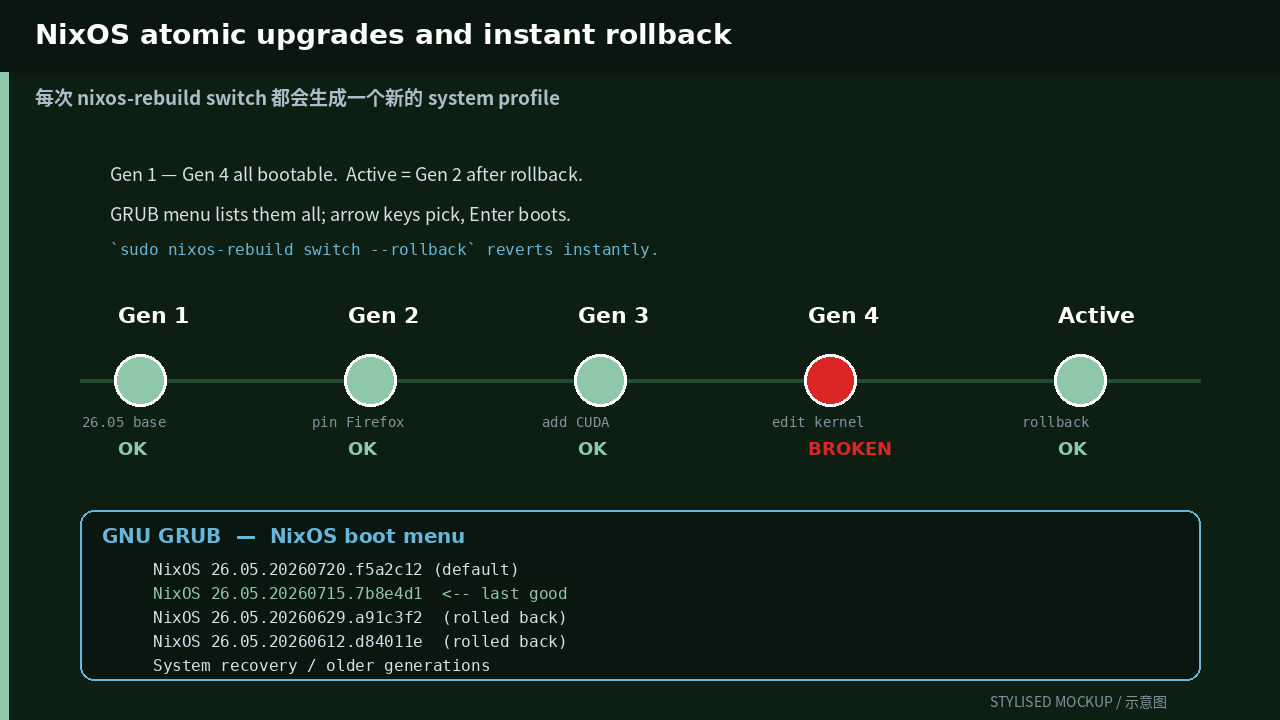
Use the help command to see what you have on disk:
sudo nix-env --list-generations --profile /nix/var/nix/profiles/systemCombine that with nix-collect-collect-garbage -d once a year and you keep /nix/store from growing without bound.
A few opinions worth holding while you ramp up
- Pin a channel, then stay on it for production. Switching from
nixos-26.05tonixos-unstablemid-task means your system rebuilds against a moving target. Use<nixpkgs>for personal machines, a pinned channel or flake input for anything that needs to behave the same on Monday and Friday. - Edit
/etc/nixos/configuration.nix. Yes,nix-env -iA nixos.firefoxworks as a per-user override. It is also the first thing that bites people: the system profile does not know about it, the nextnixos-rebuildwill not include it, and rolling back a generation will silently demote your “user-only” packages. Put everything in the file. - Use flakes for shared machines, channels for personal ones. Flakes pin every input by hash and let you reproduce a system on a different host exactly. Channels are simpler day-to-day. Both are real Nix; neither is deprecated.
- The CLI is the only truth.
/nix/store/...is where everything lives. If a binary is not found,nix-shell -pit or add it toenvironment.systemPackages. There is noapt-fileequivalent you need beyondnix search.
Where NixOS fits in your fleet
After a week with it, the appeal starts to make sense for more than just hobbyists: reproducible Linux images for cloud VMs, deterministic dev environments that survive a teammate changing laptops, atomic Kubernetes-node configuration that you can roll back if a kernel patch breaks a driver, and a single configuration.nix per host that fits in version control alongside your application code.
If you have never tried a declarative Linux distro, 26.05 is a good release to start with — Yarara changes are mostly internal (systemd Stage 1, GCC 15, new desktop versions) rather than user-facing schema rewrites. Boot the graphical ISO, log in, run sudo nixos-rebuild switch after editing one file, and the rest will probably click within an hour. That single file is the system.
Official home page: nixos.org.
Comments