
Cinnamon offers a traditional desktop, but its theme stack is not a single traditional GTK theme. The panel and menu are Cinnamon Shell, application controls are GTK, and window borders come from Muffin’s Metacity-compatible decorations. The Themes panel exposes all of them on one page, which is convenient until similarly named packages make it look as if one switch should control everything.
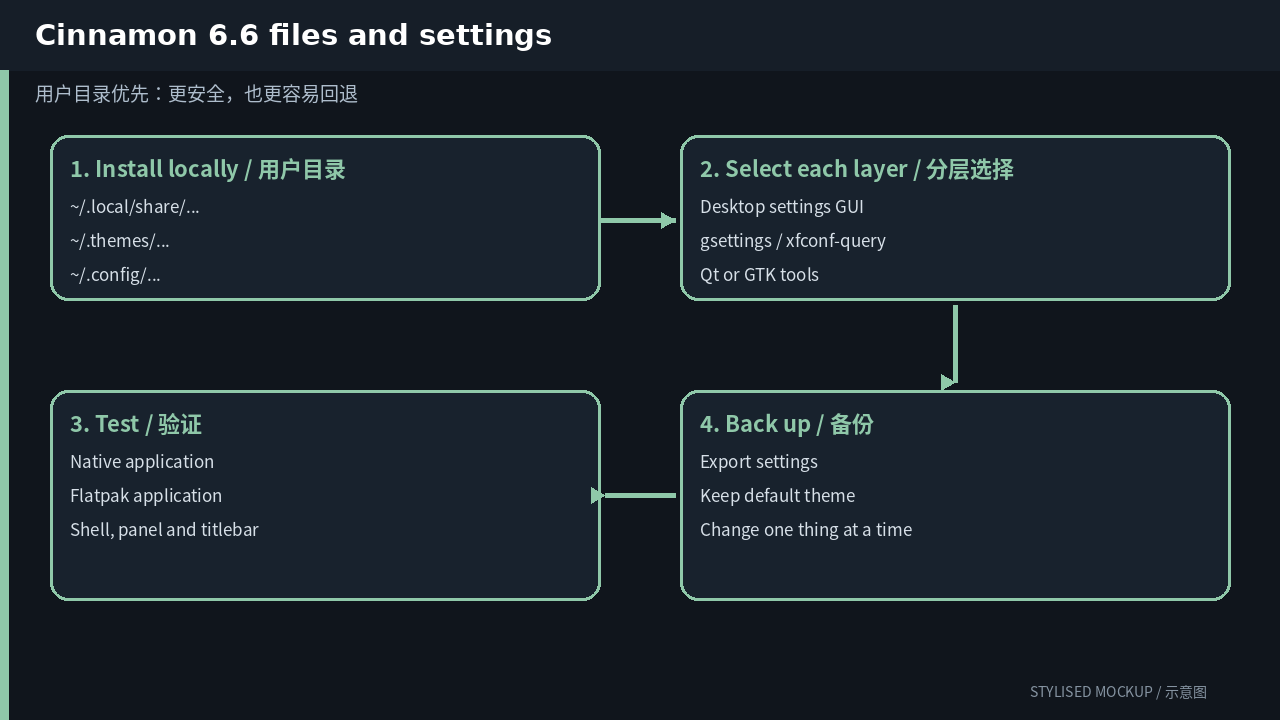
The three diagrams in this article are documentation-based illustrations, not desktop screenshots. Official screenshot assets could not be fetched reliably while preparing the article, so every image is explicitly marked “STYLISED MOCKUP / 示意图”.
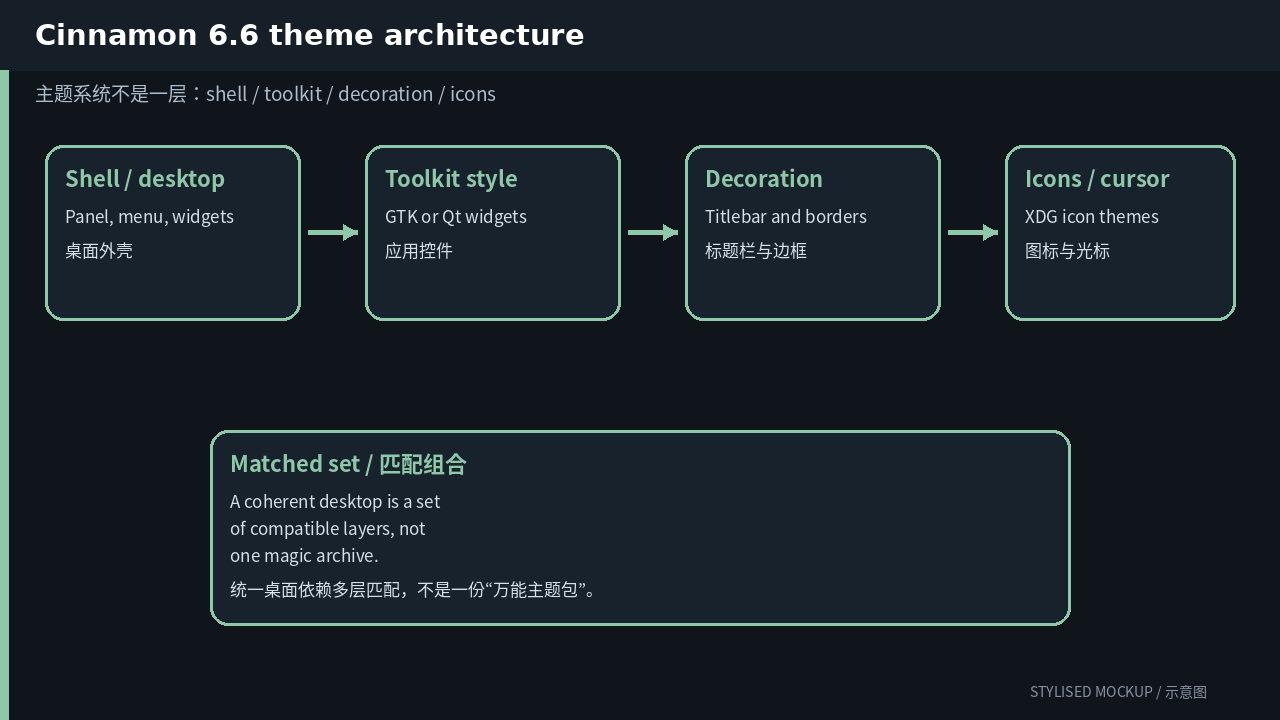
First question: which layer are you changing?
| Layer | What it controls | User path / entry |
|---|---|---|
| Cinnamon Shell | Panel, menu, calendar, applets, desklets, notifications and OSD | ~/.themes/<name>/cinnamon/cinnamon.css |
| Controls | GTK application widgets | ~/.themes/<name>/gtk-3.0/ and gtk-4.0/ |
| Window borders | Muffin/Metacity titlebar and buttons | ~/.themes/<name>/metacity-1/ |
| Icons | Nemo, panel and application icons | ~/.local/share/icons/ |
| Cursor | Xcursor theme | ~/.local/share/icons/<name>/cursors/ |
| Spices | Applets, desklets, extensions and themes | ~/.local/share/cinnamon/ |
When a newly installed theme changes only half the desktop, that is usually not a bug. It means you installed one layer. Icons, window decorations, application controls and the desktop shell commonly have different owners.
A customization order that is easy to undo
- Open System Settings → Themes and fill each slot deliberately: Desktop, Controls, Window borders, Icons and Mouse pointer. Names may match, but they are independent packages.
- Use the official Cinnamon Spices browser for Shell themes and extensions. Check the last update and supported Cinnamon versions before installing.
- For a manual full theme, inspect cinnamon/, gtk-3.0/ and metacity-1/. Missing subdirectories explain missing entries in individual selectors.
- Use Looking Glass (Alt+F2, then lg) when developing cinnamon.css. It is much faster than guessing selectors and restarting after every edit.
- On X11, Alt+F2 then r reloads Cinnamon. On Wayland, log out and back in instead of relying on an X11-only restart shortcut.
Inspect and switch settings from the terminal
The GUI is good for discovery; commands are good for repeatability. The examples below affect only the current user. Confirm that every theme name exists locally before applying it.
# select each layer explicitly
gsettings set org.cinnamon.theme name 'Mint-Y-Dark'
gsettings set org.cinnamon.desktop.interface gtk-theme 'Mint-Y-Dark'
gsettings set org.cinnamon.desktop.interface icon-theme 'Papirus-Dark'
gsettings set org.cinnamon.desktop.interface cursor-theme 'Bibata-Modern-Ice'
gsettings set org.cinnamon.desktop.wm.preferences theme 'Mint-Y-Dark'

# back up Cinnamon settings
dconf dump /org/cinnamon/ > cinnamon-profile.ini
Do not begin by copying everything into a system directory with sudo. A user-local install is easier to remove and will not leave unmanaged files mixed into distribution packages.
If you are editing a theme, change one thing first
Copy an existing theme into the user directory and give it a new internal name. Do not edit the distribution copy under /usr/share. For the first pass, change one color, one spacing value or one icon group. Once the loader path and cache behavior are proven, widen the edit.
If the package has metadata or an index.theme, update its internal name as well. Renaming only the directory can create two identically named entries and leave inheritance pointing at the original package.
Version changes: why old guides fail
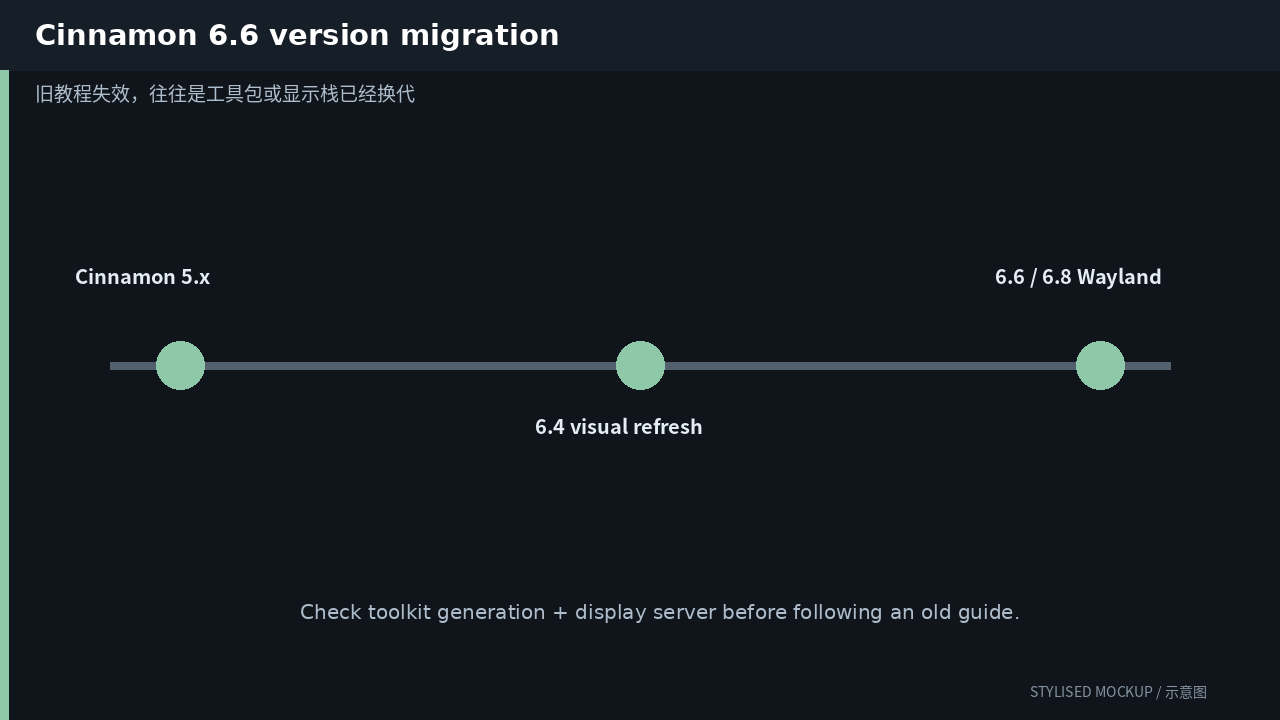
| Version | Theme-relevant change |
|---|---|
| Cinnamon 5.x | Established the modern GTK 3 desktop and the Spices ecosystem while keeping the GNOME-2-like layout. |
| Cinnamon 6.0–6.4 | Wayland work became user-testable. Version 6.4 gave the default theme a broad visual refresh, including dialogs, OSD and applet presentation. |
| Cinnamon 6.6 | Current Linux Mint 22.3 generation. The application menu was redesigned and gained more icon and layout controls. |
| Cinnamon 6.8 development | Wayland is expected to lose its experimental label, with further HiDPI and compositor work. Treat this as upcoming until the stable release ships. |
A path from an old guide may still exist while the theme engine, toolkit generation or display server has changed underneath it. Before following a recipe, identify whether it targets GTK 2/3/4, Qt 5/6, X11 or Wayland, then check its date.
Common failure modes
- The Cinnamon Shell theme is not the GTK Controls theme. One changes the panel; the other changes applications.
- Many old themes have a cinnamon.css but no current GTK 4 assets, so newer applications remain Adwaita-like.
- A broken extension can be mistaken for a broken theme. Disable third-party Spices when diagnosing panel glitches.
- Panel layout and applet configuration live outside the visual theme. Back up dconf and ~/.cinnamon or ~/.local/share/cinnamon separately.
A sensible end state
Tune the default theme until it is comfortable, then replace one third-party component at a time. A complete makeover is satisfying, but it makes readability, scaling and Flatpak mismatches harder to diagnose. The durable setup is often conservative: keep the desktop’s default widget style and change colors, icons, cursors and window decoration around it.
More desktop theming guides
- KDE Plasma theming guide
- GNOME theming guide
- Xfce theming guide
- MATE theming guide
- LXQt theming guide
Comments