
0 A.D. Release 28 “Boiorix” is a good reason to revisit one of Linux’s most ambitious free games. Released by Wildfire Games on 18 February 2026, it is the project’s first release without the “Alpha” label. It adds a semi-nomadic German faction, an official Linux AppImage, better font rendering, safer multiplayer defaults and useful match-setup controls. The code remains GPLv2 and the artwork CC BY-SA 3.0; there are no advertisements or paid shortcuts.
This guide covers installing Release 28 safely, avoiding the most common upgrade problem, and learning a practical German opening. All four images are official Release 28 screenshots published by the project.
What changed in Release 28?
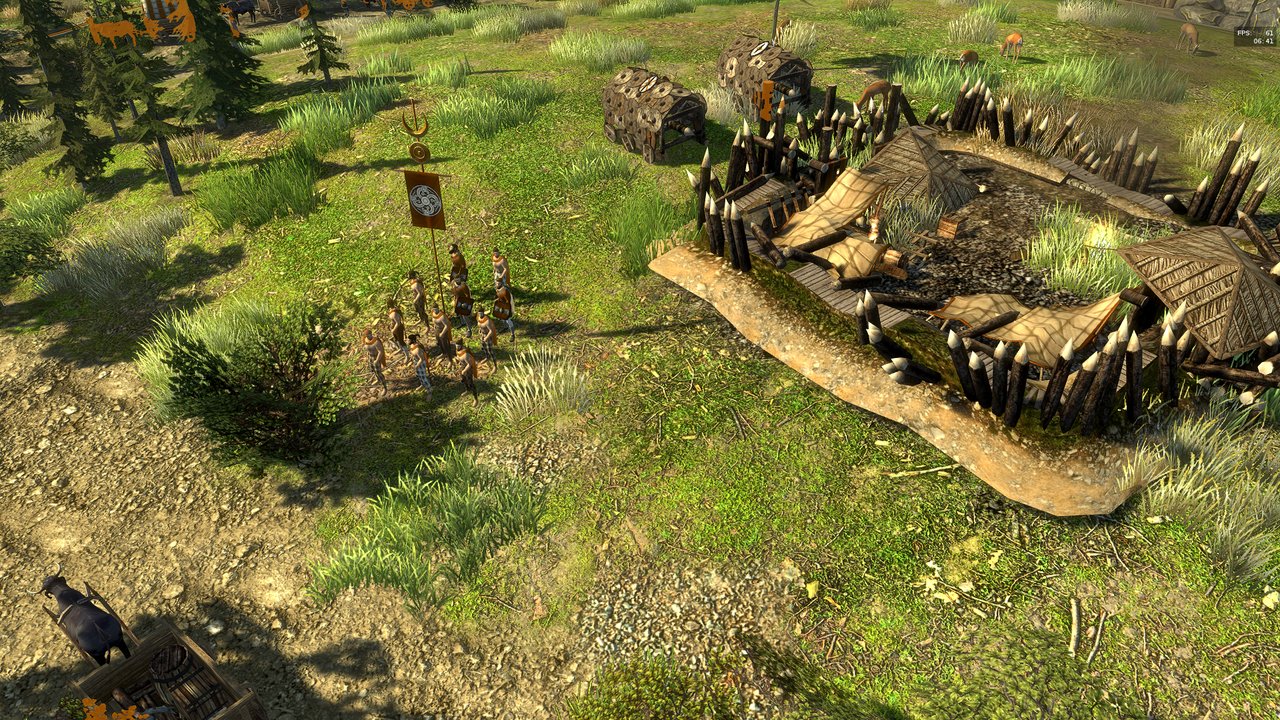
The headline feature is the Germans, a coalition inspired by the Cimbri, Teutones, Ambrones and related groups. This is more than another set of building textures. Supply Wagons, fortifiable Wagon Encampments, Wagon Trains and Migratory Resettlement support a mobile economy. Their military identity is aggressive too: crush-damage siege options appear in every phase, joined by Cimbrian raiders, Log Rams and Seeresses.
FreeType now renders fonts directly instead of loading large pre-rendered character sets. That reduces memory pressure for languages with thousands of glyphs, makes font modding easier and improves high-DPI text. SpiderMonkey was upgraded to version 128, and JavaScript module support gives mod authors a more modern structure.
Multiplayer lobby connections verify TLS certificates by default. Hosting no longer asks players to choose whether to use STUN, and a freeze while joining was fixed. Match setup can remove an unused player and set population caps per team. The basic economy unit is now called a civilian and can use male or female models; its statistics did not change.
1. Choose the right Linux package
Begin at the official 0 A.D. Linux download page. The project recommends distribution packages where current, but Release 28 also introduces an official x86-64 AppImage. Flathub and Snap builds are community-maintained.
A sensible order is:
- Use your distribution package if it provides 0.28.0 and you value automatic updates and desktop integration.
- Use Flathub for a cross-distribution install with managed updates.
- Use the official AppImage when your repository is behind or you want the project’s portable build.
On Debian or Ubuntu, inspect the candidate first:
apt policy 0adIf it reports 0.28.0, install normally:
sudo apt update
sudo apt install 0ad
On Fedora, Arch and openSUSE, use the normal package manager and inspect its version before accepting. Do not add an old third-party repository merely because a years-old tutorial recommends it. Multiplayer and mods generally work best when everyone uses the same release.
2. Install with Flatpak
If Flatpak is configured with Flathub:
flatpak install flathub com.play0ad.zeroad
flatpak run com.play0ad.zeroad
Update later with:
flatpak update com.play0ad.zeroadFlatpak separates the application and runtime from the host, which is useful on stable distributions whose native game package lags. It uses extra disk space and a different configuration path, so always mention the Flatpak build when troubleshooting mods.
3. Run the official AppImage
Download 0ad-0.28.0-x86_64.AppImage from the official page. The file is roughly 1.7 GB, so verify it using the checksums and signature instructions linked there, especially after an interrupted or mirrored download.
Make it executable and launch it without root:
cd ~/Downloads
chmod +x 0ad-0.28.0-x86_64.AppImage
./0ad-0.28.0-x86_64.AppImage
Never use sudo to run a desktop game. It can create root-owned configuration files and gives game or mod code unnecessary access. If the AppImage complains about FUSE, install your distribution’s supported compatibility package or choose Flatpak; do not copy random libraries into system directories.
4. Upgrade without breaking mods
The project’s key warning is simple: disable every mod before moving to Release 28. A Release 27 mod can call renamed components or depend on an older interface. Starting the new engine with incompatible mods enabled may produce errors before you reach the mod manager.
Open the old game, disable non-default mods, exit cleanly, then install Release 28. Back up custom maps and configuration. If the new version does not start, temporarily move the user mod directory aside rather than deleting it. Re-enable only releases explicitly marked compatible with 0.28.0, one at a time.
Native, Flatpak and AppImage installations may use different paths. Trust the log location shown by the game, not a path copied from another packaging format.
5. Configure graphics and interface
Start with the defaults and play a small skirmish before increasing reflections, shadows and anti-aliasing. Strategy games can become CPU-bound in large late battles, so a high frame rate on an empty map does not prove maximum settings are sensible.
Release 28’s direct font rendering helps on 1440p and 4K displays. Adjust GUI scale until text and buttons are readable rather than lowering the whole display resolution. If rendering breaks, record the GPU, driver, session type, package format and game version before changing several settings.
For a first test, create an offline skirmish with one AI, a medium land map and a moderate population cap. This verifies rendering, audio, saving and simulation without network variables.
6. A beginner opening for the Germans
The German faction rewards movement, but mobility is not permission to neglect the economy. Keep the Civic Center producing civilians. Put most starting workers on food, a smaller group on wood, scout immediately, and build houses before the population limit stops production.
Use these priorities:
- Maintain civilian production whenever resources permit.
- Locate food, wood, metal, stone and defensible approaches early.
- Place drop sites to reduce walking time.
- Treat Supply Wagons as economic infrastructure.
- Scout before committing a Wagon Encampment or attack route.
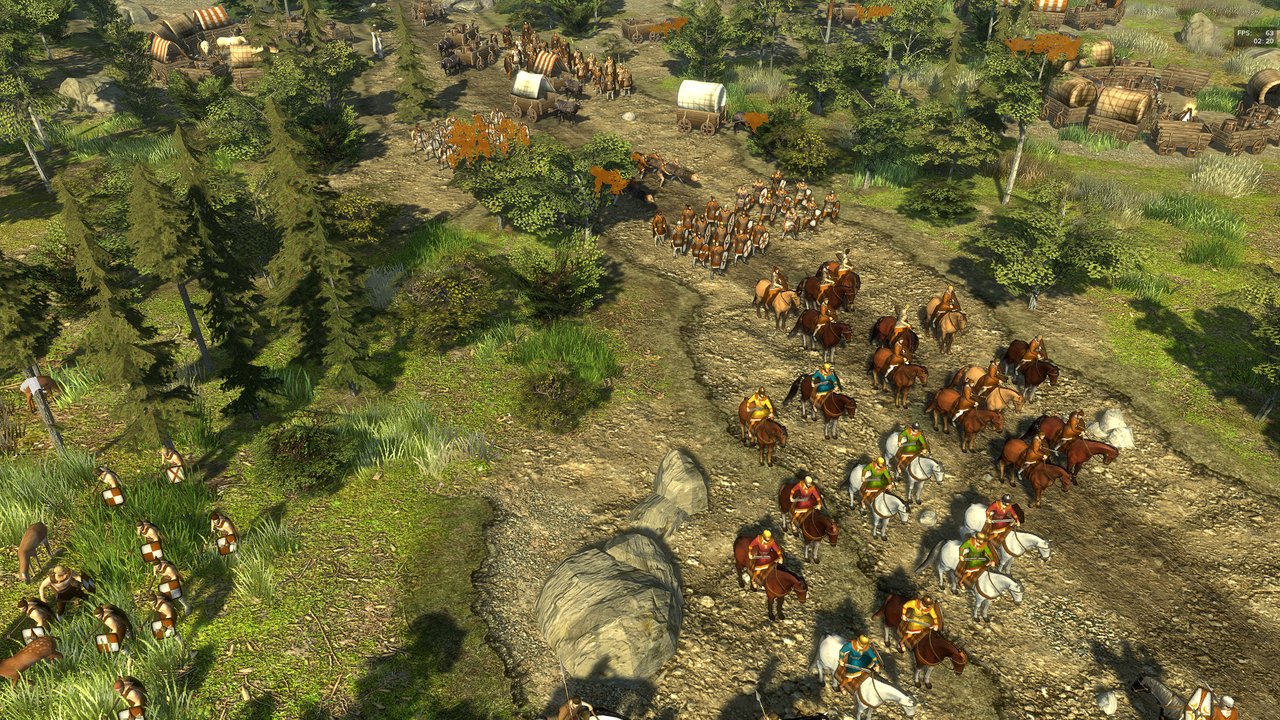
Wagons let you project activity away from a conventional core, while unique technologies reduce dependence on rigid territorial boundaries. That flexibility pays only when mobile assets are protected. Escort wagons, avoid blind paths and reposition when the opponent reveals a counterattack.
Early siege can punish a greedy expansion. Do not attack merely because a crush-damage unit is available. Combine reconnaissance, infantry and siege so the expensive tool reaches a valuable structure, and keep producing economy units behind the pressure. A working food-and-wood base lets you recover if the attack fails.
7. Read the battlefield clearly
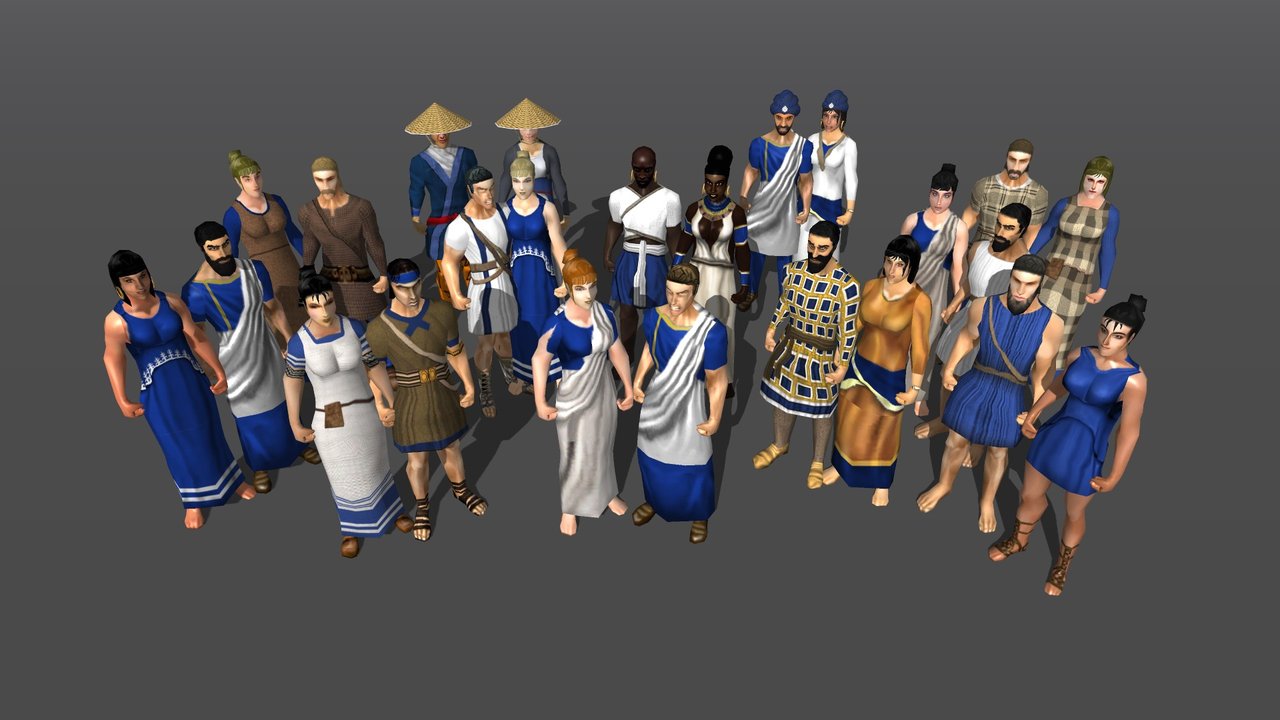
The civilian change is visual and terminological, not a balance adjustment. Male and female civilian models share the economic role and statistics. Citizen-soldiers remain distinct: they can gather but are also military units. Learn roles from the information panel rather than clothing.
Put melee infantry, ranged units, cavalry and siege on separate control groups. Use formations for movement, then adjust before narrow terrain causes a traffic jam. Keep vulnerable siege and wagons behind the fighting line.
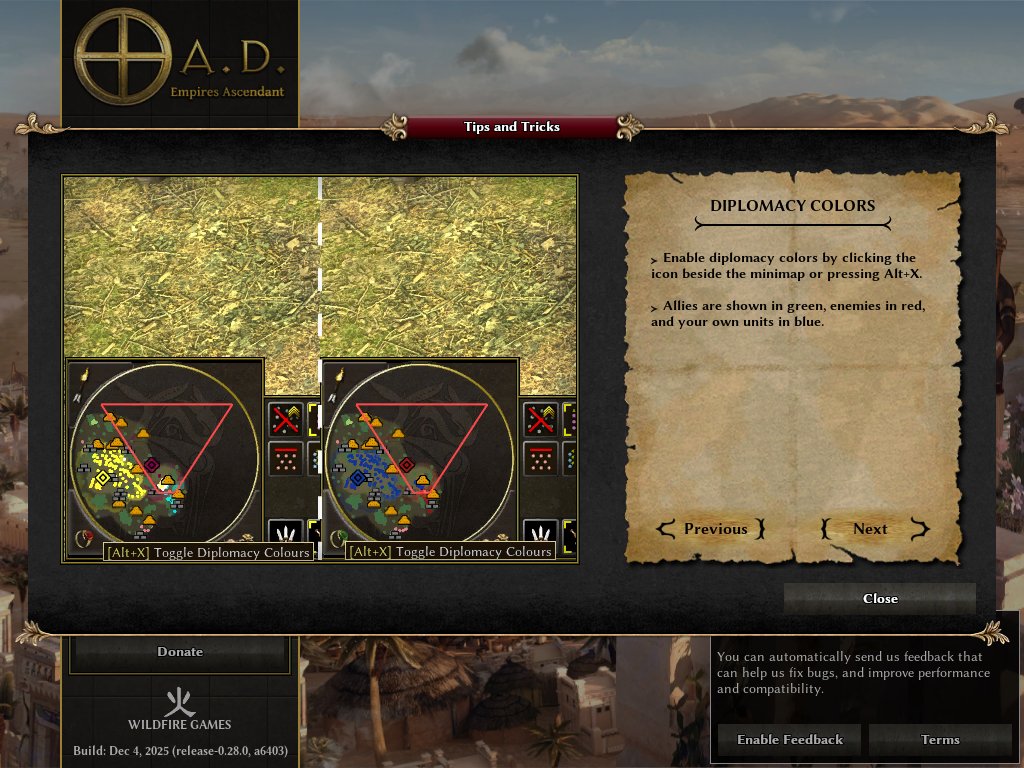
The diplomacy-colour toggle is useful in team matches: your units are blue, allies green and enemies red. Release 28’s Tips and Tricks screen teaches this and other shortcuts directly.
8. Multiplayer and troubleshooting
Update all players to the same version and disable mismatched mods before diagnosing a connection problem. Use the lobby for discovery, or Multiplayer > Connect by IP for direct or LAN play. Leave TLS certificate verification enabled; bypassing it removes protection against an intermediary impersonating the lobby service.
If performance collapses late in a match, reduce population caps, shadows and expensive effects, then retest at the same map size. Close overlays that inject into games and update the graphics driver through your distribution. If only one package format crashes, test the official AppImage or Flatpak to distinguish an upstream issue from a distribution build problem.
A useful bug report includes 0.28.0, distribution, kernel, GPU and driver, Wayland or X11, package format, enabled mods, map, exact steps and logs. A clean test with no mods helps volunteer developers far more than “it crashes.”
Is Release 28 worth playing?
Yes—especially for Linux strategy fans who dismissed 0 A.D. years ago as a perpetual alpha. Removing the Alpha label does not mean development is finished or guarantee perfect large-battle performance. It signals a more mature release process, while the official AppImage removes a major barrier when distribution packages lag.
Install from a verifiable source, disable old mods before upgrading, and begin with a modest skirmish. Once the controls feel natural, the Germans offer a different puzzle: move economic support intelligently, protect the wagon network and turn early siege access into measured pressure rather than an all-in gamble. Release 28 makes that experiment free, native on Linux and easier to install than ever.
Comments