
GIMP 3.2.8 on Linux: The 25-Year Shape Tool Story
GIMP has been the free software default for image editing on Linux for two and a half decades. On 2026-11-02 it shipped GIMP 3.2.8, the current stable release, with bug fixes, platform-specific work and a long tail of contributor credits. But the news that actually made the project mailing lists buzz this month came out on 2026-11-29: a development update announcing that GIMP finally has a real Shape tool — after twenty-five years of open feature requests.
If you have ever used GIMP, you already know the punchline. “Does GIMP have a shape tool?” is a running joke in the Linux world. The answer used to be “no, use the Rectangle tool”, which is not the same thing. As of the 3.3 development branch, that joke has an expiration date.
This article covers what GIMP 3.2.8 actually changes, what the Shape tool does, and how to install the stable release on Linux today.
What GIMP 3.2.8 actually delivers
The 3.2.8 release is what the project calls a stable release, and the announcement is honest about the balance: this is mostly a consolidation release between 3.2.6 (2026-09-10) and 3.2.8, not a feature dump. The headline items:
- Add Border filter now supports semi-transparent borders based on the colour you pick inside the filter itself.
- Copy/cut inside layer groups was broken in 3.2.6; non-rectangular selections inside a layer group now copy correctly. If you build masks inside groups, that regression is fixed.
- Levels tool + Color Picker reported incorrect values when combined with non-destructive filters. Reported by denzjos, fixed by Jehan.
- Font loading can now be cancelled, so quitting GIMP while fonts are still loading is much faster.
- Multi-monitor dialogs now open on the correct screen, and the “Dot to Dot” setting works again after being wrong since GIMP 3.0.
- Performance work from Manu Cornet: gradient caching is faster for gradients larger than 6000×6000 pixels, the “marching ants” selection outline is more efficient, and the Preferences dialog opens faster.
For a “minor” release that is a respectable list. But the most interesting contribution came from a newcomer, Infinity, who substantially improved the Text tool: cursor movement in right-to-left languages now behaves, negative kerning no longer produces broken text, and the on-canvas text widget got two new direction icons with automatic base-direction detection following rule P2 of the Unicode Bidirectional Algorithm. In practice, GIMP 3.2.8 is a noticeably better text tool for Arabic, Hebrew and mixed-direction layouts than the 3.2.6 it replaces.
The Shape tool: 25 years in the making
The development update announcing the Shape tool was published on the GIMP site on 2026-11-29, and it is as much about the history of the feature as the feature itself.
The first public request for a shape tool was filed on November 23rd, 2001 — exactly 25 years before the announcement. The requester, Hakon, wanted to draw simple squares and rectangles. The community suggested using the Stroke Selection feature instead, but the interest never died. The discussion eventually converged on a requirement: because raster shapes already existed, a “real” Shape tool would have to produce non-destructively editable vector shapes, or it would not deserve the name.
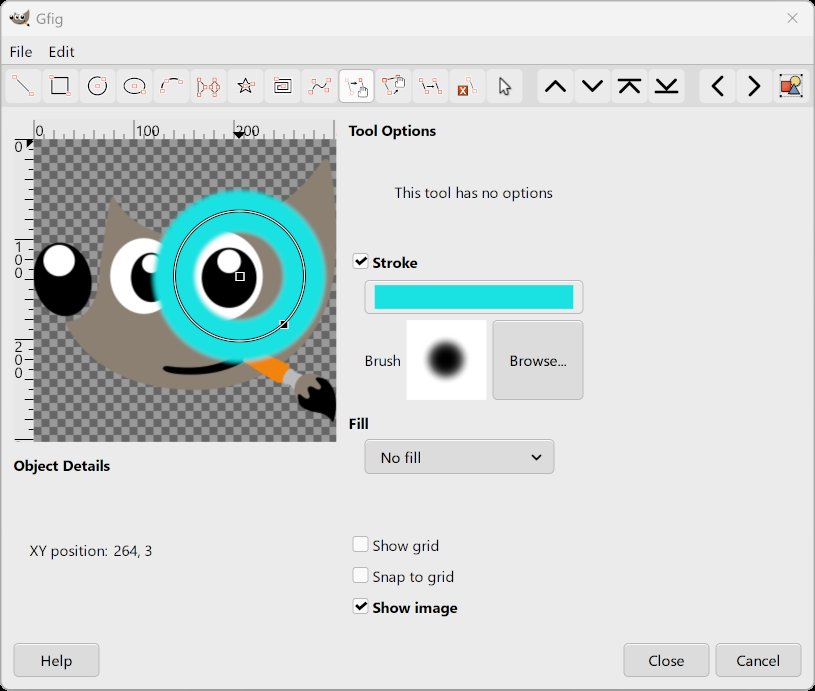
Figure: The GFig plug-in, which has existed since at least 1997, was the usual answer when someone asked how to draw a star in GIMP.
The workaround most people actually used was the GFig plug-in, or a combination of the Rectangle and Ellipse tools plus manual path editing. The GFig dialog (screenshot above) is a museum piece: dozens of polygon and curve presets, none of which integrate with layers, paths, or anything else in GIMP.
Vector layers: the 2006 foundation
The reason the project could finally say yes is that vector layers arrived. In 2006, Hendrik Boom wrote vector layers as a Google Summer of Code project. The code was functional by the end of that summer but still needed polish before it could be merged upstream.
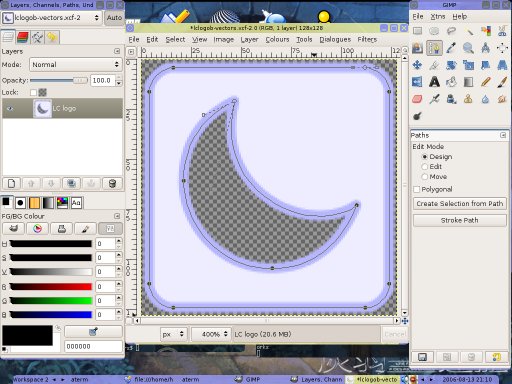
Figure: Hendrik Boom’s original vector layers work from GSoC 2006 — the code that eventually shipped in GIMP 3.2.
Over the following two decades the work was carried by project co-maintainer Michael Natterer, Help Manual maintainer Jacob Boerema, Michael Schumacher, and earlier contributors Martin Nordholts and Gilles Rochefort, who kept it maintained, updated and improved. It was finally prioritised and completed for GIMP 3.2, which shipped in March 2025. Without vector layers, there would have been no Shape tool.
How the Shape tool works
The implementation, written by contributor CmykStudent, took an interesting route. The first attempt in spring 2025 placed a “unit” vector layer (a circle of radius 1) on the canvas and stretched it as the user dragged — the same trick the Scale tool uses. The problem was live preview: several attempts failed, so the initial version created the path in the background and rendered it once the mouse was released.
By October 2025 the author had learned how GIMP draws GUI overlays on canvas via the Draw tool APIs, and got a proper live preview, including a filled-versus-outline toggle before you commit.
What it can draw:
- Lines, rectangles and ellipses were straightforward — GIMP already had code to create paths in those shapes.
- Polygons (triangles, hexagons, anything) were solved by reusing the GFig filter’s approach: a polygon is a circle, so find n points on the circle and connect them.
- Stars turned out to be polygons with extra midpoints pulled halfway toward the centre.
- Spirals were trickier. The GFig spiral algorithm placed a large number of very close points and drew a line between them all — fine for raster painting, but it produced a laggy, essentially uneditable vector layer. The rewritten algorithm represents a spiral as a series of connected half-circles that progressively grow, which is dramatically more efficient and fully editable.
You can create shapes either as a separate vector layer or draw directly onto all selected raster layers. Fill and stroke settings work like existing vector layers.
The author was candid that this is deliberately a first version: “without letting perfect become the enemy of good for another 25 years.” A custom-shape wishlist item is planned (it needs a new resource type, similar to brushes and patterns, to support parameterised shapes like a settable number of star branches). A dedicated Shape layer concept with real APIs is also planned, because right now a shape layer does not retain its settings — you cannot change the number of points or the shape type without going into the Path tool and editing the geometry by hand.
Important: the Shape tool is NOT in 3.2.8
This is the part that is easy to misread. The Shape tool currently lives only in the 3.3 development branch, alongside other in-progress features. If you install GIMP 3.2.8 today, you will not find a Shape tool in the toolbox.
To try it, you need a development build. The project publishes these builds, and it is asking for bug reports and UX feedback on the new tool. Be aware that development builds are where regressions live — the same release that ships a shape tool also ships the kind of untested changes that make editors wary of running them on production work.
Installing GIMP 3.2.8 on Linux
For the stable release, GIMP 3.2.8 (released 2026-11-02) is available as AppImage, Flatpak, and Snap.
Flatpak (recommended on most desktops)
The official instructions from the GIMP downloads page:
flatpak install --user https://flathub.org/repo/appstream/org.gimp.GIMP.flatpakrefIf GIMP does not appear in your application menu afterwards, launch it directly:
flatpak run org.gimp.GIMP//stableSnap
snap install gimpAppImage
Download the x86_64 or ARM64 AppImage from the GIMP downloads page, mark it executable and run it:
chmod +x GIMP-3.2.8-x86_64.AppImage
./GIMP-3.2.8-x86_64.AppImage
Two practical notes on AppImage: the minimum supported distribution is Debian 13 (Trixie) or newer, and 3.2.8 improved AppImage compatibility so that Python Wheels from pip can be installed the same way they are under Flatpak and Snap — useful if you run third-party plug-ins.
Official project site: https://www.gimp.org/
Non-destructive editing in 3.2 is the bigger story
While the Shape tool gets the headlines, the 3.2 series is where GIMP’s non-destructive editing work actually landed, and it is the reason the Shape tool could exist at all. The August 2026 development update outlined what is coming in the 3.4 release cycle, and the pipeline is now much more familiar:
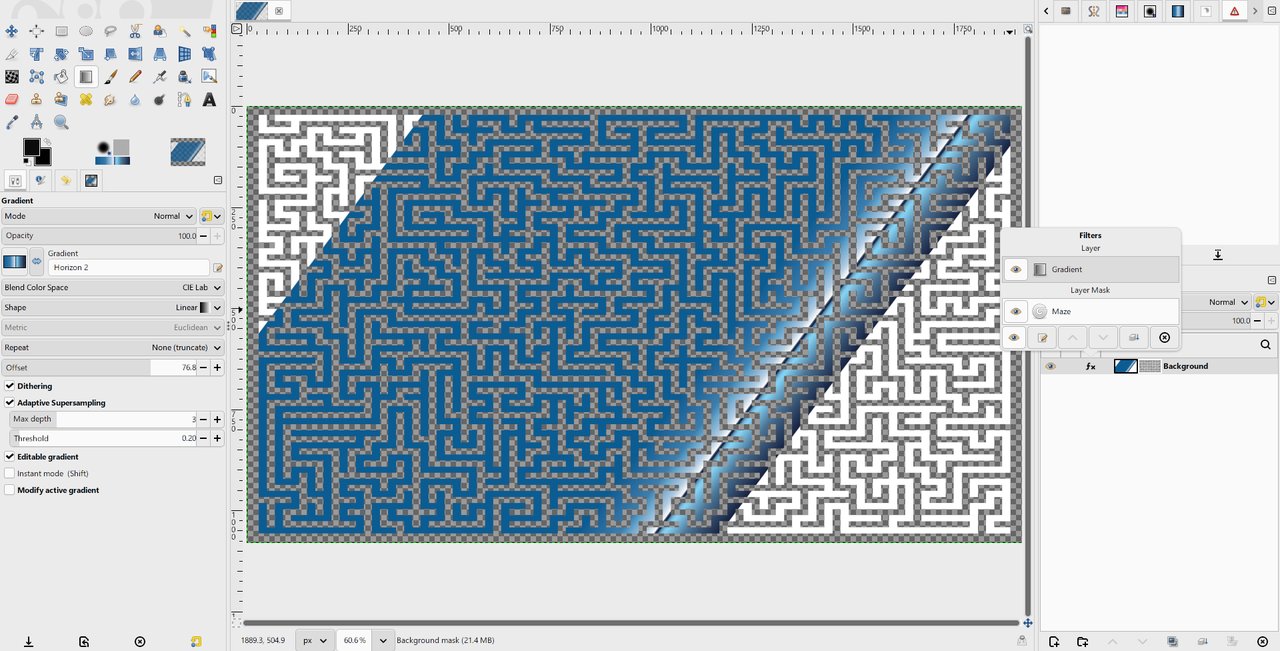
Figure: Non-destructive filters with a live preview and an editable mask — the 3.2 feature set that shapes are now built on top of.
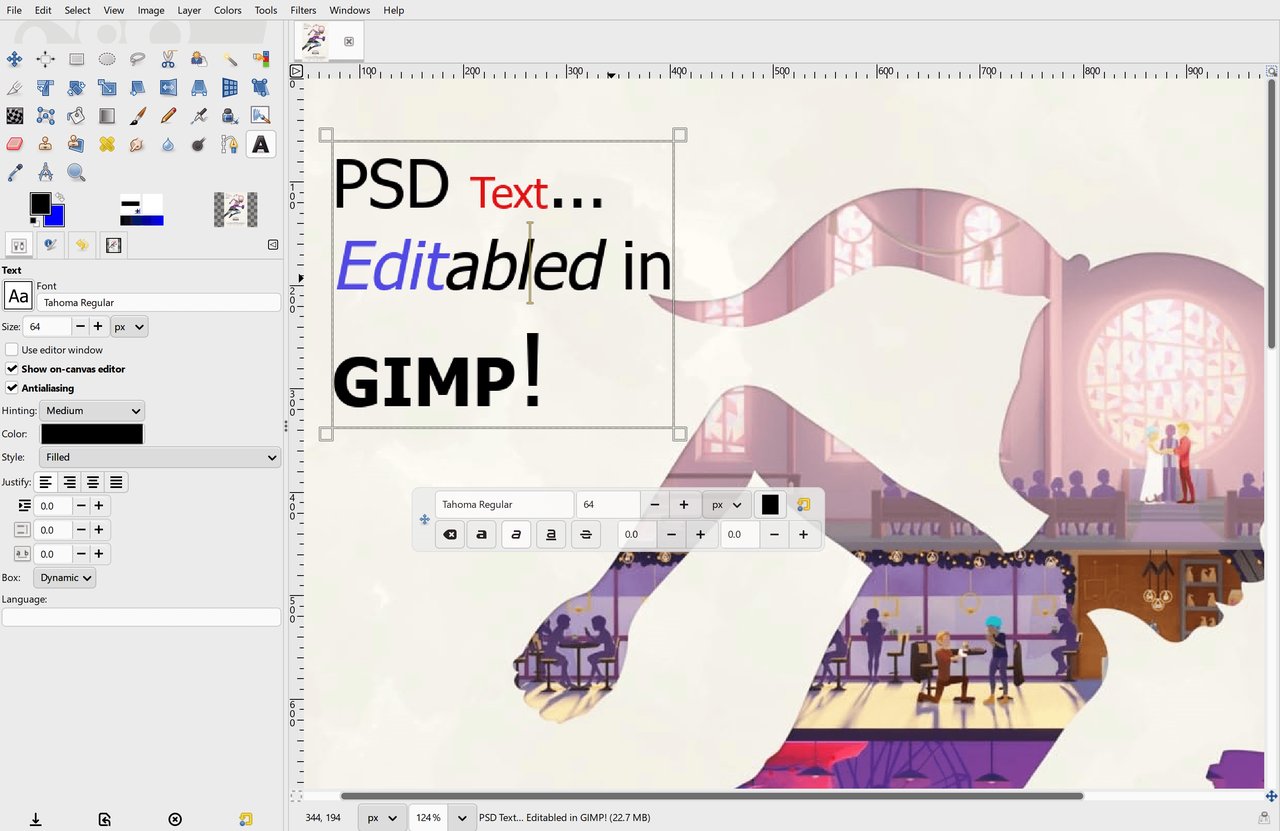
Figure: Text in an imported PSD file stays editable in GIMP 3.2, one of the most-requested Photoshop interop fixes.
The August update also covered a new project file format — a “zipped XML” structure replacing the binary XCF layout, which allows partial saves instead of rewriting the whole file, and makes auto-saving feasible. XCF is not going away; backwards compatibility continues, and the project notes with some pride that an XCF file made by a small company for their logo in 1998 still renders identically today. New features will only be saved in the new format once it is finalised.
There is also MyPaint Spectral Blending, implemented by new contributor Cassidie Grogan: it simulates mixing physical pigments, so blending yellow and blue gives green rather than dark yellow, and red with yellow gives orange. It lives behind a checkbox in the MyPaint Brush Tool Options with a Pigment strength slider.
Why the GIMP 3.2.8 release is worth the upgrade on its own
Beyond the fixes, 3.2.8 carries platform-specific work that matters depending on what you run:
- On macOS 27+, title bars render with background colours again after the Golden Gate release broke them.
- On macOS 14+, GIMP uses the ScreenCaptureKit API for screenshots.
- On Windows 11, Print Preview now works with the Unified Print Dialog, and Page Setup picks the correct printer rather than the default.
- On Windows HDR displays, the Screenshot feature works better.
- Transparency is retained when copying an image from certain applications, instead of showing as black.
- The long-standing “Blank UI” bug on startup for certain macOS computers is finally fixed.
The release also includes a batch of security updates from Jacob Boerema, Alx Sa and new contributors Mike Gorse, Dirk Müller and Alynx Zhou. As the project puts it, the most common report is that older image plug-ins and legacy filters trust the image size information in the file too much — if you deliberately alter that information you could crash the plug-in (not GIMP itself).
By the numbers: since 3.2.6, 82 reports were closed as fixed, 46 merge requests merged, 300 commits pushed, 11 translations updated (including Simplified Chinese), and 27 people contributed to the codebase.
The GIMP shape tool meme, officially retired
The Shape tool announcement includes a section titled “But what about the memes?!”, in which the author acknowledges that GIMP’s lack of a shape tool has been “a foundational joke of the Internet” that has “provided material for generations of forum posters and social media commentators” — and says adding the feature may “put thousands of reply guys out of work”.
The post then helpfully provides a list of transitional jokes for future GIMP announcements: that it took forever, that GIMP has finally reached feature parity with MS Paint, or alternatively that GIMP still hasn’t reached feature parity with those same programs.
Whatever you think of the Shape tool’s current limitations, the 25-year-old request from Hakon has been honoured in the form GIMP’s community insisted on: a non-destructive, vector-based shape tool rather than another raster trick.
If you want the stable release, install 3.2.8 today and pick up the RTL text improvements and the layer-group copy fix immediately. If you want to try the Shape tool, grab a development build and remember to file bugs — the project explicitly asked for them.
Comments