
Switch Emulation on Linux in 2026: The Post-DMCA Reality Check
Two years ago, playing your own Nintendo Switch games on a Linux PC meant picking
between two projects that were both about to die. Yuzu had already settled
Nintendo’s lawsuit for $2.4 million in March 2024. Two months later, Ryujinx’s
lead developer accepted an agreement with Nintendo and shut the project down on
1 October 2024. For a while it genuinely looked like console emulation on Linux
was finished.
It was not. In 2026 the landscape is alive again — but it is a completely different
landscape, and the rules have changed. Nintendo filed DMCA waves in February,
March and August 2026, and in the space of a single morning in November it took
down the GitHub source of a project that had just taken over from another one.
Emulation on Linux in 2026 is a story of forks, migrations and survival tactics.
This is what it actually looks like right now, and what you should install.
Figure: AI-generated illustration. Real screenshots were unavailable at time of writing.
The short version: install Eden
If you want a Nintendo Switch emulator on Linux today, Eden is the default
answer. It comes from the Yuzu code lineage, it is actively developed, and as of
this writing its nightly builds were published on 24 November 2026 — the day
before this article. That is the most recent commit activity of any Switch
emulator in existence.
The runner-up is Ryubing, the community continuation of the C#-based Ryujinx
project. It is the most accurate and the best documented of the survivors, but it
has been in maintenance mode since February 2026. Its stable channel stopped at
1.3.3 in October 2025, and the canary channel has been sporadic — 1.3.351 landed
on 26 August 2026, then 1.3.352 on 2 November (an updater-only fix), then
1.3.354 on 14 November.
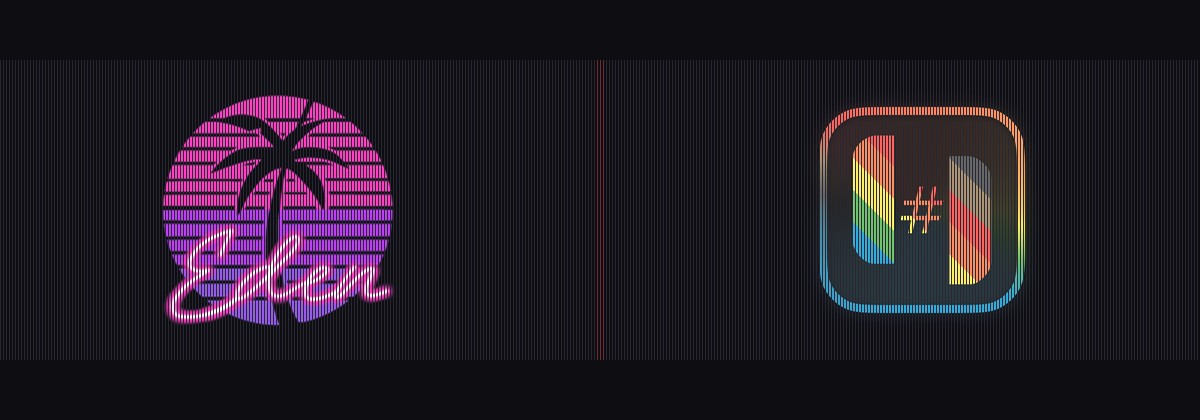
Figure: The two surviving Linux forks. Eden (left) is yuzu-family C++; Ryubing (right) is ryujinx-family C#. Both logos are the projects’ official marks.
What actually happened in 2026
The headline is Nintendo’s legal offensive, which is much broader and much more
effective than most people realise.
February 2026: Nintendo filed a DMCA notice with GitHub naming 13 Switch
emulator projects at once: Citron, Eden, Kenji-NX, MeloNX, Pine, Pomelo, Ryubing,
Ryujinx, Skyline, Sudachi, Sumi, Suyu and Yuzu. The legal argument was not about
emulation itself — it was about prod.keys, the console key blob used to
decrypt game images, which Nintendo argued constitutes circumvention under
17 U.S.C. § 1201.
August 2026: A single-day sweep removed roughly 400 GitHub repositories
across seven notices. Some notices hit fork networks of over 300 repositories,
because GitHub’s policy applies the takedown to the entire network when the
reported network exceeds 100 repos and the complainant alleges the forks infringe
to the same extent as the parent.
November 2026: The sharpest blow. Nintendo’s notice dated 6 November 2026
(published by GitHub on 9 November) named Citron Neo‘s source repository. The
repo now returns 404, its listed forks return 451 (blocked for legal
reasons), and the stable release pages that lived in that same repository are
gone. The separate CI repo survived, but its last nightly is from 6 November
(commit 7dc47bab8) — nothing has been built since.

Figure: AI-generated illustration. Real screenshots were unavailable at time of writing.
The reason the survivors keep surviving is telling: the projects that moved
their source and their builds off GitHub are the ones still shipping. Eden
hosts everything on its own Forgejo server at git.eden-emu.dev. Its GitHub
release repository returns 451 — legally unavailable — but that is irrelevant,
because nobody uses it for downloads. Citron Neo kept its source on GitHub, and
it died in a single afternoon.
Eden vs Ryubing vs everything else
| Emulator | Lineage | Language | Platforms | Latest stable | Latest test build | Status |
|---|---|---|---|---|---|---|
| Eden | yuzu → Citron split (2025-05) | C++, GPL-3.0 | Win, Linux, Android, macOS (exp.), BSDs | v0.2.1 (2026-06-01) | Nightly 2026-11-24 | Active, near-daily commits |
| Ryubing | Ryujinx fork (2024-10) | C#, MIT | Win, Linux, macOS | 1.3.3 (2025-10-11) | Canary 1.3.354 (2026-11-14) | Maintenance-only |
| Citron Neo | Citron successor (2026-03) | C++, GPL-3.0 | Win, Linux, macOS, Android, FreeBSD | 2026-04-27 | Last nightly 2026-11-06 | Dead — DMCA takedown |
| Suyu | yuzu line, new team | C++, GPL-3.0 | Win, Linux, macOS | v14.1.0 (2026-10-12) | — | Active |
| MeloNX | Ryujinx line | Objective-C/Swift | iPhone, iPad | 2.7 (2026-10-11) | — | Active (Apple-only) |
| NxEmu | Independent | — | Windows, Android (dev) | 0.7.0 (2026-09-01) | — | Active |
| Astris | Ryujinx line | C# | Apple Silicon macOS | 1.0.32 (2026-10-09) | — | Active (Apple-only) |
Dead projects, for the avoidance of doubt: Yuzu (ended 2024-03-04, $2.4M
settlement), Ryujinx (ended 2024-10-01, developer agreement with Nintendo),
Sudachi (ended 2025-08, developer moved to Folium), Citron (ended
2026-02-16, internal team conflict rather than legal pressure).
Suyu is worth mentioning as the yuzu-line wildcard: it survived the February
notice because it had already moved off GitHub, and it shipped v14.1.0 in October
2026. It is a perfectly usable alternative if you are wary of Eden’s
release-channel churn. But for the best balance of active development, platform
coverage and Android maturity, Eden wins.
Installing Eden on Linux
Eden ships as an AppImage, which makes the Linux install genuinely trivial.
- Go to the official downloads page at https://eden-emu.dev/downloads.
- Choose Stable or Nightly. Nightly builds go out most days and contain
the newest compatibility fixes; stable builds are better tested. For playing
recently-released games you want nightly. - Grab the amd64 AppImage. If your CPU is Ryzen, Intel 4th generation
(Haswell) or newer, also grab the x86-64-v3 build — it is the fastest
option and uses the newer instruction set. - If your machine is ARM (Snapdragon X, Apple Silicon, Raspberry Pi), take the
ARM (aarch64) AppImage instead. - Make it executable and run it:
chmod +x Eden-*.AppImage
./Eden-*.AppImage
If you prefer a package over an AppImage, the Arch User Repository and the
AUR have tracked Eden reasonably well. On Fedora and openSUSE, the Flatpak
builds from Flathub have historically lagged behind the upstream AppImage.
PGO builds are recommended if available. Profile-guided optimisation gives a
noticeable 10-30% performance improvement according to the official
documentation.
System requirements
The official system-requirements page is specific:
- Graphics: Vulkan 1.1 or OpenGL 4.6 minimum. VP9 decoding support and
half-float support are recommended. - CPU: 64-bit x86-64 with AVX and SSE4.2 support, or an ARMv8 CPU with
ASIMD support. - RAM: 8 GB minimum. Integrated GPUs borrow system RAM for VRAM, so
machines in that configuration need more headroom than the raw number suggests. - Storage: roughly 20 GB per game installed.
A rough GPU tier list from the official page, from weakest to strongest: Intel
HD Graphics 4400 / AMD Radeon R5 Graphics at the bottom, then Intel UHD Graphics
620 / Radeon Vega 3, then Intel Iris Xe / Radeon 680M, then latest Intel
Graphics / Radeon 8060S at the top. Android has no OpenGL support at all, so
your GPU must support Vulkan 1.1 there — most PowerVR and Xclipse GPUs are
unsupported.
Getting past the keys dialog
This is where most first-time users give up, so let’s be clear about it.
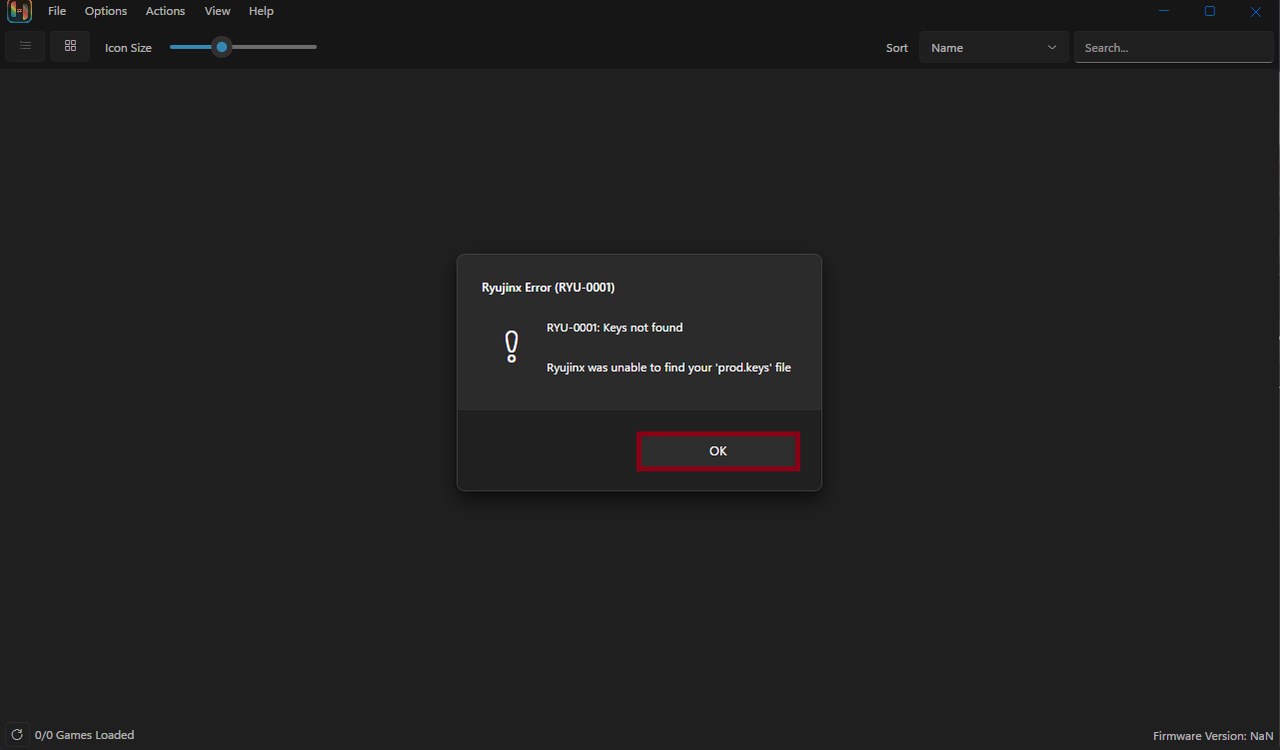
Figure: The real Ryubing first-launch dialog. Eden’s equivalent error uses the same prod.keys requirement — you need your own keys dumped from your own console.
Both Eden and Ryubing will refuse to boot a game until you supply the console
key blob, usually called prod.keys. This is the exact point Nintendo’s DMCA
notices attack. Emulators do not ship these keys, because shipping them would be
unlawful in most jurisdictions — you have to extract them yourself from a
console you own.
The requirement is straightforward: you need a Switch console, and you need to
dump the keys from it. The standard tools are TegraExplorer
and the Tegra-Features / homebrew hbmenu route via the RCM exploit, plus a
prod.keys file. Ryubing’s own documentation walks through this in detail,
including how to confirm the install worked:
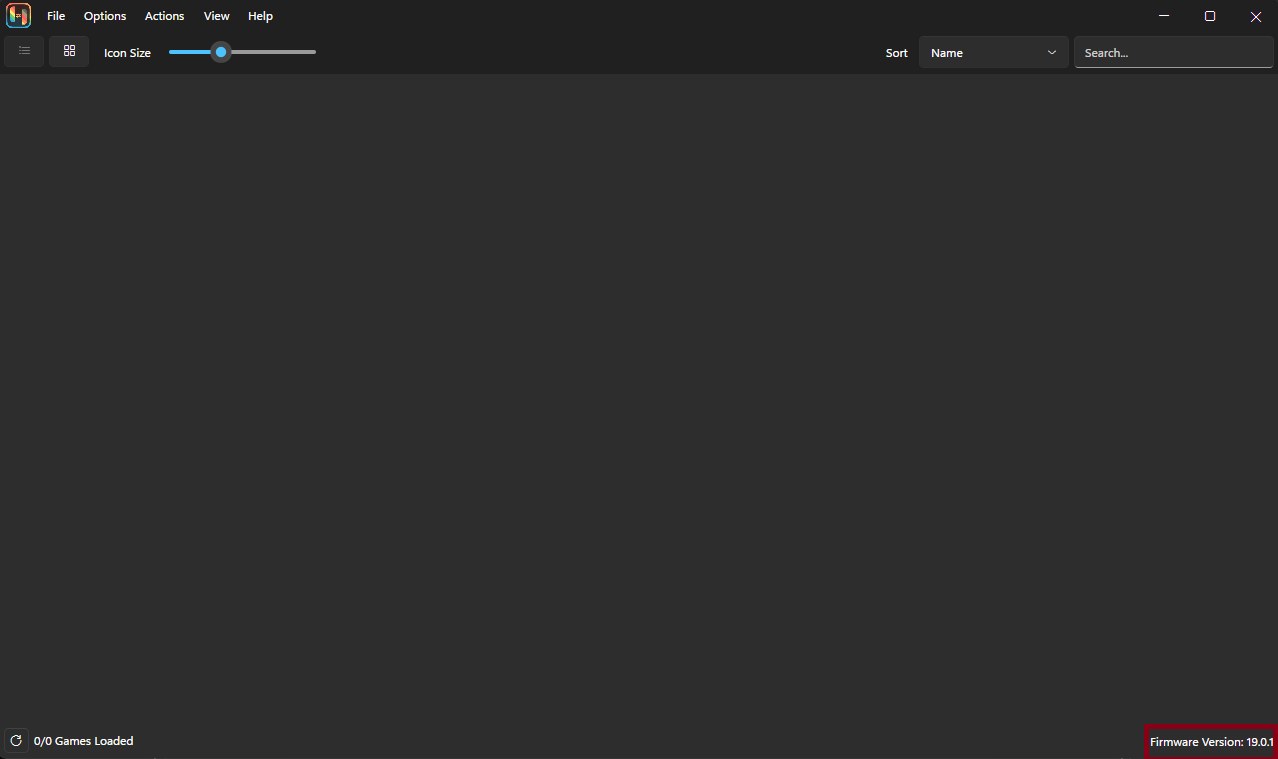
Figure: Once things are set up correctly, the firmware version dialog confirms the installed firmware.
The legal and ethical line is simple: only dump keys from a console you own,
and only run games you have purchased. Every project linked here explicitly
refuses to distribute keys or game files, and you should hold them to that
standard. Guides that bundle a prod.keys or “prepared game pack” are either
scams or the exact kind of thing Nintendo’s notices are designed to disrupt.
Beyond keys, you also need system firmware installed. Both emulators will
prompt for this on first launch, and again there is no bundled copy — it comes
from your own console’s firmware download. Firmware versions matter for
compatibility: Ryubing’s stable 1.3.3 tops out around Tears of the Kingdom 1.4.x
and Breath of the Wild 1.8.x support, while Eden’s September 2026 nightly added
ZBIC zstd decompression support for newer firmware revisions.
The honest caveats
Switch 2 is not supported. No mainstream emulator runs Switch 2 titles
officially. Unofficial Eden forks have booted a handful of Switch 2 games on PC
since late October 2026, and one project has begun porting a small number of
Switch 2 games natively to macOS rather than emulating them. All of this is
experimental, unsupported by upstream, and likely to break with any firmware
update. If you bought a Switch 2 expecting emulation to work, it does not —
yet.
Eden’s stable channel has stalled. v0.2.1 shipped on 1 June 2026 and no
stable release has followed, even though nightlies keep going out most days.
That is a deliberate trade — the fixes for newly-released games mostly land in
nightly first. But it means “stable” on the Eden downloads page is a five-month-old
build.
Performance varies enormously by title. Switch games scale from “runs at 60 fps
on an integrated GPU” to “needs a top-end discrete GPU”. The heavy hitters are
the open-world titles with complex shaders. Before you commit, check the
compatibility list for the specific game.
Download pages are a genuine hazard. Takedown waves breed impostor sites
that reuse a project’s name. There are now numerous fake “Eden download” and
“Ryubing download” pages, and some of them serve malware. Only ever use
eden-emu.dev and the project’s own Forgejo instance. If a download page asks
for your prod.keys or offers a “preconfigured game pack”, close the tab.
The bottom line
Linux console emulation in 2026 is alive, but it is a different animal than it
was in 2023. Two projects matter on desktop Linux: Eden for active
development and broad platform support, Ryubing for accuracy and
documentation. Citron Neo is gone, Yuzu and Ryujinx have been gone for two
years, and the ones that remain are alive because they moved their infrastructure
off GitHub before Nintendo came knocking.
Install Eden from eden-emu.dev. Dump your own keys from your own console. And
if a site offers you a bundle of keys with the download, it is not a site you
want to install from.
Links
- Eden official site and downloads: https://eden-emu.dev/downloads
- Eden source and releases (Forgejo): https://git.eden-emu.dev/eden-emu/eden/releases
- Ryubing documentation: https://docs.ryujinx.app/
- Ryubing canary releases: https://git.ryujinx.app/ryubing/canary/releases
Comments