
Uptime Kuma 3.0 Beta on Linux: The v3 Migration Check
Uptime Kuma is one of those tools that quietly becomes infrastructure. It is the little green dashboard you open to answer “is the site down, or is my VPN just being weird?” — and once it is wired into Slack, Telegram, and your status page, nobody wants to be the person who broke it during an upgrade. That is why 17 November 2026 matters: the project shipped 3.0.0-beta.1, the first public beta of a major rewrite, on the same day it pushed stable 2.5.12 with a security fix. Two release tracks, one afternoon.
The project homepage is uptime.kuma.pet, and the source lives at github.com/louislam/uptime-kuma — MIT licensed, roughly 94.5k stars, and by now one of the most-starred self-hosted tools in existence. If you have never run it, this is a good moment: the v3 rewrite reworks the database layer, the authentication stack, and the notification provider list, and the stable branch is still the safe place to start.
What Uptime Kuma actually does
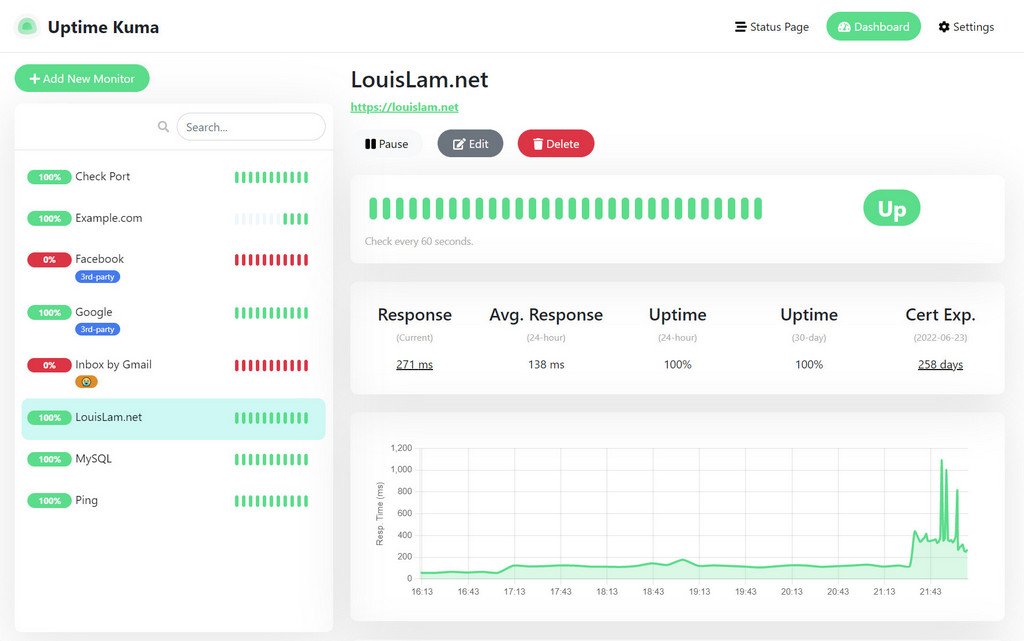
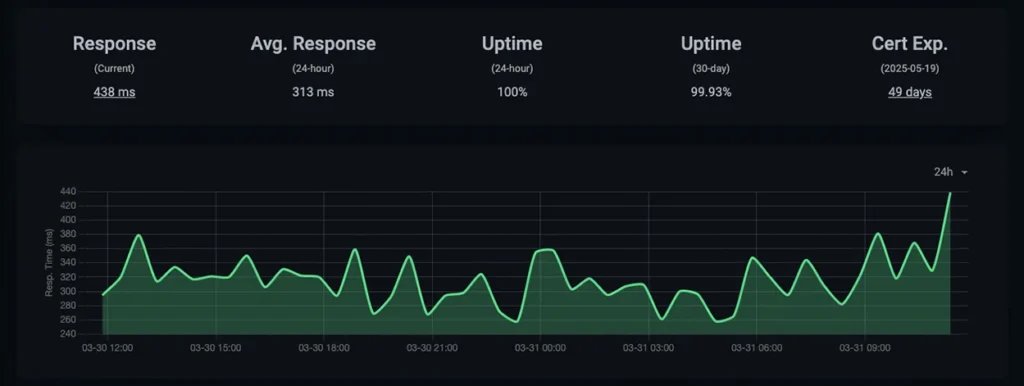
At its core Uptime Kuma is a self-hosted uptime monitor with a friendly web UI. You add a monitor — HTTP(S), TCP, ping, DNS, MQTT, push, or (new in v3) SFTP — give it an interval, and it starts drawing the heartbeat bars you can see in the screenshot above. On the right side of that dashboard you get the numbers that matter: current response time, a 24-hour average, 24-hour and 30-day uptime percentages, and certificate expiry. That last one is quietly the most useful field in the whole app, because a monitoring tool that does not tell you your TLS certificate expires in nine days is just a fancier ping.
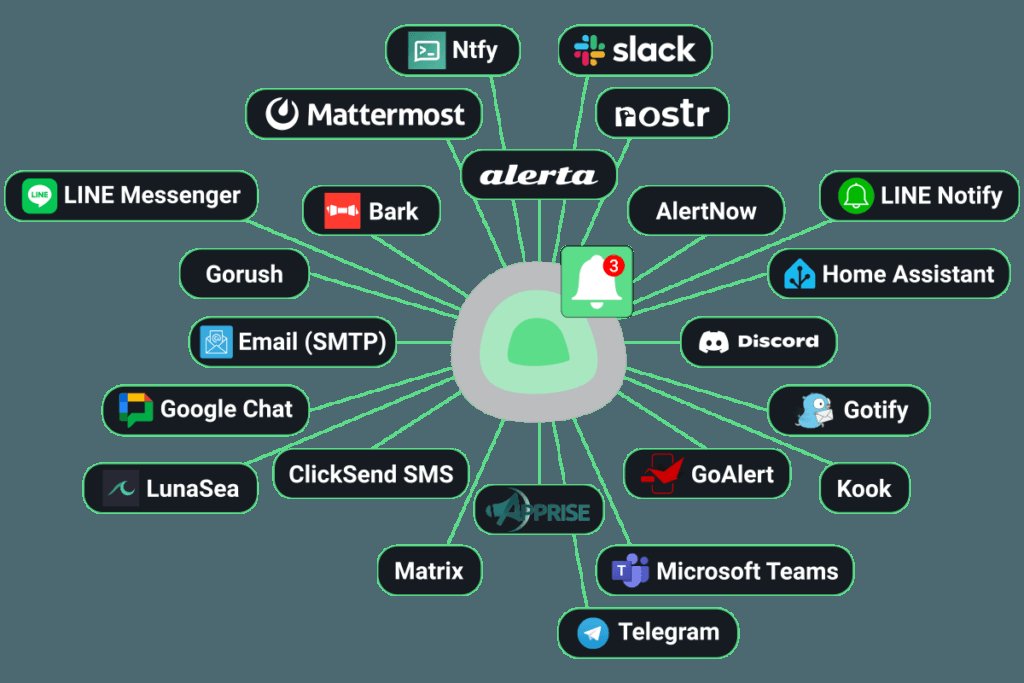
Around that core sit the features that make it stick: keyword monitoring (watch for a specific string on a page, e.g. “in stock”), public status pages with their own domain and branding, a reporting view, and a notification system that fans out to a very long list of providers.
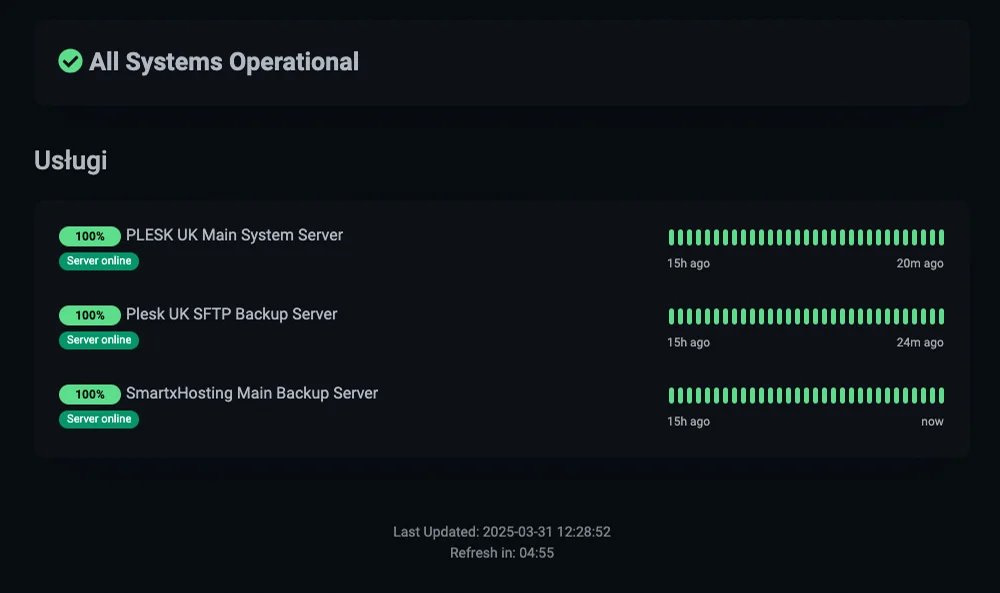
That status page is the reason most people end up running Uptime Kuma instead of a cron job and a mailto link. It renders a public “All Systems Operational” banner plus a per-service uptime list, and you can point a CNAME at it.
The news: v3 landed as a beta on the same day as the stable patch
Here is the part that matters if you already run this. On 17 November the maintainer published 3.0.0-beta.1 — the first beta of the v3 branch — and, roughly an hour earlier, 2.5.12 on the stable line.
The v3 release notes are substantial. Highlights include an SFTP monitor with password and private-key authentication, an API and MCP skeleton (alpha) for driving the monitor programmatically, a large batch of new notification providers — Trigv, OpsiMate, Microsoft Graph email, Indigo, Signalgrid, Notify!, SMS Gateway, ClickUp, TurboSMTP, Milky, openwa and more — and a rewritten storage layer on better-sqlite. Node.js is bumped to 26 on the v3 branch, and the project has moved its authentication to Better Auth.
Underneath, the maintainer also stripped the AWS SDK and Azure packages out of the 3.0 branch, and switched the Apprise integration to install upstream Apprise 2.0.1 via uv.
The stable branch has not been idle. Looking at the last few weeks of 2.5.x releases tells a story worth paying attention to, because five of the last six stable releases were security fixes:
- 2.5.12 (17 Nov) — sandboxed a dangerous library, plus dependency updates.
- 2.5.11 (12 Nov) — GHSA-437w-j82f-9vjh: an admin-only RCE via an upstream package regression, reported by Tomer-PL.
- 2.5.10 (12 Nov) — embedded MariaDB fix and a Node.js security update.
- 2.5.9 (31 Oct) — RSS cache-poisoning fix.
- 2.5.8 (26 Oct) — Apprise RCE fix, plus Docker and TLS fixes.
Two of those are remote code execution issues. If you run Uptime Kuma and it is exposed to the internet — even behind a reverse proxy — 2.5.11 is the release you want, and you should assume it matters that your instance is on an admin-only-RCE-affected build.
The breaking changes, in the order they will bite you
The official v2 → v3 migration guide is short, which is a compliment, but it is dense. Here is what actually changes.
There is no downgrade path. This is the headline. v3 upgrades the database in place, and the guide is blunt about it: the backup you make before upgrading is the only way back. So the first step is not an upgrade command, it is a backup — of the entire data directory, including kuma.db and db-config.json — and then actually testing that the backup restores.
Docker users get separate tags. The v3 beta tags live apart from the v2 ones:
| Tag | Description |
|---|---|
beta |
Latest v3 beta — the recommended one for testing |
beta-slim |
Slim build of the latest v3 beta |
beta-rootless |
Rootless build of the latest v3 beta |
beta-slim-rootless |
Slim and rootless |
nightly |
Daily build |
So the switch is a one-line change in your compose file, from louislam/uptime-kuma:2 to louislam/uptime-kuma:beta.
Prometheus metrics are off by default. The /metrics endpoint is disabled in v3 to reduce CPU usage, and you re-enable it under Settings → General → Prometheus API. If you scrape Uptime Kuma with Prometheus, this is the change that will page you at 3am because your graphs went flat — not because anything broke.
Non-Docker startup changed. If you run it from source or under PM2, node server/server.js no longer works; you use node --run start. Under PM2 it is pm2 start rather than pm2 start server/server.js, because the project ships an updated ecosystem config for v3. And the v3 branch needs Node.js 26.2.0 or newer.
ARMv7 is out. Since Node.js 24 dropped linux/arm/v7, the v3 images no longer support it. A Raspberry Pi 2 or older should stay on v2. This is the most common upgrade mistake for self-hosters, because Pi-flavored Docker setups look like they work right up until the image refuses to pull.
Third-party integrations may break. The move to Better Auth changes how API keys are issued, so anything authenticating against Uptime Kuma — a custom dashboard, a Grafana panel that queries the API, a home-automation bridge — needs retesting. Normal human logins are unaffected.
Doing the migration without downtime
The Docker path is the short version:
# 1. stop the running instance
docker stop uptime-kuma

# 2. back up the data directory — and test the restore
docker cp uptime-kuma:/app/data ./kuma-data-backup
# verify kuma.db and db-config.json are both in there before continuing

# 3. pull the v3 beta image
docker pull louislam/uptime-kuma:beta

# 4. start it again on the new tag
docker run -d --restart=unless-stopped
  -p 3001:3001
  -v /your/path:/app/data
  --name uptime-kuma
  louislam/uptime-kuma:beta

# 5. watch the migration happen
docker logs -f uptime-kuma
With compose, change the image tag, then docker compose down, docker compose up -d, and docker compose logs -f. The migration runs on startup; the log is where you watch for errors.
And then check the two things that silently changed: log in (Better Auth may have reset something), and confirm Settings → General → Prometheus API if you were scraping /metrics.
Should you upgrade right now?
My honest split, based on what the release notes actually say:
Stay on 2.5.x if you are on ARMv7 hardware, you have third-party integrations authenticating against the API, or you simply do not have time to test a migration this week. The stable branch is still getting real fixes — including security fixes, which is why 2.5.11 and 2.5.12 exist at all.
Try the beta on a second instance if you want the SFTP monitor, the new notification providers, or the API/MCP skeleton, and you are comfortable running a parallel container to try it.
Do not point your production status page at the beta without a tested backup. Not because the maintainer is careless — the v3 work is genuinely good, and the 3.0 betas have been shipping steady regression fixes for uptime percentages, live push updates, and monitor logic — but because there is no undo button, and status pages are exactly the thing you cannot afford to have quietly broken.
The bottom line
Uptime Kuma is still the best self-hosted uptime monitor for most people, and the v3 branch is where the project is heading: a real storage rewrite, a modern auth stack, a long list of new notification providers, and the beginnings of an API you can drive from an AI agent via MCP. What it also has right now is a stable branch that is being patched for security issues faster than most self-hosted software.
If you are new to it, install 2.5.12 today and forget about the beta — it will be the stable release soon enough. If you already run it, update to 2.5.12 this week regardless, because the admin-only RCE fix is not optional, then treat the v3 beta as a lab experiment with a proper backup behind it.
Comments