
How to Sync Your Shell History With Atuin 18.24 on Linux (2026)
If you’ve ever SSHed into three boxes and tried to remember which one you ran that kubectl rollout command on, you already know why Atuin exists. It replaces your plain-text ~/.bash_history with a structured SQLite database, records every command’s working directory, exit code, duration, hostname and timestamp, and lets you search the whole thing with a fuzzy full-text prompt. Pair it with Atuin’s optional sync server and the same searchable history shows up on every machine you log into, end-to-end encrypted so the server operator can’t read your commands.
Atuin 18.24.1 was tagged on 2026-10-13 and continues the project’s steady drumbeat of releases — a couple per month, mostly bug fixes, occasional new search operators, and continuous polish on the desktop sync server. It is, as far as Linux terminal tooling goes, the rare piece of software that earns a permanent slot in ~/.zshrc after a single afternoon of use.
What you actually get
- Structured history. Plain
historyshows you a flat list.atuin searchshows you everything — exit code, duration in seconds, the host it ran on, the working directory, and the time. You can--before/--afteragainst natural-language timestamps ("last friday","yesterday 3pm"), filter by--exit 0,--exit !=0,--cwd, or any combination. - Encrypted sync. When you opt in, Atuin ships a client daemon that talks to an Atuin server over a session token derived from a passphrase only you know. The payload is encrypted client-side; the server stores ciphertext. You can use the hosted server at
atuin.sh, self-host with the bundled Docker compose, or skip sync entirely and keep history local. - Stats and insights.
atuin statsis a one-liner that answers “what do I actually do in my shell”. On most developer machines the top three are some flavour ofgit,docker, and an editor — useful to see, occasionally humbling. - Drop-in replacement. Atuin registers an
atuinwidget for zsh’szle, a bashreadlinebinding viabind '"C-r":"C-xC-a"', and a fish equivalent. The default keybinding is Ctrl-R, which is what most shells already use for reverse history search — Atuin just upgrades the UI underneath it.
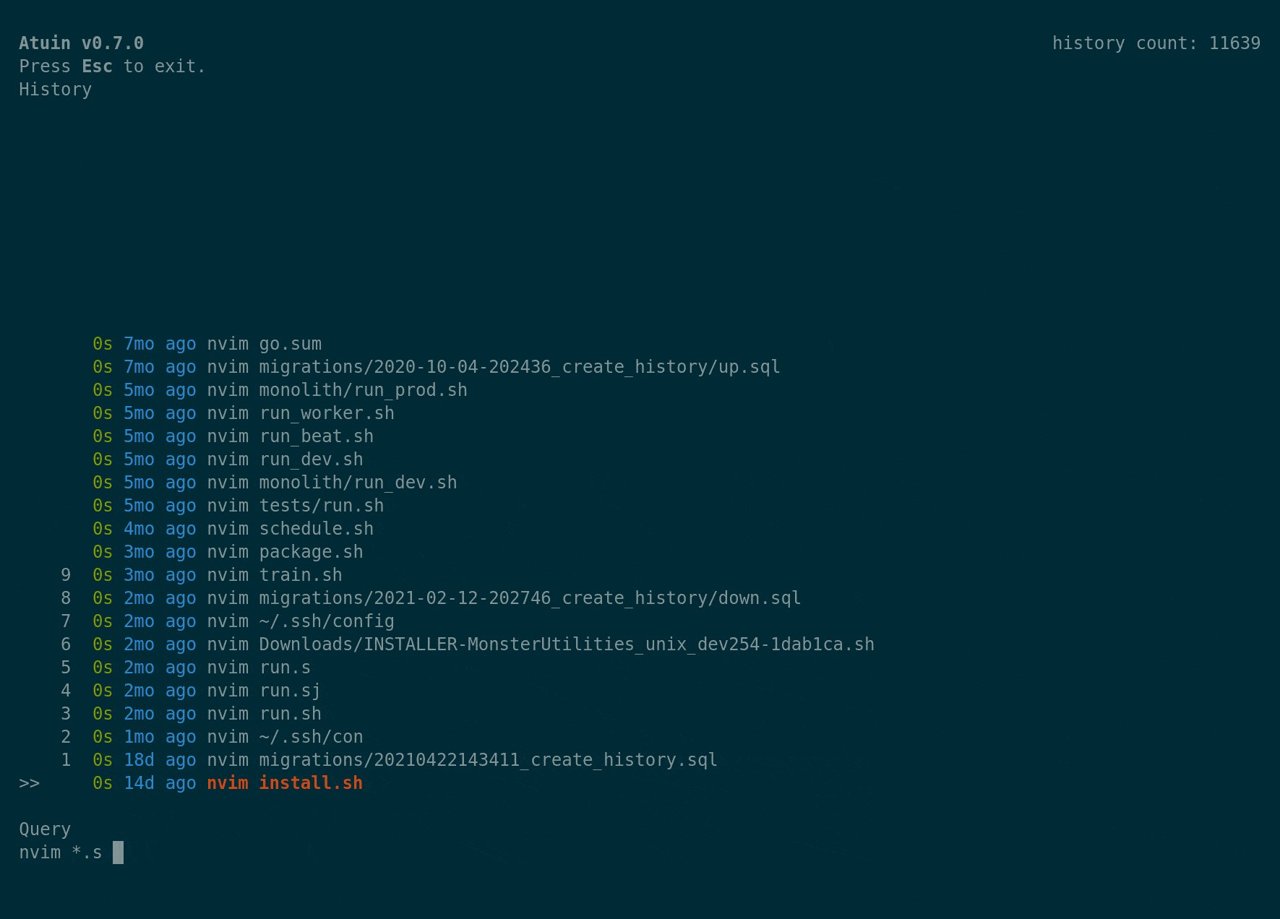
Figure: Atuin’s interactive search prompt. Every line shows exit code, duration, working directory and host — context that plain history discards.
Install it on Linux
Atuin ships prebuilt binaries for x86_64-unknown-linux-musl and aarch64-unknown-linux-musl, plus an x86_64-unknown-linux-gnu static build for older glibc systems. The official installer is the fastest path on every distro:
curl --proto '=https' --tlsv1.2 -sSf https://setup.atuin.sh | bashThat script detects your shell, drops the binary into ~/.local/bin/atuin (or /usr/local/bin if you sudo it), and prints the lines you need to add to your rc file. Restart your shell or source it and atuin --version should print 18.24.x.
If you’d rather avoid curl | sh, the .deb and .rpm packages are also on the GitHub release page, and there’s an Arch atuin package that’s usually in sync within a day or two.
Homebrew / Nix
- Homebrew on Linux:
brew install atuin - Nix:
nix-env -iA nixpkgs.atuinor addpkgs.atuinto your system packages. - Cargo (from source):
cargo install atuin --locked— requires Rust 1.74+.
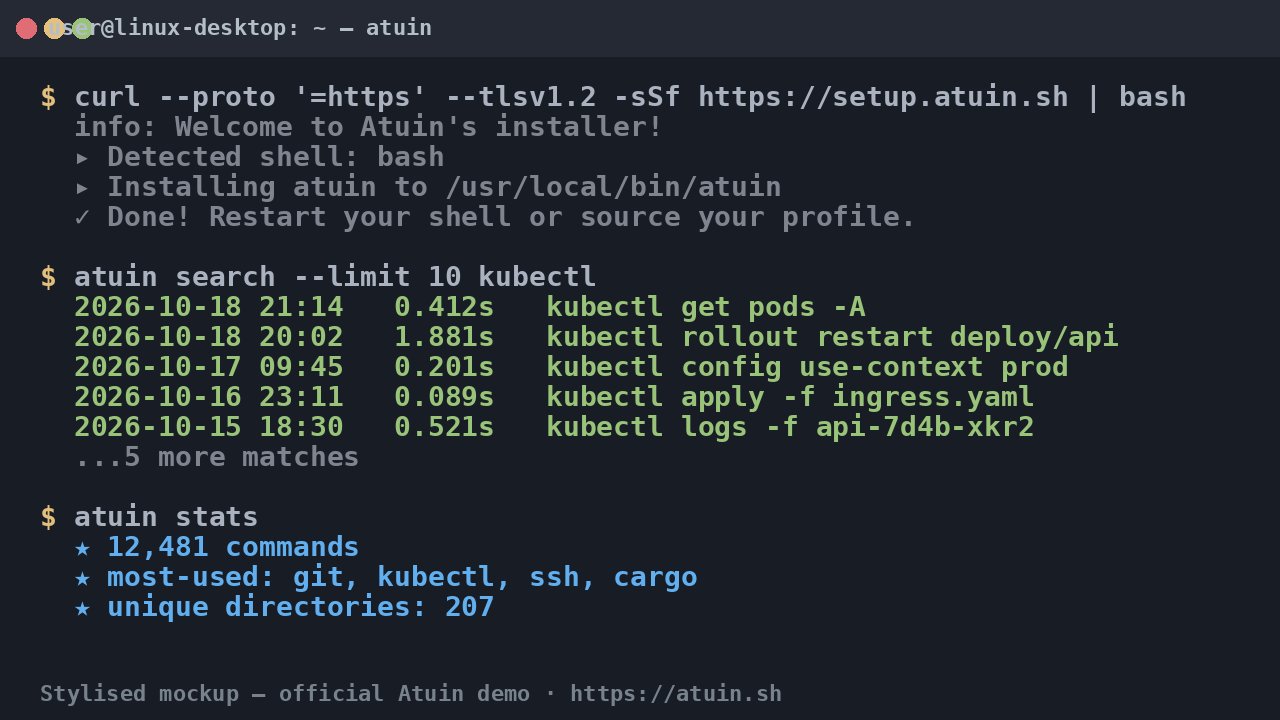
Figure: Stylised mockup of the install script output and the first atuin search invocation. Real screenshots were unavailable from the SPA-rendered project site at time of writing.
Wire it into your shell
After install, Atuin needs a one-liner per shell. The installer prints the right one; the gist is:
bash — add to ~/.bashrc:
eval "$(atuin init bash)"zsh — add to ~/.zshrc:
eval "$(atuin init zsh)"fish — add to ~/.config/fish/config.fish:
atuin init fish | sourceRestart the shell (or source the rc file), press Ctrl-R, and Atuin takes over reverse search. Your old ~/.bash_history is imported on first run; you can re-run the import later with atuin import auto (it sniffs bash, zsh, fish and nu history files automatically).
If you want to keep both — Atuin alongside your existing history search — bind a different shortcut:
bind '"C-\":"C-xC-a"' # Ctrl- in bashIn zsh:
bindkey '^\' atuin-searchSearch like a power user
The killer feature is the filter DSL. From any shell:
# everything that exited 0, ran after 3pm yesterday, contains "make"
atuin search --exit 0 --after "yesterday 3pm" make

# all `cargo build` invocations on the current host, ever
atuin search --host "$(hostname)" "cargo build"

# failed commands on Sundays — for your weekly post-mortem ritual
atuin search --before "mon" --after "sun" --exit "!0"
Inside the interactive UI you can:
Ctrl-Ragain to cycle between filter modes (global, host, session, directory).Tab/ arrow keys to pick an entry and run it in the current shell.Enterto edit the command before running.Ctrl-Cto abort without changing the prompt.
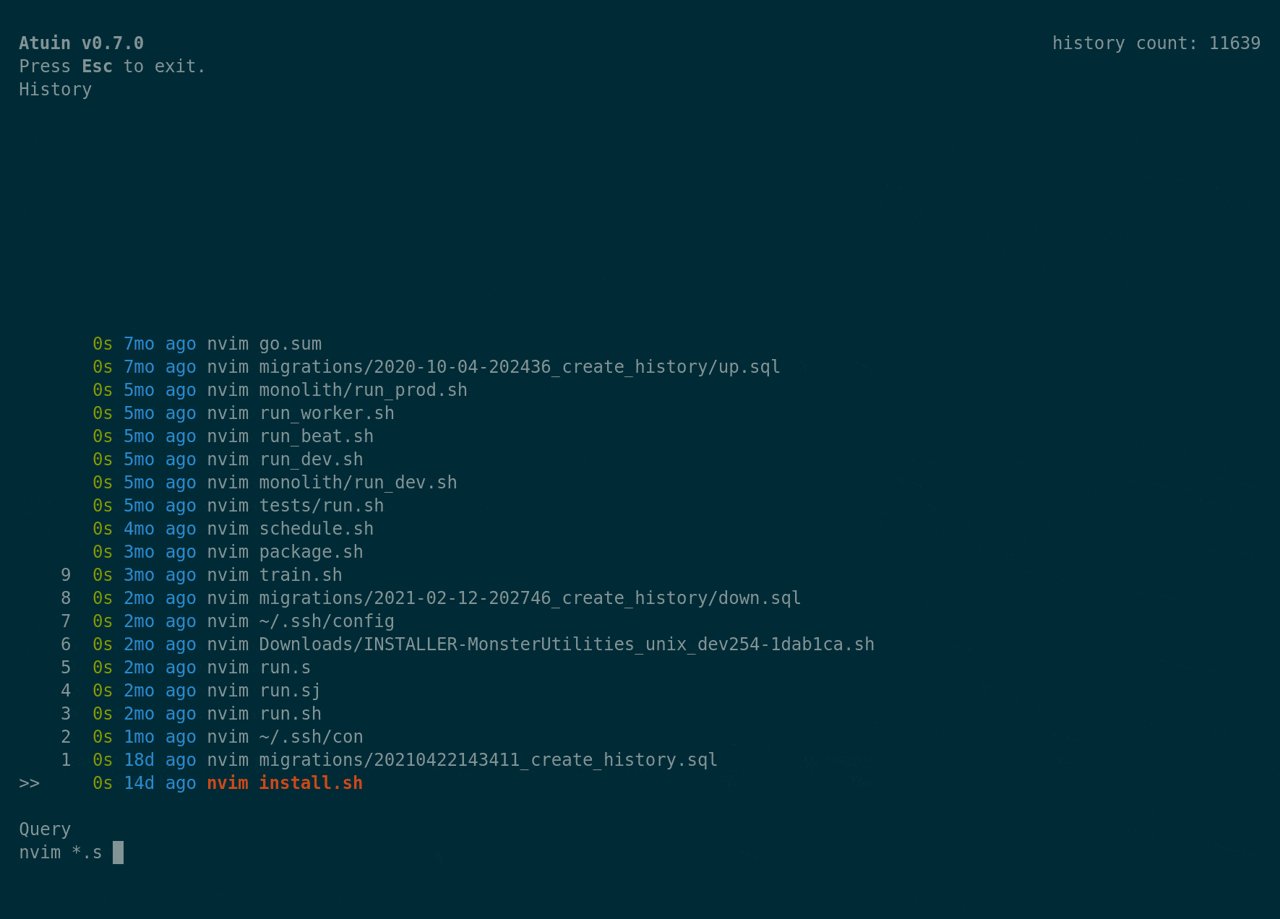
Figure: Press Ctrl-R, type a few characters, and Atuin ranks matches by recency, frequency and fuzzy similarity — not just substring equality.
Optional: encrypted sync
The sync story is the part most newcomers miss. Atuin can sync your encrypted history to any Atuin-compatible server — the hosted one at https://api.atuin.sh, your own self-hosted instance, or a friend’s server. The flow:
- Register an account:
atuin register -u <username> -e <email>. The CLI generates a session token locally and only sends its hash. - Set a passphrase: the same prompt asks for one. This passphrase encrypts your history with a key derived via Argon2id; the server never sees the plaintext.
- Login on every other machine:
atuin login -u <username>. Same passphrase, same encryption key, full history sync. - Verify:
atuin syncon either side should report a green check; subsequent commands sync within ~30s by default.
Self-hosting is documented at docs.atuin.sh/guides/self-host. The minimal stack is a docker-compose.yml with one atuin/atuin container, a Postgres database, and a reverse proxy for TLS.
Caveat for 2026: Atuin’s hosted server has had periodic capacity crunches during major release weeks. If sync is mission-critical, self-host — it’s a 5-minute setup.
Stats, dashboards, and the small joys
atuin stats is the command you’ll run when you want to feel either productive or horrified:
$ atuin stats
  ★ 12,481 commands recorded
  ★ most-used:  git (1,841)  · cargo (1,022) · ssh (612) · kubectl (498) · docker (471)
  ★ unique directories: 207
  ★ unique hosts: 9
  ★ avg command/day: 142
For the graph-inclined, pipe it into a TUI like blessed-contrib or just keep a weekly atuin stats > ~/weekly-$(date +%V).txt in cron.
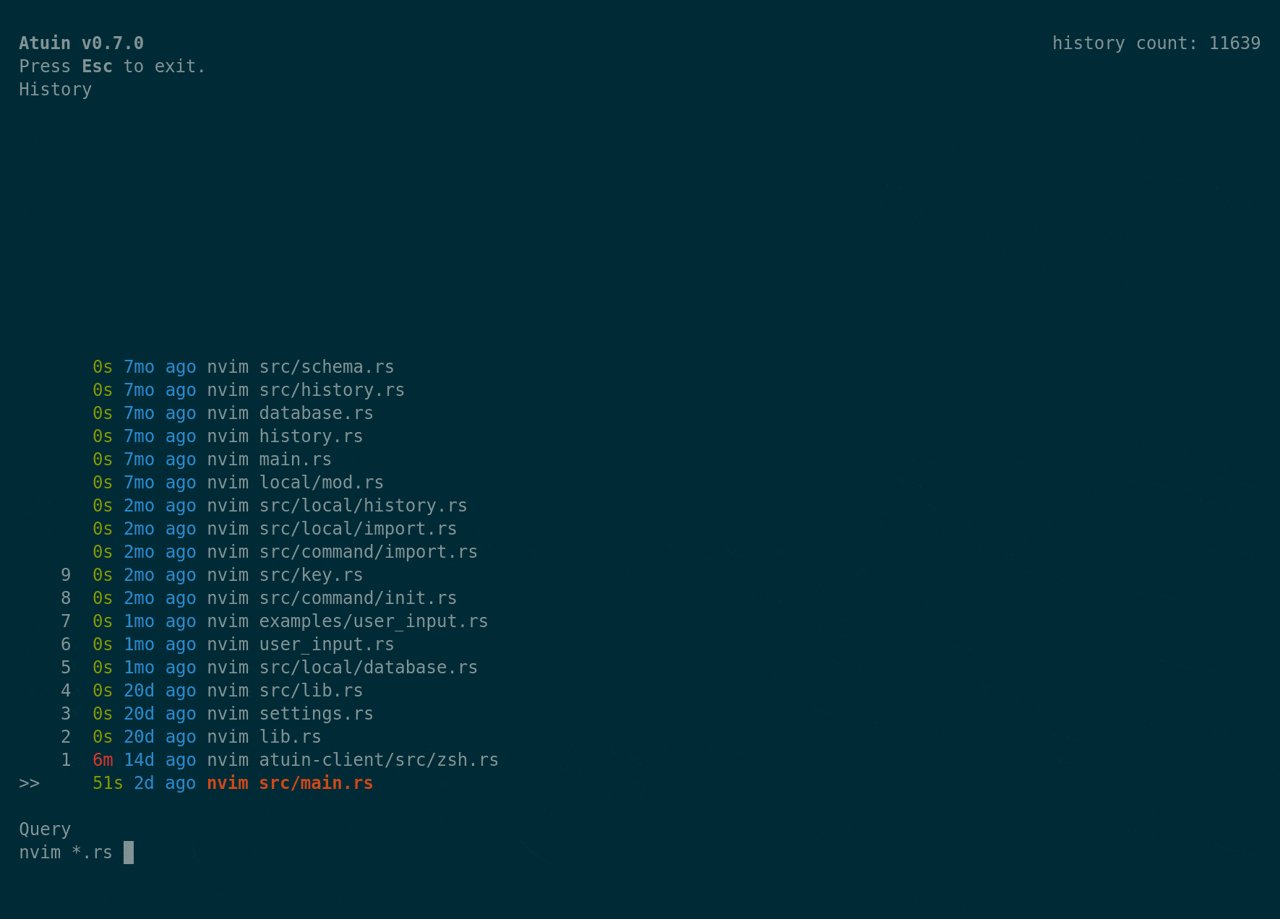
Figure: atuin stats is a single binary’s worth of insight into your shell habits. No telemetry leaves the box unless you turn on sync.
Caveats and known quirks
A few things that bite newcomers:
- Aliases with positional arguments don’t always import cleanly. Re-run
atuin import bashafter adding new aliases. - Multi-line commands (anything you typed into
vimvia:r !command) are stored as a single history entry but the multi-line display in the TUI relies on your terminal’s line wrapping —standkittyhandle this; olderxtermbuilds sometimes mangle it. - Server-side full-text search is post-encryption-decryption, so the server can only do exact-token lookup. All fuzzy /
--afterfiltering still happens client-side, which is the right tradeoff but means big histories (50k+ commands) sync slowly on first pull. - Fish + Atuin + oh-my-fish has a long-standing theme-ordering issue: load
oh-my-fishbeforeatuin init fish | sourceinconfig.fish, otherwise the prompt override breaks.
When NOT to use Atuin
It’s not for everyone. Skip it if:
- You work in air-gapped environments with strict policy on outbound network calls — Atuin sync is opt-in but the default config pings the server on first launch.
- You need readable audit logs for compliance — Atuin’s local SQLite is great for you, terrible for a sysadmin trying to grep your shell history.
- You’re on a read-only filesystem like a kiosk or container — the SQLite store needs
~/.local/share/atuinto be writable.
For everything else — desktop Linux, dev VMs, remote SSH targets — Atuin is the kind of tool you set up once and never think about again, until one day you need to find a command from six weeks ago and it pops up in 0.4 seconds.
Wrapping up
Atuin is on GitHub under the MIT licence, with ~24k stars and a healthy maintainer cadence. The 18.x line has been stable for over a year; the changelog is the kind of “fix edge case in filter parser, improve sync daemon throughput” that signals a project in maintenance mode rather than crisis mode. Exactly what you want from something this close to your daily driver.
Install it, bind Ctrl-R, and the next time you can’t remember that exact kubectl rollout restart invocation from last Thursday, you’ll thank yourself.
Comments