
title: “How to Play Hytale Chapter I on Linux in 2026”
slug: hytale-chapter-i-linux-2026
date: 2026-10-15
categories: [linux-gaming]
tags: [Hytale, Hypixel Studios, Native Linux, Sandbox, Early Access]
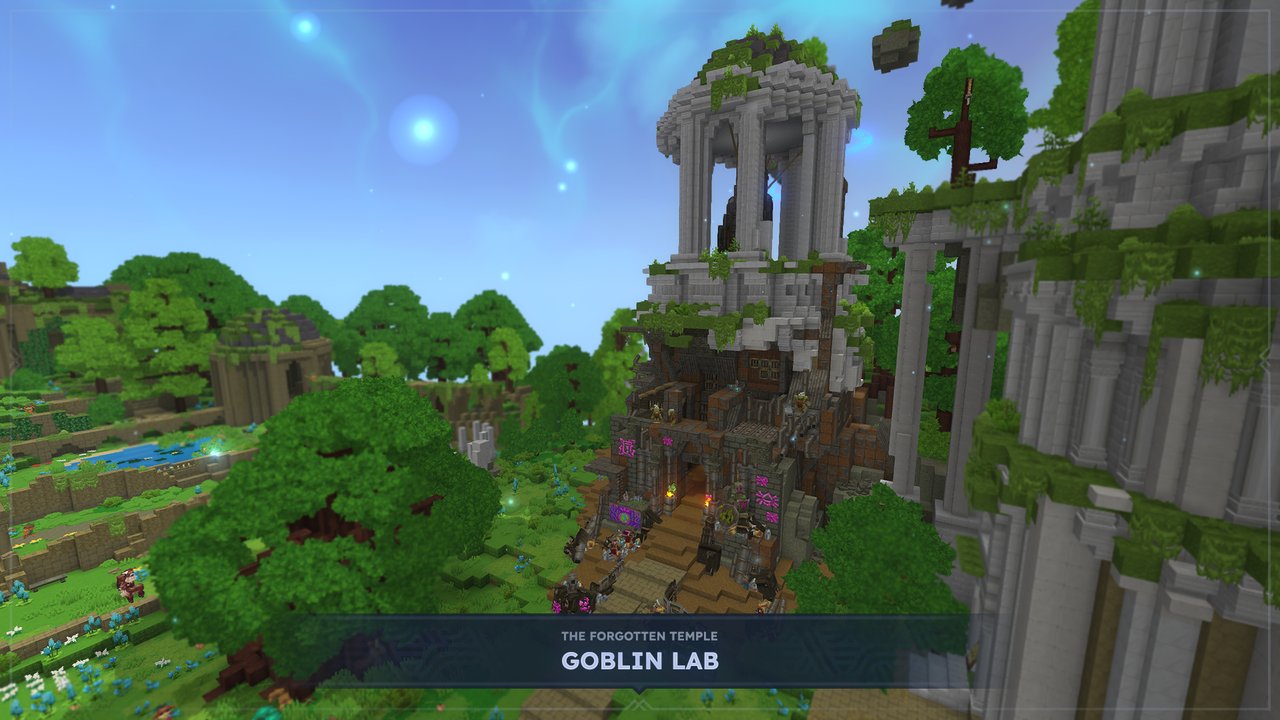
Figure: Hytale Chapter I: Out of the Breach launched on October 12, 2026, and it ships with native Linux support out of the box. Screenshot © Hypixel Studios.
If you’ve been waiting for the Hypixel-built sandbox to grow up, Chapter I: Out of the Breach is the update you’ve been holding out for. After two months of weekly patches that focused almost exclusively on foundations (Spectator mode, Hardcore, the Mod Browser, Player Entity Collision, the Trigger Volume tool, full Controller support, Server Discovery, Discord integration), Hypixel Studios has finally shipped a real content drop — and Linux is a first-class target, with a Linux x64 build shipped alongside the Windows release.
This article walks through what arrived in Chapter I, what the Linux install actually looks like today, and how to be productive in the new content as a pure-native player (no Proton, no Wine, no Steam runtime gymnastics).
What’s actually new in Chapter I
The headline addition is the Goblin Breach: a temporary portal that appears after a few in-game nights, opened by interacting with the disturbance in the Forgotten Temple. Inside is an unstable fragment of Orbis claimed by the goblin faction, with the Void pressing at the edges. It regenerates each entry, and the Void pressure will push you out over time — extend the run by upgrading the Goblin Breach Console in the Goblin Lab.
The chapter is more than a single biome, though. You get:
- Guttering Hollows, a new predator-heavy sub-biome with Void assassins and chests that spawn enemy waves
- A fully revamped Goblin faction — new shapes, sizes, and personalities, and crucially, not all of them are hostile. Solo goblins flee from Void creatures unless they’re in groups.
- Scrappy Goblin Gadgets — a Scrap Drill that chews through a 2×2 patch of blocks, Rocket Boots for double jumping, a Hookshot with anchor points for zipping across the world, and my favorite throwable: the Bangstick.
- The Deepworks, a handcrafted dungeon with checkpoints, flame/dodge obstacles, and a multi-phase Gobliterator boss fight at the end. There is, the devs warn, an ominous-looking button to the left of the boss chamber if you want the extra challenge.
Figure: The Goblin Breach’s Guttering Hollows — Void pressure at the edges, goblin patrols in the center. Screenshot © Hypixel Studios.
The new ability system: Runestones
Chapter I retires the legacy ability system in favor of Runestones and a Runebinder’s Lattice (located in the Forgotten Temple). The simple model is: collect Runestones, slot them in, and you can equip two Ability Runestones plus modifier Runestones at a time. Abilities cost mana, which regenerates over time — landing your weapon’s signature ability restores mana, so combat stays fluid.
You get 7 Ability Runestones on launch:
- Fireball — flaming explosive projectile
- Ground Slam — stone spike eruption
- Wind Strike — empowers your next 3 attacks with wind arcs
- Enrage — +30% damage dealt and received (the spicy one)
- Imbue Poison — stacking poison DoT
- Chain Hook — pulls enemies to you
- Charged Shot — channeled frost bolt
Eight Modifier Runestones round out the buildcraft: Colossal, Enduring, Quickening, Rebound, Rend, Splinter, Thrift, and Wither, which mix and match effects like projectile count, bounce behavior, wither/bleed payloads, damage, and cooldowns. The Runebinder is genuinely the new combat identity — you can build a wind-arc battlemage, a poison tank, or a hookshot grappler, all on day one.
Figure: The Runestone loadout screen at the Runebinder’s Lattice. Screenshot © Hypixel Studios.
The Deepworks and two new minigames
The Deepworks is the first handcrafted dungeon Hypixel has shipped, and it’s a notable tonal shift from the procedural world. Winding rooms with goblin hordes, flame obstacles, falling debris, puzzles, and checkpoints. The Elite Goblin Feastmaster is the warm-up boss, and the Gobliterator at the end is a multi-phase set piece.
The chapter also ships two new minigames accessible from the main menu:
- Prop Hunt — a classic asymmetric mode where Props disguise as tavern objects (beds, tankards, barrels), taunt to charge a smoke bomb + dash escape, and swap sides if caught. Hunters track them down.
- Shuffle Jam — a random playlist of 12 microgames including Color Party (stand on the correct tile), Lavablocks (break tiles to escape rising lava), TNT Run (parkour as the floor falls), TNT Tag (pass it before it blows), Memory Floor, Diving, Plot Painter, Lazers, Racing, Stash & Seek, Tile Flip, and High Ground. Solo or party queue with matchmaking.
Mod Browser integration is on the roadmap — the plan is to host community-built minigames in a new tab, with a creator framework for building them. Worth keeping an eye on.
How to install Hytale natively on Linux in 2026
This is the part that’s actually changed recently and worth a dedicated walkthrough. The game ships a native Linux client through the Hytale Launcher — there’s no Steam release, and there’s no Flatpak yet either. Plan on a small detour.
1. Confirm you meet the minimums
From store.hytale.com‘s official spec block:
- OS: Linux x64-architecture with Kernel 6.15
- CPU: Intel Core i5-7500 / AMD Ryzen 3 1200 (or equivalent)
- RAM: 8 GB minimum
- GPU: Anything with up-to-date drivers supporting OpenGL 4.1. Vulkan 1.3 / DirectX 12 may be required in future builds, so a modern Mesa or NVIDIA proprietary driver is recommended.
- Storage: 10 GB minimum (20 GB recommended; SSD strongly recommended)
Kernel 6.15 is the minimum — if you’re running an Ubuntu 24.04 LTS or similar older LTS, update the kernel before install. Distros on 6.15+ (current Fedora, current Tumbleweed, current Arch, Ubuntu 26.04 and later) are fine out of the box.
2. Create a Hytale account
The launcher uses its own account system, not Steam. Head to accounts.hytale.com and sign up. You can register a gift code or buy one of three editions — Standard, Supporter, or the limited Cursebreaker Edition (which adds a bonus Standard gift code for a friend, plus exclusive cosmetic sets). The Cursebreaker Exclusive perk is only available during Early Access, but the cosmetics stay on your account afterward.
3. Download the Linux launcher
From store.hytale.com, the Linux x64 download button pulls an .AppImage (with a .deb also offered in the FAQ threads for Debian/Ubuntu hosts). Make it executable and run it:
chmod +x HytaleLauncher-x86_64.AppImage
./HytaleLauncher-x86_64.AppImage
First launch will create ~/.local/share/hytale/ for the runtime and a per-user ~/Games/hytale/ for the actual game files. If you prefer a system install, install via the .deb and the launcher will land in /opt.
4. Log in, install, launch
Sign in with your Hytale account. The launcher is small (~120 MB); the actual game client is a separate ~7 GB download. Once installed, the Play button launches the native client. There’s no separate “Linux build” toggle to flip — it auto-detects your platform.
If you hit a crash on Intel integrated graphics, you’re not alone — the 0.6.6 hotfix (Update 6) explicitly addresses a random crash on Intel iGPUs. Make sure your launcher is fully patched, and on Intel iGPU laptops, set the in-game graphics preset to Integrated before doing anything else.
5. Connecting to community servers
Hytale has its own Server Discovery built into the launcher (added back in May with Update 5). You don’t need to expose ports manually — joining a server attempts automatic port forwarding via UPnP. If it fails, the retry button re-attempts the UPnP dance. Cancelling out of a join no longer freezes the client; that’s another fix from the same hotfix.
Figure: The Deepworks — Hypixel’s first handcrafted dungeon, ending in the Gobliterator. Screenshot © Hypixel Studios.
First-day settings worth changing
A few Linux-specific knobs that saved me time during the first session:
- View Distance: the 384 preset (Recommended spec) feels right; 192 is fine on integrated graphics.
- V-Sync: leave on unless you see frame-time spikes; off + uncapped produces visible tearing on Mesa 24.x.
- Controller: full support landed in Update 5 (May 2026). If you play on a handheld or with an Xbox pad via Bluetooth, plug in before launch so the device cold-list picks it up.
- Accessibility: the team has explicitly noted that controller support and several accessibility features are still being built out. If you rely on them, check the accessibility roadmap before buying.
The Linux story in one sentence
Hytale is one of the rare Early Access sandbox projects where the Linux client ships the same day as Windows, the patch cadence hits the same day, and the install is a single AppImage. That’s not a footnote — that’s the whole reason Chapter I is worth covering here. Hypixel Studios has been good about Linux since the announcement; they continue to be.
Go pick an Edition, install the AppImage, and step into the Goblin Breach. The Deepworks is waiting.
Figure: The two new minigames — Prop Hunt (asymmetric hide-and-seek with smoke bombs) and Shuffle Jam (a 12-microgame playlist). Screenshot © Hypixel Studios.
Official site: hytale.com · Chapter I patch notes: hytale.com/news/2026/10/2026-10-12-chapter-i-out-of-the-breach · Store / editions: store.hytale.com
Comments