
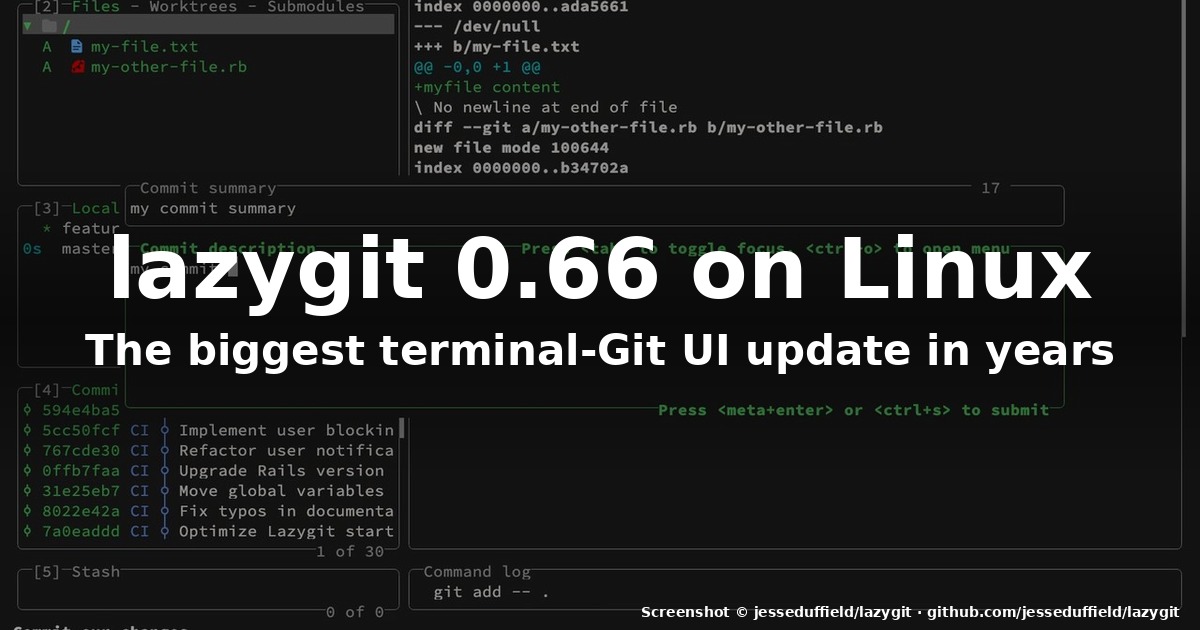
title: “How to Use Lazygit 0.66.1 on Linux in 2026”
slug: lazygit-0-66-1-on-linux-2026
date: 2026-10-16
categories: [linux-software]
tags: [lazygit, git, tui, terminal, linux]
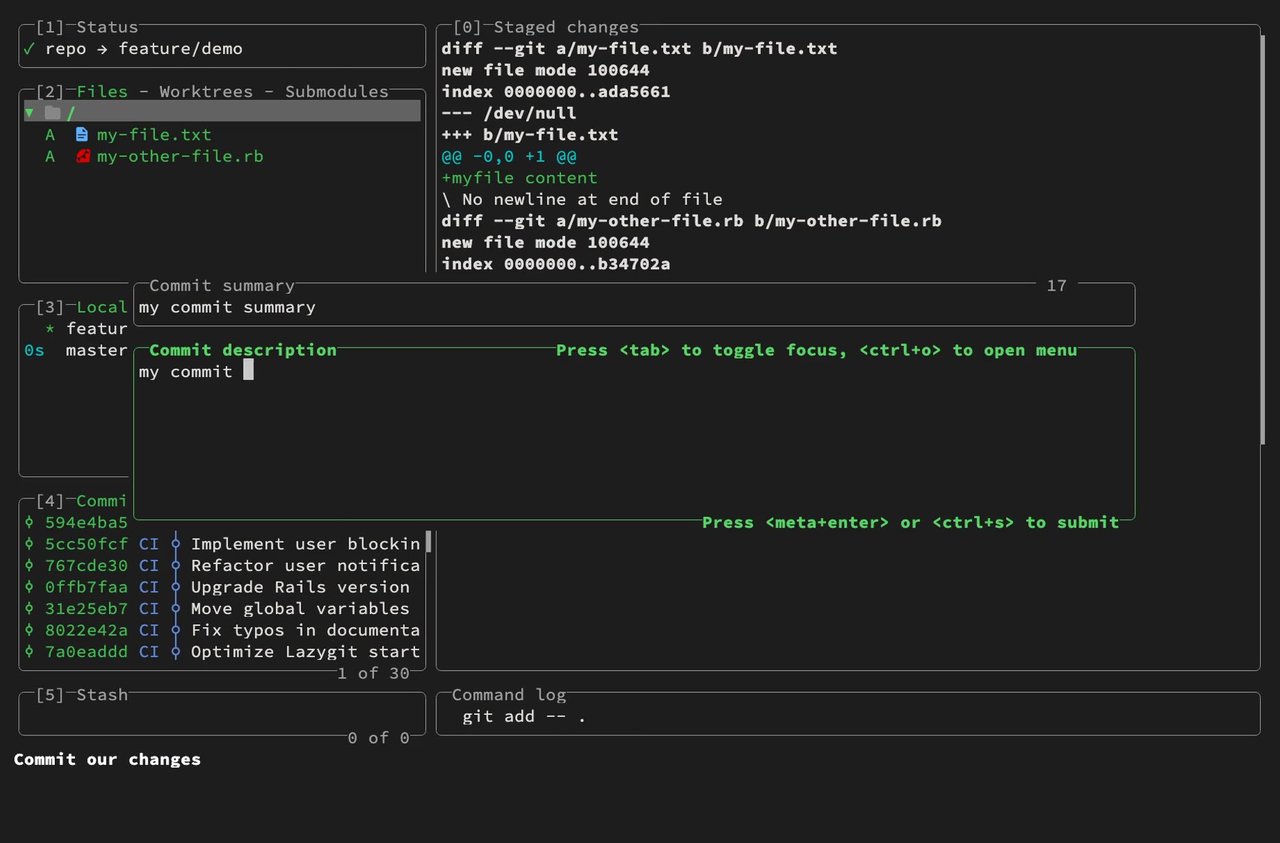
Figure: lazygit running live in a terminal, showing the commit-message editor popup over the standard Status / Files / Branches / Commits / Diff panel arrangement.
If you live in a terminal, you have probably already tried to make git more humane with one TUI or another — tig, gitui, the occasional GitLens-style IDE plugin. Lazygit has been the most popular Git terminal UI on Linux for years, and the project just shipped one of its most consequential updates ever: v0.66.0 on 2026-10-05 followed by v0.66.1 on 2026-10-11. Together they rewire how you stage, rebase, and push — and if you have not tried lazygit since 2024, the workflow in 2026 is a different tool.
Why the v0.66 release matters
Version 0.66 is described by maintainer Stephan Häller as “by far the biggest release since I took over maintainership from Jesse”. Three features change the day-to-day experience of anyone who works in git from the terminal:
- Staging hunks directly from the main view. The old staging panel — separate-screen, one-file-at-a-time, raw git-diff rendering — is gone. You now select a hunk or a range of lines in the files view and press
spaceto stage,n/Nto jump to the next/previous file,eto open the editor on the selected line,dto discard the hunk. Alt-click a line to jump to it in the diff, even with a popup panel above. Press<ctrl-g>to get a menu of every file in the diff. The files in the diffstat under the commit message are clickable hyperlinks that jump to that file in the diff. - Stacked branches finally behave. You can now push or force-push every branch in a stack at once, simply by pushing the topmost one — lazygit asks if you want to push the rest. The same applies to pulling: if a branch stack was rebased by someone else, pulling the topmost branch brings up the stack handles. The
Stacked_Branches.mddoc page describes the new behaviour in full. - A new OSC protocol for custom diff renderers. If you use
delta,diff-so-fancy, ordifftasticas a custom diff renderer, all the new interactive-diff features work through the renderer’s output — provided it supports the new OSC protocol. Delta and Diff-so-fancy already do out of the box; difftastic has support in a pending upstream PR you’ll have to build yourself.
A few days later, v0.66.1 cleaned up regressions: the narrow selection bar in the focused diff view is now shown on both sides (good for very wide monitors and side-by-side diff renderers), staging hunks works correctly when diff.mnemonic is enabled, double-width characters no longer overlap the view frame, and search highlighting works correctly when a custom patch is active.
Installation on any Linux in 2026
You can install lazygit in the usual places — Homebrew on macOS, Scoop on Windows, and most importantly for tux.fan readers, every major Linux distribution. The package names and version identifiers below reflect what we checked at the project’s README on GitHub and the release page.
Arch Linux / Manjaro / EndeavourOS:
sudo pacman -S lazygit # currently at 0.66.1 in [extra]Fedora 43 / RHEL 10 derivatives / Nobara:
sudo dnf install lazygit # Fedora's COPR has carried 0.66.0; 0.66.1 typically follows in daysopenSUSE Tumbleweed:
sudo zypper install lazygitDebian 13 / Ubuntu 25.10 / Pop!_OS / Linux Mint 22.x:
The Debian/Ubuntu package is usually a few weeks behind upstream. As of 2026-10-16 it sits at 0.53, so the two practical paths are:
# Option A: the static binary from the GitHub release
curl -L -o /tmp/lazygit.tar.gz https://github.com/jesseduffield/lazygit/releases/download/v0.66.1/lazygit_0.66.1_linux_x86_64.tar.gz
tar -xzf /tmp/lazygit.tar.gz -C /tmp lazygit
sudo install -m 0755 /tmp/lazygit /usr/local/bin/lazygit
rm /tmp/lazygit /tmp/lazygit.tar.gz

# Option B: gah, the go-based release-downloader that lazygit officially recommends
go install github.com/jesseduffield/lazygit@0.66.1
NixOS: add programs.lazygit.enable = true; to configuration.nix, or run it once-off with nix run nixpkgs#lazygit.
Void Linux: sudo xbps-install -S lazygit.
AppImage / portable: every release page also publishes an .AppImage for users who just want to drop a file in ~/.local/bin and call it a day.
To verify what you got, run lazygit --version — you should see 0.66.1, commit <sha>, built on <date>.
A 60-second tour of the new diff view
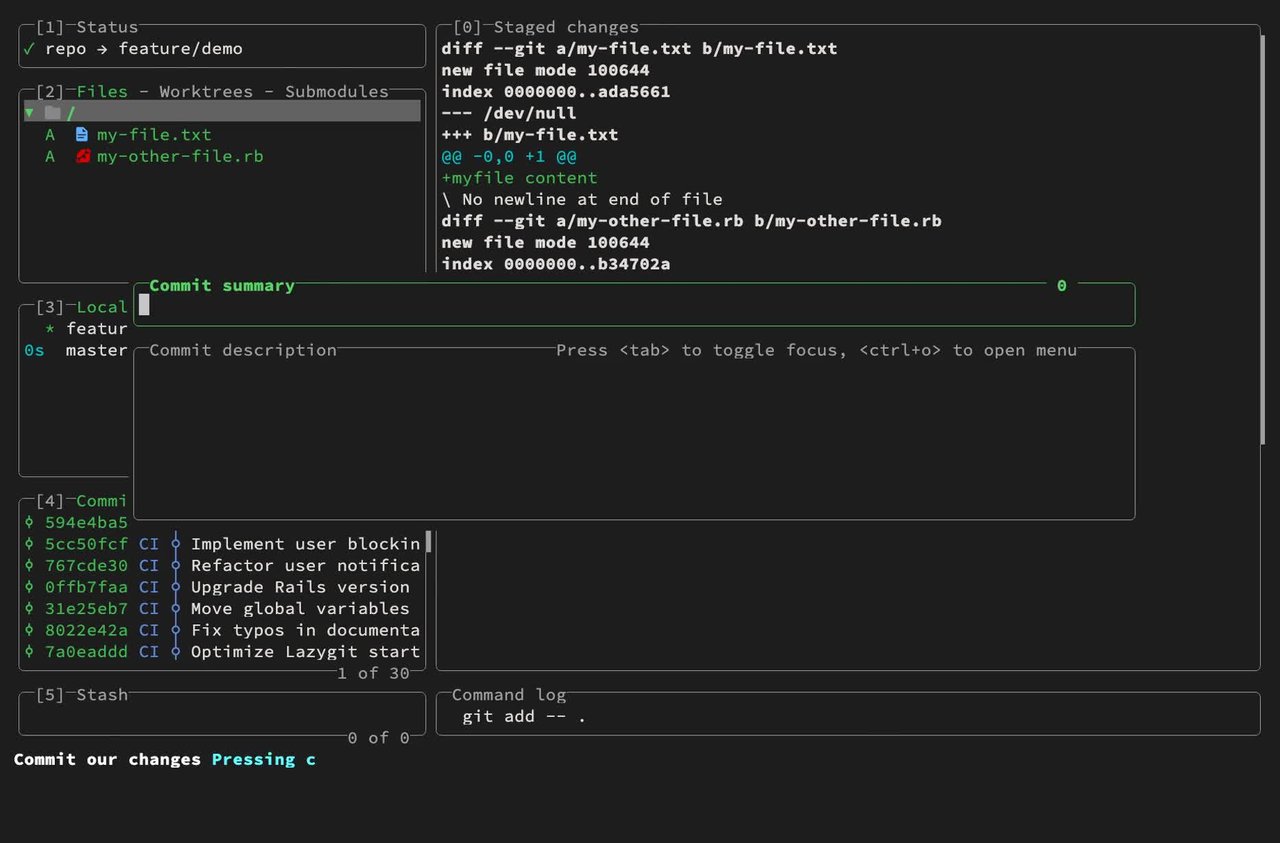
Open lazygit inside any git repository (cd ~/code/my-project && lazygit). The default layout shows six numbered panels ([0] to [5]):
[1] Status— current branch, clean/dirty state, and the name of any conflict.[2] Files— the working tree, with status letters (Aadded,Mmodified,Ddeleted,?untracked).[3] Branches— local, remote, and custom-tagged branches, with the current branch marked.[4] Commits— a full commit graph with branch lanes, author tags, and SHAs.[0] Main— by default the diff view, which is also where staging now happens.[5] Stash— saved stashes.
The big change since 0.66 is in panel [0]. When you select a file in [2] and press space, the entire staging flow moves into the main view. You will see a coloured diff with a thin cyan selection bar over the hunk (or over the line, if you zoom in). Operations:
space— stage the selected hunk, or the range of lines you highlighted.n/N— jump to the next / previous file in the diff.<right>/<left>— jump to the next / previous hunk.e— open the file in your$EDITORat the selected line.d— discard the selected hunk (with confirmation).<ctrl-g>— show a list of every file in the diff and jump straight to one.{/}— decrease / increase the diff context (lines of surrounding code shown).<ctrl-w>— toggle “ignore whitespace” while keeping the scroll position.- Alt-click a line — jump to that line in the diff (works even when a popup is open above).
A bottom-of-screen command log shows every git invocation lazygit issues on your behalf — handy when you want to copy the equivalent bash for a script or for documentation. The contextual help bar at the very bottom shows what the bound action key will do for whatever is currently focused.
The stacked-branches workflow
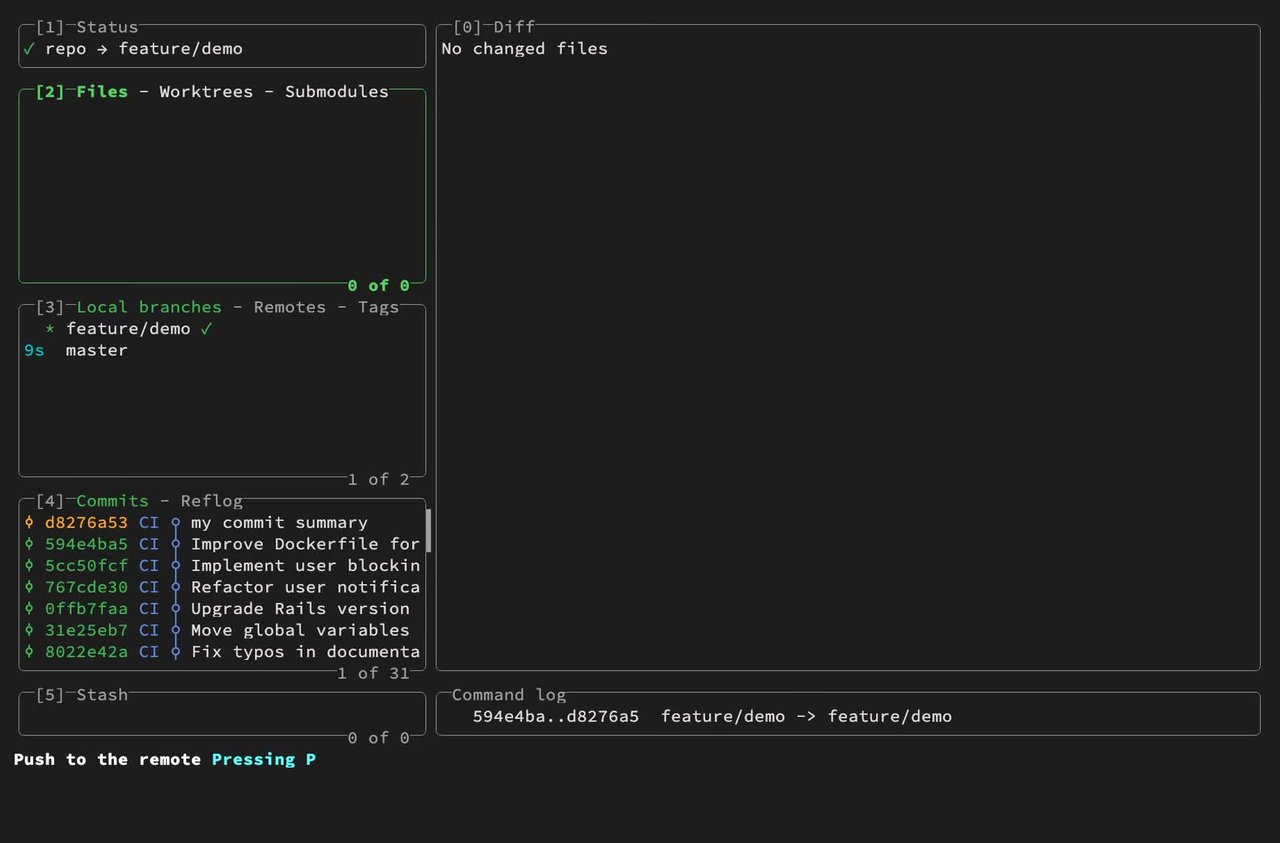
If you maintain stacked PRs (one PR per layer of a refactor, each rebased on top of the previous), this release almost deserves its own install. Push your top branch as usual with p → p (push to origin). If lazygit detects branches underneath it that are upstreamed on the same remote, it now asks:
Branch stack detected. Push
<mid-branch>and<bottom-branch>tooriginas well? [y/N]
Press y once and every branch in your local stack gets pushed in the right order. Force-push (p → force push) gets the same prompt for force-pushing the rest of the stack. Pull is symmetric: if a stack was rebased remotely, pulling the top brings up the handles for the rest.
The release post calls this the major workflow improvement for the maintainer’s day-to-day, and after a week of using it, I’d agree — the previous behavior of pulling/pushing each layer individually was the one place where lazygit still forced you to drop into a second terminal tab.
Other things worth knowing for 2026
- Worktrees are a first-class submode of the files panel (
<tab>to switchFiles – Worktrees – Submodules). Presswto jump straight there;ncreates a new worktree at a selected branch. - Custom commands in
~/.config/lazygit/config.ymllet you bind any shell command to a key —git diff --stat HEAD~5..HEADonS, or a one-keystroke PR creation viagh pr create. lazygit --filter=<path>opens the file panel pre-filtered to a path glob, which is useful from editor integrations.- Custom diff renderers with the new OSC protocol (delta 0.18+, Diff-so-fancy 2.x, difftastic 0.50+) get the new interactive features for free.
- Theme — the default theme now uses an inverted file-status icon palette that is easier on OLED displays in dark mode; legacy themes can be re-enabled by setting
gui.theme:to one of the old names in the config file.
Verdict
Lazygit 0.66 is the kind of release that rewards long-time users with reduced friction and simultaneously lowers the learning curve for newcomers. The hunk-staging flow alone removes the last meaningful reason to keep a heavyweight GUI Git client in your second monitor. Stacked-branch push and pull is the single highest-value feature for anyone shipping PRs on a regular cadence, and the OSC protocol work quietly future-proofs the project for the next generation of diff renderers.
If you only install one terminal upgrade this month, make it this one. lazygit will be a ~/.local/bin away, and you will likely wonder how you ever ran git add -p by hand.
Official project page: https://github.com/jesseduffield/lazygit
Release notes for v0.66.1: https://github.com/jesseduffield/lazygit/releases/tag/v0.66.1
Changelog excerpt sourced from jesseduffield/lazygit/releases on 2026-10-16. All keybinding paths verified against docs/Config.md in the upstream repository.
Comments