
How to Try IncusOS 2026: An Immutable Debian Distro for Incus
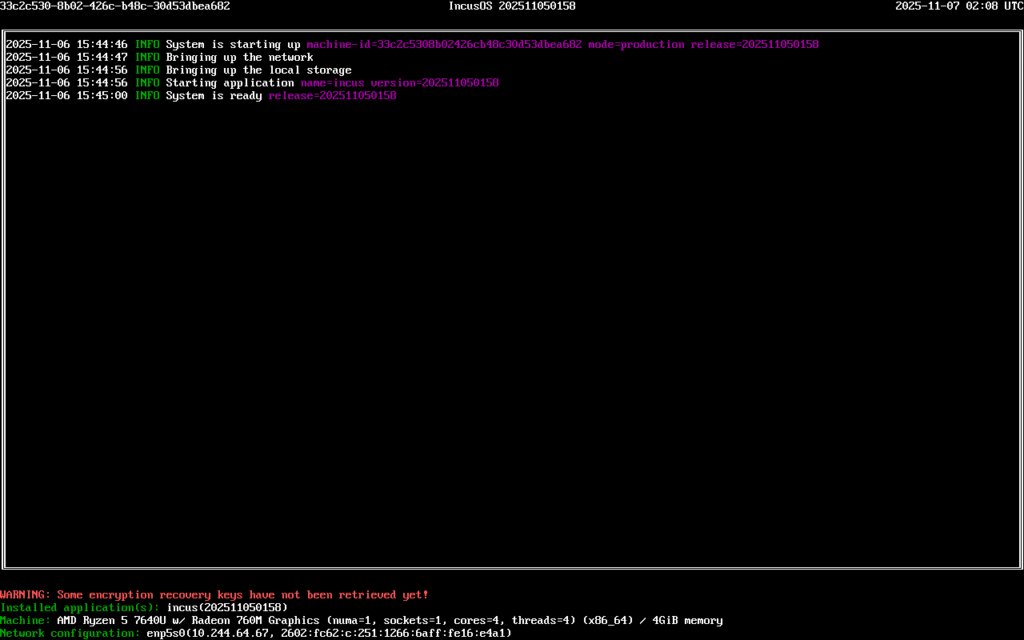
Figure: IncusOS architecture — one immutable image that ships three apps (Incus, Operations Center, Migration Manager) on a hardened Debian 13 base.
If you have ever spent an afternoon tracking down why a kernel update on your homelab hypervisor broke a ZFS pool, or why a half-installed apt dist-upgrade left a node drifting away from its siblings, IncusOS is the antidote. It is a brand-new, general-purpose-shaped-but-not-general-purpose Linux distribution that exists for one job: running Incus — the community fork of Canonical’s LXD — as predictably as a network switch runs its firmware.
IncusOS reached general availability in November 2025 and is now (as of August 2026) shipping weekly stable builds on top of Debian 13. This guide shows what it actually is, why a homelabber might want to install it, and how to get it running on bare metal or in a VM without stepping on the usual immutable-OS gotchas.
What IncusOS actually is
The official description — “an immutable OS solely designed around safely and reliably running Incus” — undersells how opinionated the project is. Every IncusOS install shares these properties:
- One job. The shipped payload is Incus itself, plus two optional apps: Operations Center (central management) and Migration Manager (helps move VMware workloads to Incus). There is no package manager in the traditional sense — you cannot
apt installsomething onto the host. - Immutable base. All OS partitions are read-only and signed. Updates land on the inactive A or B slot via
systemd-sysupdate; on reboot the new slot takes over, and a bad update rolls back automatically. - Boot safety. UEFI Secure Boot and TPM 2.0 measurements are mandatory on x86_64-v3 hardware. The root disk is encrypted with a TPM-backed LUKS key, so the disk is useless if stolen.
- API-only management. There is no local shell and no SSH daemon. Everything — networking, storage, OS updates, factory reset — happens through the Incus REST API or the Incus web UI, authenticated by TLS client certificates or OIDC.
- Bit-for-bit reproducible. Two IncusOS installs of the same version are identical down to the byte. No more “why is your cluster member running a different kernel?”
The base is a minimal Debian 13 plus a Zabbly-built kernel and ZFS, with Incus built from the same source the linuxcontainers.org Incus image server ships. Everything is assembled using mkosi, so the build is itself reproducible.
Why a homelabber might want it
The “I run Proxmox and it’s fine” reflex is fair. Proxmox is mature, well-documented, and battle-tested. But three things have steadily gotten worse on a general-purpose hypervisor over the last five years:
- Update drift. A
dist-upgradeon a Debian host will happily install a newer ZFS userspace than the kernel module expects, or pull in a newer QEMU than your VM configs were written against. IncusOS ships a known-good kernel/QEMU/Incus tuple and refuses to update them independently. - Stateful configuration. Custom Ansible roles, hand-written
netplanYAML, a five-lineiptablesscript you forgot about — general-purpose distros accumulate them. IncusOS has no~/.bash_historyto lose; every config is in the seed file or the API. - Fleet management. Operations Center registers every IncusOS server, tracks updates, and can pre-seed fresh ISO images for new nodes. If you have ever lost an evening rebuilding a single broken cluster member, this matters.
The honest counter-argument is that IncusOS is younger than Proxmox, has fewer integrations, and lacks features like web-based VM console access for non-Incus workloads. If your homelab runs a mix of VMs and bare-metal services on different OSes, the appliance model feels limiting.
Hardware requirements and where to run it
IncusOS is built for hardware “no older than roughly five years” — the same rule of thumb the project uses is “anything that can run Windows 11 can run IncusOS.” Concretely:
- Modern x86_64-v3 (Haswell / Zen and newer) or arm64 (Apple Silicon servers, Ampere, Graviton)
- UEFI with Secure Boot enabled
- TPM 2.0 module — older Xeons (pre-E5 v3) are explicitly out of luck, and the project is still working on software TPM
- At least one wired NIC, ~50 GB free disk
For a first test, run it in a VM. The official docs walk through QEMU/KVM and VMware. The cleanest path is qemu-system-x86_64 with tpm-emulator and an OVMF firmware file:
qemu-system-x86_64
  -enable-kvm -M accel=kvm -cpu host -m 4096
  -drive if=pflash,format=raw,readonly=on,file=OVMF_CODE.fd
  -drive if=pflash,format=raw,file=OVMF_VARS.fd
  -drive file=incus-os-amd64.iso,format=raw,readonly=on
  -chardev socket,id=chrtpm,path=/tmp/my-tpm.sock
  -tpmdev emulator,chardev=chrtpm -device tpm-tis,tpmdev=chrtpm
  -netdev user,id=net0 -device virtio-net-pci,netdev=net0
  -nographic
The tpm-emulator line is the most-skipped step and the reason most first attempts “can’t find a TPM.” Boot, watch the TUI render the IP address at the bottom, and you’re ready for the next step.
Getting your first client certificate
Because IncusOS has no SSH and no shell, your only way to talk to it is via the Incus REST API with a TLS client certificate. Generate one on your laptop before you even boot the ISO:
incus remote generate-certificateThat writes ~/.config/incus/client.crt and client.key. You then either:
- Seed the ISO with your certificate — use the official online customizer to pick the ISO, select “Installation,” and paste your certificate into the trust list. The customizer bakes it into the image so the host accepts your client from first boot.
- Skip the cert and use OIDC — newer IncusOS builds support OIDC via
sso.linuxcontainers.org. Pick “no certificate, trust these user emails” in the customizer. After install you log in athttps://<host-ip>:8443with Google/GitHub/etc.
Once the host is up, add it as a remote:
$ incus remote add incusos 192.0.2.100
Certificate fingerprint: 80d569e9244a421f3a3d60d46631eb717f8a0a480f2f23ee729a4c1c016875f7
ok (y/n/[fingerprint])? y
$ incus list incusos:
+--------+---------+--------------------+------+--------+-----------+
|  NAME  |  STATE  |         IPV4       | IPV6 |  TYPE  | SNAPSHOTS |
+--------+---------+--------------------+------+--------+-----------+
| trixie | RUNNING | 10.25.170.218(eth0)| ...  |CONTAINER|    0      |
+--------+---------+--------------------+------+--------+-----------+
That trixie line is a real Debian 13 system container started from the standard Incus image catalog — IncusOS already shipped it. From here you have a full Incus server, identical to what apt install incus would give you on Debian, but on a base that cannot drift.
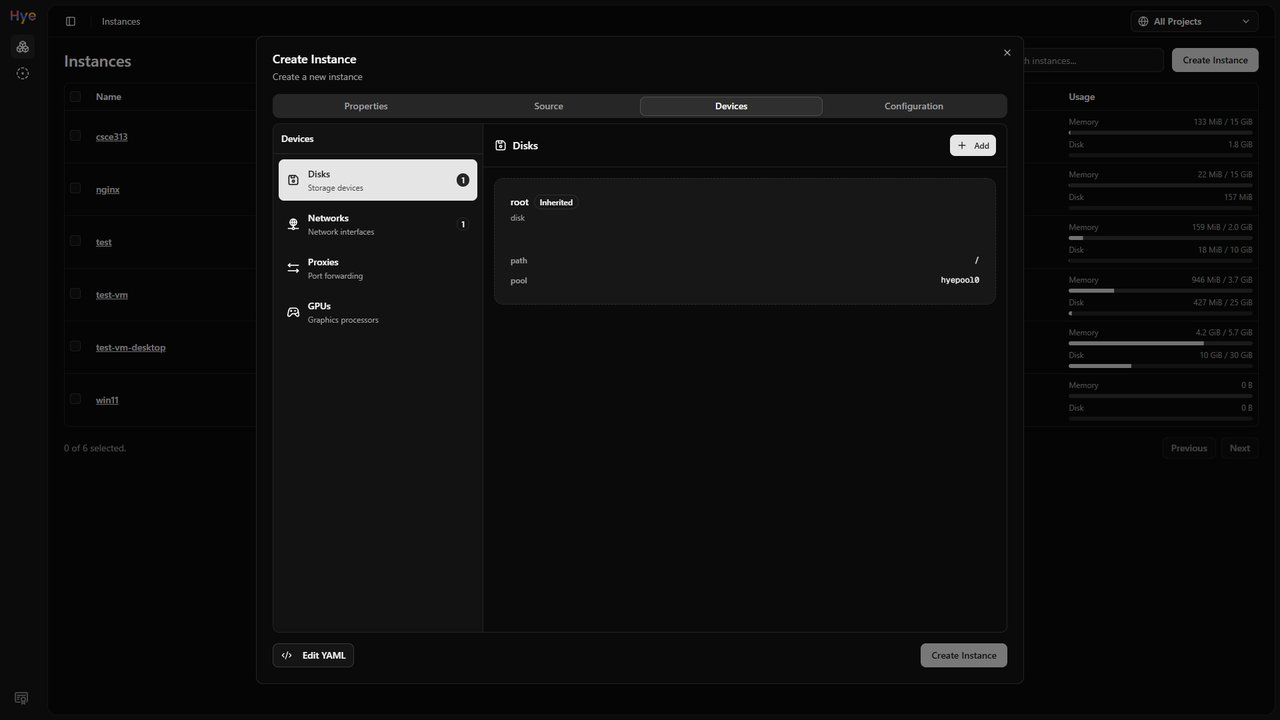
Figure: Hye Ararat, a new web UI native to Incus (April 2026 beta), showing instance list and resource usage on a dark dashboard. You can drive an IncusOS host through any UI client that speaks the Incus REST API.
What’s new in the August 2026 builds
Three things have landed since the November 2025 GA that change the experience:
- Hye Ararat web UI. A new community-built UI (introduced April 2026) is purpose-built for Incus and is the first third-party client to feel native rather than like a Proxmox skin.
- Incus 7.0 LTS reached general availability in May 2026, and IncusOS stable has been tracking it weekly. The 7.0 LTS ships with minio replaced by a built-in S3 listener, low-level backup API, and storage-pool project restrictions.
- Operations Center clusters now deploy Terraform/OpenTofu artifacts. If you ever wanted to declare your homelab cluster in HCL, this is the path.
For users still on earlier builds, the docs upgrade notes cover in-place A/B update cadence — at least one stable build per week, automatic check every six hours, and the staged update only applies on next reboot so running workloads are not interrupted.
Verdict: who should try it
If you are a homelabber with one or two existing Proxmox nodes and a stable workload, the migration cost probably outweighs the benefits — Proxmox is fine, and IncusOS’s appliance model gives up flexibility in exchange for reproducibility.
If you are about to stand up a new cluster, want to run containers and VMs from a single API, or have ever lost a node to a half-applied upgrade, IncusOS 2026 is the most opinionated, least-surprising base you can put them on. The customizer is forgiving, the API is the same one every Incus install already uses, and the bit-for-bit guarantee means your “fleet” really is a fleet.
Official resources:
- Project home: https://linuxcontainers.org/incus-os/
- Getting started: https://linuxcontainers.org/incus-os/docs/main/getting-started/
- ISO customizer: https://incusos-customizer.linuxcontainers.org/
- Source: https://github.com/lxc/incus-os
- Image server: https://images.linuxcontainers.org/os/
Comments