
title: “How to Use Yazi With fd on Linux (2026 Guide)”
date: 2026-09-04
categories: [“Linux Software”]
tags: [“Yazi”, “fd”, “Terminal”, “File Manager”, “Rust”, “Linux Software”]
If you live in the terminal and you’ve felt the friction of typing find . -type f -name "*.ts" -not -path "*/node_modules/*" just to locate a config file, Yazi + fd is the modern replacement. Both are written in Rust, both are MIT/Apache-2.0 dual-licensed, and — the part most blog posts skip — Yazi ships with fd integration out of the box. You don’t need to wire anything up: install both, press / inside Yazi, and your searches are powered by fd with no extra configuration.
The current versions at time of writing: Yazi v26.9.1 (Sep 2026) and fd v10.5.0. Both move fast; both have stable APIs that haven’t churned in over a year. This guide covers installation on Debian/Ubuntu, Fedora, and macOS, then walks through the actual search/filter workflow inside Yazi, plus a frank look at when plain find is still the right tool.
What you actually get with Yazi
Yazi (Japanese for “duck”) is a terminal file manager written in Rust, MIT-licensed, with a few properties that matter in practice:
- Async I/O everywhere. File listings, previews, and copy/move jobs all run on a Tokio runtime. Copying a 10 GB directory doesn’t freeze the UI.
- Built-in image preview via the Kitty graphics protocol, iTerm2 inline images, Sixel, and Überzug++/Chafa fallback. Works in tmux, works in Zellij, works in plain terminals.
- VFS layer that handles local files, SFTP, archives, and custom providers without you thinking about it. Open a
.tar.gzand you cancdinto it like a folder. - Concurrent plugin system in Lua, plus a package manager (
ya) that installs plugins and themes by name. - Native integration with
fd,ripgrep,fzf, andzoxide. This is the angle for the rest of this article.
Yazi is honest about being “public beta, can be used as a daily driver, expect breaking changes.” As of v26.9.1 it is stable enough to ship on a workstation, but read the migration notes when upgrading across a minor version.
What fd brings to the table
fd is the Rust rewrite of find that everyone eventually switches to and never switches back from. Apache-2.0/MIT, written by the same sharkdp who built bat and hyperfine. The pitch:
- Sensible defaults. Recursive search, ignores hidden files and patterns from
.gitignore, case-insensitive by default, regex patterns. - Cleaner syntax.
fd "*.rs"instead offind . -type f -name "*.rs". - Color output that respects your terminal.
- Parallel walking by default — on a 4-million-file home directory,
fdis roughly 13× faster thanfind -inamefor the same query.
The one thing it can’t do is portable POSIX. Scripts that need to run on Alpine’s BusyBox, macOS’s BSD find, or some ancient AIX need find. For interactive use, fd wins.
Figure: AI-generated comparison of find vs fd syntax. Real screenshots were unavailable at time of writing.
Install fd first
Yazi shells out to fd, so install it before Yazi. The fastest paths:
Debian / Ubuntu
sudo apt install fd-findThe Debian package binary is called fdfind (the plain fd name is taken). Symlink it so Yazi (and your muscle memory) can use fd:
sudo ln -s $(which fdfind) /usr/local/bin/fdVerify:
fd --version
fd "*.toml" ~/projects | head
Fedora / RHEL
sudo dnf install fd-findHere the binary is already named fd — no symlink dance.
macOS
brew install fdOther paths
- Arch —
pacman -S fd(binary isfd) - Nix —
nix-env -i fd - From source —
cargo install fd-find(requires Rust ≥ 1.90) - Static binaries — grab the
muslarchive from the fd releases page for portable, no-dependency runs.
One thing to know: fd by default skips hidden files, .gitignore patterns, and the .git/ directory itself. If you want everything, add -u / --unrestricted. This matters inside Yazi — see below.
Install Yazi
Yazi ships an official APT repo for Debian/Ubuntu as of v26.8.15, which is the cleanest install path:
Debian / Ubuntu (official APT repo — recommended)
curl -fsSL https://download.opensuse.org/repositories/home:/sxyazi/Debian_Unstable/Release.key
  | sudo gpg --dearmor -o /etc/apt/keyrings/yazi.gpg
echo "deb [signed-by=/etc/apt/keyrings/yazi.gpg] https://download.opensuse.org/repositories/home:/sxyazi/Debian_Unstable/ /"
  | sudo tee /etc/apt/sources.list.d/yazi.list
sudo apt update
sudo apt install yazi
Fedora / RHEL
sudo dnf install yaziArch / Manjaro
sudo pacman -S yazimacOS
brew install yaziCargo (any distro, any platform)
cargo install yazi --lockedAfter install, yazi is on $PATH. Launch it from any directory:
cd ~/projects && yaziFirst-launch sanity check: press ~ to open your home directory, then / to start a search.
The search workflow that actually matters
Inside Yazi, the keys you care about are:
| Key | Action |
|---|---|
/ |
Incremental search in the current directory (powered by fd) |
s |
Search and jump to the first match (powered by fd or ripgrep) |
f |
Filter the current view by a substring |
Ctrl+R |
Refresh the current view |
: then cd <path> |
Switch directory with zoxide auto-completion |
The s and / keys both call out to fd by default — that’s the integration. The relevant config lives in ~/.config/yazi/yazi.toml:
[search]
fd_cmd = "fd"
fd_args = ["--hidden", "--no-ignore"]
ripgrep_cmd = "rg"
With the above, /foo becomes fd --hidden --no-ignore foo under the hood — no .gitignore filtering, hidden files included. Drop --no-ignore if you want Yazi to respect .gitignore and skip node_modules, target/, .venv, etc.
Incremental search, step by step
- Open Yazi in a noisy project:
yazi ~/projects/some-monorepo. - Press
/. The status line at the bottom showsfd>. - Type
migrations. As you type, Yazi walks the tree withfdand updates the list — every match appears, every non-match disappears. - Press
Enterto commit,Escto cancel and return to the unfiltered view.
This is the killer workflow. With find, you’d either get a flat dump (find . -name migrations | less) or a find ... -exec vim {} + hack. With Yazi + fd, you stay in the TUI, you preview as you go, and you can act on a result (Enter to cd, o to open, Space to multi-select).

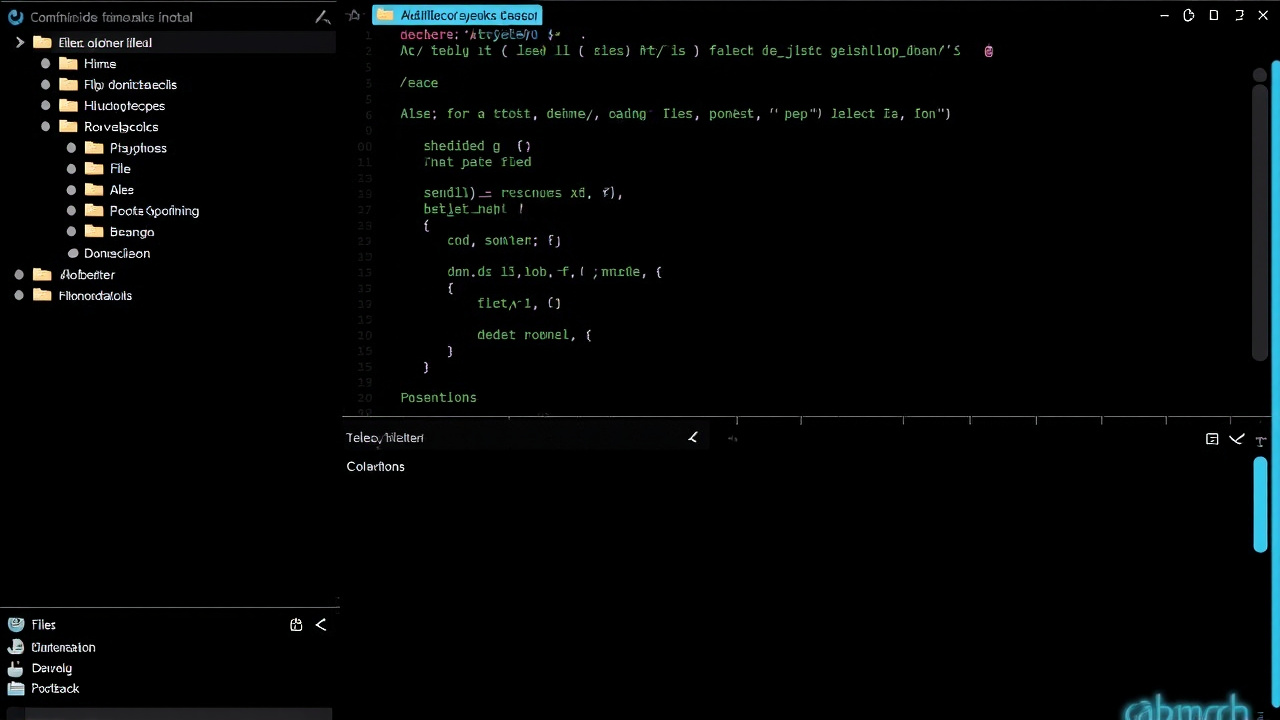
Figure: AI-generated illustration of fd-powered search filtering a directory tree inside a terminal file manager.
Jump-to-file with s
Press s and type package.json. Yazi jumps directly to the first match, highlights it, and shows a preview in the right pane. Press n to jump to the next match, N to the previous. This is what you used to do with find . -name package.json | fzf or fzf‘s Ctrl+T — but it stays inside Yazi.
If your monorepo has 50 package.json files, s + Enter + n + n + n is faster than any external fzf invocation.
Two Yazi plugins that pair well with fd
Yazi’s package manager (ya) installs Lua plugins by name. Two that lean on fd:
fd-nya.yazi — toggle fd args from the UI
ya pkg add yazi-rs/plugins:fd-nyaAdds a status-line toggle to switch fd between ignore-aware and unrestricted on the fly. Useful when you’re in a code repo and suddenly need to see .env.local or .git/config.
git.yazi — git status overlay (uses fd under the hood)
ya pkg add yazi-rs/plugins:gitShows modified/untracked badges next to each file. Internally uses fd --hidden --no-ignore . <path> to walk the tree. If you do dev work in Yazi, this plugin plus fd is the combo you actually want.
After adding a plugin:
ya pkg updateWhen plain find is still the right tool
fd is faster and friendlier, but there are real cases where find wins:
- Portable scripts. Anything you ship as a Dockerfile, a Makefile recipe, or a CI step needs to work on systems where
fdisn’t installed.find -print0 | xargs -0 ...is universal. - The
-newer,-mtime,-prunefamily. If you need “files modified in the last 7 days” or “everything under/etcexcept/etc/ssh“,find‘s primitives are battle-tested and well-known.fdhas equivalents (--changed-within,--max-depth,--exclude) but they’re less commonly documented. - Filesystem-level queries.
find -inum,find -samefile,find -mount— anything that walks inodes or reflinks —fddoesn’t model. - System administration.
sudo find / -perm -4000for SUID enumeration,find /tmp -atime +30 -deletefor cache cleanup — these arefind‘s home turf, and admins know them.
The honest rule: use fd interactively, keep find for scripts.
Putting it together — a 30-second workflow
Drop into a messy repo and find a config file in 30 seconds:
cd ~/projects/big-monorepo
yazi                          # launch Yazi
# press '/', type 'tsconfig', watch fd filter live
# press 's', type 'tsconfig.json', Enter to jump to first hit
# press 'n' to jump through matches
# press 'Enter' on a hit to cd into it, or 'o' to open with $EDITOR
No mouse, no cd commands, no find | less pipelines. That’s the entire reason Yazi + fd is a worthwhile combo in 2026.
Where to go next
- Yazi’s official docs: https://yazi-rs.github.io/docs/installation
- The “Why is Yazi Fast?” article: https://yazi-rs.github.io/blog/why-is-yazi-fast
fdbenchmarks vsfind: https://github.com/sharkdp/fd#benchmark- Yazi plugin index: https://github.com/yazi-rs/plugins
- If you outgrow Yazi and want a graphical TUI, look at
superfileorlfnext. They don’t havefdintegration out of the box but they’re solid fallbacks.
Install both, try the / key inside Yazi, and the rest writes itself.
Comments