
title: “Choosing a Chinese-Made Desktop Linux: Deepin vs openKylin vs Tongwandou (ATZ) — Which One Fits an Everyday User?”
date: 2026-05-03
categories:
- operating-system
tags: - deepin
- openkylin
- tongwandou
- chinese-linux
-
distro-comparison
I’ve been tinkering with something the last couple of days.
I wanted to reinstall an old laptop. Windows 10 had just hit end-of-support, and Microsoft’s message couldn’t be clearer — upgrade to 11 or buy new hardware. So I figured, why not use this as a chance to actually try a homegrown Chinese Linux distribution end to end.
And then I fell down a rabbit hole.
Honestly, the Chinese desktop Linux space is a lot more complicated than I expected. Even just looking at the mainstream picks, you get lost immediately — Deepin, openKylin, Tongwandou (ATZ) Linux, each one has its cheerleaders, each one claims to be made for “everyday users,” but go look it up online and most articles are frustratingly vague about who exactly each one is for and how it’s a fit.
So I downloaded them myself, installed them one by one, and used them in turn. This article is my actual, lived experience after going through all that.
Let me just put the conclusion up front: these three systems are aimed at completely different audiences. It’s not a matter of which one is “better” — it’s a matter of who you are.
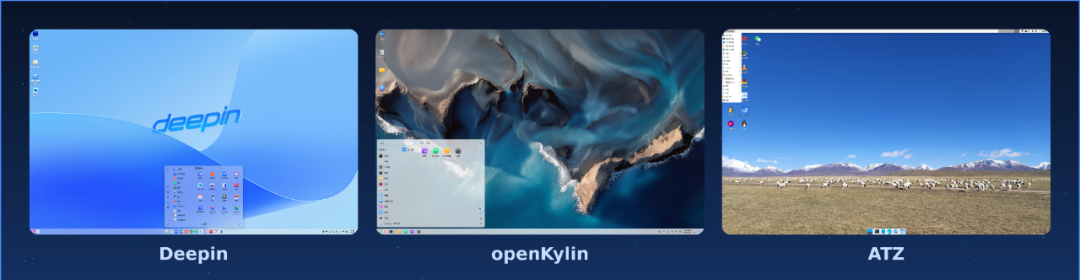
Deepin
Let’s start with Deepin, because it’s the one people most often misunderstand.
The first time you see Deepin’s desktop, you genuinely do a double-take.
That desktop — the DDE environment — is on the shortlist for the best-looking Linux desktops out there, full stop. The animation in the taskbar, the design of the control center, the quality of font rendering — line it up next to macOS and an average person can’t necessarily tell which is which on first glance. That’s remarkable in itself, because Linux on the desktop has long had a reputation of “it works, but it looks rough,” and Deepin shatters that stereotype.
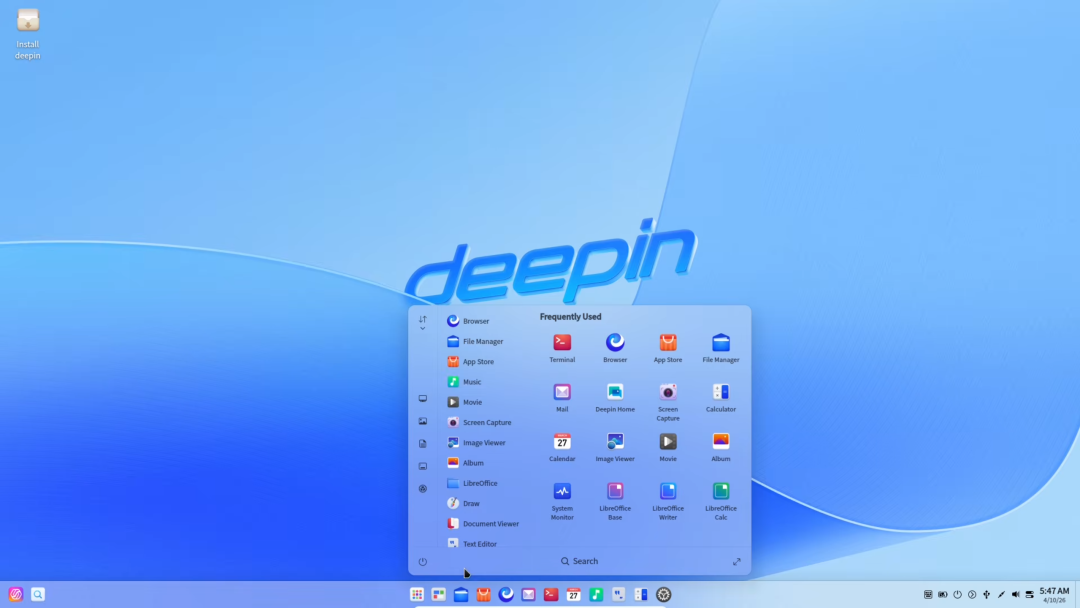
Behind it is Wuhan-based Deepin Technology (武汉深之度) and over a decade of accumulated work. DDE was designed and built from the ground up — not a reskin, not a fork of someone else’s desktop, genuinely original engineering. The work has since even been ported to other distributions like Arch and Fedora, and it’s held in high regard in the Linux communities outside of China too.
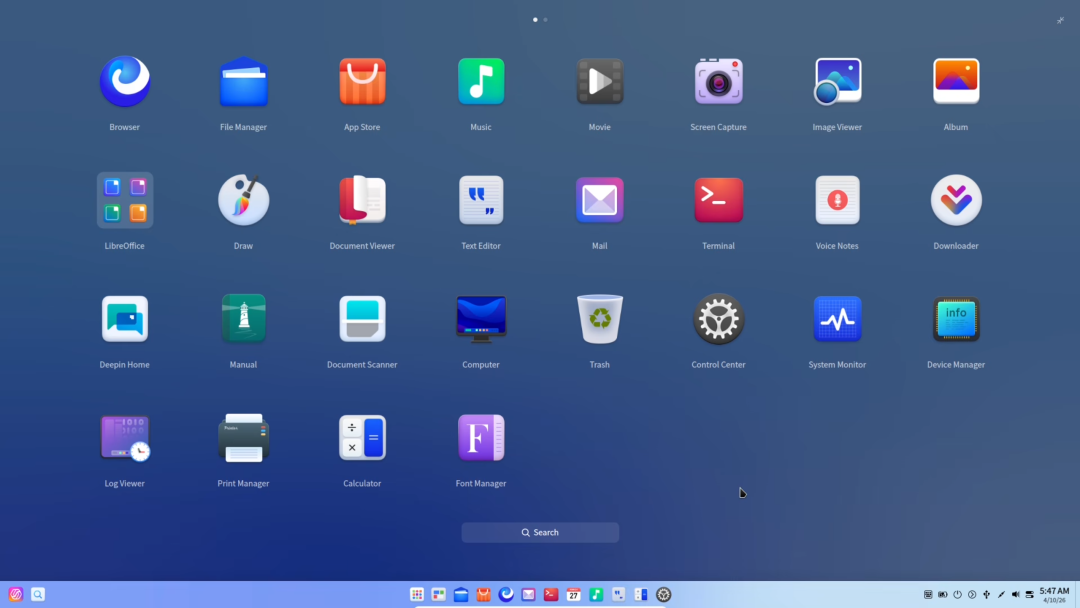
Deepin 25, released officially in 2025, layered on a lot more on top of that. The Windows-application compatibility engine is at V3.4 now — you can double-click a .exe and a lot of common Windows software actually runs. The app store maintains more than 4,000 packages. Chrome and Edge are both there, and WPS, of course. There’s also a “Panshi (磐石) system” design that gives you snapshot-and-rollback-style system protection while still using it as your main OS — a forward-thinking idea.
And then you run into the catch.
Deepin moves fast and ships a lot of new features, but the stability sometimes makes you wince. This isn’t only my impression — many long-time Deepin users have said it. Running Deepin in a production environment means keeping your eyes open. You occasionally hit odd problems — a driver that stops working out of nowhere, UI animations that drop frames badly on lower-end GPUs.
The way I’d describe Deepin is this: it’s like a very talented young designer. The work is stunning, but every so often you find rough edges in the details.
So who is Deepin for?
It’s for users who already know Linux a bit, who don’t mind tinkering, and who care a lot about how their system looks and feels. If it’s your first time touching Linux, Deepin isn’t actually that hard to pick up — the interface logic is intuitive — but you need to be ready to do some googling when things go wrong.
If you just want something rock-solid that boots up and is usable without any fuss, Deepin probably isn’t your best pick.
For more details, see: Deepin Linux: A Beautiful, Easy-to-Use, Secure, and Reliable Chinese-Made Desktop OS
openKylin
Then there’s openKylin — likely the most underrated of the three.
openKylin comes from solid parentage. It’s backed by Kylin Software (麒麟软件) and has state-level backing. It’s the first open-source desktop OS “root community” in China, and the first version shipped in 2022.
The idea of a “root community” is interesting on its own: it means building, inside China, a Linux ecosystem foundation that doesn’t depend on any foreign distribution — kernel, desktop, package repository, the whole stack, owned end-to-end locally. The ambition is huge; the reality is still catching up.
openKylin 2.0 ships the Linux 6.6 LTS kernel and uses the UKUI desktop environment, which Kylin developed in-house. The style leans toward traditional Windows — taskbar at the bottom, start menu in the lower-left corner. Anyone migrating from Windows will feel at home almost immediately, with effectively zero adjustment time.
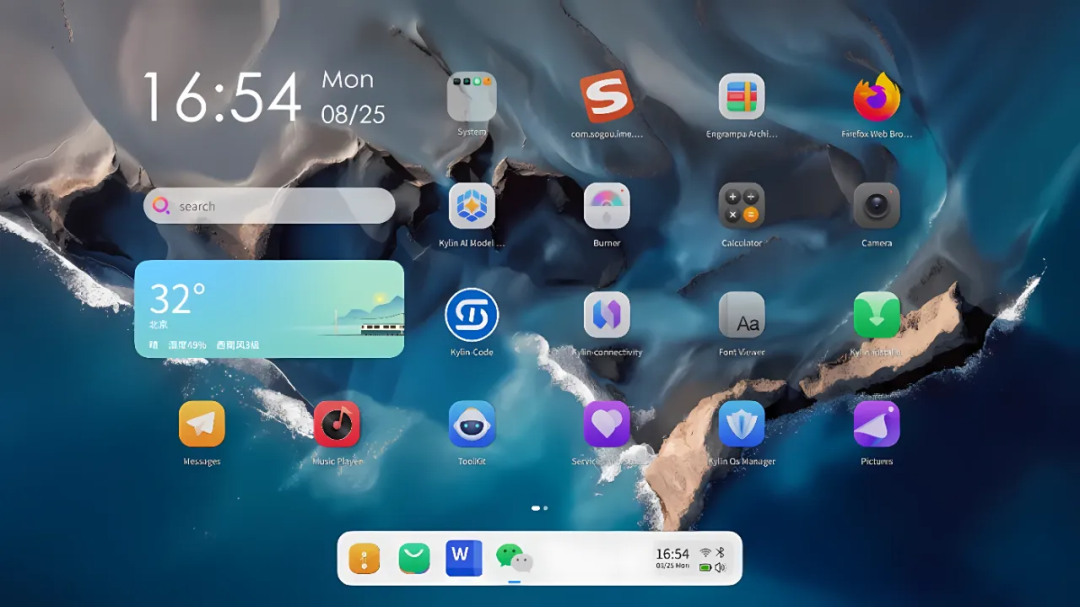
When I installed it, my first impression was that this system felt “steady.” Not steady in an impressive way — steady in an unsurprising way. Nothing is going to delight you, nothing is going to shock you. The interface isn’t as polished as Deepin’s, but everything’s where you’d expect to find it. Open the file manager, connect to Wi-Fi, adjust the volume — everything just works on the first try without any awkwardness.
Someone in the openKylin community pointed out a useful detail: if your old laptop only has 8 GB of RAM or less, it’s worth switching to the xfce4 desktop — resource usage drops significantly. That’s the kind of practical advice that tells you the community is genuinely thinking about lower-end hardware, not just chasing benchmarks.
openKylin 3.0 is in development right now, and from what I hear there are big upgrades to the desktop effects and a DeepSeek-powered AI assistant baked in. Following the AI wave at this point in time, at minimum, shows the team is paying attention to the market.
But openKylin has one clear weak spot: the software ecosystem isn’t as strong as Deepin’s. Installing WPS can have hiccups, some everyday Chinese software isn’t as well integrated as it is in Deepin. It’s getting better with each release, but right now the gap is real.
So who is openKylin for?
It’s for users who want a Chinese Linux but care strongly about stability, and for organizations that need to deploy Linux but want state backing and long-term maintenance to back them up. For individual users — if you’re coming over from Windows, you don’t know much about Linux, and you just need everyday browsing and office work — openKylin’s onboarding is probably the smoothest of these three.
For more details, see: openKylin — A New Starting Point for Chinese Open-Source Desktop Linux
ATZ (Tongwandou)
Tongwandou Linux is the most distinctive of the three — and also the most often misunderstood.
When most people first hear about “Tongwandou Linux,” they’re a bit puzzled. Where did this come from?
Tongwandou Linux is a Debian-based Chinese-language Linux distribution maintained by an independent Chinese developer, Xiao Shengwen (肖盛文). It’s not a company product, not a government project — it’s the work of one person (plus community contributors).
The core idea is straightforward: Debian is a really excellent Linux distribution, but as soon as you finish a fresh install, you still have to find and install, one by one, all the Chinese-user staples — QQ, WeChat, WPS, Chrome, Tencent Video, the various domestic tools. That’s a lot of work. Tongwandou solves that pain point: it takes Debian and pre-curates the Chinese-software stack into a single repository, so a fresh install gives you everything in one go and saves you hours of custom configuration.
The repository is comprehensive — linuxQQ, WPS, Chrome, Edge, Opera, IPTV clients, input methods, and even more niche tools like Typora and Google Earth. The day-to-day stuff a Chinese user actually needs is essentially covered.
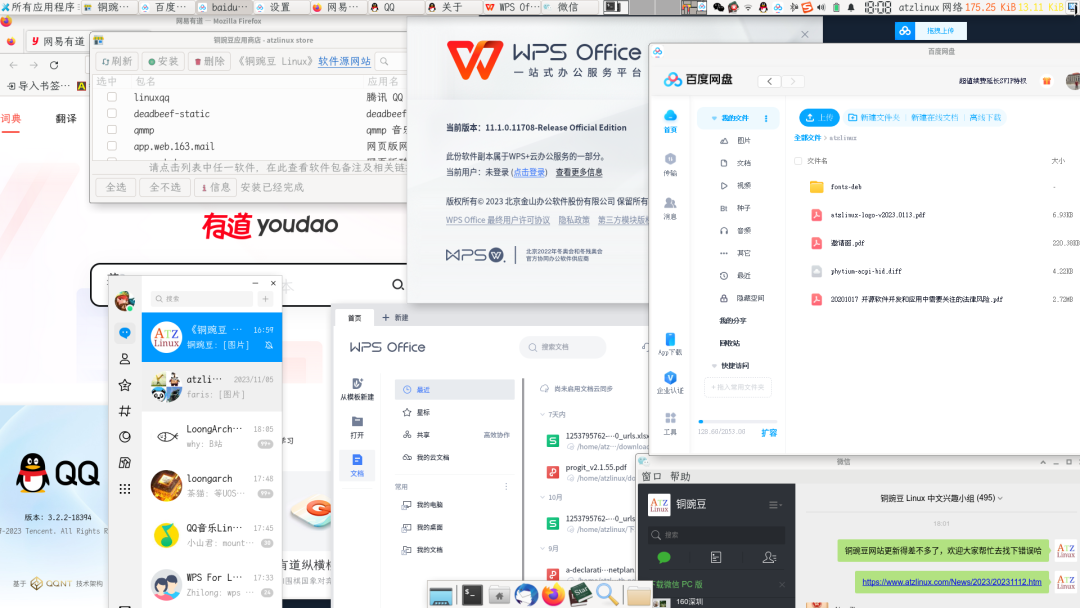
I tried it, and the install experience was better than I expected. The Debian foundation is rock-solid, and what Tongwandou is really doing on top is “give you the Chinese software you’re going to need, ready to go.” There’s no flashy polish, but the essentials are all there.
But there’s one important caveat: Tongwandou Linux has the highest technical barrier of the three. You choose between GNOME, KDE, Xfce, and a few other desktops, and the install process assumes you know at least the basics of Linux. When something breaks, you need to be able to drop into a terminal and troubleshoot. This isn’t a “foolproof” system — it’s a “save time for people who already know the ropes” system.
A developer on V2EX said Tongwandou was the best Linux for him, because it sits on Debian’s stability while solving the Chinese-software-ecosystem pain point — no more rebuilding the same set of customizations after every fresh install. That assessment feels accurate to me.
So who is Tongwandou for?
It’s for users who already have Linux experience, are comfortable with the command line, and want a stable, clean system with a complete Chinese software stack. Developers, engineers, or people who have used Ubuntu/Debian for a while and just want a more turnkey Chinese-optimized alternative — they’ll probably love Tongwandou.
If you’re new to Linux, Tongwandou isn’t your starting point.
For more details, see: ATZ Linux (Tongwandou Linux) — A Debian-Based Chinese Desktop Linux Tailored for Chinese Users
So, How Do You Choose a Chinese-Made Desktop Linux?
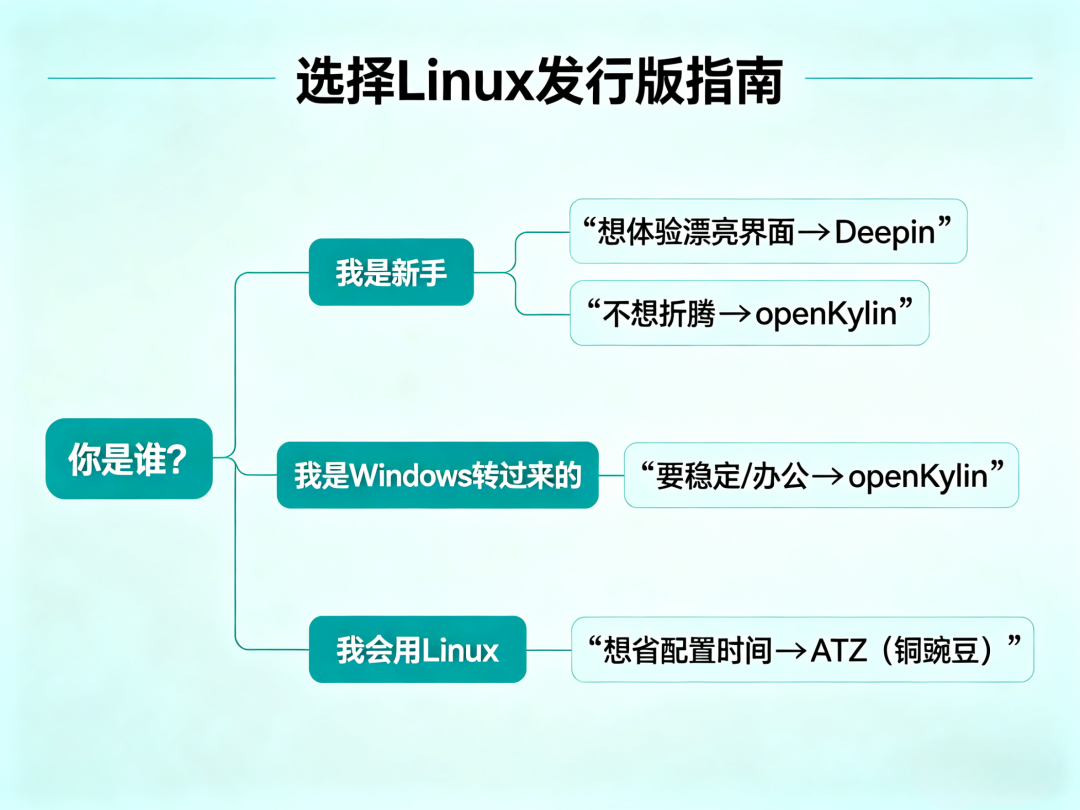
For me, in the end, the choice was openKylin — because that old laptop is mainly for writing and document work, and stability matters more to me than aesthetics. openKylin’s UKUI desktop gave me basically zero adjustment cost.
But my pick doesn’t generalize. These three systems are aimed at different needs in the first place.
To be fair: if you’re coming to Linux for the first time and you want to feel what a Chinese-made system is like, Deepin is the best entry point. That interface will genuinely surprise you — “Linux can look this good?” — and that first impression matters. If stability is what you care about, or you need a system with long-term maintenance behind it, openKylin is the safer choice. If you’re already a Linux veteran and you want Debian’s foundation with a complete Chinese software set, Tongwandou will feel like home.
One thing I think is worth saying: all three of these projects are taking the work seriously when measured against the global Linux ecosystem. Deepin’s DDE is recognized internationally. Tongwandou’s repository solves a real pain point. openKylin is trying to build a real foundation for a Chinese-Linux stack. Their respective shortcomings are also real, not just talk.
The Chinese Linux road is still a long one — but at the very least, it’s been started.
If you made it this far and found this useful, feel free to like, favorite, and share. If you want updates as I publish more, you can subscribe — see you next time.
Comments