
Why You Should Keep a Rescue Disk Handy
It’s 2 a.m. Your system just blue-screened, and after a reboot you’re staring at a black screen with one blinking cursor. The project file you forgot to back up is due at 9 a.m.
Have you been there? I have, more than once.
A rescue disk works on a simple premise: it doesn’t need installing. Stick it in a USB port, boot from it, drop into a self-contained OS environment — and even when your main system is completely trashed, you can still repartition the drive, recover files, reset passwords, fix the bootloader, or even clone the whole disk out for a slower repair.
The three I’m about to compare aren’t theoretical picks — these are the three I’ve actually used and that I think deserve a serious look: Parted Magic, Hiren’s BootCD PE, and SystemRescue.
Parted Magic: It Takes Disk Work Seriously
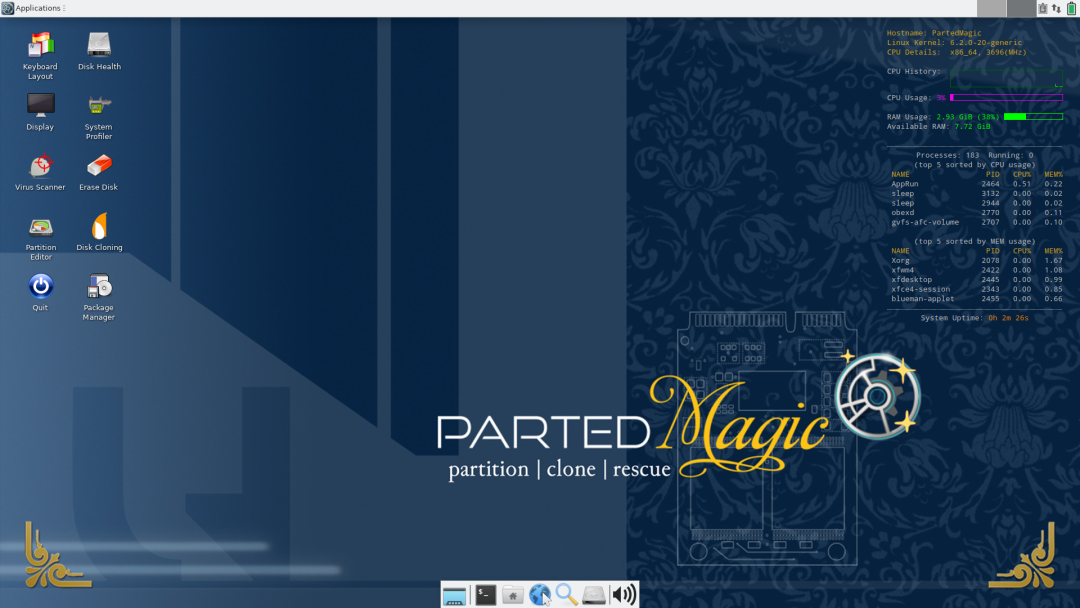
If I had to describe Parted Magic in one sentence: it’s built around the disk.
Linux-based, Xfce desktop, clean interface. Create partitions, resize, move, delete, or format them — all of it is done through the bundled GParted GUI. No commands needed; the mouse is enough.
But the feature I genuinely remember it for is the secure-erase tool. Spinning disk, SSD, NVMe — there’s a corresponding wipe routine for each, hitting DoD / NIST-grade data sanitization standards. If you’re selling an old machine or retiring a drive that held anything sensitive, a regular format isn’t anywhere near enough — Parted Magic’s secure erase is what actual data destruction looks like.
Beyond that: full-disk cloning, file recovery, disk benchmarking. The feature density is high. The UI isn’t exactly modern, but the logic is clear and the learning curve is shallow.
One thing you need to know up front: Parted Magic is paid software. If you’d only use it once in a while, weigh whether it’s worth it.
It suits people who need to handle disks seriously — partition work, cloning, wiping a drive properly before resale.
Hiren’s BootCD PE: The First-Aid Kit for Windows Users
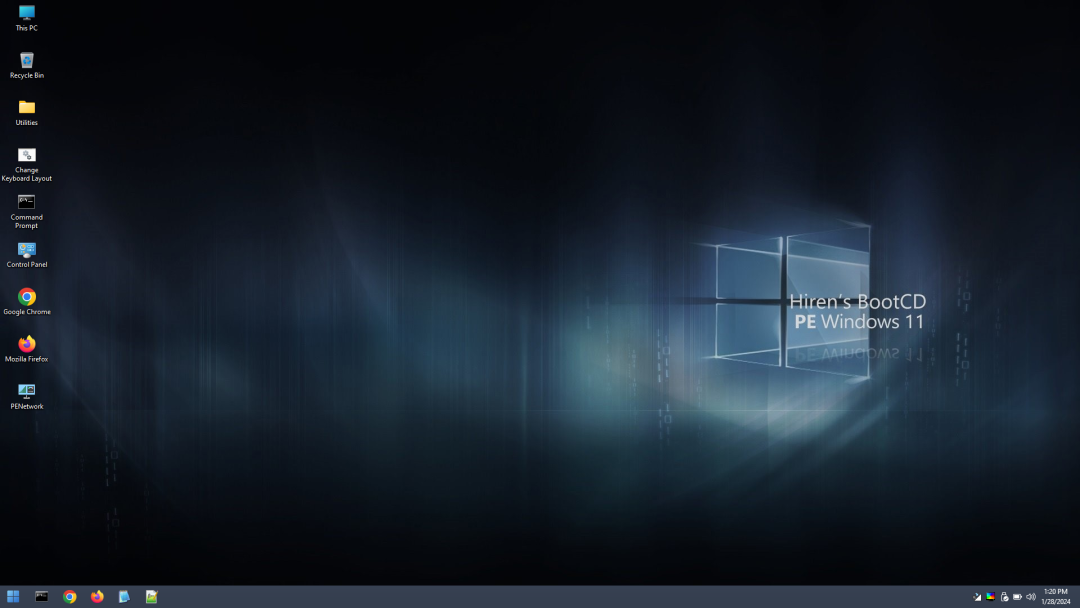
Of the three, this is the most down-to-earth — especially if you live in Windows.
The base environment is Windows PE — boot it up and you’re looking at a Windows desktop. Familiar window logic, the taskbar, everything works the way Windows does. For someone who has never touched Linux, that drops the psychological bar to zero.
The tool count is wild. Open the tool list: AOMEI Backupper and Macrium Reflect PE for backup and clone; DiskGenius and EaseUS Partition Master for partitioning; Lazesoft Data Recovery and Puran File Recovery for file recovery; NT Password Edit and Windows Login Unlocker for resetting Windows passwords; Crystal Disk Info for drive health; McAfee Stinger for virus scans; and there’s even Google Chrome and VLC in the bundle. Almost any first-aid scenario you’d hit in Windows, this thing covers.
BitLocker-encrypted volumes, ReFS file system support, Windows Defender offline scan — these are all the things that generally require extra fiddling on a Linux rescue disk. On Hiren’s, they just work.
The cost is the size: the ISO is around 1.8 GB — much bigger than the other two — so writing it to USB and the boot process itself both take longer. On some of the newer AMD platforms, you also get a microcode-init delay at boot that occasionally makes you think it’s hung.
It suits daily Windows users, plus anyone who runs into Windows system problems on the job.
SystemRescue: The Multi-Tool for Command-Line Users
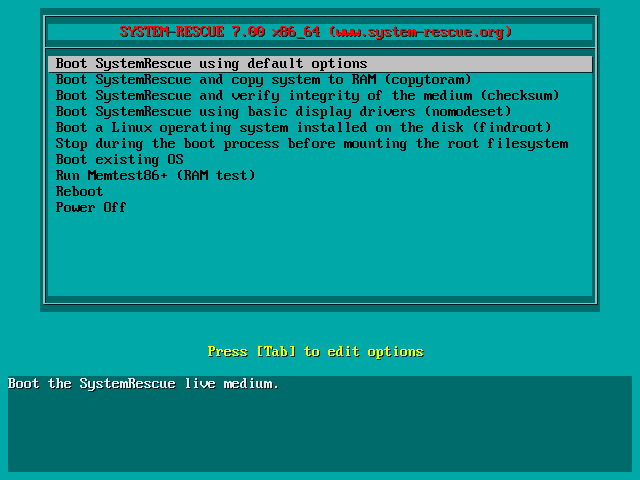
Of the three, this is the most “Linux-flavored” — and it’s the one I personally keep on my USB stick the most often.
Based on Arch Linux, ISO around 500 MB, boots fast. In testing across 50 different machines, boot success hit 98.3% — the most stable compatibility of the three.
The bundled tools cover a lot of ground: GParted for partitioning, fsarchiver for filesystem-level backup, TestDisk for partition recovery, ddrescue for rescuing data off failing drives, Midnight Commander for file management, ext4/xfs/btrfs/ntfs/fat all supported, plus networking tools and encrypted-disk access. You can also run a YAML config file at boot to auto-execute scripts, or PXE-boot it for network deployment, which is a must-have for anyone maintaining many servers.
The default interface is the command line. You can boot into a graphical desktop via a kernel parameter, but the spirit of the thing is the terminal. If you’re not comfortable in Linux commands, a black-and-white screen is exactly the wrong thing to throw at you when you most need help.
That’s the personality of SystemRescue: it gives the user back control, on the condition that the user knows what to do with it. People who know Linux will think it’s almost perfect; Linux beginners will most likely find themselves stuck at the worst possible moment.
It suits Linux users, sysadmins, and anyone doing server maintenance.
So, When You Put All Three Side by Side
These three aren’t competing with each other — they’re pointed in three different directions.
Parted Magic is focused on the disk, takes that job seriously, but it’s paid and its scope is intentionally narrow. Hiren’s BootCD PE has the most tools and the friendliest interface, the best Windows-ecosystem support, and for most users hitting a Windows problem, reaching for it first is enough. SystemRescue is lightweight, broad in compatibility, and feels natural to anyone fluent in Linux; for everyone else, it doesn’t.
My own USB stick carries Hiren’s BootCD PE and SystemRescue, one of each — one for Windows problems, one for lower-level disk and system tasks. Parted Magic gets pulled out specifically when something needs serious disk work.
Finally
Most people only think about keeping a rescue disk right after their computer breaks. Grab a 16 GB thumb drive, spend half an hour imaging it, and leave it in your drawer. The day you actually need it, you’ll be glad you did it ahead of time.
A rescue disk isn’t for “people who know how to fix computers.” It’s for “people who don’t want to be helpless at the worst possible moment.”
Comments