
To be honest, I’ve always had one regret:
Linux has so many excellent terminal AI agents, but what about GUI applications?
My parents don’t know how to open a terminal. My colleagues don’t want to touch the command line to write documents.
Don’t Linux desktop users deserve a nice-looking AI chat window?
—Of course they do.
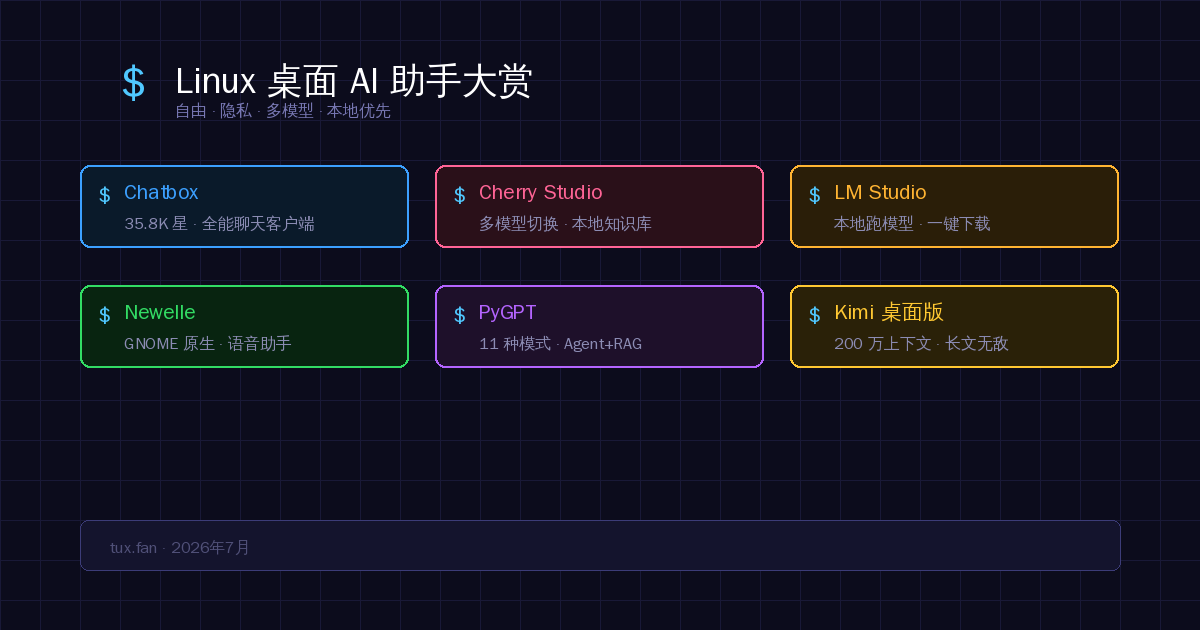
In 2026, Linux desktop AI applications have become quite mature. From multi-model chat clients, to local model runners, to native GNOME assistants — whatever you want, it’s available.
1. Multi-Model Chat Clients
If you want a unified GUI on Linux where you can switch between GPT, Claude, Gemini, and local models at any time — this section is for you.
1. Chatbox — Community Favorite, 35.8K ⭐
In a word: A Linux alternative to the ChatGPT desktop app, but more powerful.
Chatbox is the most popular cross-platform AI desktop client on GitHub. It packs all major large language models into a beautiful window, ready to switch at any moment:
- Supports GPT-4, Claude, Gemini, Ollama, local models, and more
- Upload PDF, DOC, PPT, images — AI understands and responds to the content directly
- AI Drawing: Describe with text and generate images
- Code features: Code generation, syntax highlighting, review, refactoring
- Multi-threaded conversation management, quick shortcuts
- Native Linux support — .deb / AppImage / Snap all available
Perfect for those who want to use everything without switching between tools.
2. Cherry Studio — Premium Chinese Product, Beautiful Design
In a word: If you care about UI design and privacy, pick this one.
Cherry Studio is the work of a Chinese developer and has gained significant traction on GitHub. Its standout features are local data priority and multi-model collaboration:
- Local data storage: Conversations and knowledge bases stored locally, privacy under your control
- Personalized knowledge base: Import documents and do Q&A based on your business materials
- Built-in assistant library: Dozens of preset roles and templates, ready to use
- AI Translation + AI Drawing, full feature set
- Cross-platform, native Linux experience, polished interface
Ideal for users who want a great interface and care about data privacy.
2. Local Model Runners
Don’t want to go online? Don’t want to send data to the cloud? This section is for you.
3. LM Studio — The First Choice for Local Models
In a word: Run AI on your own computer — free, offline, private.
LM Studio is the best GUI tool for running local large models on Linux. You don’t need to know the command line or set up a Python environment:
- GUI-based one-click download of open-source models (Llama, Mistral, Qwen, DeepSeek, etc.)
- Automatically uses GPU acceleration for fast inference
- Fully offline, no internet needed, data never leaves your computer
- Built-in chat window, experience similar to ChatGPT
- Supports OpenAI-compatible API, so other tools can connect to it as a backend
Ideal for users with privacy requirements or who don’t want to pay for APIs.
Summary of the local solution: LM Studio (GUI frontend) + Ollama (model management backend) — the golden combination for local AI on Linux.
3. GNOME Native AI Assistants
4. Newelle — GNOME Desktop’s Soulmate
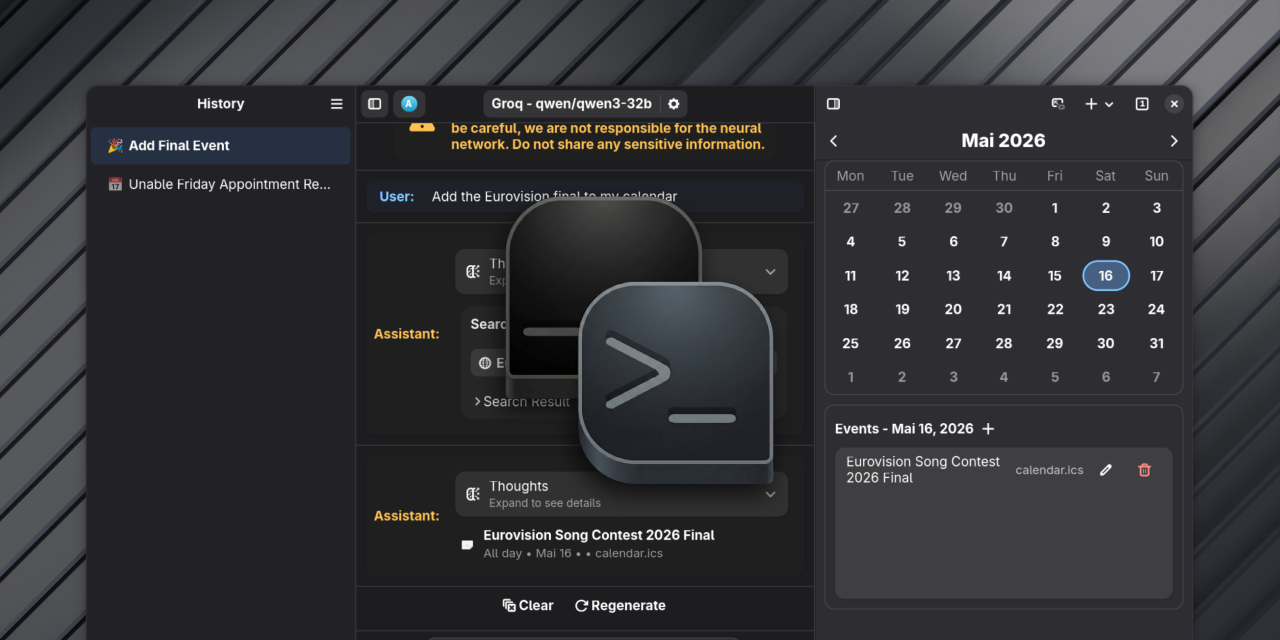
In a word: Looks like a system-built app, deeply integrated into the GNOME desktop.
Newelle is an AI virtual assistant built specifically for the GNOME desktop. It’s not Edge’s sidebar, not a Chrome extension — it’s your Linux desktop’s Copilot:
- Voice conversations: Supports Speech-to-Text and TTS, truly “talking” interaction
- Terminal command execution: Let AI run commands for you (with optional confirmation)
- File management: Built-in file manager, AI helps organize files
- Drag-and-drop document chat: Drag PDFs and TXTs directly in to ask questions
- Long-term memory: Remembers context across sessions
- Extension system: Can integrate with Stable Diffusion for image generation
- Profile management: Different configurations for different scenarios, one-click switching
Install: flatpak install flathub io.github.qwersyk.Newelle
Perfect for GNOME users, those who want voice interaction, and those who want AI integrated into their desktop rather than opening a browser.
4. All-in-One Desktop AI
5. PyGPT — The Most Feature-Rich, Bar None
In a word: If your needs go beyond chatting and you need Agents, RAG, automation — PyGPT is the end of the road.
PyGPT is the most comprehensive desktop AI application, period. It’s not just a chat client — it’s a complete AI workstation:
- 11 modes: Normal chat, file chat, audio chat, image generation, Assistant API, Agent (OpenAI + LlamaIndex), Expert mode, Autonomous mode…
- Built-in LlamaIndex: Real RAG capabilities for deep conversations with your documents
- Multi-model: GPT-5, Claude, Gemini, Grok, DeepSeek, Ollama, HuggingFace… dozens of models at your fingertips
- Plugin system: Custom tools and functionality
- Short and long-term memory: AI truly “remembers” who you are
Ideal for heavy AI users, those who need Agent workflows, and developers who don’t want to be locked into a single model.
5. Options for Chinese Users
Kimi Desktop (Moonshot AI)
While there’s no official Linux version, the community has an unofficial port (Electron-based) that runs perfectly on Ubuntu/Debian.
Highlight: 2 million Token context, unmatched for processing extremely long documents and codebases. One of the best Chinese language understanding tools domestically.
Install: Download the .deb package from the community port’s GitHub repository.
Doubao Desktop (ByteDance)
Made by ByteDance, smooth Chinese conversations, fast responses, completely free. Focused on chat; limited agent capabilities.
Ideal for light users who mainly consume Chinese content.
Comparison at a Glance
| App | Positioning | Multi-Model | Local Model | Privacy | Rating |
|---|---|---|---|---|---|
| Chatbox | All-purpose chat client | ✔️ | ✔️ via Ollama | Medium | ⭐⭐⭐⭐⭐ |
| Cherry Studio | Beautiful + Privacy-first | ✔️ | ✔️ | High | ⭐⭐⭐⭐⭐ |
| LM Studio | Local model specialist | ❌ | Native | Highest | ⭐⭐⭐⭐ |
| Newelle | GNOME native assistant | ✔️ | ✔️ via Ollama | Medium | ⭐⭐⭐⭐ |
| PyGPT | AI Workstation | ✔️ | ✔️ | High | ⭐⭐⭐⭐⭐ |
| Kimi Desktop | Long Chinese documents | ❌ | ❌ | Low | ⭐⭐⭐ |
| Doubao | Lightweight Chinese chat | ❌ | ❌ | Low | ⭐⭐⭐ |
My Recommendations
Choose based on your actual needs:
- Just want a simple AI chat → Chatbox, hassle-free, full-featured, great Linux support
- Want a beautiful UI + privacy protection → Cherry Studio
- Don’t want to go online, run local models → LM Studio + Ollama
- GNOME user, want voice interaction → Newelle
- Heavy AI user, need Agent workflows → PyGPT
- Processing very long Chinese documents → Kimi Desktop (community port)
- Pure Chinese light usage → Doubao Desktop
But honestly — whichever you choose, it’s a hundred times better than opening ten browser tabs and switching back and forth.
These apps finally give Linux desktop users the same AI experience that macOS and Windows users have. The price of freedom shouldn’t be “no good software available.”
Of course, as a heavy command-line user myself, I still spend most of my time in the terminal using agents. But when I need to recommend AI to my non-programmer friends — those GUI apps above are the best answer.
This article was written with AI assistance. But all recommendations are genuine — I tested each one personally.
Comments