
How to Install SuperTuxKart 1.5 on Linux in 2026
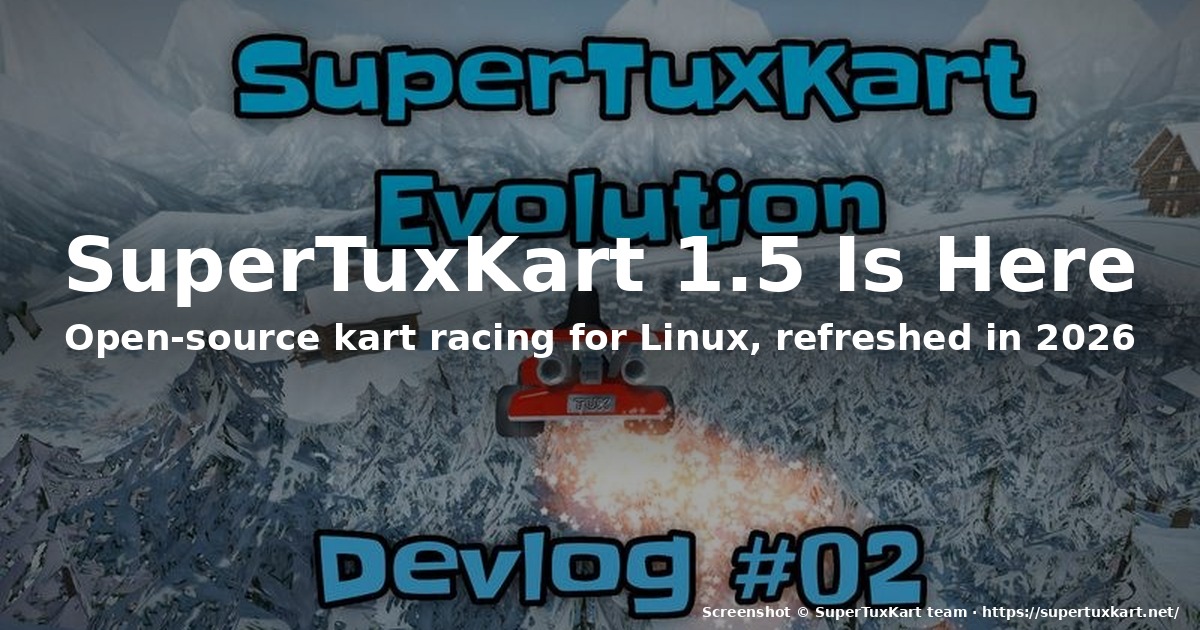
If you have ever wanted a friendly, free, native Linux kart racer that does not depend on Steam, Wine, or a 600 MB launcher just to start a race, SuperTuxKart 1.5 is the answer in 2026. Released on October 20, 2025, the 1.5 build is the first major line refresh in years and the bridge to the upcoming SuperTuxKart Evolution — a full sequel with new powerups, a redesigned collision model, and brand-new tracks like Freytra Peaks.
This guide shows you how to install it on any mainstream Linux distribution, what is actually new in 1.5 versus 1.4, and where the project is heading next.
What is SuperTuxKart?
SuperTuxKart (STK) is a FOSS mascot kart racer in the Mario Kart tradition. You pick an animal or penguin character — Tux, the GNU, the Konqi frog from KDE, the Wilber from GIMP — and race around tracks built from open-source game assets. The game is entirely native on Linux, runs on anything from a Raspberry Pi 4 to a modern discrete-GPU rig, and ships with a story mode, time trials, soccer mode, battle arenas, online multiplayer, and a content browser for community-made mods and tracks.
The project has been quietly maintained for nearly 20 years. The 1.0 release shipped in 2019; since then, the team has been on a slow polish cadence. 1.5 breaks that pattern: it is the largest feature drop since 1.0, and it sets up the codebase for SuperTuxKart Evolution, which the team formally announced in January 2026.
What is new in 1.5
The official 1.5 release post on the SuperTuxKart blog runs through dozens of changes. The highlights that matter most to a Linux player:
- Resizable game window with a new Display tab that consolidates preset window sizes, fullscreen toggle, and camera options. If you have ever launched STK in a tiny window because of an unusual monitor aspect ratio, that is fixed.
- Search bars in the kart/track selectors, a kart-class filter, and a quick-access random-track button.
- A favorites system: heart a kart or track and it auto-sorts to the top.
- x16 anisotropic filtering on all but the lowest graphics preset. The blog says this costs only 1–2% of FPS and eliminates the blur of x2/x4 filtering — visible at once on any track with road textures or grass borders.
- High-end graphics options: 2048-resolution shadow maps, percentage-closer soft shadows (PCSS), and supersampling (render at higher than native resolution). Worth turning on if you have a discrete GPU.
- A configurable frame limiter from 30 to 1000 FPS (default 120).
- A benchmark mode that helps you measure how each graphics preset affects your frame rate.
- Six new themes — Classic gets a new Desert variant, and the Cartoon theme gets five color-matched variants.
- Three new egg hunts on Black Forest, Gran Paradisio Island, and The Old Mine.
- Three new soccer fields: Oasis, Hole Drop, and XR-4R3N4.
- New languages: full translations for Filipino, Rusyn, and Welsh; partial support for Hindi, Bengali, and Georgian.
- Audio fixes for the headphone crowd (sound scaling), the switch powerup no longer surprises you with a localized stinger, and pause menu glitches are resolved.
There is also a donation gift package for $5 or more: early access to two Evolution tracks — Drainage Dash and Freytra Peaks — and the satisfaction of funding a game you actually play. Donations go through the Supertuxkart.net Donate page.
What is SuperTuxKart Evolution?
In September 2025 the team published a roadmap blog post outlining the next major version. Evolution keeps the same core gameplay — karts, items, racing, story mode — but layers in a fresh experience: new powerups, new tracks, a redesigned collision and physics model, and a new logo revealed in June 2026.
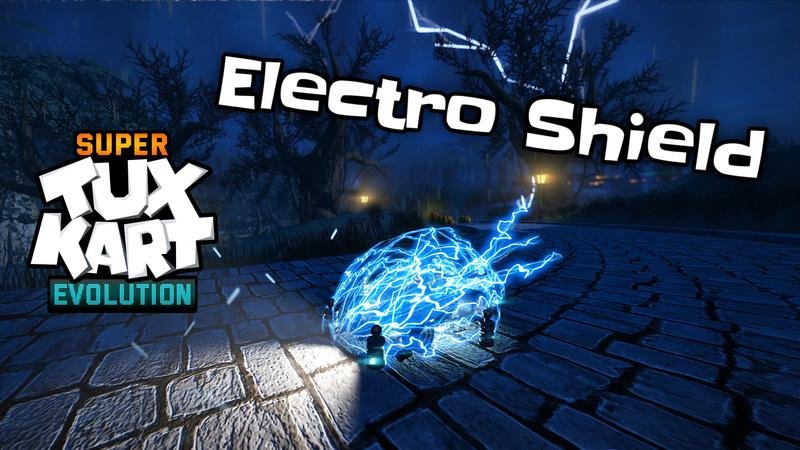
The single most interesting piece of Evolution development so far is the electro-shield powerup, detailed in a July 2026 deep-dive. It is one of at least three new powerups designed to break the stale meta where back-of-pack karts slow each other down with attacks while the leader escapes untouched. The electro-shield gives you a modest ~12% speed boost for a long eight seconds, plus a one-shot shield and a 35% reduction in off-road penalty. The blog describes the design intent clearly: help newer players catch up without removing the incentive for skilled players to defend.
Visually, the electro-shield is also the first powerup to use STK’s new attachable library nodes — a significant under-the-hood change that lets any library object be attached to a kart. That same code will make adding future cosmetic items to karts much easier.
Other Evolution-related 2026 posts on the official blog:
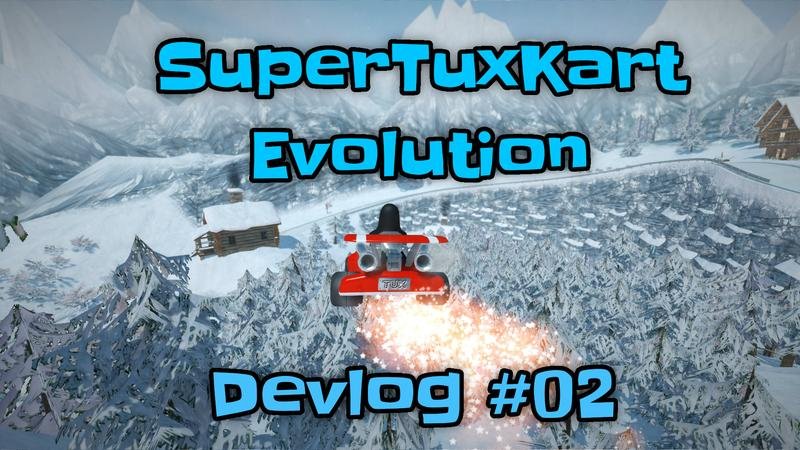
- A new track, Freytra Peaks, replacing the long-serving Snow Peak track in the main game.
- A new logo (June 2026), with a full design write-up.
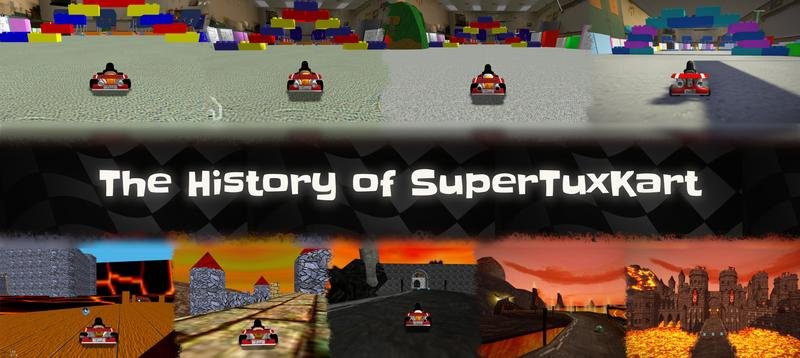
- A redesigned History page (April 2026) charting the project from TuxKart (2000s) through STK 1.0 (2019) and into Evolution.
How to install SuperTuxKart 1.5 on Linux
You have four good options, listed in order of preference for a typical desktop user.
1. Your distribution’s package manager (easiest)
This is what you should try first. SuperTuxKart is in every major distro repo and is usually a one-line install.
Debian / Ubuntu / Mint / Pop!_OS:
sudo apt update
sudo apt install supertuxkart
Debian 13 ships 5.10.0 of the underlying engine (Luanti, formerly Minetest) — wait, that is the wrong project. For SuperTuxKart 1.5 itself, Debian 13 currently ships 1.5 in main (the .deb filename is supertuxkart_1.5+dfsg-...). On Ubuntu 24.04 LTS you may get an older 1.4 build; if so, prefer the Flatpak option below to get 1.5.
Fedora / Nobara / RHEL / openSUSE:
sudo dnf install supertuxkartArch / Manjaro / EndeavourOS:
sudo pacman -S supertuxkartopenSUSE:
sudo zypper install supertuxkartAlpine:
sudo apk add supertuxkartAfter install, launch it from your application menu or run supertuxkart in a terminal.
2. Flatpak (most reliable for getting the newest version)
Flatpak is the safest way to get exactly 1.5 plus all future updates, independent of your distro. The org.flatpak remotes are usually already configured on Fedora, Linux Mint, Pop!_OS, and elementary OS; on other distros install Flatpak first.
flatpak install flathub org.supertuxkart.SuperTuxKart
flatpak run org.supertuxkart.SuperTuxKart
Flathub’s build typically lags the upstream release by only a few days. Graphics and controller support are both excellent because the Flatpak ships its own SDL2 stack.
3. AppImage (portable, no install)
If you want a single file you can drop on a USB stick or in ~/bin, AppImage is the cleanest. Go to the official Download page, pick Linux, then AppImage, then make it executable and run it:
chmod +x SuperTuxKart-1.5-x86_64.AppImage
./SuperTuxKart-1.5-x86_64.AppImage
This is also the right choice if you are running a non-standard distro or a read-only system where you cannot install packages.
4. Build from source (when you want the very latest)
The source is split between two repositories: the code is on GitHub (git clone https://github.com/supertuxkart/stk-code.git), and the asset data is on SourceForge SVN (svn checkout https://svn.code.sf.net/p/supertuxkart/code/stk-assets stk-assets). Clone them into the same parent directory so that stk-code and stk-assets sit side by side. Detailed build instructions for Debian/Ubuntu, Fedora, and Arch are on the Source control page.
If you only want the bleeding edge, this is overkill — Flatpak ships nearly-as-fresh binaries.
First-run tips for 2026 hardware
Once 1.5 is installed:
- Pick the right graphics preset on first launch. Start with High rather than Very High — Very High enables supersampling, which can crater your FPS on integrated GPUs. Use the new benchmark mode (single-player menu) to compare presets without restarting races.
- Turn on anisotropic filtering. x16 is the default in 1.5; if you are still seeing blurry road textures, the new Display tab is the place to check.
- Set a sane frame limiter. If you have a 144 Hz monitor and a mid-range GPU, leave the cap at 120 to avoid stutter from running too close to your refresh rate.
- Add a favorite filter. Heart the tracks you actually want to play — the favorites tab is a much faster way to start a session than scrolling the full list.
- Try a story mode race in Cartoon theme. The new Cartoon variants match Classic colors, so the visual style stays consistent when you bounce between tracks.
The bigger picture
SuperTuxKart is one of the few open-source games that has stayed continuously maintained for two decades without losing its identity. The 1.5 release is a textbook example of how to keep a small team productive on a long-running project: a handful of polish features (Display tab, favorites, benchmark mode), a real graphics overhaul (x16 AF, PCSS, supersampling), and a donation-driven teaser for the next generation (Evolution + Freytra Peaks + Drainage Dash).
In 2026 it remains the best “just one more race” experience you can install on Linux without touching Steam.
Useful links
- Official site: https://supertuxkart.net/
- Download: https://supertuxkart.net/Download
- Donate: https://supertuxkart.net/Donate
- 1.5 release notes: https://blog.supertuxkart.net/2025/10/supertuxkart-15-release.html
- Evolution roadmap: https://blog.supertuxkart.net/2025/09/supertuxkart-evolution-roadmap.html
- Electro-shield deep dive: https://blog.supertuxkart.net/2026/07/the-electro-shield-new-powerup-for.html
- Source code: https://github.com/supertuxkart/stk-code
Comments