
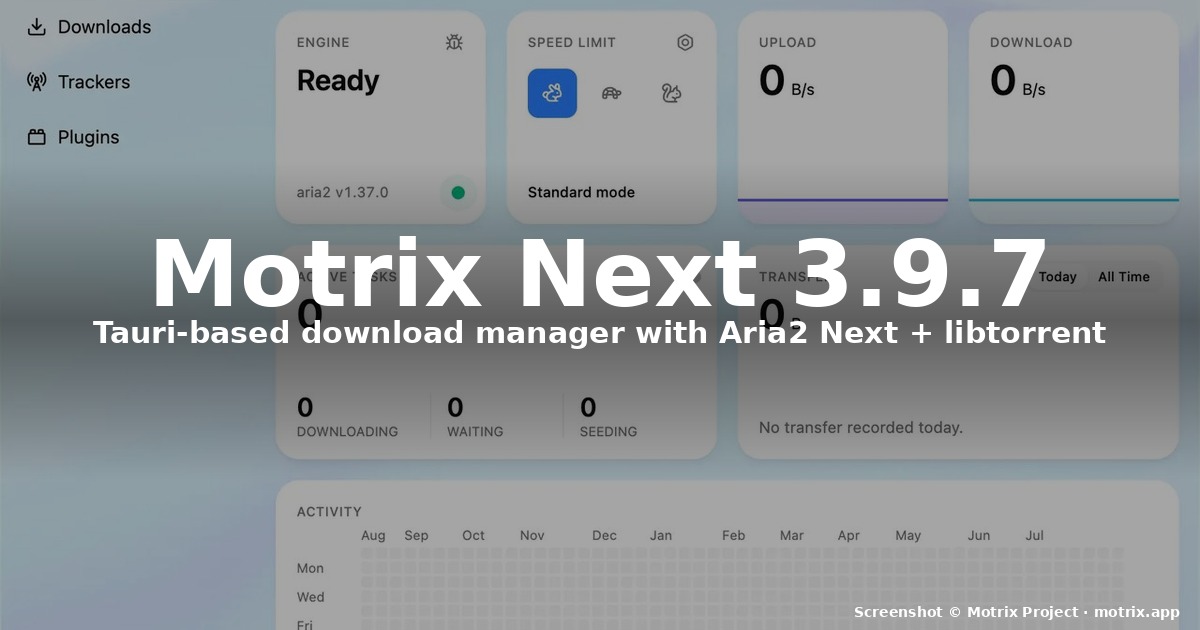
title: “How to Install Motrix Next 3.9.7 on Linux (2026 Guide)”
date: 2026-09-19
categories: [“linux-software”]
tags: [“motrix”, “download-manager”, “aria2”, “bittorrent”, “tauri”]
If you’ve been on Linux for any length of time, you’ve probably had at least one browser tab open in the last year downloading a multi-gigabyte file at 400 KB/s while a second tab sat at 0% because the server only had one connection per IP. A dedicated download manager fixes that, and Motrix Next 3.9.7 is the first stable release of a ground-up Tauri rewrite that tries to be the modern answer.
What’s new in Motrix Next 3.9.7
Motrix Next is the 2026 successor to the original Motrix by agalwood — a download manager that had earned a permanent spot in “the apps I install on day one” lists, but had been largely inactive since 2023. The new project rebuilds everything from scratch:
- Tauri 2 + Rust runtime instead of Electron — the Linux AppImage is ~97 MB versus the legacy ~140 MB Electron build, and idle RAM drops into the 80-120 MB range.
- Vue 3 + TypeScript + Naive UI front-end, replacing the Vue 2 / Element UI stack.
- Aria2 Next 2.5.5 as the bundled download engine — a maintained fork of aria2 that keeps the original JSON-RPC interface and adds native ED2K support, CMake build, refreshed OpenSSL dependencies, and stable Docker bind-mount ownership.
- libtorrent-backed BitTorrent (new in 3.9.7). The legacy BT implementation is gone; peer management, piece scheduling, disk I/O, tracker communication, and resume behaviour now match what you’d get from qBittorrent’s BT stack. Magnet metadata retrieval, deferred file selection, ordered selection dialogs, and reliable resume all ship in the stable build.
- Runtime BitTorrent connection controls — listen port, external IP, and external port can be reconfigured from the BitTorrent settings page without restarting the engine, plus automatic conflict recovery and clear port-switch notifications.
- Configurable file deletion policy — choose between system trash and permanent delete for finished downloads.
- Transactional preference saves with engine + configuration rollback on failure.
- 26 language packs, dynamic Material Design 3 theming, dark/light/system themes.
- Native Linux packages for x86_64 and aarch64:
.AppImage(~95 MB) and.deb(~23 MB).
The full Motrix Next 3.9.7 stable release shipped 2026-08-03, and as of writing Aria2 Next has continued shipping minor patches (currently 2.5.6). The 3.9.8 beta line started on 2026-08-19 with accessibility/motion refinements, so the 3.9.7 series is the safe pick for production use today.
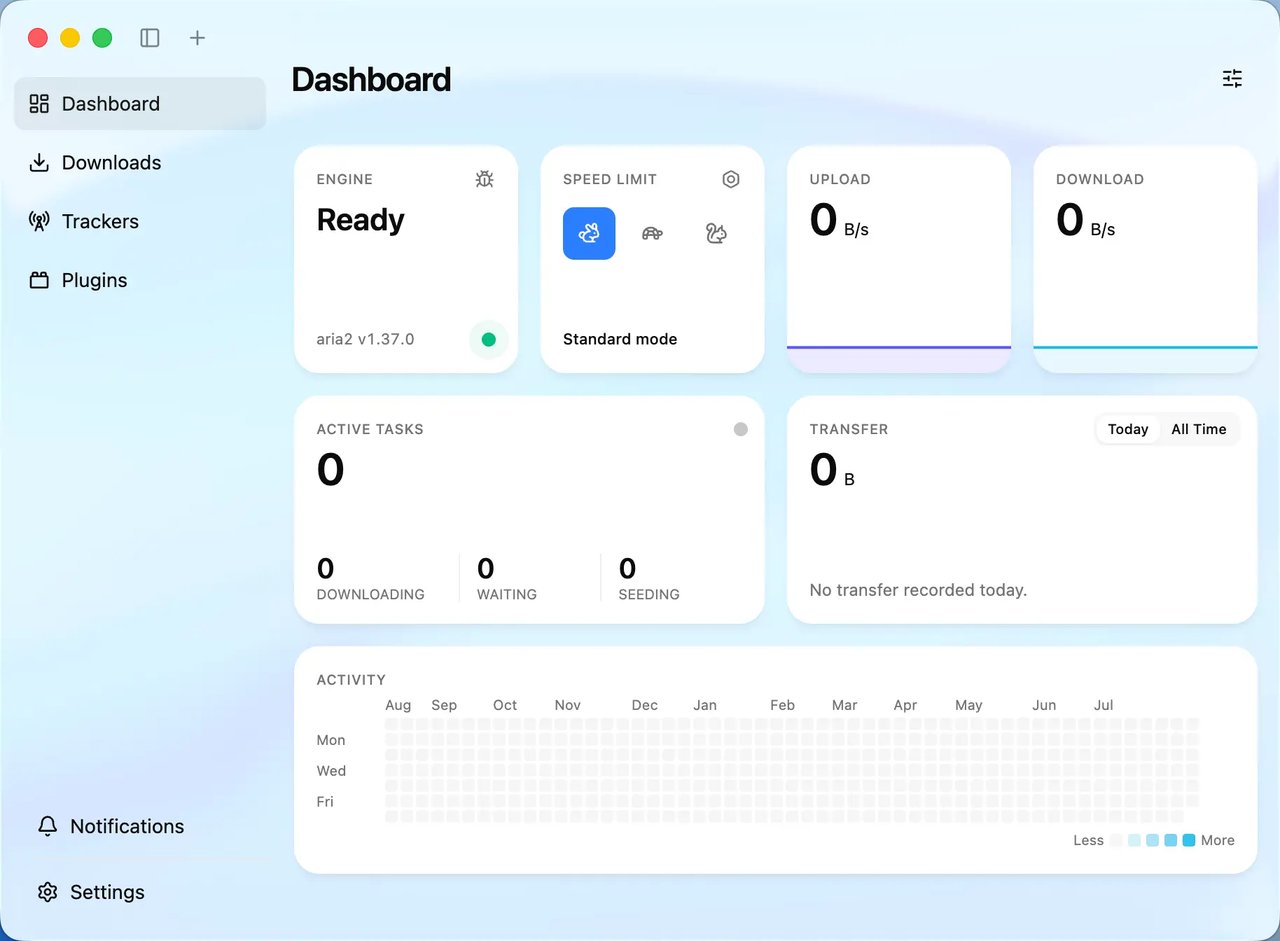
Figure 1: Motrix Next dashboard — every active, queued, and completed download in one view.
Before you install: pick your channel
You have three reasonable ways to install Motrix Next on Linux today. Pick based on how much you want to track upstream versus how much you want a “just works” stable build:
- AppImage (recommended for desktop users) — single-file, no root required, picks up the next version next time you re-download. Best for KDE Plasma / GNOME / XFCE / Cinnamon desktops where you don’t want to manage repos.
- Debian .deb — for Debian / Ubuntu / Pop!_OS / Linux Mint / elementary OS. Integrates with apt, gets an icon in the system menu, updates when you re-run
dpkg. - AUR (Arch / Manjaro / EndeavourOS) —
motrix-next3.9.7-1 was packaged on 2026-08-30. Pulls Aria2 Next as a dependency. Skip the-binAUR variants if you want to compile from source — the binary variant is mainly a fallback for older makepkg toolchains.
Flathub does not currently host Motrix Next. The maintainers have published Flatpak install guidance in their 3.9.7 beta notes, but the official FlatHub submission is still pending. If you want a Flatpak experience right now, the AppImage is the closer equivalent.
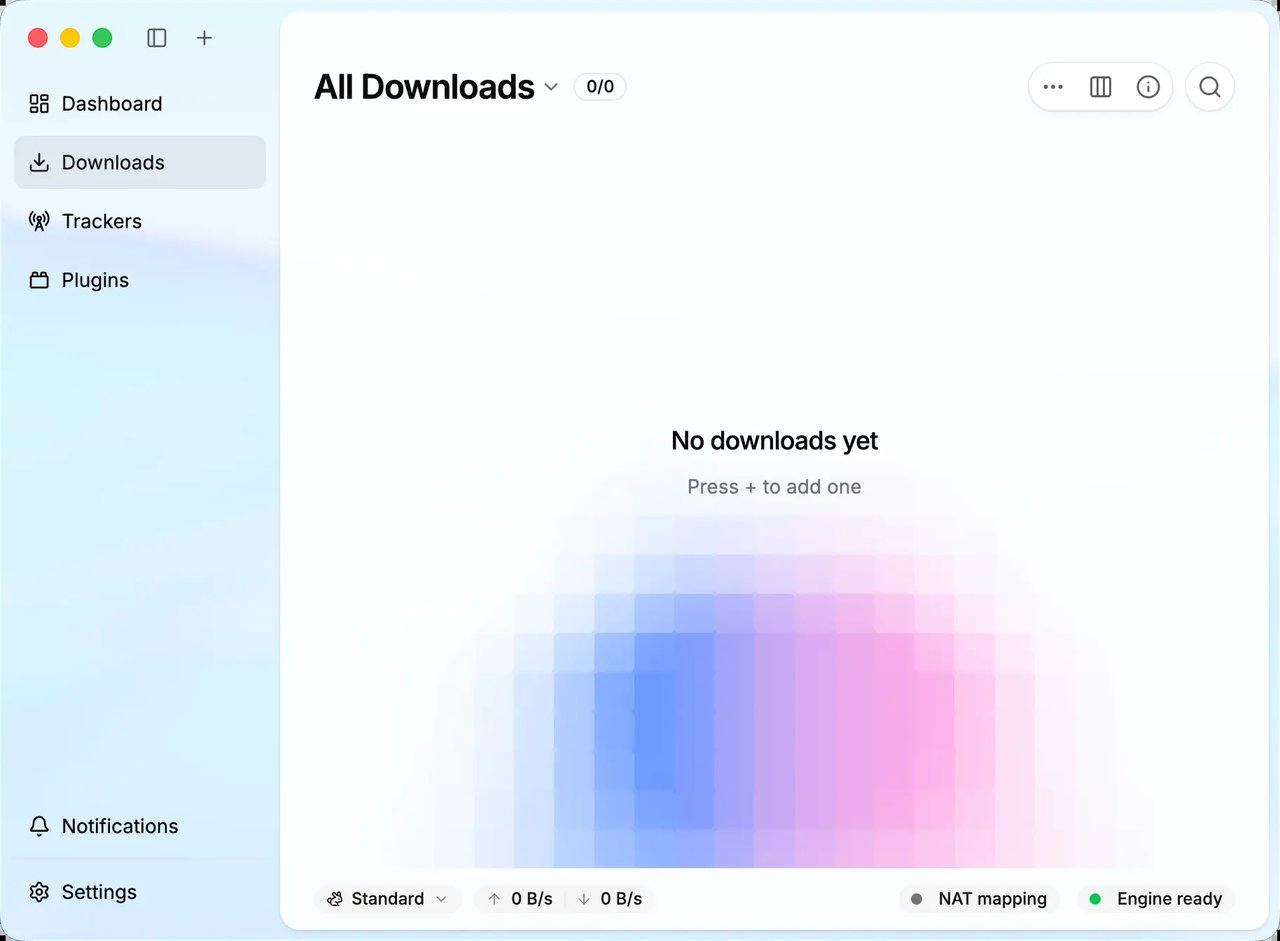
Figure 2: Downloads view — per-task progress, speed, and source connection count.
Method 1 — Install Motrix Next 3.9.7 via AppImage
This is the fastest path and works on every mainstream distro from Ubuntu 22.04 upward.
# 1. Download the AppImage (amd64 example)
cd ~/Downloads
curl -L -o MotrixNext_3.9.7_amd64.AppImage
  https://github.com/AnInsomniacy/motrix-next/releases/download/v3.9.7/MotrixNext_3.9.7_amd64.AppImage

# 2. Mark it executable
chmod +x MotrixNext_3.9.7_amd64.AppImage

# 3. Run it
./MotrixNext_3.9.7_amd64.AppImage
For ARM64 devices (Asahi Linux on Apple Silicon, Raspberry Pi boxes running Manjaro ARM, Snapdragon X Elite laptops):
curl -L -o MotrixNext_3.9.7_aarch64.AppImage
  https://github.com/AnInsomniacy/motrix-next/releases/download/v3.9.7/MotrixNext_3.9.7_aarch64.AppImage
chmod +x MotrixNext_3.9.7_aarch64.AppImage
./MotrixNext_3.9.7_aarch64.AppImage
If FUSE 2 isn’t installed on your system, you’ll get a dialog complaining about libfuse.so.2. On Ubuntu / Pop!_OS / Mint:
sudo apt install libfuse2On modern Fedora / Nobara / openSUSE Tumbleweed, the AppImage will just work because they ship FUSE 3 with the legacy shim library bundled into libfuse2 or you can use --appimage-extract-and-run as a one-time workaround:
./MotrixNext_3.9.7_amd64.AppImage --appimage-extract-and-runIf you want Motrix Next to appear in your application menu with a proper icon (instead of being a file on disk), drag the AppImage to ~/.local/bin/, then add a .desktop file at ~/.local/share/applications/motrix-next.desktop:
[Desktop Entry]
Type=Application
Name=Motrix Next
Exec=/home/YOUR_USERNAME/.local/bin/MotrixNext_3.9.7_amd64.AppImage %U
Icon=utilities-download-manager
Categories=Network;FileTransfer;
Terminal=false
Method 2 — Install via the official .deb
cd ~/Downloads
curl -L -o motrix-next_3.9.7_amd64.deb
  https://github.com/AnInsomniacy/motrix-next/releases/download/v3.9.7/MotrixNext_3.9.7_amd64.deb
sudo dpkg -i motrix-next_3.9.7_amd64.deb
sudo apt -f install   # resolve any missing deps from a partial install
If dpkg complains about missing libraries, install them first:
sudo apt install libgtk-3-0 libnotify4 libnss3 libxss1 libxtst6 xdg-utils
                 libatspi2.0-0 libuuid1 libsecret-1-0
Then motrix-next is on your $PATH. For upgrades, just dpkg -i the newer .deb on top — Motrix Next’s settings and download history live in ~/.config/motrix-next/ and persist across upgrades.
Method 3 — Arch / Manjaro via AUR
yay -S motrix-next
# or, if you prefer paru
paru -S motrix-next
motrix-next 3.9.7-1 depends on aria2-next from the AUR, which compiles the engine from source. If you have an older AUR helper that doesn’t handle the multi-step rust+pnpm build well, try motrix-next-bin instead — it pulls a pre-built AppImage shell rather than compiling Tauri locally.
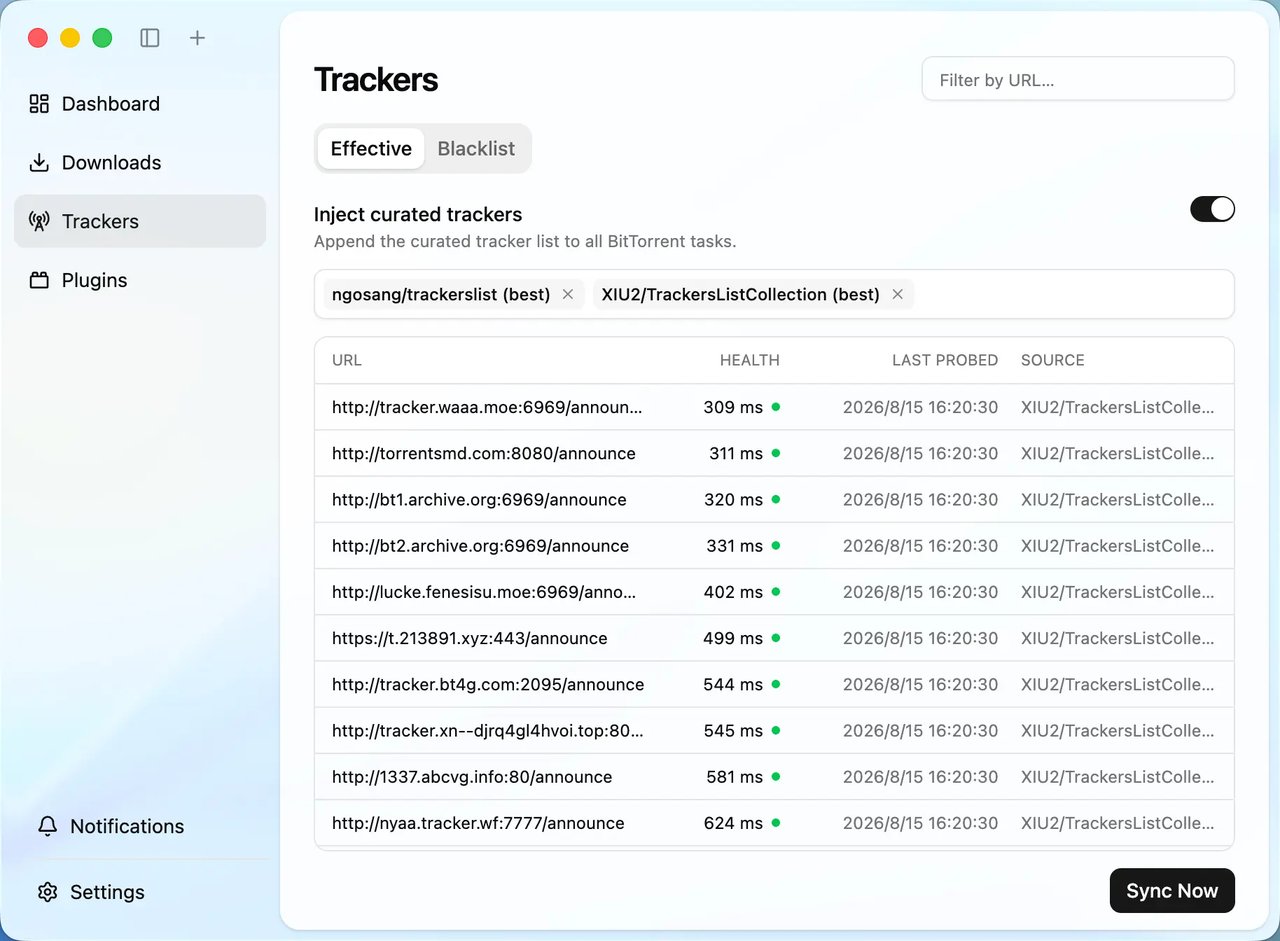
Figure 3: BitTorrent trackers — per-tracker peer counts and DHT/PEX flags in the new libtorrent backend.
First-run configuration that actually matters
The defaults are sane for HTTP/FTP, but for BitTorrent users there are four settings worth flipping on day one:
- Settings → BitTorrent → BT peer blocklist — enabled by default since 3.9.7-beta.6 and bundled into the engine. Background updates keep the list current.
- Settings → BitTorrent → Encryption → Require encryption — turn this on if you routinely download on networks that throttle or block BT traffic. Note: setting
Forcedis known to break some public swarms;Requireis the safe pick. - Settings → Downloads → Maximum concurrent downloads — leave at 5 for a 100 Mbit link, drop to 3 if you’re on a Raspberry Pi or a low-power laptop.
- Settings → Connection → Listen port — 6881 is the BitTorrent convention but is also the most scanned port on the public internet. If your ISP or campus NAT blocks 6881 specifically, switch to a higher random port like 51413 or 6889.
Plugins: the new extension system
Motrix Next 3.9.7 ships a plugin SDK and a plugin registry. The bundled ones cover:
- Naming: rename
.tmp→ final filename on completion, strip tracker query strings. - Link resolution: resolve short links / redirect chains before downloading (handles CDN redirects that otherwise get caught by adblocker-blacklisted domains).
- Aliyun / 115 / Baidu netdisk integration plugins (community-maintained, install via the plugin registry).
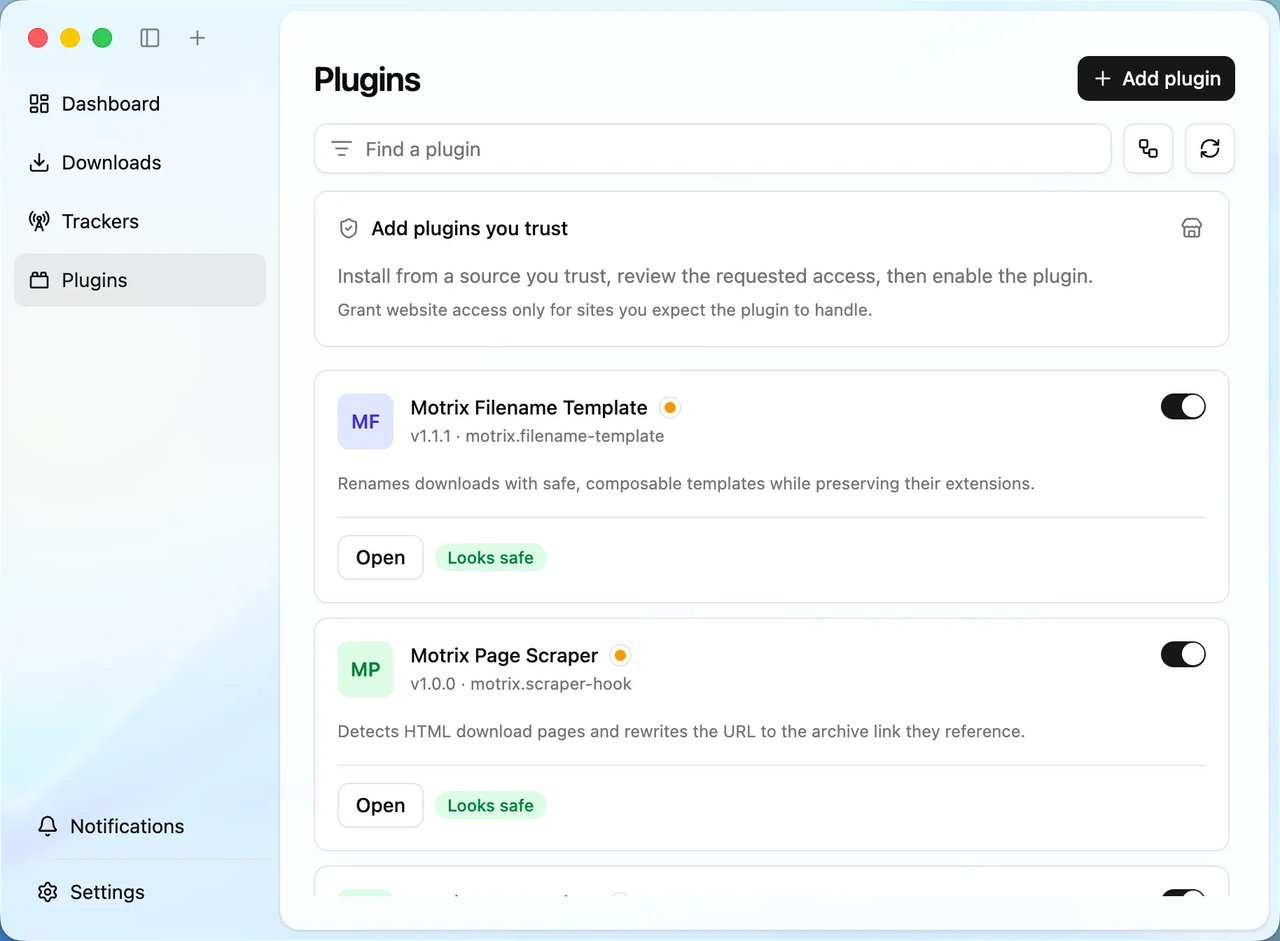
Figure 4: Plugin registry — install naming, link-resolution, and netdisk plugins in one click.
Install by clicking Plugins → Get Plugins, picking from the registry, and restarting the engine (the engine auto-reloads, but a manual restart picks up the new plugin’s preferences too).
When to prefer the command line instead
Motrix Next is right for visual queue management — pausing a torrent, watching 30 multi-segment HTTP downloads at once, or grabbing a magnet from the browser. For headless servers, container hosts, or any case where you want to script downloads, drop into the Motrix CLI from the motrixapp/cli repo. It’s the same Aria2 Next engine under the hood and respects the same JSON-RPC interface, so you can drive both from one script.
Common Linux gotchas
- AppImage won’t launch on Wayland with NVIDIA: set
WEBKIT_DISABLE_DMABUF_RENDERER=1before launching. Known workaround, documented in the AUR comments. - Downloads land in
~/Downloadsby default. Change it under Settings → Downloads → Save location if you have a dedicated disk for in-progress files. - Browser integration: install the official Motrix browser extension (Firefox / Chrome / Edge) to capture download links and magnet URIs into the running Motrix Next instance via its RPC server (default port 16800).
- Updates are manual for the AppImage and .deb paths. There is no built-in updater yet — re-download the asset when a new release ships and replace the old file.
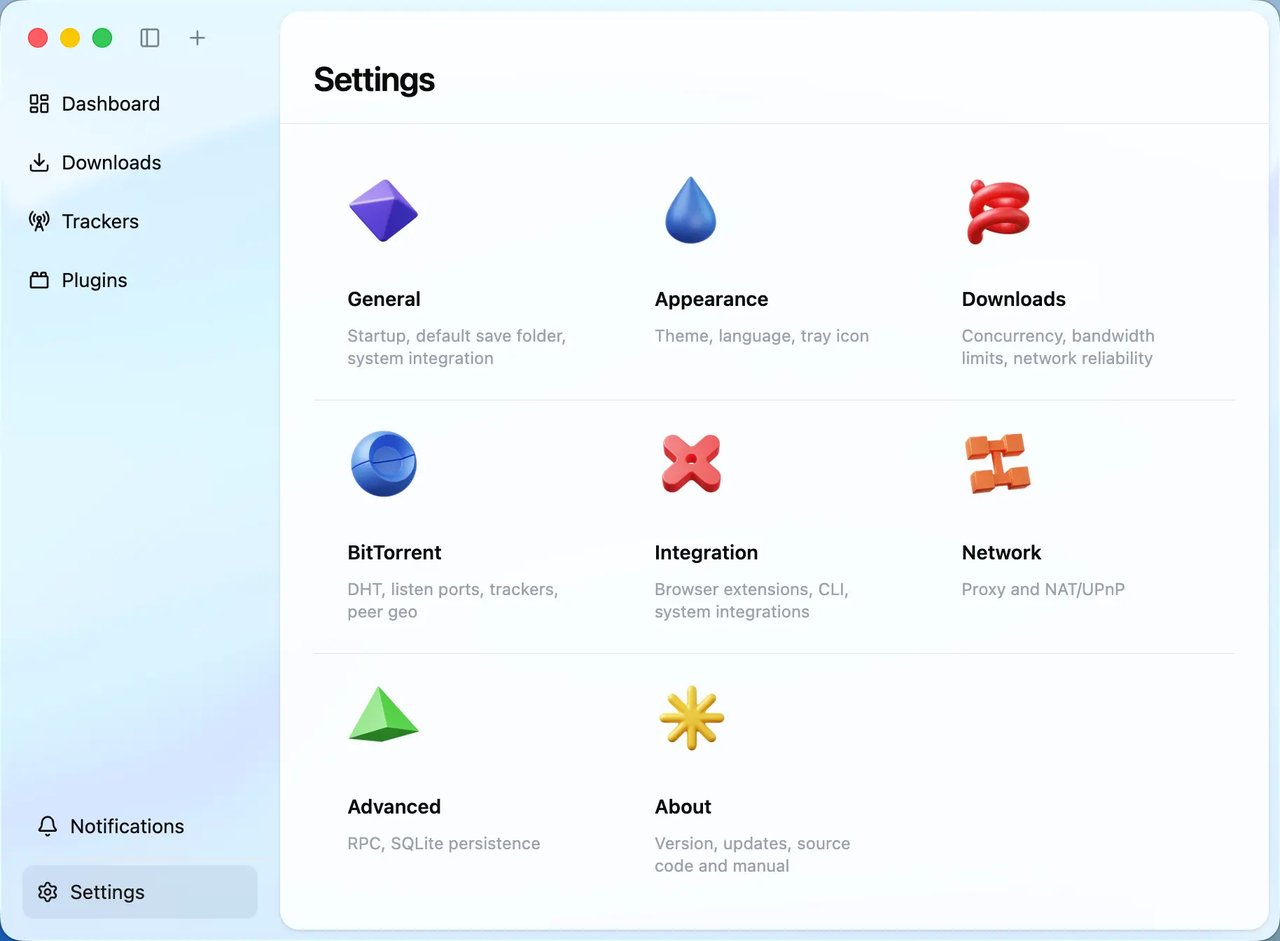
Figure 5: Settings — General, Downloads, Connection, BitTorrent and Appearance live in a left sidebar.
Verdict
Motrix Next 3.9.7 is the first release where the new Tauri stack feels done. The libtorrent BT backend is a real upgrade over the original Motrix’s aria2-only BT, the AppImage/deb packaging covers every mainstream distro without a fight, and the bundled Aria2 Next engine resolves years of accumulated aria2 quirks. For a Linux user who downloads large files, whether ISOs, Linux distro torrents, or dataset archives, this is the most polished open-source download manager on the platform right now.
Official site: https://motrix.app/
GitHub: https://github.com/AnInsomniacy/motrix-next
Release notes: https://github.com/AnInsomniacy/motrix-next/releases/tag/v3.9.7
Comments