

How to Try Ubuntu 26.10 Stonking Stingray: The 2026 Interim
Ubuntu 26.10 “Stonking Stingray” is now in feature freeze (since 20 August 2026), with the
final release locked in for 15 October 2026. Canonical has published a daily-live ISO
since May, and the beta lands on 24 September. If you’ve been waiting to see whether
this interim release is worth your attention before deciding whether to skip straight
from Ubuntu 26.04 LTS to 28.04 LTS — here’s the full picture of what’s actually shipping.

Why 26.10 exists in the cycle
Ubuntu ships two kinds of releases: LTS every two years (5 years of standard support,
up to 15 with Ubuntu Pro), and interim releases every six months. Interims like
26.10 are the proving ground — they’re where Canonical tests the technology that will
land in the next LTS. Last cycle, 25.10 was that proving ground; 26.04 LTS inherited
GNOME 50, the Wayland-default session, and TPM-backed full-disk encryption from it.
26.10 inherits its own set of upstream bets — and adds new ones that won’t fully land
until the 28.04 LTS cycle.
Feature freeze means no new packages land without an FFE (Feature Freeze Exception).
Bug-fix-only uploads are still flowing, and User-Interface Freeze on 10 September was
the last gate before the beta milestone.
GNOME 51 — the desktop foundation
The headline change is GNOME 51. It’s not a flashy redesign; it’s a steady collection
of polish, accessibility, and platform plumbing that makes the next LTS viable.
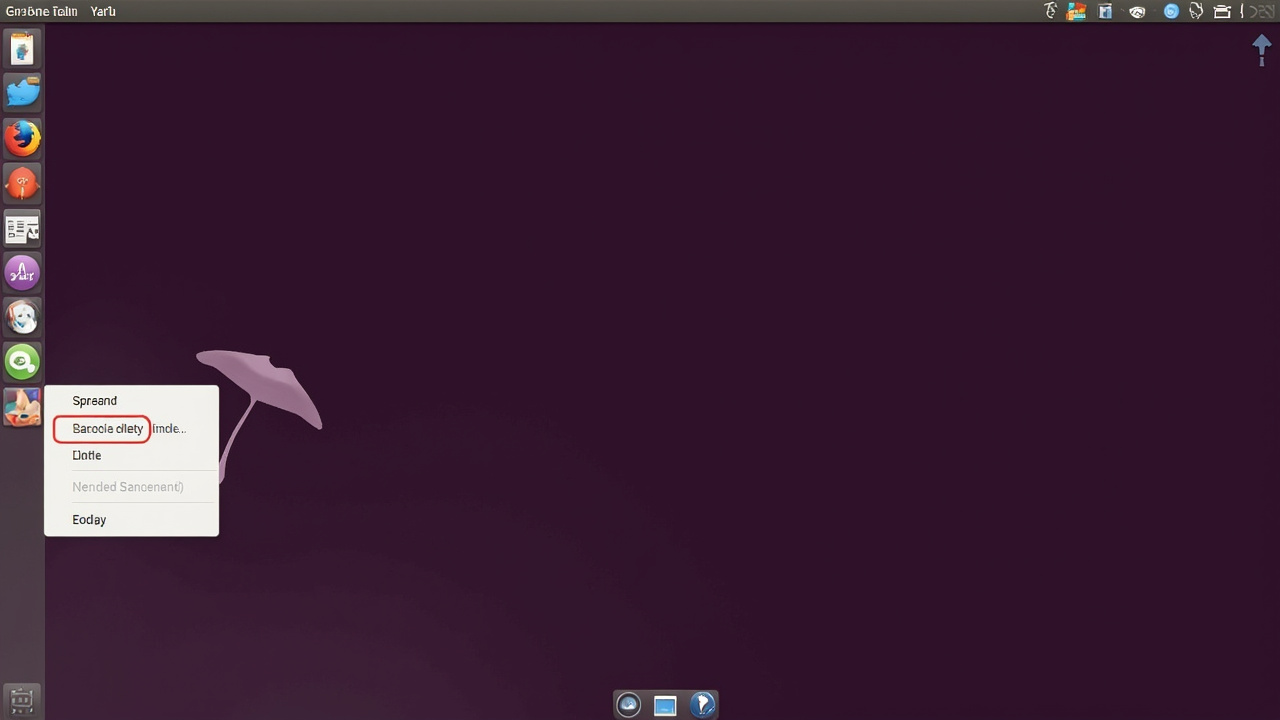
Figure: AI-generated illustration of GNOME 51 on Ubuntu 26.10 with Yaru purple theme.
Real screenshots were unavailable at time of writing.
What’s actually in it for end users:
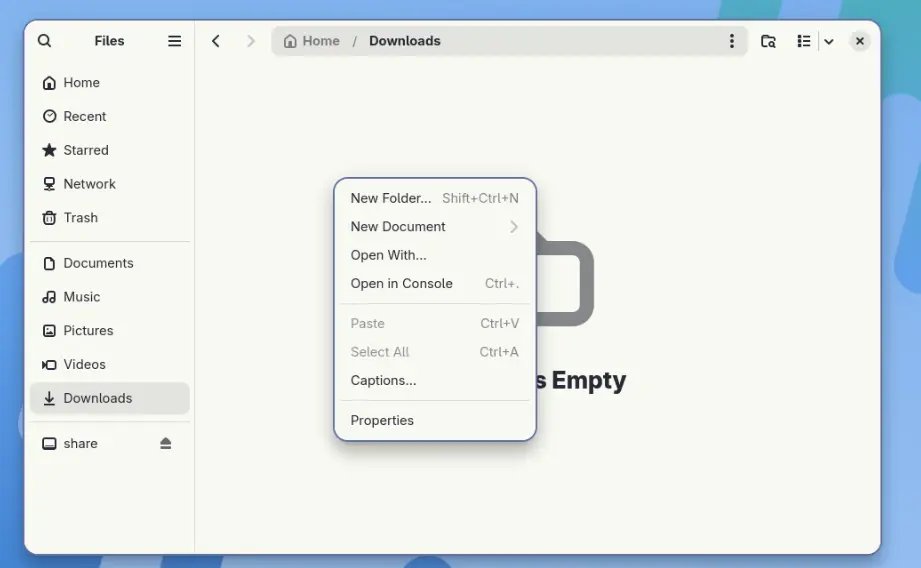
- Nautilus finally gets a graphical “New Document” entry. Right-click in an empty
folder and pick a template (text, Python, anything in your Templates directory).
It used to be atouch foo.txtaway; now it’s two clicks. (ubuntuhandbook.org)
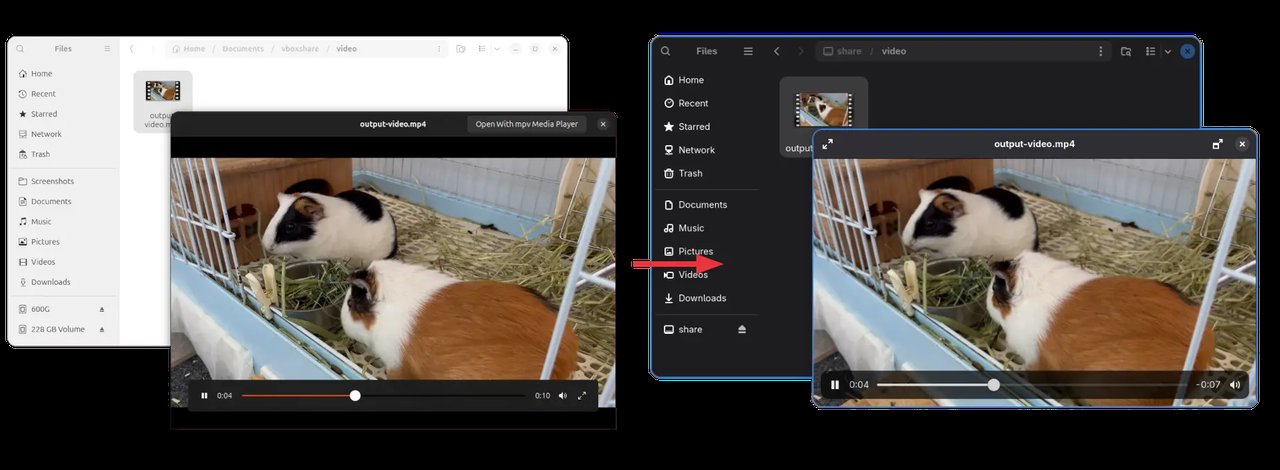
- Sushi (the file previewer) is rebuilt on GTK4 + LibAdwaita. Double-click an
image to maximise it, right-click in an HTML preview, and the document plugin
API is overhauled — meaning third-party previews can finally catch up.
- Accessibility wins:
ext-background-effect-v1Wayland protocol means apps can
apply background blur to specific regions;reduced-motionsetting minimises
animations for users who need it. SVG-based cursors mean HiDPI displays render
them sharply without raster scaling artefacts. - Fingerprint management gets a new settings UI in the GNOME Settings panel,
a setting to disable focus timeout for accessibility, and icons in the default-apps
dropdown. - Less visible but important: new D-Bus properties for session type and lock state,
web-login / unified-auth support, a gsettings key for screen-orientation lock, and
initial support for systemd-homed accounts in the initial-setup flow.
GNOME 51 also removes the legacy NVIDIA driver code path — anyone still on the
proprietary nvidia-legacy driver should verify that the open kernel modules + a current
nvidia-driver-580 series works for their card before upgrading.
Linux kernel 7.3 — and why it almost wasn’t
Canonical originally targeted Linux 7.2 for 26.10, but 7.2 went stable earlier than
expected in early August. By September, Canonical’s kernel team had reassessed and
“stepped up” to Linux 7.3-rc1 as the target — the kernel that’s powering the
final ISO will be a release candidate at release time, with any last fixes arriving
through subsequent software updates.

Why this matters:
- 7.3 is a “heavier” cycle. The kernel tree is just shy of 41 million lines, in
part because AI/LLM coding agents both uncovered countless kernel bugs and assisted
in writing new patches. (phoronix.com) - Steam Controller (2026 refresh) gets initial kernel driver support — important
for Linux gaming handhelds. - AMD Zen 6 enablement continues on the Ryzen client side.
- Intel Xe3P Nova Lake integrated graphics are now considered stable and
enabled-by-default. - KSMBD (in-kernel SMB) gains interoperability with Apple Time Machine backups.
- Lenovo ThinkPad USB-C Security feature is now driven by the ACPI driver.
- New Ryzen AI Halo LED/RGB driver for the AMD Ryzen AI Halo platform.
- Scheduler work improves gaming performance on hardware with limited vRAM (8 GB
configs especially). IOmap work benefits EXT4/XFS; FSCRYPT improvements help Btrfs
encryption adoption. - Faster Btrfs across the board — Phoronix’s ongoing 7.3 benchmarks show notable
gains over 7.2.
For 26.04 LTS users, the same kernel will land through the next HWE update in early
2027 (Ubuntu 26.04.2 point release).
The dbus-broker transition completes
Ubuntu has been moving from dbus-daemon to dbus-broker since 22.04. 26.10 retires
dbus-daemon as the default after a 22-year run. For most users this is a quiet
change — dbus-broker has been the default since 24.04 and the daemon has only been
shipped as a fallback. (omgubuntu.co.uk)
GStreamer 1.30 and Rust plugins
26.10 ships GStreamer 1.30, which adds the first batch of Rust-based plugins for
multimedia decoding. The Rust work is part of Canonical’s broader push to move
utilities into Rust for memory-safety reasons — same motivation that drove the
Ubuntu 26.04 LTS rewrite of certain core utilities.
dbus-broker aside: snap ↔ apt friction reduction
One piece of plumbing work in 26.10 that’s more user-facing than it sounds: Canonical
is turning another system Deb package into a snap, which means fewer manual updates
and more silent upgrades. The flip side is the long-running snap/apt tension — the
App Center is being rewritten to be package-agnostic, which should reduce user-facing
friction over the coming cycles.
App Center gets package-agnostic treatment
Work continues on a package-agnostic App Center — the same front-end handles
.deb, snap, and (eventually) Flatpak, with the App Center UI no longer treating one
format as a special case. (discourse.ubuntu.com)
Microsoft account authentication
26.10 adds Microsoft password and MFA authentication — log into your Ubuntu
desktop session using Microsoft credentials, with approval requests going through
Microsoft Authenticator on your phone. This is for end users (and admins) who want
to skip managing a separate Linux password, and it relies on authd — Canonical’s
new authentication daemon that became the default in 26.04 LTS.
For OEM partners, Ubuntu Certified hardware information is now visible inside
GNOME Settings — no more opening a browser tab to check whether your laptop is
officially supported.
RISC-V RVA23 — the third architecture
26.10 delivers a “complete desktop experience” on RVA23-compliant RISC-V
hardware — Ubuntu’s third official architecture (after x86_64 and ARM64). This is
still a small slice of the user base, but RISC-V server-class hardware is starting
to ship, and having a full desktop ISO ready keeps Ubuntu in the conversation when
procurement teams compare distros.
The Context-Aware Desktop — the AI bet that points at 28.04 LTS
The most ambitious piece of 26.10 isn’t visible in the release notes yet: it’s the
Context-Aware Desktop, the architectural foundation that Canonical is laying
for 28.04 LTS.
The first concrete deliverable is an on-device speech-to-text engine for the
input method framework — offline voice typing built into the desktop. Beyond that,
the broader work is about making the OS understand user intent by combining
information from applications, services, and the desktop environment itself.
This is not “an AI chatbot bolted onto Ubuntu.” It’s a long-running investment that
extends well beyond 26.10; what’s shipping in October is the start of the
architectural choices that 28.04 LTS will inherit. Expect more visible pieces in
the 27.04 and 27.10 cycles.
Visual polish to land before User-Interface Freeze
A few smaller touches still expected before final:
- Updated Yaru theme work and visual tweaks
- New wallpapers (the 26.10 stingray mascot set is already showing up on daily builds)
- Plymouth spinner styled after the stingray tail — the same trick Canonical used
for the 26.04 raccoon tail spinner
Should you run 26.10 on real hardware?
Not yet, and not as a daily driver. Daily builds are explicitly not for production —
“it’s not unusual for there to be temporary gaps between new daily builds being
available” because package updates can break image builds. (omgubuntu.co.uk)
The realistic plan for most users:
- On 26.04 LTS: Stay there until 26.04.2 lands in early 2027 with the 7.3 kernel
via HWE. Interims aren’t on the LTS-to-LTS upgrade path. - On 25.10: End-of-life is July 2026 — wait, that already happened. You should
have either gone to 26.04 LTS or are now on 26.10 daily builds. - Tinkerer / tester: daily-live ISO in a VM is the right place. We cover the
install + upgrade path in the companion article.
The full release timeline
| Date | Milestone |
|---|---|
| 2026-05-28 | Development cycle opens, daily-live ISO available |
| 2026-08-20 | Feature Freeze |
| 2026-09-10 | User Interface Freeze |
| 2026-09-24 | Beta release |
| 2026-10-08 | Final Freeze |
| 2026-10-15 | Final stable release |
Source: Ubuntu 26.10 release notes
and release schedule.
What’s not shipping (yet)
- GNOME 50.1 stability backports — those are landing on 26.04 LTS via the point
release, not on 26.10. - Full Context-Aware Desktop features — only the speech-to-text input method
is in 26.10; the broader vision takes more cycles. - Full Steam Controller 2026 driver — only “initial” support in 7.3, refinement
follows.
Verdict
26.10 is a transitional interim, not a feature release. The visible changes
(GNOME 51, GStreamer 1.30, RISC-V completion) are real, but the story is the
architectural work pointing at 28.04 LTS — Context-Aware Desktop, the App Center
rewrite, and the dbus-broker retirement. If you’re on 26.04 LTS, stay there. If
you’re a tester or you specifically want GNOME 51 + Linux 7.3, the daily build is
ready and the beta is one week out from this article’s publication date.
For the install + upgrade workflow, see the companion piece.
Comments