
title: “How to Install Arch Linux 2026.09.01 with Kernel 7.2.2”
date: 2026-09-01
categories: [“Linux Distros”]
tags: [“Arch Linux”, “rolling release”, “Linux kernel”, “archinstall”, “tutorial”]
The Arch Linux 2026.09.01 monthly snapshot is out, and for the first time it ships with the new Linux 7.2.2 kernel on the ISO itself. Existing users do not need to download anything — a pacman -Syu already pulls the same kernel — but anyone doing a fresh install in September 2026 now has the smallest possible window between kernel upstream release and ISO rebuild. This guide walks through what is actually new in the September ISO, what changed in the ecosystem over the last quarter, and a clean, opinionated path to a working desktop using the bundled archinstall 4.4 guided installer.
What is in the September 2026 ISO
The headline numbers, drawn from the official download page (https://archlinux.org/download/):
| Item | September 2026 |
|---|---|
| ISO size | 1.5 GB |
| Kernel | linux 7.2.2 |
| Installer | archinstall 4.4 (guided profile by default) |
| Official packages | ~15,770 |
| AUR build scripts | 49,000+ |
| Mirror countries | 50+ |
A few things that matter for fresh installs:
- First-time kernel bump. Until the August 2026 snapshot, the ISO was still on a 7.1-series kernel while users on
pacman -Syuhad already received 7.2. 2026.09.01 is the first ISO where 7.2.2 is what you boot into, which means fewer “post-install reboot into a newer kernel” surprises and cleaner bug reports. - Archinstall 4.4 ships on the ISO. The guided installer added a Niri profile, a long list of font-fixes, and a stack of small patches that smooth over rough edges for first-time users. If you have not looked at Arch since the early 2020s, this is genuinely the friendliest install the project has ever shipped.
- No new security advisories are tagged against this ISO at release. Existing users running 7.2.x already have the same exposure.
What changed since the July ISO
A handful of infrastructure changes have landed in the last 90 days that bite existing users more than fresh ones. They are worth knowing before you grab the September snapshot.
nftables is now the default firewall backend
In April 2026 Arch finished migrating the firewall stack from iptables to nftables. Anything that depended on raw iptables rules — older VPN clients, custom Docker networks, hand-rolled NAT — needs a rewrite. If you are a fresh installer, you can simply run pacman -S nftables and ignore iptables entirely. If you are migrating, the wiki page on nftables covers the table translation.
NVIDIA 590 dropped Pascal and older GPUs
The proprietary NVIDIA 590 driver series dropped support for Pascal and earlier GPUs, and the mainline packages now rely on the Open Kernel Modules (nvidia-open). Owners of older cards (GeForce 600/700/800/900 series) need to pin to the legacy 470 series, or move to the nouveau open driver.
Varnish → vinyl-cache rename
In May 2026 the package formerly known as varnish was renamed to vinyl-cache. Anything that referenced varnish by name in a PKGBUILD, script, or systemd unit needs updating. The wiki has a migration note.
AUR malicious-package incident (June 2026)
In June the Arch security team flagged a malicious-package incident with high volume of malicious AUR adoption/updates. If you pull from the AUR, eyeball the diff on every PKGBUILD before running makepkg. The project also tightened maintainer review and added new signing checks.
Project leadership
Levente Polyák won re-election as Project Lead on June 4, 2026, starting a second consecutive two-year term. The Vinet / Griffin / Polyák trio has now kept Arch going for 24 years; the copyright notice on the official site has been updated to read 2002–2026.
How to install Arch 2026.09.01 the easy way
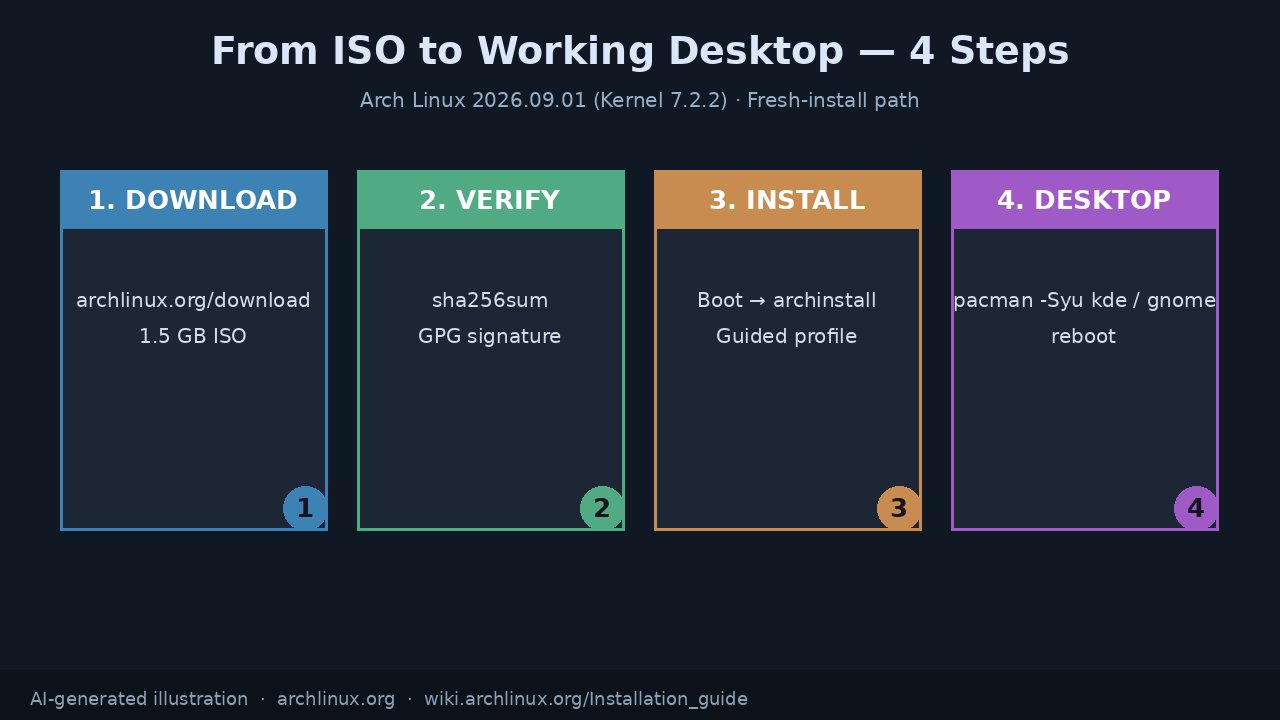
You have two real paths: the manual archinstall-script workflow, or the bundled guided installer. For 95% of fresh installs in 2026, the guided installer is the right call. Below is what you actually click through.
- Download the ISO from
https://archlinux.org/download/. Pick a mirror close to you — the page lists Fastly and Hetzner CDN endpoints as defaults, plus regional mirrors in 50+ countries. For China users, Tsinghua and USTC mirrors are well-supported. - Verify the ISO. Download
archlinux-2026.09.01-x86_64.iso.sigfrom the same page and rungpg --verify archlinux-2026.09.01-x86_64.iso.sigagainst the Arch release key. Or justsha256sumagainst the published hash — the page has both. - Write to a USB stick.
dd if=archlinux-2026.09.01-x86_64.iso of=/dev/sdX bs=4M status=progress conv=fsync, or use any modern USB flasher that respects the ISO. - Boot the live ISO and connect to the internet.
iwctl(for Wi-Fi) ordhcpcd(for Ethernet) both still work; the newiwd-driven NetworkManager-on-ISO variant is enabled by default on most desktop images. - Run
archinstall. The guided profile picks reasonable defaults for disk layout, bootloader (systemd-boot for UEFI), locale, hostname, and root password. You only need to answer the prompts you care about.
What the guided installer actually asks
In archinstall 4.4, the questions that matter:
- Mirrors — pick your country first; the rest are pre-sorted.
- Disk layout — choose Btrfs if you want subvolume snapshots (
@,@home,@log,@cache); ext4 if you want boring reliability. - Bootloader —
systemd-bootfor UEFI-only systems, GRUB for legacy or dual-boot. - Profile —
desktop(with a window manager) orminimal. Pickdesktopif you want the guided installer to also pre-stage a DE. - Desktop environment — KDE Plasma, GNOME, Xfce, Hyprland, Sway, Niri, and a handful of others are first-class. Anything missing can be installed afterwards via
pacman -S. - Audio — PipeWire (default) or PulseAudio.
- Kernels — the new ISO also lets you add
linux-zenorlinux-ltsalongside the defaultlinux.
When the installer finishes, it asks if you want to chroot into the new install. Say yes, run pacman -Syu once more to pull the very latest packages, then exit and reboot.
A quick pacstrap-style reference
For anyone who still prefers the manual path, here is a clean reference of what archinstall runs under the hood:
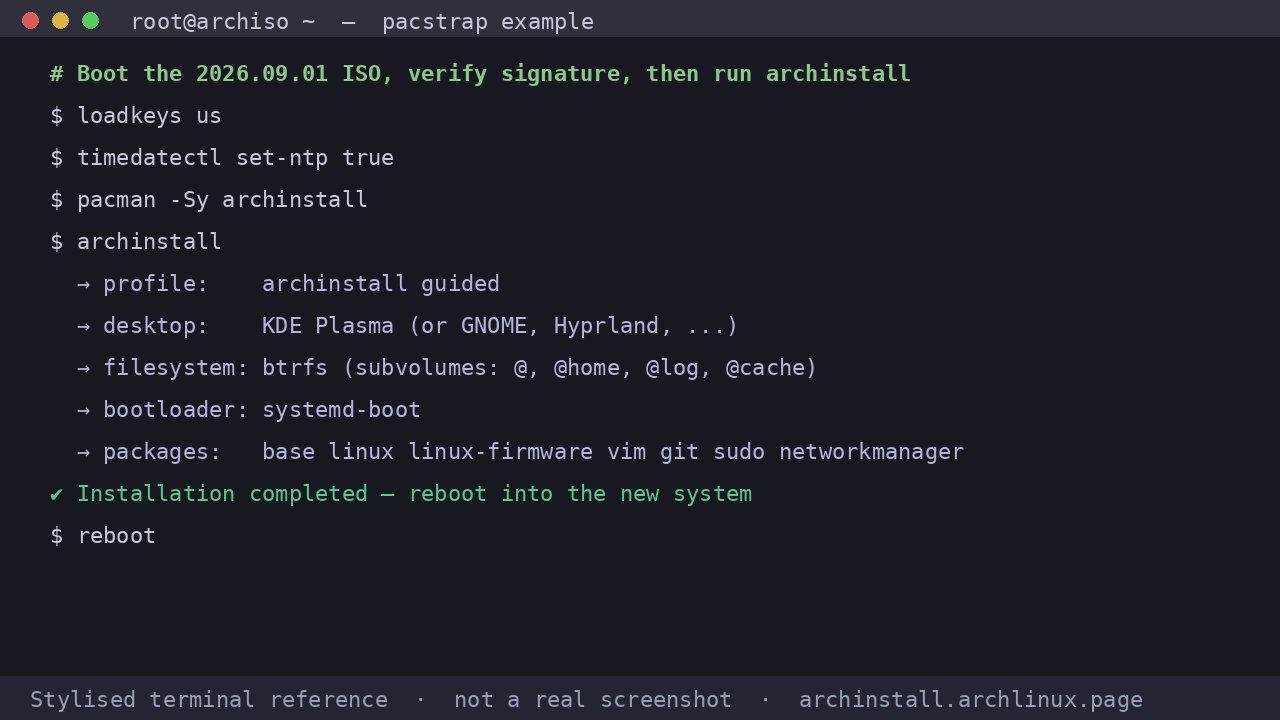
The terminal reference above is not a literal screenshot of the live ISO — it is a stylised recap of the steps the guided installer automates. The real session is more verbose and asks about disk encryption, swap, and time zone interactively.
Going from ISO to desktop
Once you have rebooted into the new install, the path to a usable desktop is short:
sudo pacman -Syu
sudo pacman -S plasma-meta sddm networkmanager firefox
sudo systemctl enable --now sddm NetworkManager
If you prefer GNOME, swap plasma-meta sddm for gnome gdm. For a Hyprland or Niri setup, install the compositor directly and write your own session file. The wiki page on your chosen DE is the canonical reference.
When NOT to reinstall Arch
This is a rolling-release distribution. Reinstalling to pick up a new ISO is a misunderstanding. Your existing installation, if it is healthy, already has Linux 7.2.2 (or whatever is current) the moment pacman -Syu finishes. The September 2026 ISO exists for two audiences:
- People setting up a new machine.
- People who want to rebuild from scratch for a clean slate, a different filesystem, or a fresh bootloader.
If neither of those applies, the right action is to keep your existing install and pacman -Syu as normal. Reinstalling wastes your time and breaks whatever you have hand-tuned.
Wrap-up
Arch 2026.09.01 is a low-key but meaningful snapshot. It is the first ISO with a 7.2-series kernel on it, it ships the friendliest archinstall the project has ever had, and the ecosystem around it — 15,770 official packages, 49,000+ AUR scripts, mirrors in 50+ countries — is the largest it has ever been. If you have been thinking about trying Arch for the first time, or want to wipe a laptop and start over, this is a good moment.
Official downloads, signatures, and the latest news are at https://archlinux.org/. Installation details are at https://wiki.archlinux.org/title/Installation_guide.
Comments