
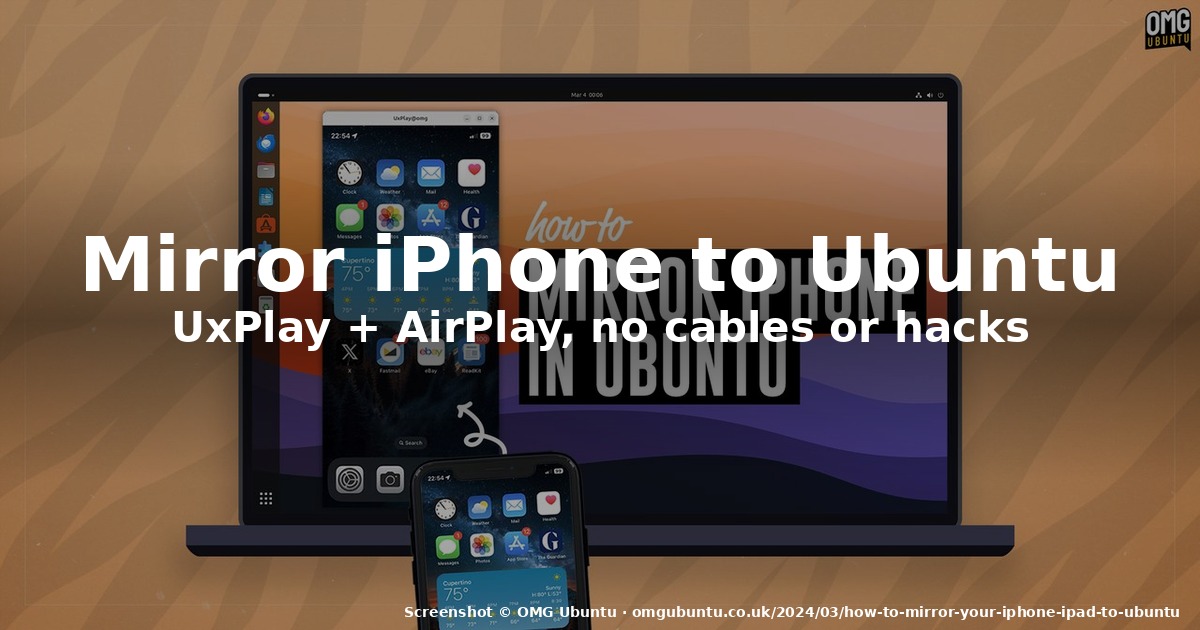
How to Mirror Your iPhone or iPad to Ubuntu with UxPlay
If you want to put an iPhone or iPad screen on your Ubuntu desktop — for a demo,
a stream, a video call, or just to drag a file off the device without AirDrop
blackmail — the answer in 2026 is still a small open-source tool called
UxPlay, and it has gotten steadily better since we first wrote about it.
UxPlay 1.74 (experimental, June 2026) brings an internal mDNSResponder so
it no longer requires Avahi, HLS streaming for YouTube, a Bluetooth LE
beacon fallback for networks that block mDNS, MP4 recording of mirrored
sessions, and an -vrtp flag that forwards decrypted H.264 straight into
OBS Studio as an RTP source. That’s a lot of quiet progress in a project most
people still think of as “that thing for screen-mirroring an iPhone.”
This guide walks through what UxPlay actually does, what it doesn’t do, the
2026 install path on Ubuntu (and Fedora / Arch), the GStreamer plugins you
actually need, and the gotchas around DRM content, AirPlay 2, and the looming
question of whether Apple will keep the legacy protocol alive.
What UxPlay does, and what it isn’t
UxPlay is an AirPlay server for Linux, macOS, *BSD, and Windows. It speaks
the same AirPlay protocol that an Apple TV or a HomePod does, but instead of
rendering the mirrored stream to a TV, it pipes the H.264 video and AAC audio
into a GStreamer pipeline and pops a floating, resizable, full-screen-capable
window on your desktop. There is no companion app to install on the iPhone or
iPad — you just open Control Center → Screen Mirroring, pick “UxPlay”, and the
screen appears.
What it does well:
- Screen mirroring of any iPhone 4 or later, any iPad, and macOS clients
(2011+ Intel and Apple Silicon). - Hardware-accelerated H.264 decoding via GStreamer where available: VA-API
on Intel/AMD GPUs,nvh264decon NVIDIA (since GStreamer 1.18), and V4L2 on
Raspberry Pi 4B. Software fallback is automatic and tolerable on modern CPUs. - AirPlay Audio mode for lossless Apple Lossless (ALAC) audio-only
streaming — handy for TIDAL, Apple Music, or AirPlaying a podcast without
burning the screen on. - HLS video streaming (v1.74, YouTube app first) — pick a video on your
iPhone, cast it, and only the video hits your Ubuntu box. - MP4 recording of mirrored sessions (
-mp4 filename) so you can save a
demo or a screencast-without-a-screencast.
What it deliberately doesn’t do, and the OMG Ubuntu writeup calls this out
clearly:
- No remote control. You cannot drive the iPhone with your mouse and
keyboard the way scrcpy lets you drive an Android device. UxPlay is
passive mirroring. If you want to type on the iPhone from your laptop, drag
files across, or click buttons, you need scrcpy and a USB cable. - No DRM. Apple TV+, Amazon Prime Video, Netflix, and Disney+ all show a
black screen with an HDCP warning inside the UxPlay window. This is a
protocol-level limitation, not a bug — those apps encrypt their video
payload in a way the legacy AirPlay mirror mode refuses to pass through. - No AirPlay 2 video streaming. You cannot open the YouTube app on your
iPhone, tap the cast button, and have the video bypass the device. That
requires AirPlay 2, which Apple has not licensed for third-party receivers.
If any of those three “no”s are dealbreakers for your use case, UxPlay is the
wrong tool. If you just want to put an iPhone screen on your Ubuntu desktop
with one tap and zero friction, it is the right tool.
Install on Ubuntu (and other distros) in 2026
The Ubuntu path is two apt lines. UxPlay has been in universe for years and
1.74 (or close) is what you’ll get on Ubuntu 24.04 LTS and 26.04. The second
line is the GStreamer plugins that UxPlay actually needs to decode the
stream — without them you get a black window and a polite error in the
terminal.
sudo apt install uxplay
sudo apt install gstreamer1.0-plugins-bad gstreamer1.0-libav
                 gstreamer1.0-plugins-good
That covers the three required plugin sets the upstream README calls out:
plugins-base (always present), libav (AAC audio decoding), plugins-good
(V4L2 hardware H.264), and plugins-bad (H.264 software decode and the new
va plugins). On other distros the equivalent one-liners are:
- Fedora 38+:
sudo dnf install uxplay gstreamer1-plugins-bad-free gstreamer1-plugins-bad-nonfree gstreamer1-libav gstreamer1-plugins-good
(the-nonfreeandlibavpackages often live in RPM Fusion, which you
may need to enable first.) - Arch / Manjaro:
yay -S uxplay gst-plugins-bad gst-plugins-libav gst-plugins-good(UxPlay itself is in the AUR.) - openSUSE:
sudo zypper install uxplay gstreamer-plugins-bad gstreamer-plugins-libav gstreamer-plugins-good(you may also need
Packman for the libav codecs.)
If you want the absolute latest experimental build (1.74 internal-mDNS, HLS
YouTube, MP4 recording), grab the source tarball from the
UxPlay releases page and run the
upstream build recipe:
sudo apt install build-essential pkg-config cmake libssl-dev libplist-dev
                 libavahi-compat-libdnssd-dev
                 libgstreamer1.0-dev libgstreamer-plugins-base1.0-dev
git clone https://github.com/FDH2/UxPlay
cd UxPlay
cmake . && make && sudo make install
You only need libavahi-compat-libdnssd-dev if you want to keep using the
external mDNS stack via -DUSE_DNS_SD=1. On 1.74 the default is the new
internal mDNSResponder, which means UxPlay starts working on networks
where Avahi was being blocked and on minimal installs that don’t ship Avahi.
Run it and connect your iPhone
Once installed, the happy path is three commands and three taps:
uxplayThis starts the server. You’ll see a banner in the terminal with the device
name and a one-time PIN. On your iPhone or iPad:
- Open Control Center (swipe down from the top-right on Face ID devices,
or up from the bottom on older Touch ID devices). - Tap the Screen Mirroring icon (two overlapping rectangles).
- Pick “UxPlay” (or whatever you renamed it with
-n) from the list. - Enter the PIN on the iPhone if prompted.
A floating window opens on your Ubuntu desktop showing your device’s screen.
You can move it, resize it, send it to full-screen with F11 (or the -fs
flag — note that the version of UxPlay in Ubuntu 22.04 LTS does not support
-fs), and rotate the orientation with -r L or -r R before you connect.
To disconnect: stop mirroring from the iPhone, close the window, and hit
Ctrl+C in the terminal. For audio-only streaming, open Control Center, tap
and hold the audio card, tap the AirPlay icon, and pick UxPlay — no video
window opens.
2026 features worth knowing about
If you live in the terminal anyway, UxPlay 1.73.x and 1.74 added a few flags
that turn the simple mirror tool into something you can actually script
around:
-mp4 recording.mp4— record the mirrored session (Mirror and Audio
modes; not HLS) to an MP4. The filename auto-suffixes with.n.format.mp4
so multiple takes don’t clobber each other.-vrtp <gst-pipeline>— forward the decrypted H.264 (or H.265) video
as RTP to an external renderer. The killer use case is piping UxPlay into
OBS Studio as an RTP source so you can overlay the iPhone feed on a stream
without the second-window hack.-artp <pipeline>— forward decoded L16 audio as RTP, useful if you
want to mix the iPhone’s audio into a different audio chain.-scrsv <0|1|2>— inhibit the screensaver via D-Bus while a mirror
session is active (so your laptop doesn’t blank out mid-demo).-ca— render Apple Music cover art inline in Audio mode.-pw <password>— connect with a password instead of a PIN.-bt709— fix colour-range issues on Raspberry Pi 4B with the Broadcom
H.264 decoder.-async— switch to asynchronous audio output for cleaner audio-only
streaming (~2 second latency; sounds better than the default).
There’s also a user-level systemd unit shipped with the package:
~/.config/systemd/user/uxplay.service. Enable it once with
systemctl --user enable --now uxplay and UxPlay runs on boot, waiting for
connections. Do not run the systemd unit as root — the upstream README
is emphatic about this; UxPlay is designed for a logged-in desktop session,
not a system service.
Gotchas worth reading before you commit
A few things the docs gloss over that you’ll hit on day one:
- Firewall ports. UxPlay needs UDP 5353 (mDNS) plus three UDP and three
TCP ports open between the iPhone and the Ubuntu box. On Ubuntu’s default
ufwthis is fine (it doesn’t filter loopback or LAN by default), but on a
hardened server or a container you’ll need to open them with-p <n>or
the equivalent firewall rule. - Wi-Fi, not the internet. Both devices must be on the same LAN. AirPlay
mirror doesn’t traverse the public internet — there’s no relay. If your
iPhone is on cellular and your Ubuntu box is on Wi-Fi, the screen-mirroring
list won’t show UxPlay. - DRM black screen. Apple TV+, Amazon Prime, Netflix, Disney+ — all black.
This is HDCP, not a UxPlay bug. If your goal is to watch a streaming movie
on your desktop, use the official Linux client for that service instead. - Legacy protocol sunset risk. UxPlay uses Apple’s legacy AirPlay
protocol, not AirPlay 2. As of iOS 18.x and iPadOS 18.x (mid-2025), Apple
still ships the legacy receiver path on every device. The community is
watching closely for the iOS / iPadOS release that finally removes it, but
as of August 2026 there is no public signal from Apple on timing. - Not scrcpy. If you need to control an iPhone from your laptop, the
answer is “there is no good answer in 2026, UxPlay doesn’t do this, and
scrcpy doesn’t speak AirPlay.” For Android, scrcpy 4.0 (May 2026) is still
the gold standard and works on Linux just as it does on Windows and macOS.
When to pick UxPlay, when to pick something else
| Use case | Pick UxPlay | Pick scrcpy (Android) | Pick Vysor / paid tool |
|---|---|---|---|
| Mirror iPhone/iPad screen to Ubuntu | ✅ | ❌ (Android only) | ✅ (paid, requires App Store install) |
| Mirror Android screen to Ubuntu | ❌ (use scrcpy) |
✅ | ✅ |
| Control the device from the laptop | ❌ | ✅ | ✅ (limited on iOS) |
| Watch DRM streaming video | ❌ (black screen) | ⚠️ (varies by app) | ❌ |
| AirPlay lossless audio only | ✅ | ❌ | ❌ |
| Record mirrored session as MP4 | ✅ (-mp4) |
✅ (--record) |
⚠️ |
| Free + open-source | ✅ (GPLv3) | ✅ (Apache 2.0) | ❌ |
UxPlay is the right call when you want to put an iPhone or iPad on an Ubuntu
screen, free, in five minutes, with no companion app on the Apple side. For
everything else in the table, there is a better tool.
Sources and further reading
This article drew on:
- The original OMG Ubuntu walkthrough,
How to Mirror Your iPhone/iPad on Ubuntu Desktop
(Joey Sneddon, updated June 2025) — the basis for the install steps and the
feature comparison. - The UxPlay GitHub repository — current
README, v1.74 release notes, systemd unit, and the full flag reference. - The scrcpy project — for the
Android comparison and the v4.0 release notes (May 2026). - Apple’s AirPlay developer documentation
for the protocol caveats around DRM and AirPlay 2.
Comments
非常好用,已经在ubuntu安装,一个命令就行,效果非常好。