
Archcraft has been quietly filling a niche that almost nobody else serves: a friendly, batteries-included Arch Linux that ships with several preconfigured tiling and stacking window managers, ready for daily driving on a normal laptop. The August 1, 2026 release (tag 26.08) is the biggest one in over a year — it adds a brand-new Sway Wayland session, rewrites the SDDM login theme on Qt 6, fixes encryption and Btrfs/XFS installation for both Calamares and the ABIF installer, and finally integrates Btrfs snapshot boot into GRUB. If you’ve been on the fence about Archcraft, this is the release that closes most of the historical objections.
What is Archcraft, in one paragraph
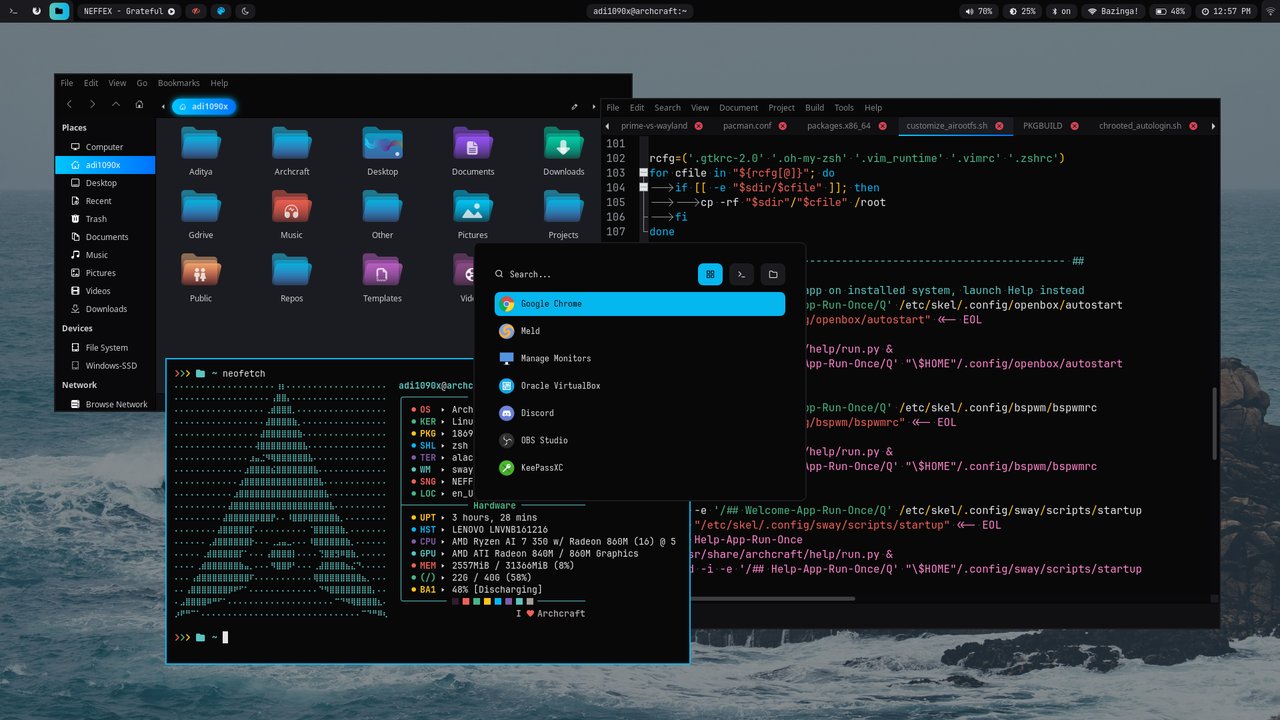
Archcraft is a community-maintained Arch derivative from Aditya Shakya (GitHub @adi1090x). The premise is straightforward: take the Arch base, the bleeding-edge kernel, and the AUR — but replace the manual post-install ritual that scares people off with a polished, ready-to-use desktop built around a lightweight tiling or stacking window manager. Out of the box you can pick Openbox, BSPWM, i3, or — new in 26.08 — Sway. Each session ships a matching polybar / waybar, a rofi launcher, an MPD-driven music applet, network and Bluetooth applets, screenshot scripts, and a curated theme set. Memory footprint at idle sits around ~480 MB with Openbox and around ~620 MB with Sway. It’s the kind of system you can drop on an old ThinkPad and forget about.
If that description sounds like “r/unixporn with a working installer” — yes, that is essentially the niche.
The headline change: a real Sway session
Before 26.08, Archcraft offered Sway only as an experimental configuration on top of the upstream packages. You could install it, but the theming was incomplete, the GTK integration was uneven, and several pieces of glue (notably the autostart chain and the picom-equivalent for Wayland) lived in ~/.config/sway/config.d/ but were never wired together. 26.08 promotes Sway to a first-class session: it shows up in the SDDM menu alongside Openbox, BSPWM, and i3, and it uses the same welcome / help applications, the same AUR-managed app stack, and the same theming conventions as the X11 sessions.
What you actually get:
- A curated
~/.config/sway/config.d/tree with bindings, autostart, output config, and a default scratchpad setup that mirrors the Openbox session’s keyboard philosophy. - Waybar instead of polybar, themed to match the rest of the system, with the same status modules (CPU, memory, network, MPD, updates, weather).
- GTK4 application integration that follows the global theme, instead of looking like the kind of broken half-light GTK app you usually get when mixing a tiling compositor with Firefox and Nautilus.
- Client-side decorations disabled by default across the session, so window chrome stays consistent regardless of whether the app supports libdecor or not.
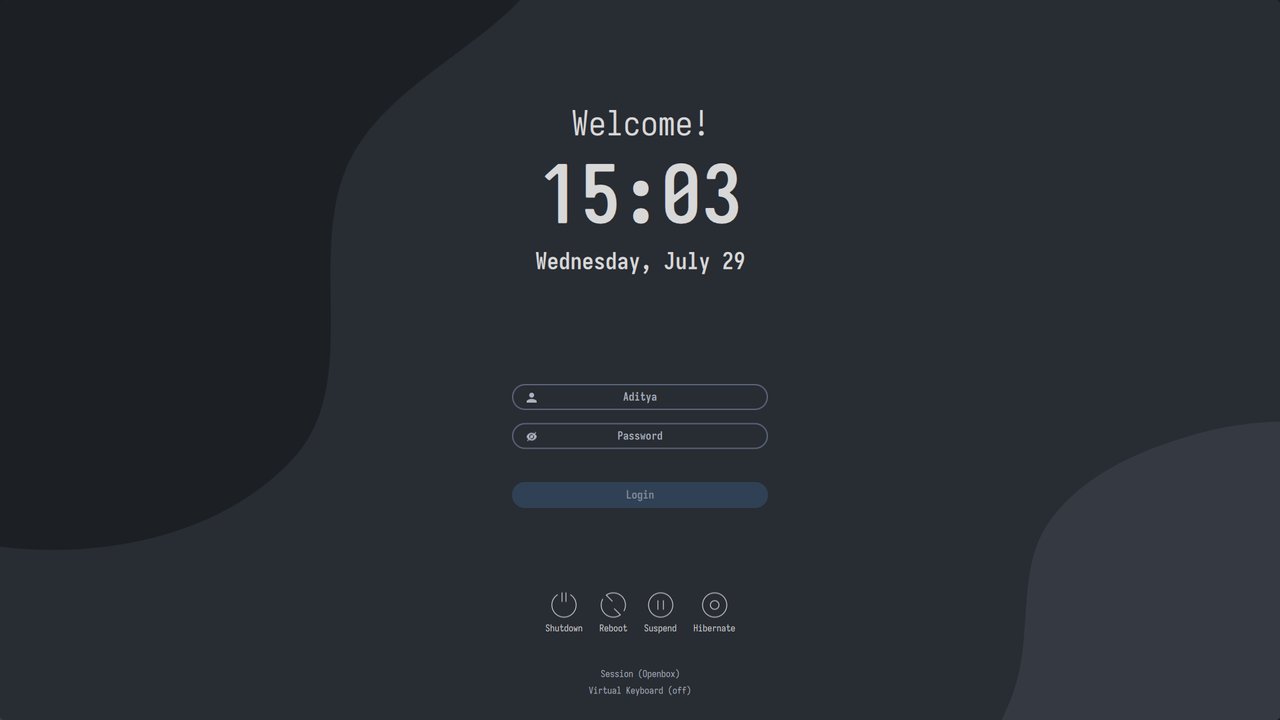
- HiDPI-aware defaults — multi-monitor setups on 4K displays scale cleanly, and the SDDM login screen now scales with the same ratio.
The same set of Archcraft applets — rofi-launcher, rofi-powermenu, rofi-bluetooth, rofi-screenshot, rofi-music — works on Sway with no porting work. That kind of consistency is unusual in the tiling-WM world and it’s the single biggest reason people stay with Archcraft instead of bouncing back to Fedora+i3.
The quiet but serious change: GRUB now boots Btrfs snapshots
If you use Btrfs and Timeshift, you have probably been frustrated by how clunky snapshot recovery is on most distributions. You make a snapshot, your upgrade goes sideways, you boot a live USB, chroot, snapper-rollback, fix the bootloader, reboot… Archcraft 26.08 integrates that path into GRUB itself:
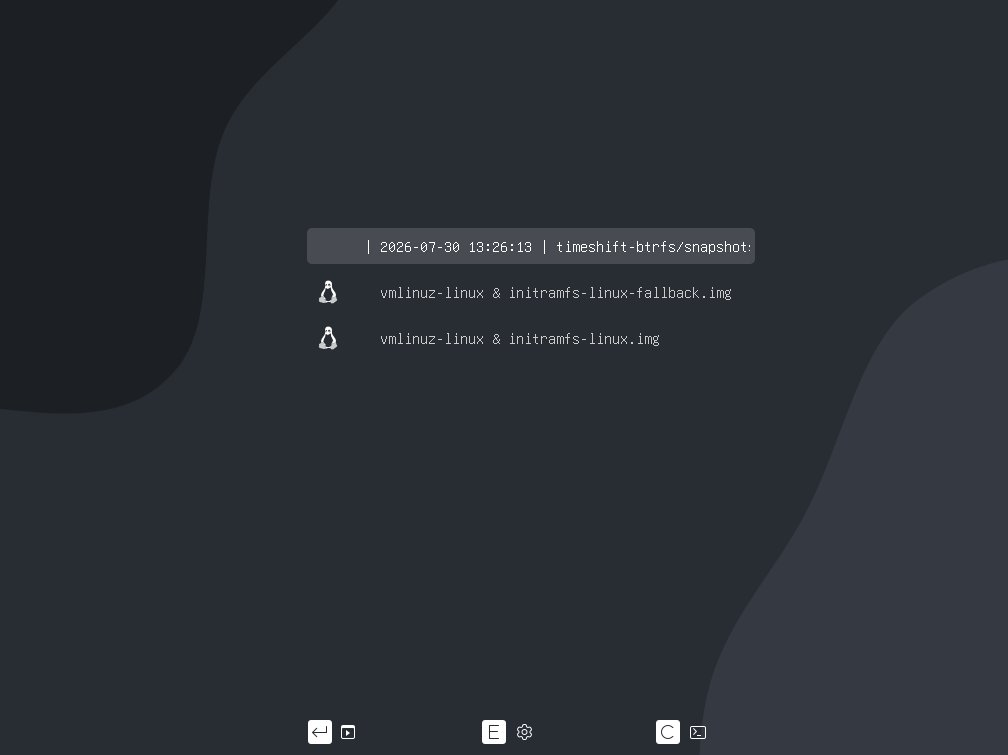
The patched GRUB package scans the Timeshift snapshot directory at boot and presents each snapshot as a real, bootable menu entry, not a “please chroot me” message. Combined with the Timeshift helper in the welcome application, the recovery flow is “reboot → pick the last good snapshot → continue working.” That brings Archcraft in line with what openSUSE Tumbleweed has offered for years, on a very different base.
XFS is also restored as a Calamares option in the same installer pass, alongside Ext4, Btrfs, and F2FS. JFS and ReiserFS are gone — they hadn’t survived any stress test against current kernels.
The smaller things that matter
A few features are easier to miss but worth flagging:
- Encrypted installations actually work now across Calamares and ABIF. The 25.x series had a long tail of LUKS-on-Btrfs and LUKS-on-XFS bugs; 26.08 reports “encryption works reliably across all supported filesystems” and the developer audited the ABIF installer specifically for the LVM, systemd-boot, and GRUB-EFI edge cases.
- VirtualBox compat got a real pass — picom starts cleanly, the Sway session doesn’t lose the compositor on resume, and screen resizing finally works without a manual restart.
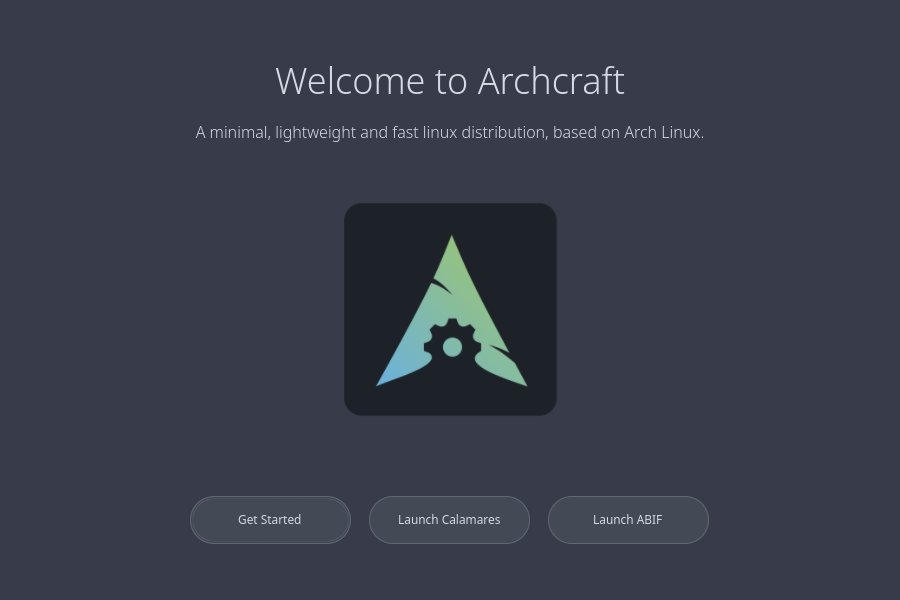
- A GTK4 Welcome application replaces the older GTK3 one, with an actual visual style that matches the desktop instead of the previous “looks like Windows 2000” landing page.
- A GTK4 Help application with the same look, holding the local copy of documentation that used to require a browser tab.
- Thunar gained proper search integration — context-menu “Search here” actually returns results inside Thunar instead of opening a web search in your browser.
xdg-desktop-portalis fixed in the X11 sessions. This is the kind of bug that doesn’t have a marketing tagline but absolutely ruins your day when Firefox, OBS, or any GTK file chooser silently misbehaves.- Picom configs are refreshed for every X11 session, so the Openbox compositor no longer fights with VirtualBox’s guest additions.
How to install it
The official download page lists three flavours: Standard (Openbox + BSPWM + i3), Sway (just Sway), and Prime (paid, extra themes). For most people the Standard ISO is what you want.
# 1. Grab the ISO (verify against the SHA256 on the release page)
wget https://sourceforge.net/projects/archcraft/files/v26.08/archcraft-2026.08.01-x86_64.iso

# 2. Write it to a USB drive — 'sdX' is your USB stick, NOT your NVMe
sudo dd if=archcraft-2026.08.01-x86_64.iso of=/dev/sdX bs=4M status=progress conv=fsync
sync

# 3. Boot the USB, pick "Boot Archcraft" from the GRUB menu.
#    The desktop loads directly — no live session juggling.
The installer is a graphical Calamares (or the ABIF TUI, launched from a desktop shortcut). Both walk you through disk partitioning, user creation, and bootloader installation. If you’ve installed Arch by hand before, the whole flow takes about 8–10 minutes. If you haven’t, the developer ships a written guide on the wiki that anticipates every common mistake.
A note on VirtualBox / VMware: the ISO includes the relevant guest modules in the live environment, so you can boot the installer inside a VM and install to a virtual disk first to experiment without touching your real machine.
After install: three things to do first
Once you’re on the installed system:
- Run
archcraft-welcomefrom the menu. The GTK4 welcome app handles AUR setup (viaparu), Timeshift configuration, mirror ranking, theme switching, and the like. Yes, the welcome app advertises a paid “Premium” skin tier — it is genuinely opt-in and the rest of the system works exactly the same without it. - Update the keyring before any full upgrade. Arch’s
archlinux-keyringis the perennial “pacman fails on a fresh install” surprise. The fix is one line:sudo pacman -Sy archlinux-keyring && sudo pacman -Su. Doing this first avoids the long “signature could not be verified” thread that follows a half-upgrade. - Pick your session. Openbox is the safest daily driver; Sway is what you want if you’re on a recent GPU and want to test the new Wayland work; BSPWM and i3 are both well-maintained and target users who already know what they want.
Who is this release for?
If you already run a vanilla Arch install and you have your own Sway config you maintain, Archcraft 26.08 is mostly a curiosity — the upstream Arch + community Sway docs cover everything that’s here. But that’s not who it’s for. It’s for:
- New Linux users who want a 2026-current Arch system without a six-hour manual post-install to get a working desktop.
- People moving off a heavier distro (Ubuntu, Fedora Workstation) who want to keep the polished look but drop the resource cost.
- Long-time tiling-WM users who want a single ISO that ships every WM they might want to try in a weekend.
The August 2026 release is the first one in a while that I’d recommend handing to a friend as a “just install this” option. The Sway session in particular has crossed the line from “almost ready” to “actually ready,” and the installer fixes alone justify a fresh install.
For the official source — release notes, SHA256 checksums, the live ISO, and the documentation — see the Archcraft news post and the main project page. Source ISO profile lives at github.com/archcraft-os/archcraft.
Comments