
The VS Code extension is a thin shell. It does not bundle the Reasonix CLI; it starts your local reasonix acp backend and adds chat, workspace sessions, editor context, and approval cards. If reasonix --version works on the terminal, the extension will work; if it does not, the extension cannot save you.
Before you start
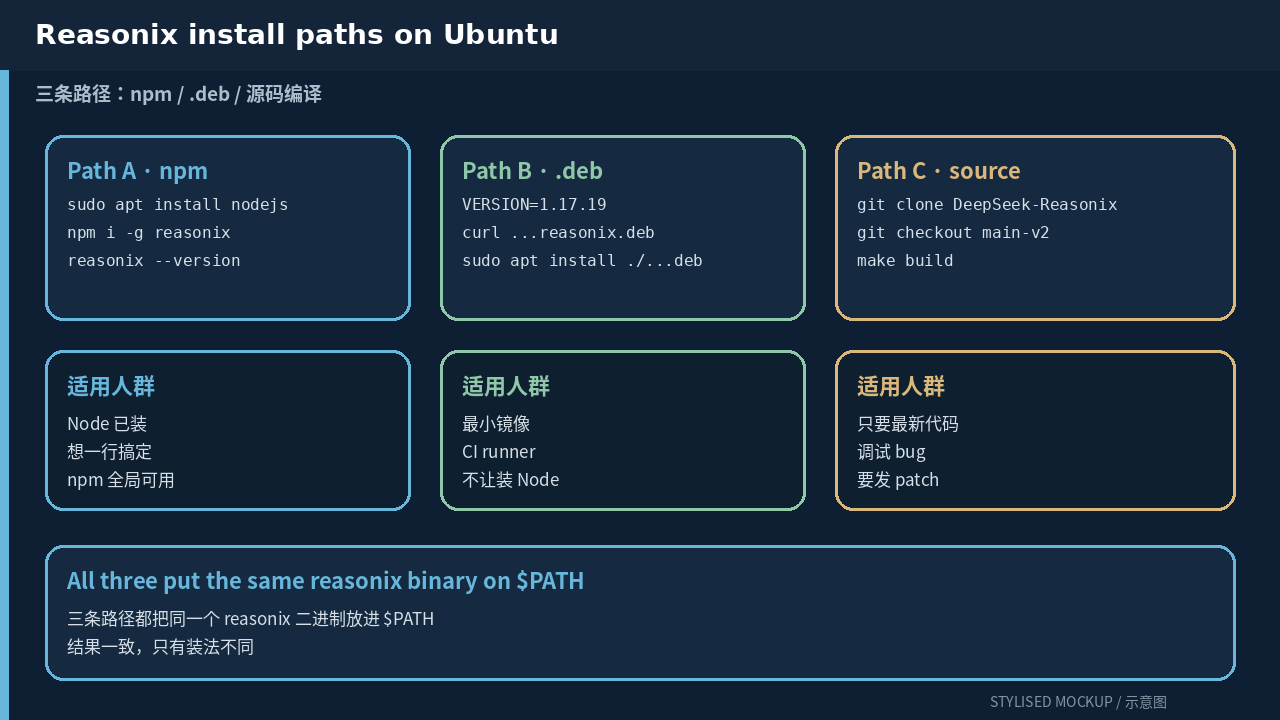
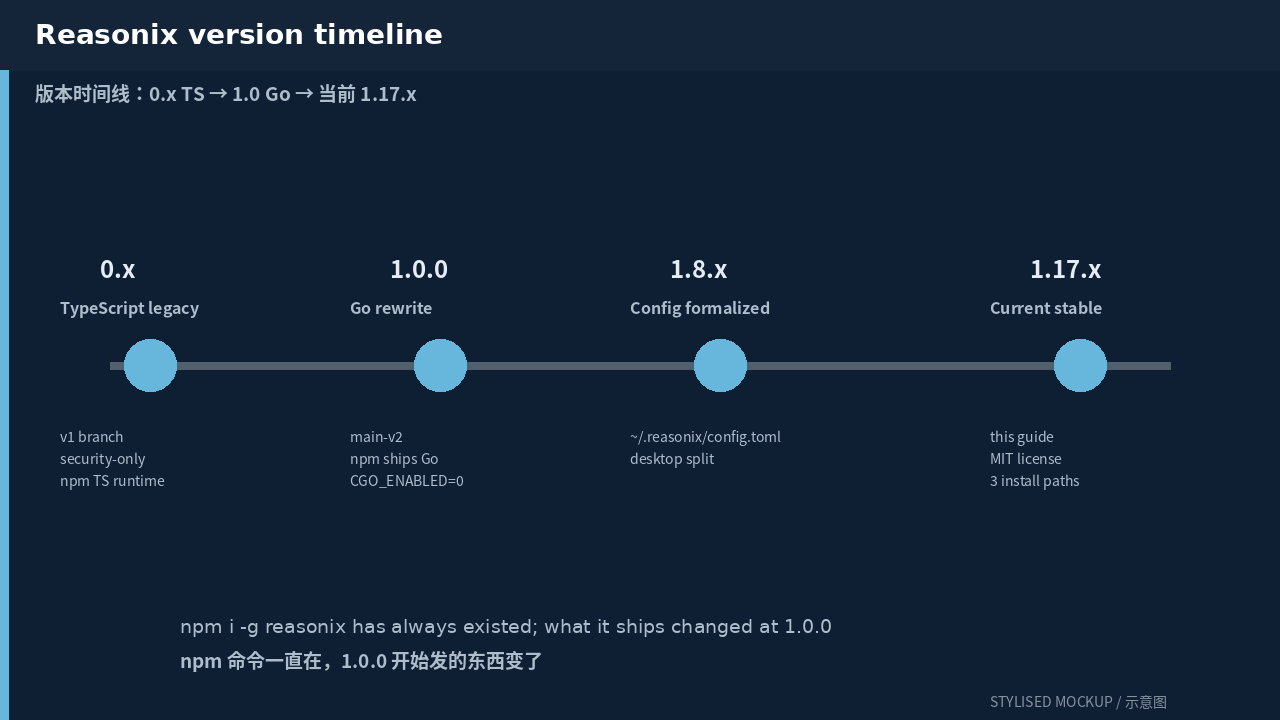
- Reasonix 1.0+ installed and on
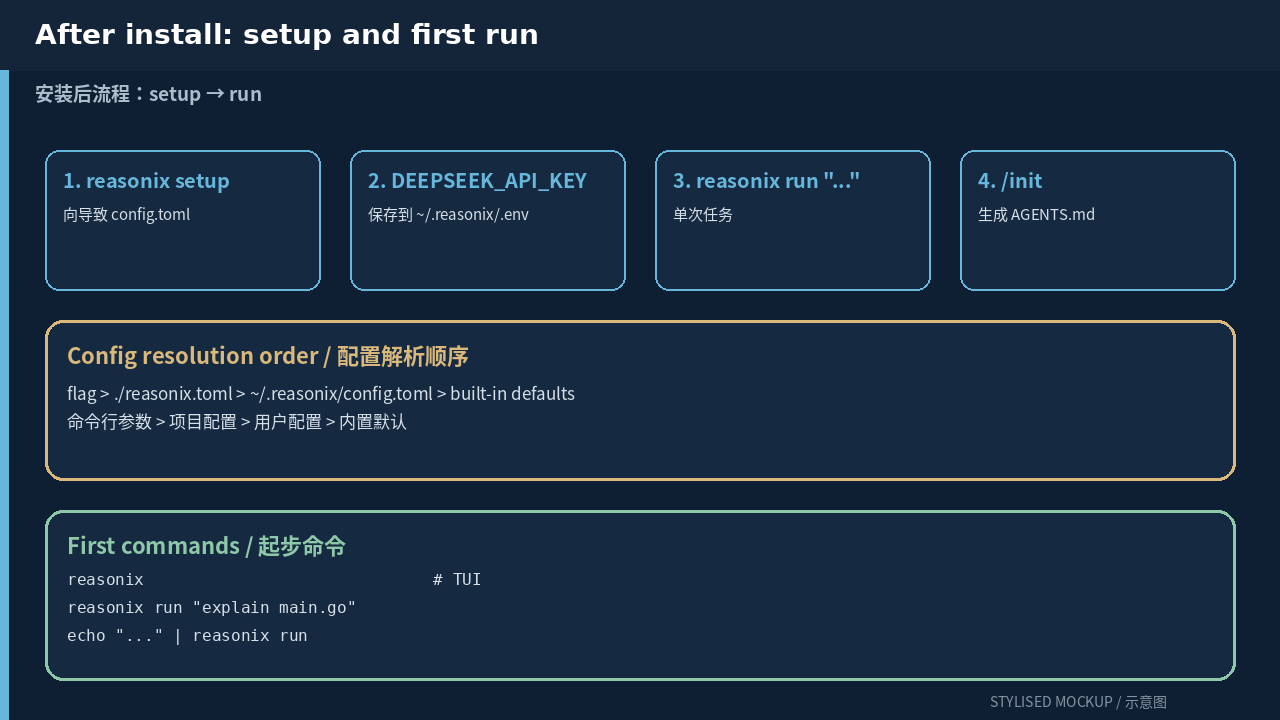
$PATH reasonix setupfinished with at least one provider configured- VS Code 1.85+ (any stable channel)
- A workspace folder open — the extension is workspace-scoped
Install
- Open the Extensions side bar (
Ctrl+Shift+X), search forSivanLiu.reasonix-agent, and click Install. The same extension is on the Open VSX Registry for VSCodium and Eclipse Theia. - Open a project folder. The extension starts an ACP backend scoped to that workspace; multiple roots get one client each.
- Open the Reasonix activity bar view, then
Reasonix: Open Settingsto set the CLI path ifreasonixis not on$PATH. Empty value means “resolve from PATH”. - Start a session with
Reasonix: New Session, pick a model, and choose Ask / Auto / Yolo for tool approvals. The first send will probably ask for confirmation before editor context is attached. - Reference workspace files with
@src/file.tsor@src/to attach bounded resource context. Use slash commands/explain,/fix,/tests,/search,/mcp,/skillsas you would in the TUI.
The configuration
Two files: TOML for non-secret configuration, .env for key values. Resolution order is flag > ./reasonix.toml > ~/.reasonix/config.toml > built-in defaults.
# install from the marketplace CLI
code --install-extension SivanLiu.reasonix-agent

# set the CLI path explicitly when global npm is on a non-default prefix
# (Settings → Extensions → Reasonix → Binary Path)
# "/home/you/.npm-global/bin/reasonix"

# one-shot reasonix acp is what the extension shells out to
reasonix acp --model deepseek-pro --profile delivery
Commands and settings
| Command | What it does |
|---|---|
| Reasonix: Open Chat | Open the activity-bar chat view backed by reasonix acp. |
| Reasonix: New Session | Stop the current ACP client for the active workspace and start a fresh session. |
| Reasonix: Send Selection | Send current file path, language, selection, or nearby cursor window as turn context. |
| Reasonix: Cancel Turn | Send session/cancel to the active Reasonix session. |
| Reasonix: Pick Model | Open a model picker backed by the Reasonix ACP model list. |
| Reasonix: Pick UI Language | Switch the chat UI between Auto / English / Simplified Chinese. |
| Reasonix: Open Settings | Open the in-extension settings view (CLI path, model, language, context mode, auto-start, trace). |
| Reasonix: Show Output | Open the Reasonix OutputChannel for ACP diagnostics. |
Settings
| Setting | Purpose |
|---|---|
| reasonix.binaryPath | Absolute CLI path. Empty means resolve reasonix from PATH. |
| reasonix.model | Optional provider/model passed to reasonix acp --model. Empty uses config default. |
| reasonix.uiLanguage | Auto / en / zh-CN. |
| reasonix.autoStart | Start ACP when the chat view opens. |
| reasonix.trace | Write ACP JSON-RPC traffic to OutputChannel. Enable only when debugging. |
| reasonix.includeSelectionMode | off / selectionOnly / nearby. Controls editor context appended to prompts. |
Common failure modes
Reasonix CLI was not found— install Reasonix first, then either add~/.npm-global/binto PATH or setreasonix.binaryPath.Disconnectedin the chat view — openReasonix: Show Output; most often the ACP process crashed because provider config is empty. Runreasonix setup.Model list unavailable— older Reasonix versions do not advertise the optionalmodel/listextension. Upgrade to 1.8.1+ or accept the configured default.- Diff preview does not open — some edits cannot be previewed safely (binary files, ambiguous replacements). The approval card still shows raw tool input; review before allowing.
- Editor context never appears in the prompt —
reasonix.includeSelectionModeisoffor there is no selection. Confirm in Settings.
Comments