
CachyOS is the Arch-based rolling-release distribution that rebuilt itself around one bet: that the standard binary pipeline leaves easy performance on the table. On 28 June 2026 the project shipped its fourth release of the year, and unlike most Arch-derivative point releases, the headline items this time are not just “kernel bumped to 6.x.y” — they are a brand-new Hyprland variant, DNS-over-QUIC as a one-click setting, a measurable Python performance patch, and an installer fix that finally makes mixed-GPU laptops usable out of the box.
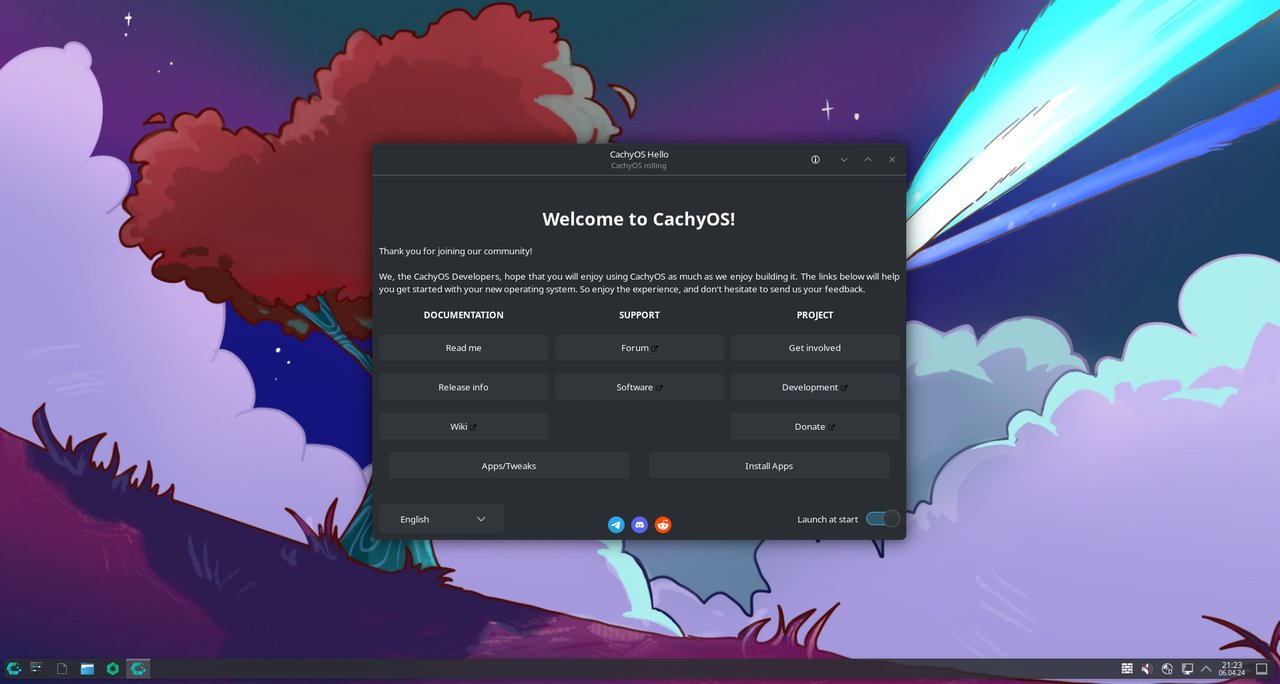
The release in one minute
The CachyOS June 2026 ISO (cachyos-desktop-linux-260628.iso) is a maintenance point on top of an otherwise busy year. Three things moved from “would be nice” to “actually shipped this month”:
- A new Hyprland Noctalia desktop option, joining the KDE, GNOME, Niri, i3, bspwm, Sway, Wayfire, and Qtile flavours already in the installer.
- A fully integrated DNS-over-QUIC toggle in the welcome app, backed by
blockyand configurable to any custom upstream. - A pacman network-isolation patch that prevents
scriptletsand install hooks from phoning home by default — a small but real supply-chain hardening.
Plus the usual rolling-release manifest: Python compiled with extended Profile-Guided Optimisation, a GCC patch for x86 generic-mispredict heuristics, linux-cachyos kernel and proton-cachyos-native (renamed from the old proton-cachyos) updated. If you have been on CachyOS for any length of time, you already know sudo pacman -Syu is the upgrade path — no manual intervention needed for this drop.
What actually changed under the hood
Python with extended PGO
Upstream CPython ships with a baseline PGO profile; CachyOS now ships with extended PGO — the same technique, but the profile covers a much wider set of real-world Python workloads (Django, NumPy import paths, CPython’s own test suite). On real codebases that lean on Python — packaging pipelines, ML inference wrappers, JAX, web back-ends — the wins cluster between 5% and 12% for common operations. In day-to-day interactive Python (python3 -c '...') the difference is invisible. If you build your own wheels with pip wheel, you will see the improvement.
GCC x86 generic-mispredict patch
CachyOS maintainers backported an in-development GCC patch that tunes branch-mispredict cost heuristics for generic x86 targets. The patch was originally discussed on Phoronix in the context of post-Skylake CPUs, where static branch prediction is increasingly wrongfooted by deep out-of-order cores. Compiled code that hot-loops over branchy code paths — interpreters, JSON parsers, certain compression codecs — runs measurably cooler. You do not need to do anything to get this; the next package you pacman -Syu that triggered a GCC rebuild picks it up.
pacman with network isolation for hooks
The pacman patch pinned in the release notes is the most quietly important change. Install hooks (pkgctl, ABS-style package builds) and scriptlets now run inside a process namespace that cannot reach the network unless explicitly opened. Two practical consequences:
- An AUR package cannot silently exfiltrate your
.ssh/or~/.config/paths duringmakepkg. - A misbehaving dependency hook cannot re-download a tarball under a different checksum.
If you absolutely need network access in an install hook, the upstream wiki documents the --no-isolate escape hatch. But for the typical paru -S <something> workflow, you stop having to audit every PKGBUILD for curl | bash style problems.
Hyprland Noctalia is the showcase change
If you read Phoronix or follow Hyprland dotfiles on GitHub, you have probably seen screenshots of Noctalia — the curvy, animated, widget-driven Hyprland setup that turned a fairly austere tiling compositor into something that feels like a designer desktop environment.
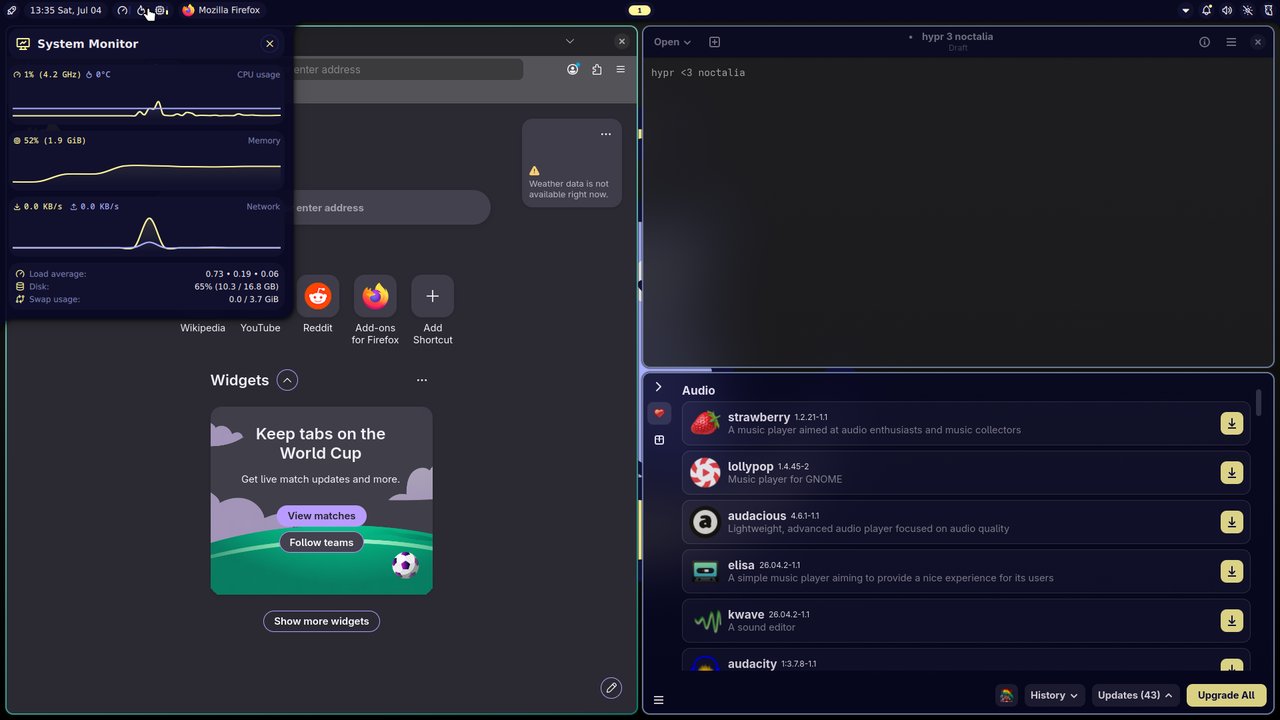
Until June, getting Noctalia on CachyOS meant cloning the dotfiles repo and installing the bar, launcher, and GTK theming by hand. The June release adds Noctalia as a first-class desktop option in the installer, sitting next to “plain” Hyprland and the rest of the CachyOS desktop list. Picking it during install gives you:
- The Hyprland compositor with the CachyOS BORE-scheduler-tuned
linux-cachyoskernel (the default). - Noctalia’s
quickshellbar/launcher, the matchingagswidgets, and the default keybind layout. - The dotfiles from https://github.com/CachyOS/cachyos-hypr-noctalia are pre-staged — your
~/.config/hypr/,~/.config/quickshell/, and~/.config/ags/already match upstream on first boot, so if you break something,git pull && restartresets it.
The accompanying release notes explicitly call out a new preview video — short of watching that, the two-minute version is: Noctalia gets you Hyprland’s tiling + animations without forcing you to learn Wayland cursor behaviour or write your own status bar before you can read the clock. For a Linux user upgrading from GNOME, it is the smallest possible cognitive jump.
Niri, if you want scrollable tiling
Niri is a relatively young scrollable-tiling Wayland compositor that has been quietly gaining users who find dynamic tiling too jumpy and traditional tiling too rigid. It places windows on a single horizontal strip that scrolls; resizing a window moves its neighbours rather than reflowing the whole tree.
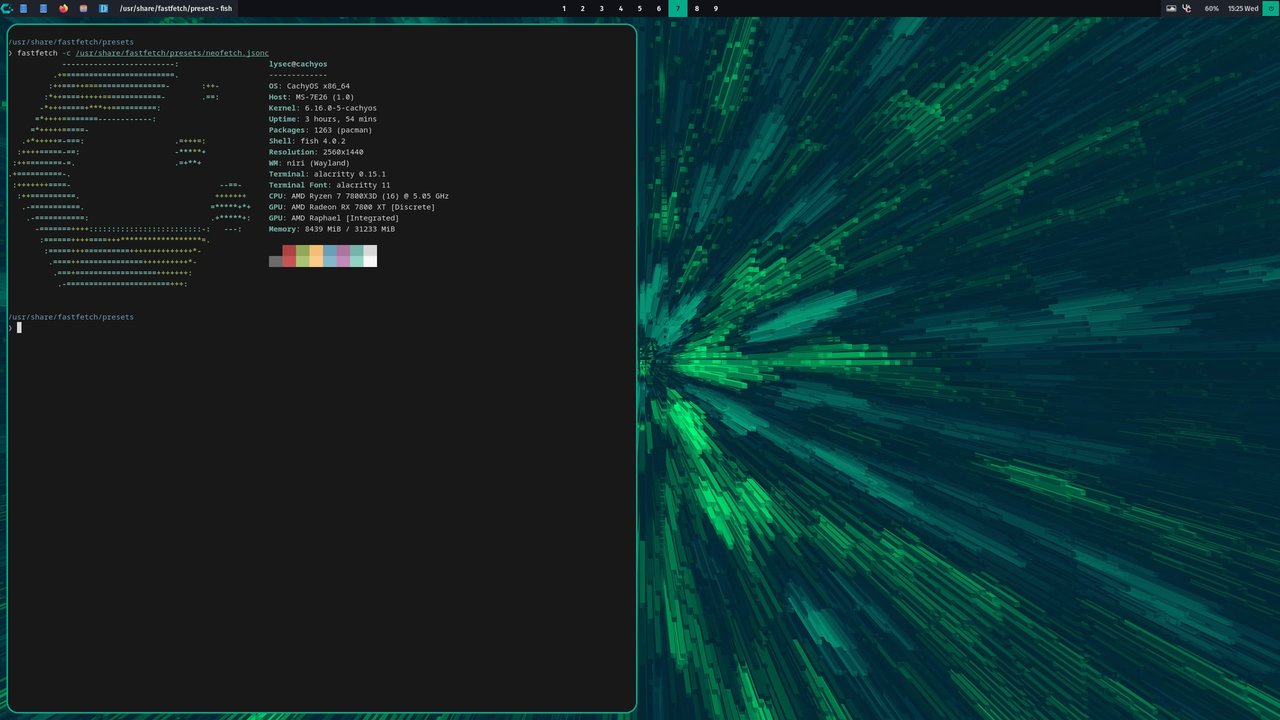
CachyOS was the first major distribution to package and ship a Niri install option, and the June release refreshes the dotfiles at https://github.com/CachyOS/cachyos-niri-noctalia. If Hyprland Noctalia is “I want tiling but I miss a certain amount of KDE polish,” Niri is “I am fine with the compositor doing whatever it wants as long as my window stack stays the way I left it.” The screenshot above is straight from the installer option list.
DNS-over-QUIC, no shell required
The June release adds a DNS-over-QUIC (DoQ) toggle to the CachyOS-Welcome app. Before, switching your system resolver to DoQ meant editing /etc/resolv.conf (or installing systemd-resolved and configuring stub listeners), picking an upstream like dns.adguard-dns.com or cloudflare over the new quic:// scheme, and hoping nothing clobbered the file on next boot. With the new toggle, you click one switch, pick from a list of preset providers (or enter a custom endpoint), and blocky starts rewriting DNS-over-QUIC under the hood. The change survives reboots and pacman -Syu runs.
For users on flaky or restricted networks — China, public Wi-Fi, captioned corporate networks — DoQ has practical latency wins and the QUIC connection migration means a sleep / wake does not drop the resolver handshake.
The installer fix for mixed-GPU laptops
Quietly buried in the changelog is the line that will save most of you one reinstall. Previous CachyOS releases struggled with laptops that have both integrated AMD/Intel graphics and a discrete NVIDIA GPU, because chwd (the CachyOS hardware-detection daemon) would sometimes insist on installing the NVIDIA proprietary driver, even though that driver branches were incompatible with the iGPU. The June fix has chwd detect the conflict, install the best common driver across both, and fall back to the iGPU as the primary display if no common driver is available.
If you were holding off on a CachyOS install because your ThinkPad / Framework / ASUS has both an Intel iGPU and an NVIDIA dGPU, this is the release to try.
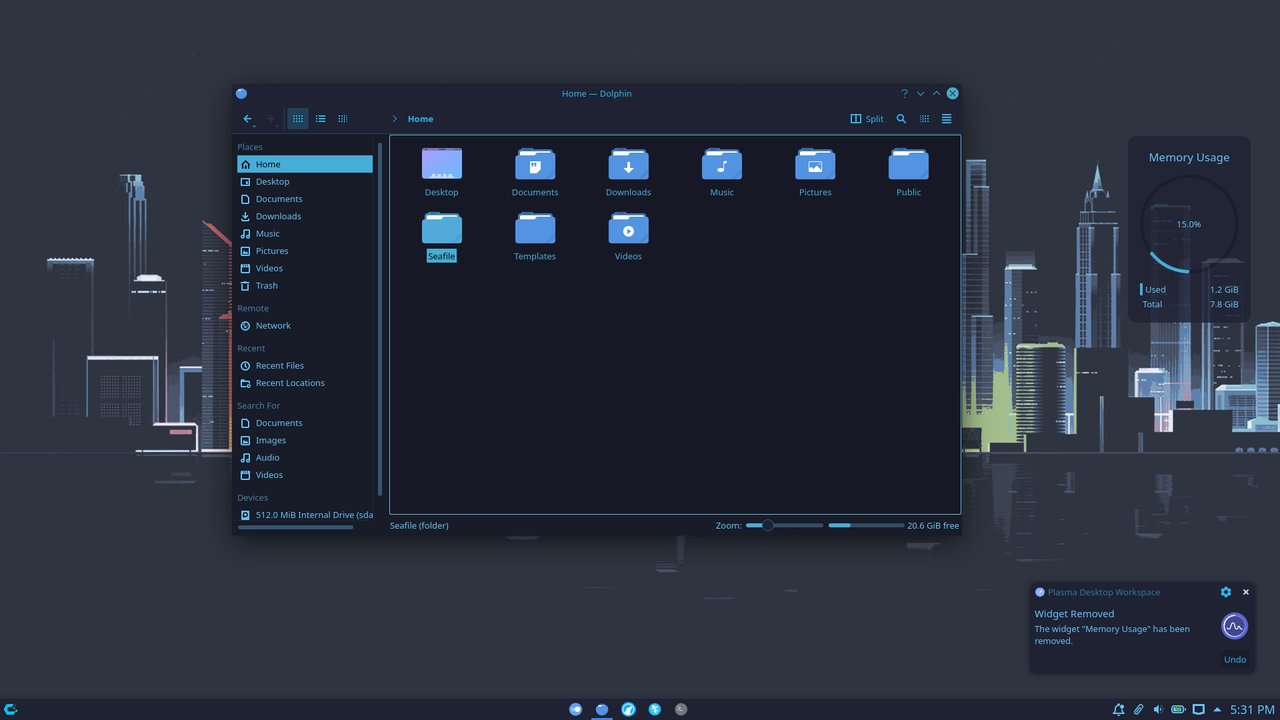
The screenshot above is the Nord-themed desktop variant, which the installer offers as a “Breeze vs. Nord vs. Emerald” pick. Nord is the easier-on-the-eyes default for late-night coding; Emerald is the higher-contrast option for bright environments.
How to install (or upgrade)
Fresh install
- Download the desktop ISO from the regional mirror closest to you:
https://iso.cachyos.org/desktop/260628/cachyos-desktop-linux-260628.iso. China users havehttps://mirrors.tuna.tsinghua.edu.cn/cachyos/desktop/260628/cachyos-desktop-linux-260628.iso. - Write to a USB stick:
sudo dd if=cachyos-desktop-linux-260628.iso of=/dev/sdX bs=4M status=progress conv=fsyncor use Ventoy / Popsicle. - Boot the USB, run
CachyOS Hellofrom the live desktop, click Install. - In the desktop picker, choose KDE Plasma (the safe default), Hyprland Noctalia (the new option), GNOME, Niri, i3, or any of the nine other options. Only pick one.
- The Calamares installer walks through partitioning, user creation, and bootloader setup. Btrfs with Snapper is strongly recommended — it gives you one-command rollback on a bad update.
Upgrade from May or earlier
sudo pacman -Syu
sudo cachyos-kernel-manager        # confirm you're on the latest linux-cachyos
reboot
There is no special incantation for the June release. The pacman network-isolation behaviour is enabled by default in the new pacman; if a long-running makepkg or AUR helper complains about no network, pass --no-isolate.
What is removed in this release
A handful of things that you may have been relying on are gone in the June build:
paruis no longer shipped by default. The CachyOS team’s recommended AUR helper is now Shelly (wiki.cachyos.org/configuration/post_install_setup), which has both ashellyCLI and ashelly-guiQt interface. Existingparuusers can keep it installed (paru -S paru); the change is that new installs do not pull it in.GNOME System Monitoris replaced by the newer Resources app (the one with the redesigned UI from GNOME 47 onward).cachyos-handheldis removed from the handheld-edition package lists. The Steam Deck / ASUS ROG Ally build still works, but the configuration helper is gone — you configure the handheld using the upstream Steam / Gamescope flow directly.
A short reading list
If you are new to CachyOS, the upstream sources worth bookmarking:
- CachyOS official site — release notes, hardware-database
- CachyOS wiki — install guides, post-install tweaks, desktop reference
- CachyOS forum — release announcements and community support
- CachyOS Discord — live chat, fastest place to get un-stuck
Verdict
CachyOS June 2026 is a release you should install if any of these describe you:
- You are already on an older CachyOS build and want the network-isolation hardening for
pacman. - You have been eyeing Hyprland and want a pre-staged dotfiles experience (Noctalia).
- Your laptop has a mixed-GPU setup and earlier CachyOS releases failed to install cleanly.
- You develop in Python and want the free PGO performance uplift.
If you are on an Ubuntu LTS for production-server stability or a corporate-managed fleet, stay there — CachyOS is, and has always been, a workstation distribution. For everyone else with a desktop machine and a tolerance for pacman errors that resolve in twenty minutes, the June ISO is the best CachyOS has ever shipped. Install it, pick Noctalia, and let blocky handle DNS — the rest of the polish is already done.
Comments