
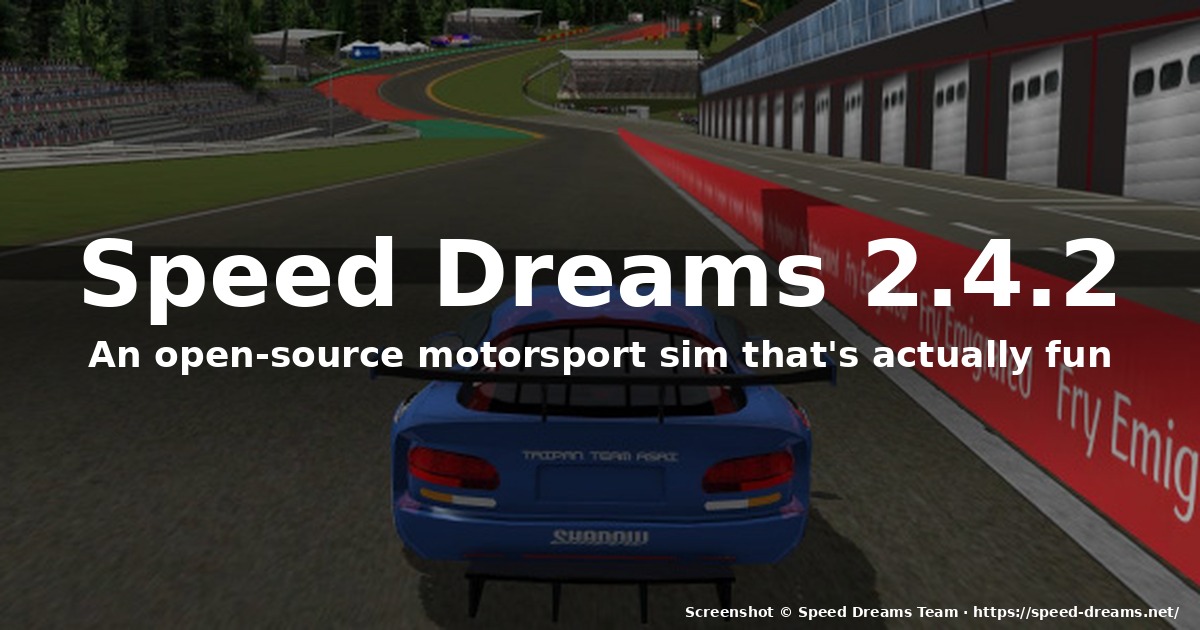
How to Install and Play Speed Dreams 2.4.2 on Linux
If you’ve been missing a proper, no-nonsense motorsport sim on Linux — one that doesn’t ask you to fire up Steam, doesn’t push you through a launcher, and doesn’t try to sell you DLC the moment you load a track — Speed Dreams has been quietly waiting for you. The 2.4.2 release went out in early 2026, and it’s the best version of this TORCS fork in years.
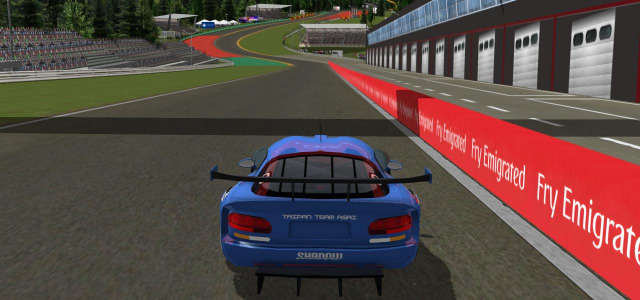
What Speed Dreams actually is
Speed Dreams is a fork of the venerable TORCS (The Open Racing Car Simulator) project, split off in 2008 and now developed under the GPL v2+ for code and Free Art License for artwork. It’s a 3D motorsport simulator written in C++ that runs natively on Linux, Windows, AmigaOS 4, AROS, MorphOS and Haiku. The project is hosted at speed-dreams.net and the source lives at forge.a-lec.org/speed-dreams under the French Libre en Communs foundation.
What that practically means for someone sitting at a Linux desktop in 2026:
- Native binary — no Proton, no Wine, no DXVK, no Vulkan shim, no driver fiddling. If you have OpenGL and OpenAL, it runs.
- No DRM, no account, no launcher — you download the tarball, extract, double-click (or run from a terminal) and you’re racing.
- A proper sim, not an arcade game dressed as a sim — force feedback, slip-stream, weather, dynamic sky, tire model that depends on the track temperature.
What’s new in 2.4.2
The 2.4.x line has been tightening things up since 2.4.0 in February 2025. The latest 2.4.2 (released March 2026) is a small but genuinely useful hotfix:
- The race configuration menu now shows how many candidates and competitors you actually have, which used to require reading the track XML to figure out.
- The
ssggraphrendering pipeline got a delta-best bar — that little green/red line next to your sector splits — contributed by community member @plinio. - Real-time split diffs from close opponents during a race, also from @plinio.
Those changes sound minor if you haven’t sat in the car, but the delta-best bar is exactly the kind of feature that turns “I drove a lap” into “I drove a lap that I can compare to everyone else’s lap.” It’s the difference between time-trial and proper sim racing.
The 2.4.0 release last year was the bigger leap: a brand-new shader pipeline, sky-dome weather that actually changes car grip, and 4 selectable physics engines (SimuV2 / SimuV2.1 / SimuV3 / SimuV4). SimuV2.1 is the official default and the one most robots are tuned against.
The car list and racing categories
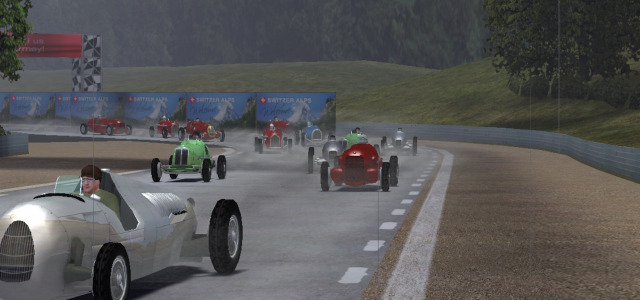
Here’s where Speed Dreams quietly pulls ahead of its arcade-mode sibling SuperTuxKart. The car roster covers virtually every era of circuit racing:
- 36GP — late-1950s / early-60s front-engine single-seaters (think Lotus 18, Maserati 250F).
- 67GP — late-60s / early-70s winged-era cars (Lotus 72, Tyrrell 001).
- Supercars — modern GT and LMP-style machinery.
- Long Day Series 1 & 2 — endurance prototypes with fuel burn visible in the cockpit.
- MP5, LS-GT1, reflower — niche categories for variety.
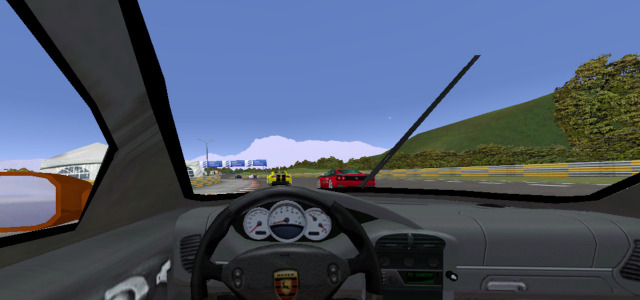
Each category has its own championship. Career mode (added in 2.0) chains them into a multi-season run with random tracks and balanced AI opponents. If you’ve ever wondered what it feels like to graduate from a 36GP Lotus into a Supercar over a single long weekend, that’s the mode.
Physics, robots, and AI
The car’s physics are computed every simulation frame by one of four interchangeable C++ physics modules. They’re not just cosmetic — swapping SimuV4 for SimuV2.1 is like moving from arcade to sim, mid-race.
The AI is handled by simplix, USR, kilo2008 and a couple of newer engines. Simplix is the cautious, won-the-2009-TORCS-endurance kind of robot; USR is the aggressive brancher; kilo2008 is somewhere in between. You can pick which engines race against you, and the result is genuinely varied racing — they actually overtake each other, block, and make mistakes.
The interface: a real cockpit
This is the part of Speed Dreams that grew on me the most. The default 2D cockpit is properly configurable:
- Driver board, rear mirror, FPS counter, mini-map, clutch graph, G-forces graph, damage bar, fuel bar, speedometer, tachometer, leaders board — all toggleable.
- “Arcade” mode inherited from TORCS if you want assist-heavy driving.
- F1-style timer with millisecond accuracy — 10× more precise than the TORCS one.
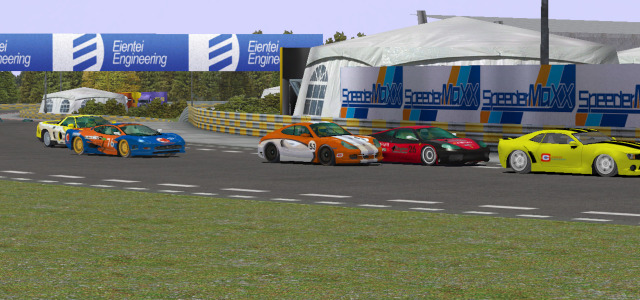
The rear mirror looks great and is also surprisingly expensive CPU-wise; if you’re on integrated graphics, turn it off during long endurance races.
Multiplayer: split-screen and master server
Speed Dreams has two multiplayer modes. Split-screen works out of the box, all on one keyboard if you want, but realistically you want two controllers.
Online racing goes through the project’s master server — you upload your best lap times and compare against everyone else. Live online races are possible too but the master-server is more of a leaderboard these days.
Installing on Linux
There are three official install paths, in order of how cleanly they tend to work.
Option A: Flatpak (easiest)
Speed Dreams is on Flathub:
flatpak install flathub net.speed_dreams.SpeedDreams
flatpak run net.speed_dreams.SpeedDreams
This bundles SDL, OpenAL, OpenSceneGraph and the physics libraries. If you’re on a Steam Deck, this is almost certainly the path you want — it lands in your library via Flatpak and works under Gamescope.
Option B: your distro’s package (best if available)
Debian, Ubuntu, Fedora and openSUSE all carry Speed Dreams, though not always the very latest 2.4.2. As of early 2026:
# Debian / Ubuntu
sudo apt install speed-dreams

# Fedora
sudo dnf install speed-dreams

# openSUSE
sudo zypper install speed-dreams
You’re usually getting one version back at most. 2.4.0 from Debian’s repos plays identically for a casual user; if you specifically want 2.4.2, go to Flatpak or the tarball.
Option C: tarball (upstream, latest)
Grab speed-dreams-2.4.2-x86_64.tar.xz from the downloads page, extract, and run the bundled launcher:
tar -xf speed-dreams-2.4.2-x86_64.tar.xz
cd speed-dreams-2.4.2
./speed-dreams-2.4.2.sh
This is the way to get the exact version the dev team tested. It’s also how the project’s CI runs, so if anything’s broken in your distro’s package, the tarball is the reference.
First-run tips
Five things I wish I’d known on day one:
- Start on Arcade mode if you’re new to sim racing — Speed Dreams has no driving-line aid.
- Bind a wheel early. Keyboard control is functional but rough at speed. Even a cheap Logitech or Thrustmaster changes the game.
- Run a
Practicesession at a track before you commit to a championship — get used to the braking points in 36GP before you move up. - Use the leaderboard for one-lap pace — it’s quieter than the career mode and the fastest way to actually get fast.
- Save your
~/.config/speed-dreams/2.4.2/directory if you start tweaking car setups — that’s where your bindings and graphics settings live.
Verdict
Speed Dreams 2.4.2 is the kind of project that reminds you the open-source games ecosystem is more alive than the headlines suggest. It looks rough next to Assetto Corsa or iRacing. But it runs on a thirteen-year-old ThinkPad, it doesn’t ask for your credit card, and it has actual career mode, actual AI that overtakes, and actual offline splitscreen in 2026.
For the team at Speed Dreams, get the latest from speed-dreams.net. For the open-source racing umbrella — Stunt Rally, SuperTuxKart, VDrift, the old TORCS itself — there’s never been a better time to just install something and drive.
Comments