
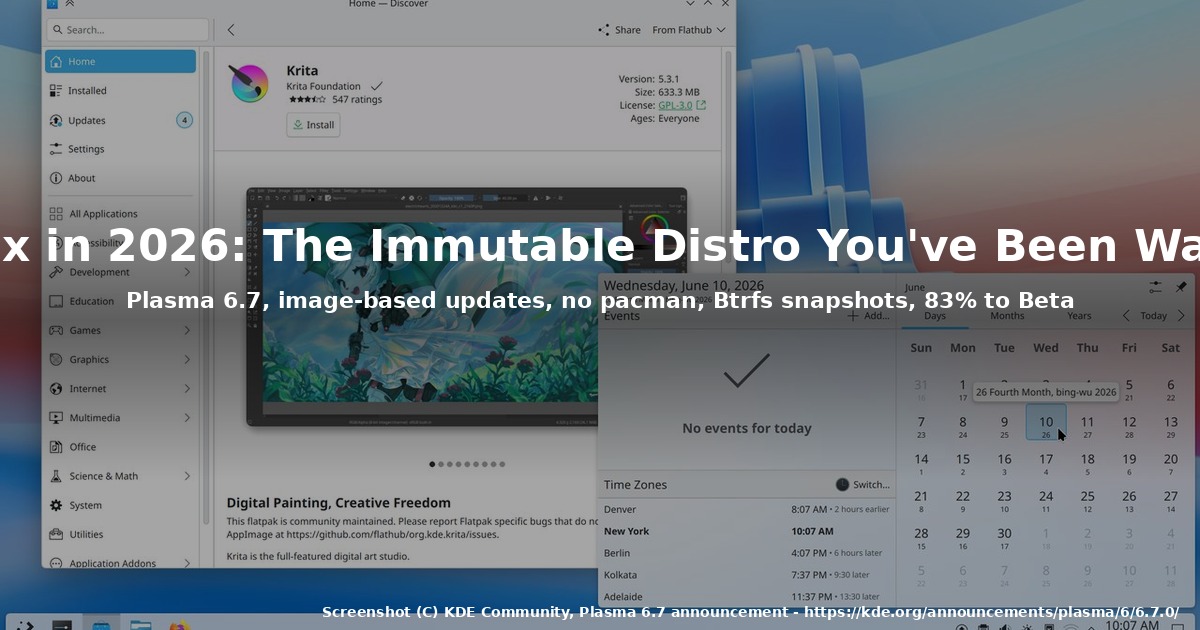
How to Try KDE Linux in 2026: An Immutable Distro by KDE
If you’ve ever wished the KDE community would ship its own reference operating system – with Plasma, KDE apps, Btrfs snapshots, and image-based updates, all configured the way the upstream developers actually run it – that wish is now real. It’s called KDE Linux, and as of August 2026 it is 83% of the way to its first public Beta.
I spent the weekend reading the July 2026 development update on blogs.kde.org and walking through the official install documentation on linux.kde.org. This article is the tour I wish I’d had on day one: what KDE Linux actually is, why the project exists, what works today, and what is still firmly in alpha territory.
What KDE Linux is (and isn’t)
KDE Linux is an image-based, immutable, Wayland-only desktop operating system built by KDE itself. The home page on linux.kde.org makes the design goals explicit: safe, maintainable, functional, modern – intended for home use, enterprise workstations, public institutions, and pre-installation on computers you can buy.
That last clause matters. KDE Linux isn’t a side project – it’s KDE’s answer to “what is a reference KDE OS?”, the same way Fedora KDE answers “what does a current Plasma spin look like?”, but built with the upstream developers in the driver’s seat.
Some quick orientation:
- Not an “Arch distro” in the usual sense. KDE Linux is built using Arch Linux packages, but it ships no
pacman, no AUR helper, and no command-line package manager at all. Arch is “a means to an end” in the project’s own words. - Apps come from Flatpak.
Discoveris the only software manager; everything outside it must be installed via Flatpak, distrobox, AppImage, or Nix. - Updates are atomic and image-based. The last 5 OS images stay cached on disk; you can boot into any of them and roll back.
/usris read-only. A Btrfs root holds your snapshots, and a built-in backup system protects user files.- Only Wayland. No X11 session is provided.
Why immutable, and why now?
The project page draws the comparison explicitly: an image-based KDE Linux aims to be more secure (read-only /usr, transactional updates, OS rollback, no background package manager waiting for accidents), more reliable (a configuration file under /usr cannot get clobbered by a half-finished upgrade), and simpler to operate (one upgrade verb, one rollback verb, one image to back up).
For a desktop distribution, that’s a meaningful trade-off. You give up the ability to install vim system-wide with sudo apt install vim and the freedom to edit /usr/lib/... to make a workaround stick. In exchange, you get a desktop that updates like a phone: download the new image, swap it in on reboot, keep the old one as a parachute.
The same philosophy has been tried before – Fedora Silverblue/Kinoite, openSUSE MicroOS, Vanilla OS, AerynOS – but KDE Linux is the first one built and shipped by KDE for Plasma. That matters because it can take KDE Frameworks changes into the base image at the same cadence as the desktop itself, instead of waiting for a downstream packager.
What’s actually new in the July cycle
The most important piece of news is structural: KDE Linux has reached 83% of its Beta milestone. Reading the public work-items board against that milestone, the remaining work is mostly polish and hardware coverage – the architecture and tooling are settling.
The July work, summarised from Nate Graham and John Veness’s post on blogs.kde.org, breaks down into four themes.
1. A real QA pipeline
The KDE Linux team integrated a full-stack integration testing system (the openQA fork that Thomas Duckworth has been writing about since mid-2026). It already caught two regressions before they reached users:
- A login-breaking KWin crash caused by an upstream
gccregression in Arch Linux. - A KWallet auto-unlock regression that would have locked users out of their wallets on first login after the update.
Both were fixed upstream. For an OS that ships a daily image, having an automated suite that boots each candidate image in a VM and exercises the login stack before it lands is the difference between “alpha software” and “alpha software you can actually use.”
2. The Package Compatibility Helper gets useful
This is the user-visible change I’m most excited about. KDE Linux’s Package Compatibility Helper used to simply refuse to open files that no installed app could handle. The new version, after explicit user approval, downloads a runtime from Flathub and uses it immediately.
- Open a
.jarfor the first time? KDE Linux offers to fetch a JRE and runs the app. - Open a
.comor.exefrom 1993? KDE Linux offers DOSBox.
It’s a small thing on paper, but it’s a real answer to the classic immutable-distro complaint: “I can’t install random software, so I can’t open this file.” With this change, you don’t need to install random software – the system does it on the fly.
The design is deliberately generic. KDE notes that the same mechanism could land in any other Flatpak-first immutable OS.
3. Kernel hardening and a leaner image
Hadi Chokr brought in SecureBlue-inspired kernel-hardening tweaks, with the constraint that they must not inconvenience desktop users. The project also removed hardware watchdog kernel modules that have no use on desktops (the resulting small CPU usage and boot-time wins are bonuses) and switched CUPS to socket activation, so the printing stack isn’t resident until you actually print.
For users on flaky VPN hardware, WenChao Zhang restored the esp4 and esp6 kernel modules. They’d been pulled out earlier as a mitigation for DirtyFrag (a kernel IPv4 fragmentation privilege-escalation class), but with DirtyFrag addressed in newer kernels, the IPsec regression that removing them caused was no longer acceptable. They came back.
vulkan-virtio is now preinstalled, which improves graphical performance inside VMs with a virtual GPU that speaks Vulkan – useful for KDE Linux’s own test pipeline, and useful to anyone running Plasma in a Qemu/KVM/libvirt stack with virtio-gpu.
4. Bugs that will quietly help you
- WWAN modems now work out of the box – LTE/5G cards just appear, no manual
ModemManagerritual. - USB autosuspend no longer fails on input devices with an empty product name string.
- Flatpak synchronization between existing installs and freshly-provisioned installs is consistent again – previously, an “out of the box” install could ship a Flatpak version slightly ahead of what existing users had, which produced confusing “newer available” notifications for them.
The Plasma 6.7 connection
KDE Linux is the reference distribution for Plasma 6.7, which shipped on 16 June 2026. The announcement page on kde.org describes it as “a productivity powerhouse that’s a joy to use,” and reading through the highlights explains a lot about why the OS team wanted their own image:
- Per-screen virtual desktops – 21 years after the original feature request, you can finally have one set of virtual desktops on your laptop’s built-in screen and a different set on the external monitor.
- Microphone volume test – finally a way to tell whether you’re too loud, too quiet, or just fine without calling someone.
- Press-and-hold for special characters on Plasma’s virtual keyboard.
- Light/dark mode toggle as a system widget, not a per-app toggle buried in three menus.
- Drag-and-drop favourites in the application launcher.
- Discover redesign with a more obvious “Install” button, redesigned app cards, and grouping installed software by type.
If you’ve been on Plasma 5.x or even early 6.x and felt the desktop had plateaued, 6.7 is the release that breaks the plateau. KDE Linux is the first OS to ship it as the default, which means the integration work has actually been done – touchpad gestures, accent colours, and Flatpak permission prompts all align with the new defaults.
How to actually install KDE Linux today
The official install guide is at linux.kde.org/docs/install. The condensed version:
- Download the latest
.isofrom files.kde.org/kde-linux. - Verify the SHA256 of the ISO. The download page shows the checksum next to each file – copy it, paste it into your image-burning tool’s “Checksums” tab. This matters more than usual because the OS is image-based and a corrupted ISO means a corrupted base image.
- Write it to a USB drive. Any standard tool works – Fedora Media Writer,
dd, Ventoy, GNOME Disks, KDE’s owniso-imagewriter. - Boot the live USB. The live session is a full Plasma 6.7 environment with all the standard KDE apps. If your hardware works in the live session, it will work after install.
- Run the installer. It writes the OS image to your drive and sets up Btrfs + systemd-boot.
- Update immediately. KDE Linux updates daily. Always update before reporting any bug.
The project is explicit that KDE Linux is alpha software. The home page says it plainly: “Do not install it on your non-technical uncle’s computer or across the accounting department at work.” The expected caveat is that there are still rough edges, especially with:
- Older NVIDIA GPUs (anything pre-GTX 1630 needs manual setup; see the docs). Newer Turing/Ampere/Ada cards Just Work.
- Dual-boot with complex disk layouts – the installer doesn’t formally handle this yet. Manual dual-boot setup is documented, but it is a manual exercise.
- Daily regressions. If you find a bug, update first. The fix may already be in the next image.
The install-time customization tradeoff
One of the more interesting cultural decisions: KDE Linux deliberately limits system-level customization. The reasoning, from the project page, is that every knob you add to the base image is a knob someone has to test, document, and keep working forever.
Practical consequences:
- You don’t start and stop Systemd services except to debug.
- You don’t hack the Plymouth splash screen or SDDM theme.
- You don’t symlink your favourite binaries into
/usr/local/bin. - You do install user software via Flatpak, distrobox, AppImage, or Nix.
- You do theme Plasma – that’s user-space customisation, and Plasma 6.7’s new styling engine gives you more headroom than ever.
This is the same bargain Silverblue made in 2018 and that AerynOS makes today: a smaller attack surface, a smaller support surface, and a much smaller chance of breaking on upgrade.
How to get involved
KDE Linux is a volunteer-run project under KDE e.V.. The KDE page lists five concrete ways to help:
- Spread the word – especially if you’re a tech journalist or content creator.
- Daily-drive KDE Linux on a primary or secondary machine, follow the install instructions to the letter, and report issues.
- Test less-common hardware – especially older NVIDIA GPUs and the experimental delta-update path on spinning hard disks.
- Report bugs at invent.kde.org for KDE Linux itself, or at bugs.kde.org for KDE applications.
- Develop – chat on Matrix at
#kde-linux:kde.organd submit merge requests.
For users who can’t daily-drive alpha software, the official answer is the same one KDE gives everywhere: install one of the released KDE-focused distributions from kde.org/distributions. They get the new Plasma a few weeks later, with a more traditional package manager underneath.
Should you try it?
If you already run Plasma on another distro – KDE neon, Fedora KDE Spin, Kubuntu, openSUSE, Endeavour – KDE Linux is not a productivity upgrade yet. It’s a preview of what a from-scratch KDE OS looks like when KDE itself owns the integration.
If you:
- Already daily-drive an immutable OS like Fedora Kinoite or openSUSE MicroOS,
- Want to live near the Plasma release train,
- Have a spare laptop or VM,
- And you understand that “alpha” means “yesterday’s image might be broken; update before you debug”
then KDE Linux is the most interesting thing KDE has shipped in years. The Package Compatibility Helper alone changes how I think about Flatpak-first desktops. The QA pipeline means real regressions get caught. The Beta milestone is 83% done, and that’s visible progress, not a roadmap promise.
The download is free, the install is straightforward, and the worst case is “you spent 30 minutes in a Plasma 6.7 live session and went back to your normal distro.” That seems worth a Saturday afternoon to me.
For the official source, start at linux.kde.org and the monthly development update at blogs.kde.org/categories/kde-linux.
Comments