
Reasonix 原生支持 MCP。接一个 MCP 服务,就是在 ~/.reasonix/config.toml(或项目级 reasonix.toml)里多一个 [[plugins]]。三种 transport 都支持,MCP prompts 还会自动变成斜杠命令。
配置写法
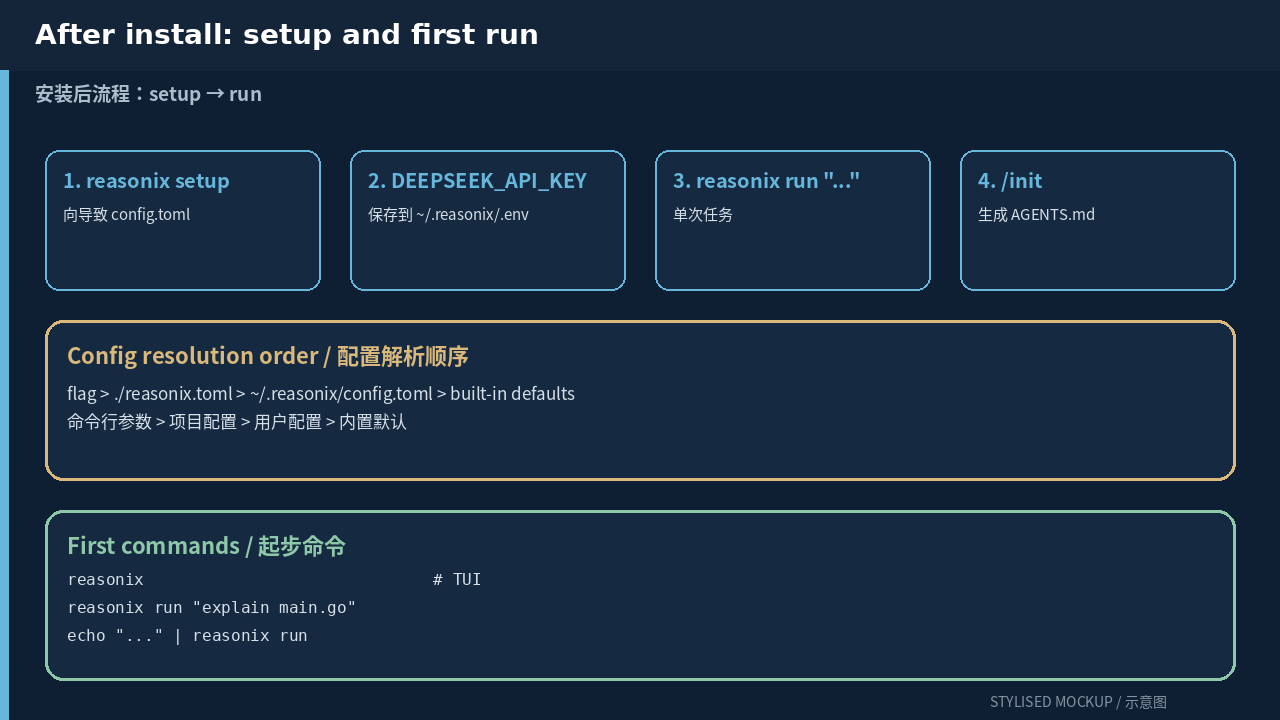
两个文件:TOML 放非敏感配置,.env 放 key 字符串。解析顺序是 flag > ./reasonix.toml > ~/.reasonix/config.toml > 内置默认。
# ~/.reasonix/config.toml

# stdio(子进程)—— 最常见
[[plugins]]
name    = "github"
command = "npx"
args    = ["-y", "@modelcontextprotocol/server-github"]
env     = { GITHUB_TOKEN = "ghp_***" }
call_timeout_seconds = 600

# stdio + 内置位置参数
[[plugins]]
name    = "filesystem"
command = "npx"
args    = ["-y", "@modelcontextprotocol/server-filesystem", "/srv/code"]

# Streamable HTTP(2025-03 规范)—— 远程 MCP
[[plugins]]
name    = "stripe"
type    = "http"
url     = "https://mcp.stripe.com"
headers = { Authorization = "Bearer ${STRIPE_KEY}" }

# 普通 HTTPS —— 按兼容路径走 HTTP+SSE
[[plugins]]
name    = "remote-legacy"
type    = "sse"
url     = "https://internal.example.com/mcp/sse"

# 单个工具的慢调用超时
[[plugins]]
name                 = "edge"
command              = "edge-mcp-server"
tool_timeout_seconds = { generate_video = 1800 }
容易漏掉的细节
- 项目根目录的
reasonix.toml优先级高于用户配置。把项目专属的 MCP 放项目文件里,避免污染其他仓库。 env里的值可以用${VAR},Reasonix 会从用户.env解析。但 provider 的 key 不会从这里注入 —— provider key 走api_key_env。- 新装的 MCP 服务不用每个工具都加 allow list;声明
readOnlyHint的工具会自动对 planner 和只读子 agent 注册表开放。 - MCP prompts 会变成形如
/mcp__server__prompt的斜杠命令;MCP resources 用@server:uri引用。 - 网络慢就调
call_timeout_seconds;单个工具慢就用tool_timeout_seconds(比如长跑的视频生成)。
常见问题
- 只填
url = "https://..."默认按 SSE 走。要用 2025-03 Streamable HTTP 显式写type = "http"。 - provider 的密钥已经被过滤出所有 MCP 子进程环境。不要通过
env = { ... }传DEEPSEEK_API_KEY;agent 看不到,MCP 服务也不该需要。 - fork 出长跑子进程的 MCP 服务,内存占用与会话数成正比。只为一个任务用的就放项目
reasonix.toml,用完删掉。 /mcp打开 live + marketplace 控制台。服务没出现就先跑/doctor,通常 stdio 进程是立刻挂了(二进制找不到、参数错、网络问题)。
评论