
你已经安装了 xh。现在让我们快速上手。本指南涵盖 GET/POST/Header/Session/Download/curl 转换——日常 API 工作所需的一切。
基础请求
GET——最简单的开始
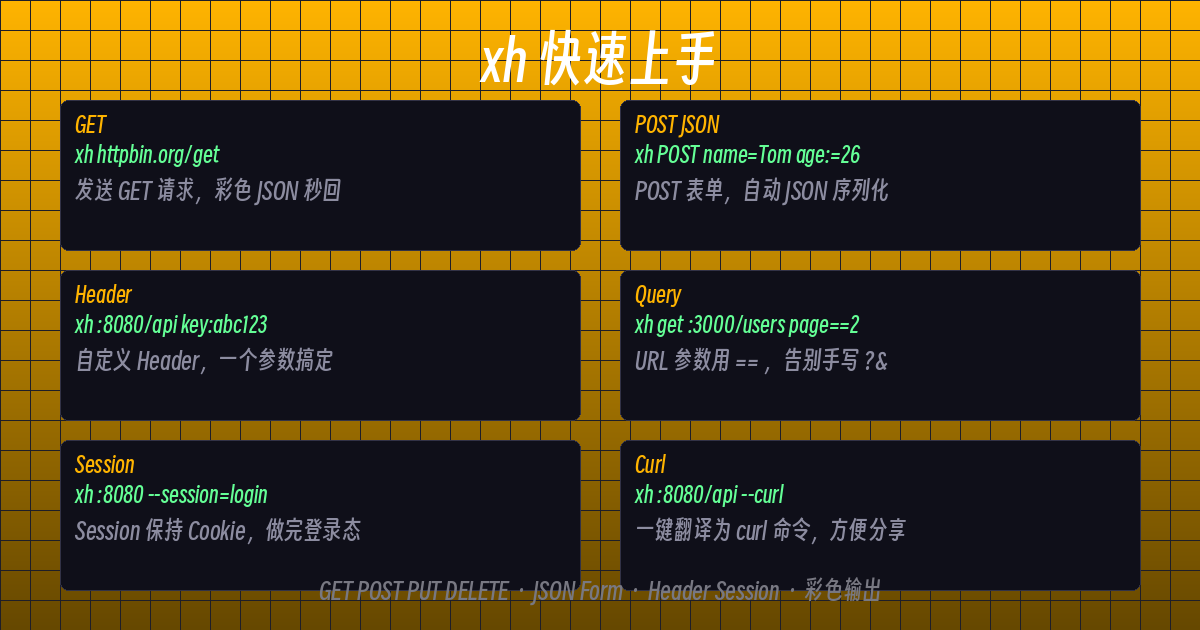
xh httpbin.org/get毫秒级返回彩色 JSON。无需 -X GET。
自动检测方法
# 裸 URL = GET
xh https://httpbin.org/json

# 带 URL 参数
xh https://httpbin.org/get name==Tom page==1
带 JSON 主体的 POST
xh post httpbin.org/post name=Tom age:=26注意区别:name=Tom(字符串)vs age:=26(:= 强制为 JSON 数字类型)。
PUT / PATCH / DELETE
xh put httpbin.org/put name=Updated
xh patch httpbin.org/patch name=Patched
xh delete httpbin.org/delete
Headers 和查询参数
自定义 Headers
# 单个 header
xh httpbin.org/get user-agent:MyApp/1.0

# 多个 headers
xh httpbin.org/get   accept:application/json   x-api-key:secret123
Header 名称后跟冒号 :。如果要设置空值?直接写 content-type:,后面不跟任何内容。
URL 查询参数(不再需要手写 ? 和 &)
# 替代 https://httpbin.org/get?page=2&sort=desc
xh get httpbin.org/get page==2 sort==desc
仅此一点就值得使用 xh。
表单提交和文件上传
表单数据 (application/x-www-form-urlencoded)
xh -f post httpbin.org/post username=admin password=123456-f 是 --form 的简写。
上传文件
# @ 读取文件内容
xh post httpbin.org/post document@report.pdf
Sessions——保持登录状态
# 首先:登录(Session 保存 cookies)
xh post :8080/login username=admin password=secret --session=login

# 后续请求复用同一个 session
xh get :8080/api/profile --session=login
就像浏览器的”记住我”功能——无需手动提取 cookie。
下载和输出控制
下载到文件
xh -d https://httpbin.org/json -o response.json-d 是 --download,-o 是 --output。
仅显示 Body 或仅显示 Headers
# 仅 body
xh httpbin.org/get -b

# 仅 headers
xh httpbin.org/get -h

# 自定义格式(元数据 + headers + body)
xh httpbin.org/get -p hm
# m = metadata, h = headers, b = body
最实用的功能:–curl 转换
将任意 xh 命令转换为等效的 curl 命令:
xh post httpbin.org/post name=Tom age:=26 --curl输出:
curl -X POST https://httpbin.org/post -H "Content-Type: application/json" -d '{"Name":"Tom","age":26}'方便与只懂 curl 的同事分享。或者只构造但不发送:
xh post :8080/api/users name=admin --offline --curl
SSL 和超时控制
跳过 SSL 验证(开发环境)
xh https://expired-cert.example.com/get --verify=no设置超时
xh httpbin.org/delay/5 --timeout=33 秒超时。因为等待太无聊了。
快速参考
| 场景 | 命令 |
|---|---|
| GET | xh url |
| POST JSON | xh post url k=v |
| URL 参数 | xh url k==v |
| Header | xh url name:value |
| 表单 | xh -f post url k=v |
| 下载 | xh -d url -o file |
| Session | xh url --session=sess.txt |
| curl 转换 | xh url --curl |
| 离线构造 | xh url --offline |
| 跳过 SSL | xh url --verify=no |
下一步
以上就是完整的内容:介绍、Linux 安装、macOS 安装以及使用指南——全部已发布在博客上。与国外同事或 Linux 朋友分享英文版吧。
有问题?欢迎留言评论。
评论